In-app survey with event triggers
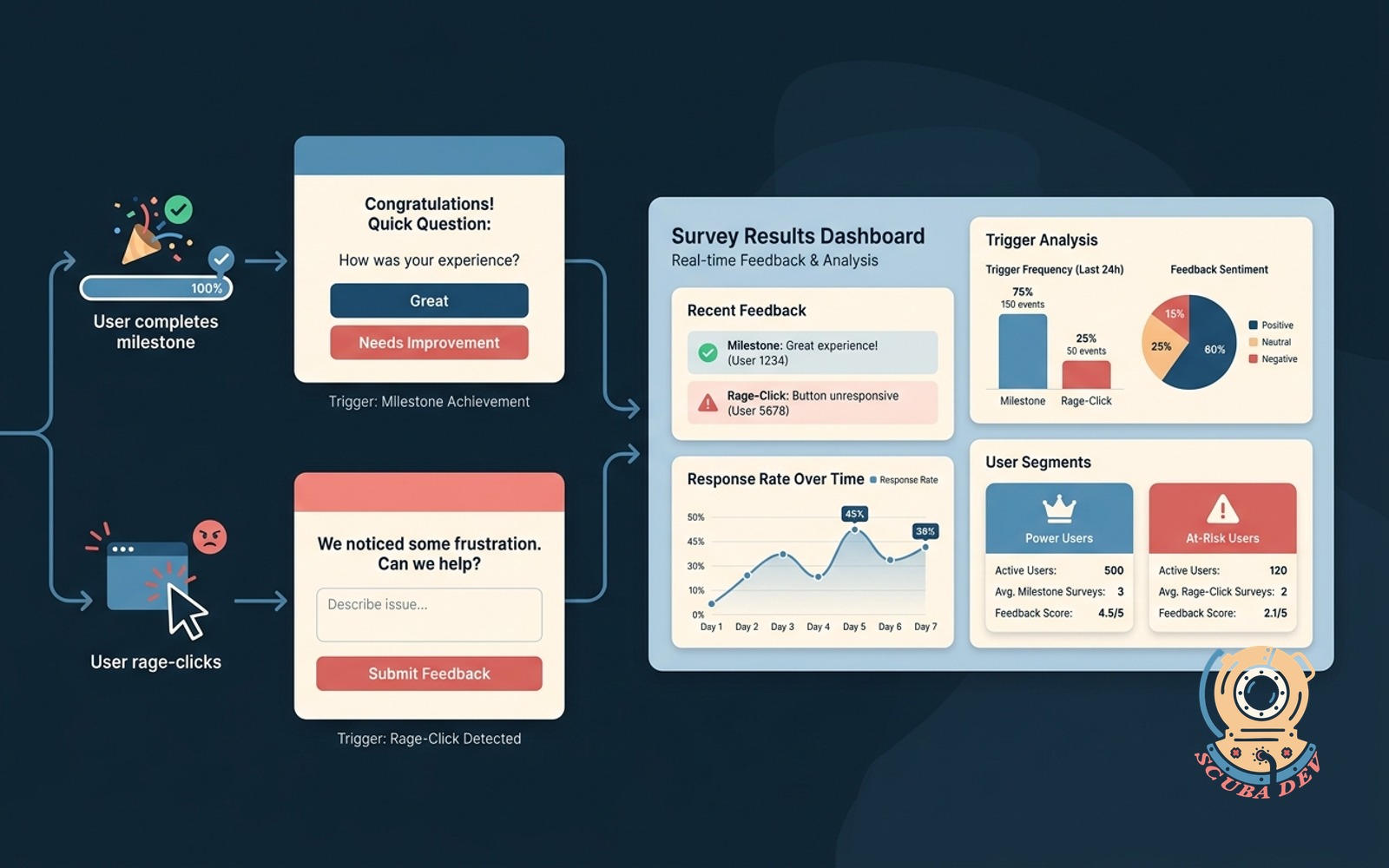
Fires a short survey when a user hits a milestone or rage-clicks. Results land in a dashboard with segments.
Possibilities
Where this could go
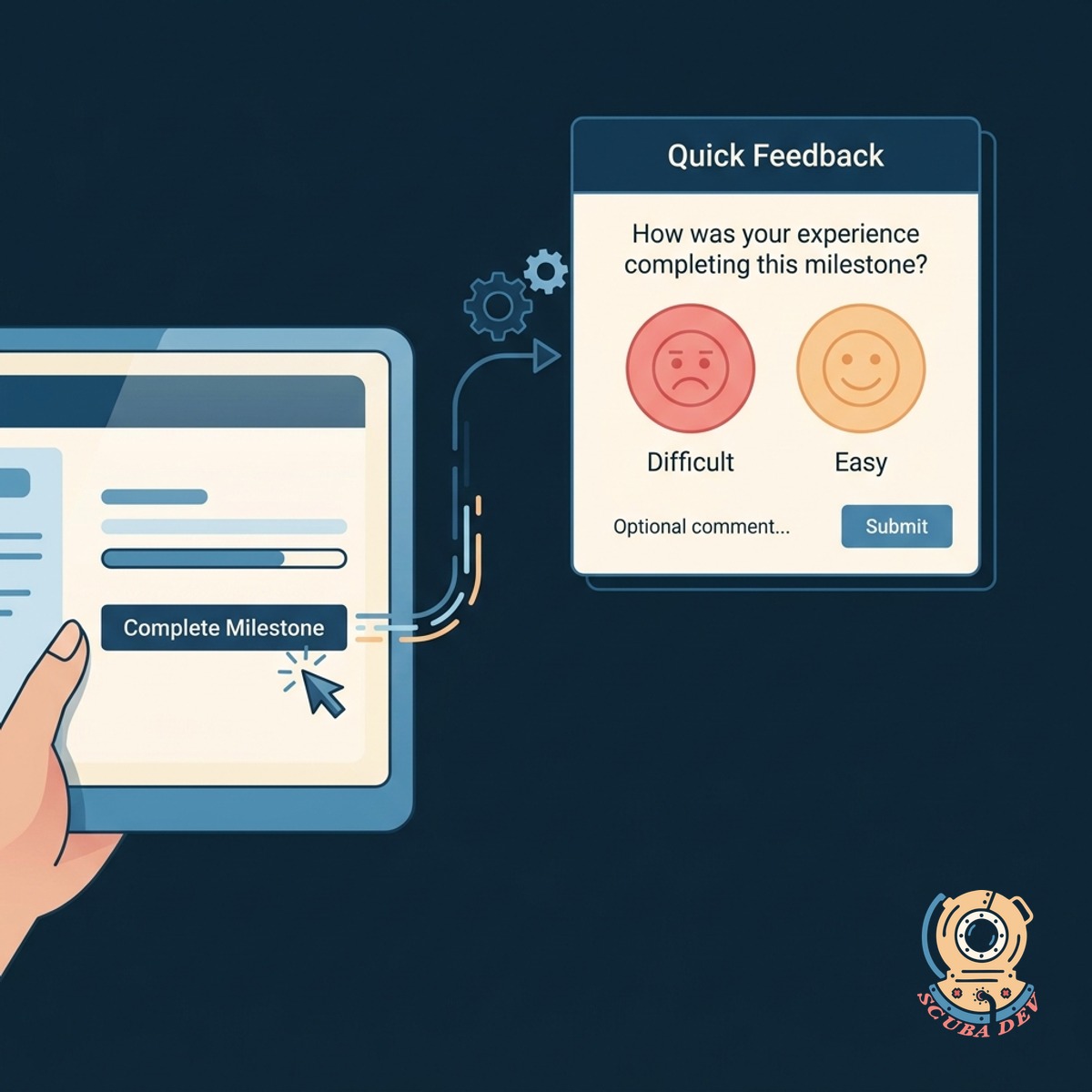
Event Triggered Micro Surveys
Capture user feedback exactly when it matters by linking short surveys to specific actions or milestones.
- Connect surveys to specific button clicks
- Trigger prompts after onboarding completion
- Set delays to avoid interrupting workflows
- Target specific user segments
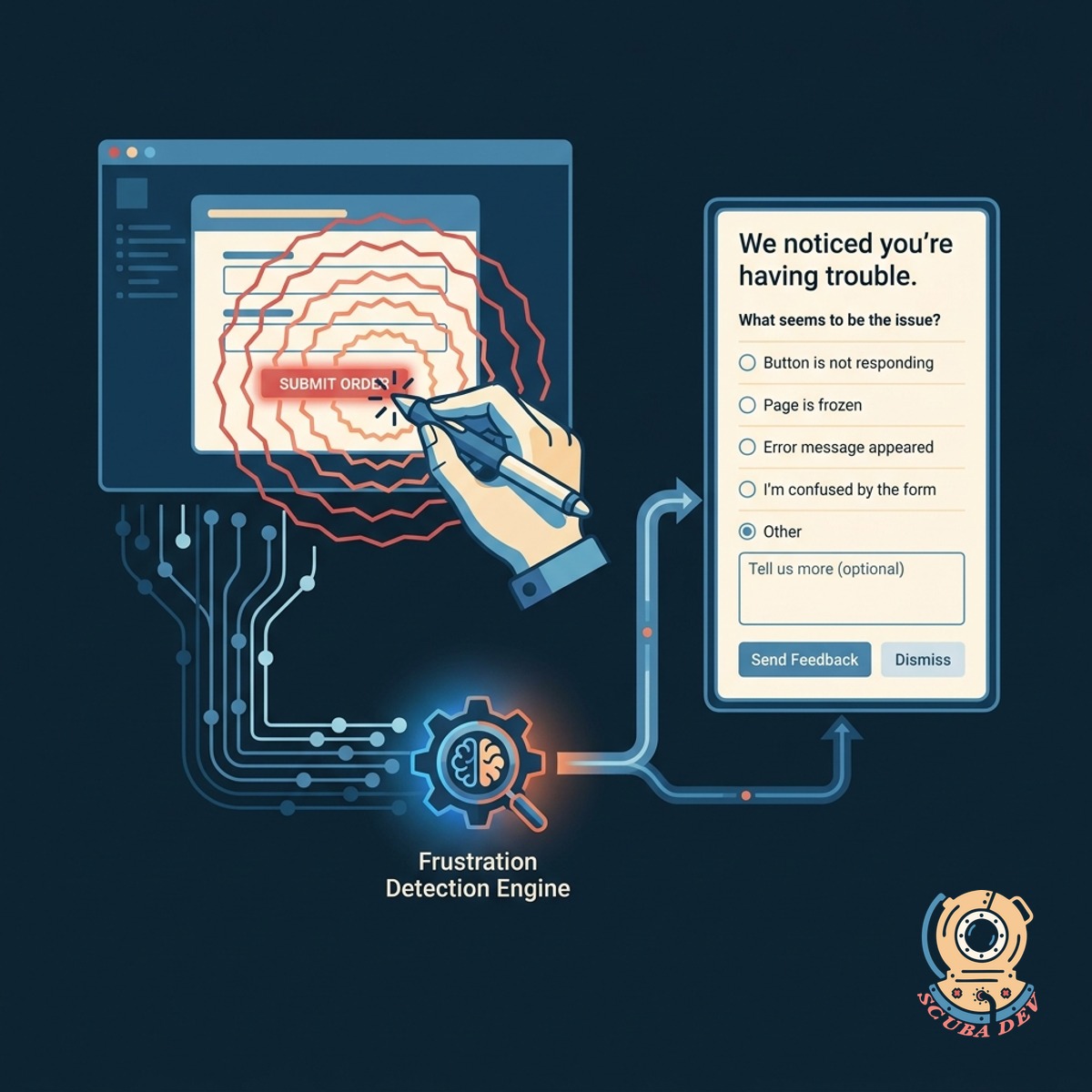
Rage Click And Frustration Detection
Identify friction points automatically and deploy targeted questions to understand why users get stuck.
- Monitor rapid repeated clicks
- Track excessive scrolling behavior
- Deploy help surveys on error screens
- Capture context around user confusion
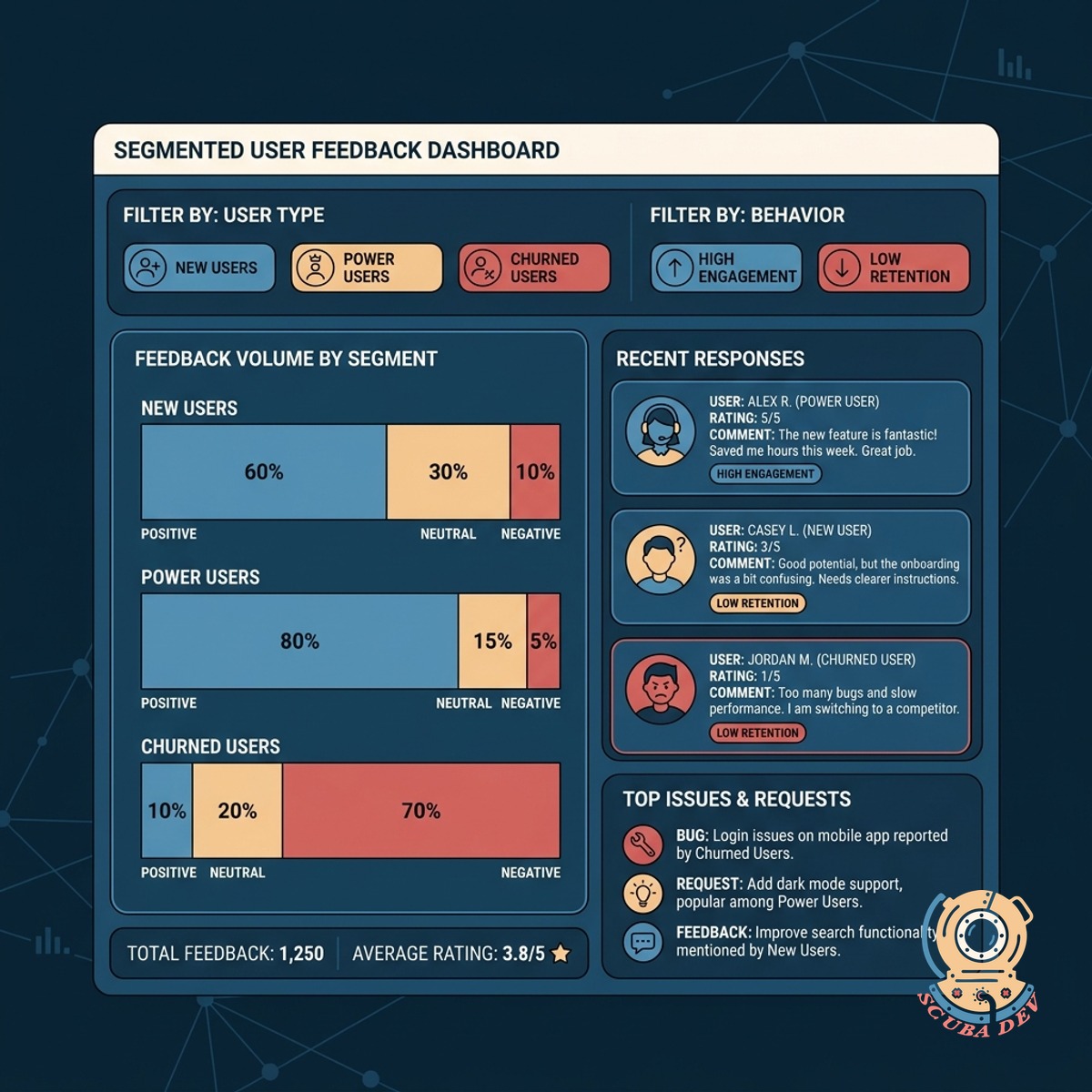
Segmented User Feedback Dashboard
Centralize all survey responses into a clean dashboard to filter feedback by user type and behavior.
- View responses by subscription tier
- Filter feedback by user activity level
- Export data to product management tools
- Track satisfaction trends over time
Questions
Things people ask
What tools do you use to build these surveys?
We integrate established platforms like Sprig, Hotjar, or PostHog depending on your existing stack. These tools offer robust event tracking and survey delivery mechanisms out of the box.
Will these popups annoy our users?
We configure strict frequency caps and cooldown periods to prevent survey fatigue. Surveys only appear when highly relevant to the immediate user context.
How do we define a rage click?
A rage click is typically defined as multiple clicks in the same area within a few seconds. We customize these parameters based on your interface and typical user interaction patterns.
Can we send this data to our product management software?
Yes. We route survey responses directly into tools like Jira, Linear, or Productboard. This ensures your product team sees user feedback alongside their daily tasks.
Do we need to write custom code for every new survey?
We provide a lightweight SDK that listens for your existing frontend events without adding latency. You map your custom events to survey triggers directly within the dashboard. This means you do not need to push new code every time you want to launch a new survey.
How does the segmentation work?
We pass user attributes from your database into the survey tool during the initial setup. This allows you to filter survey results by plan type, account age, or user role.
Can we trigger surveys based on backend events?
Yes. We can connect backend milestones like a successful payment or a data import completion to the survey logic. The prompt will appear the next time the user opens the application.