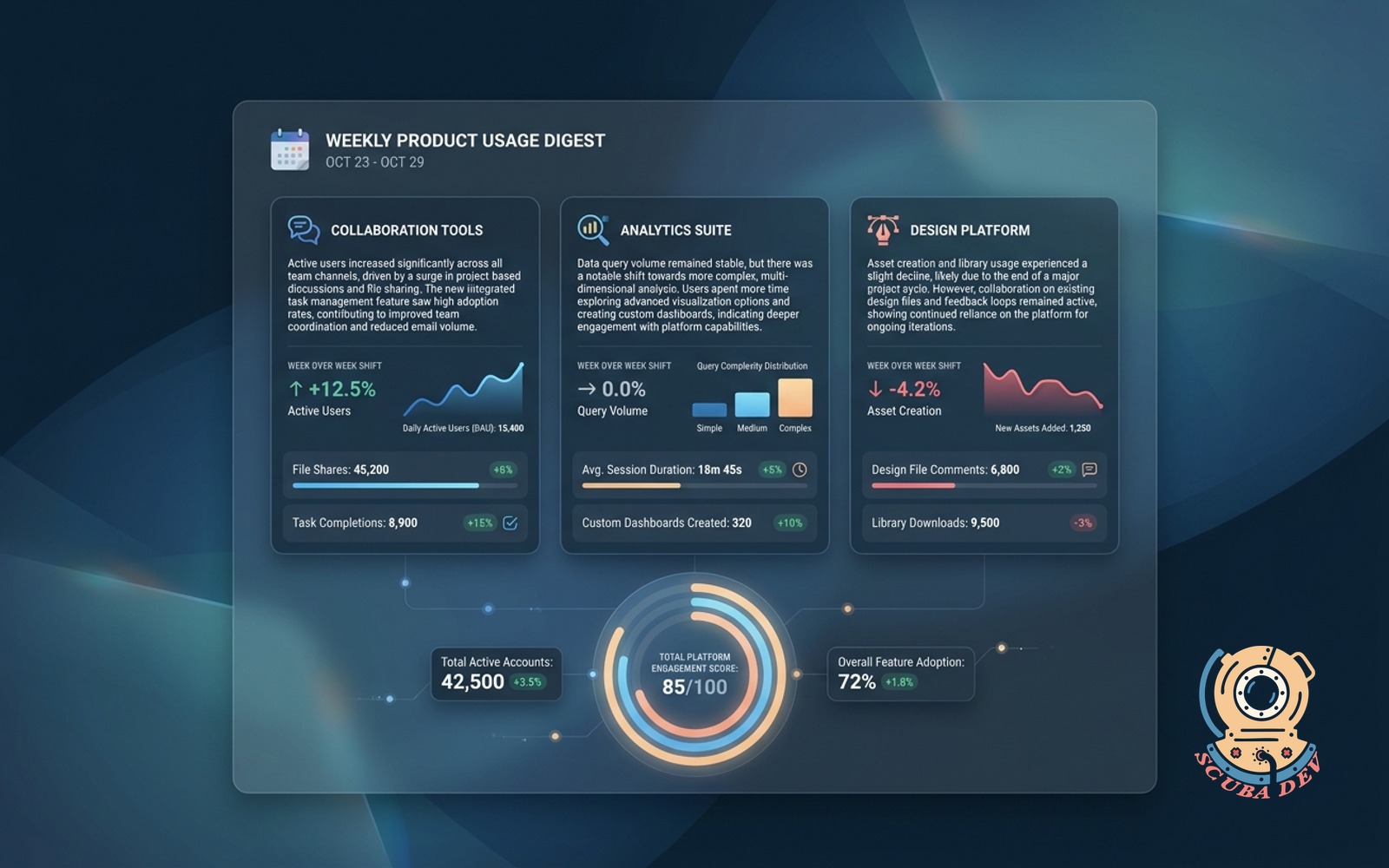
Weekly Product Usage Digest
One paragraph per product area with week over week shifts and the metrics that moved.
Possibilities
Where this could go

Automated Weekly Digest Delivery
The system compiles usage data across all product areas and sends a formatted summary directly to your inbox every week.
- Pulls data from Mixpanel and Snowflake
- Formats metrics into readable paragraphs
- Highlights week over week changes
- Delivers via Postmark or SendGrid
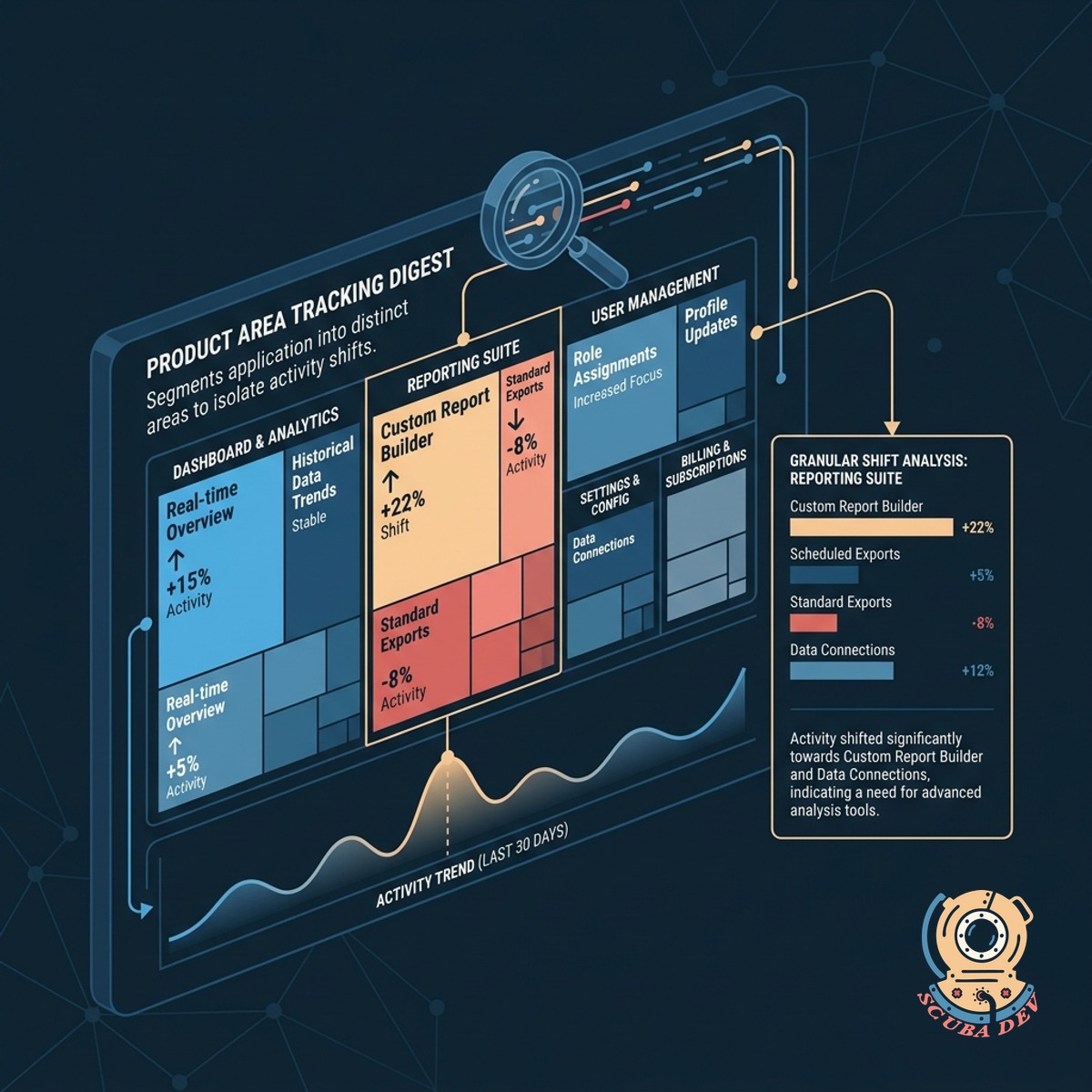
Granular Product Area Tracking
The digest segments your application into distinct product areas to isolate exactly where user activity shifted.
- Maps events to specific application zones
- Calculates percentage shifts for each zone
- Identifies the exact metrics that moved
- Prevents aggregate data from masking trends
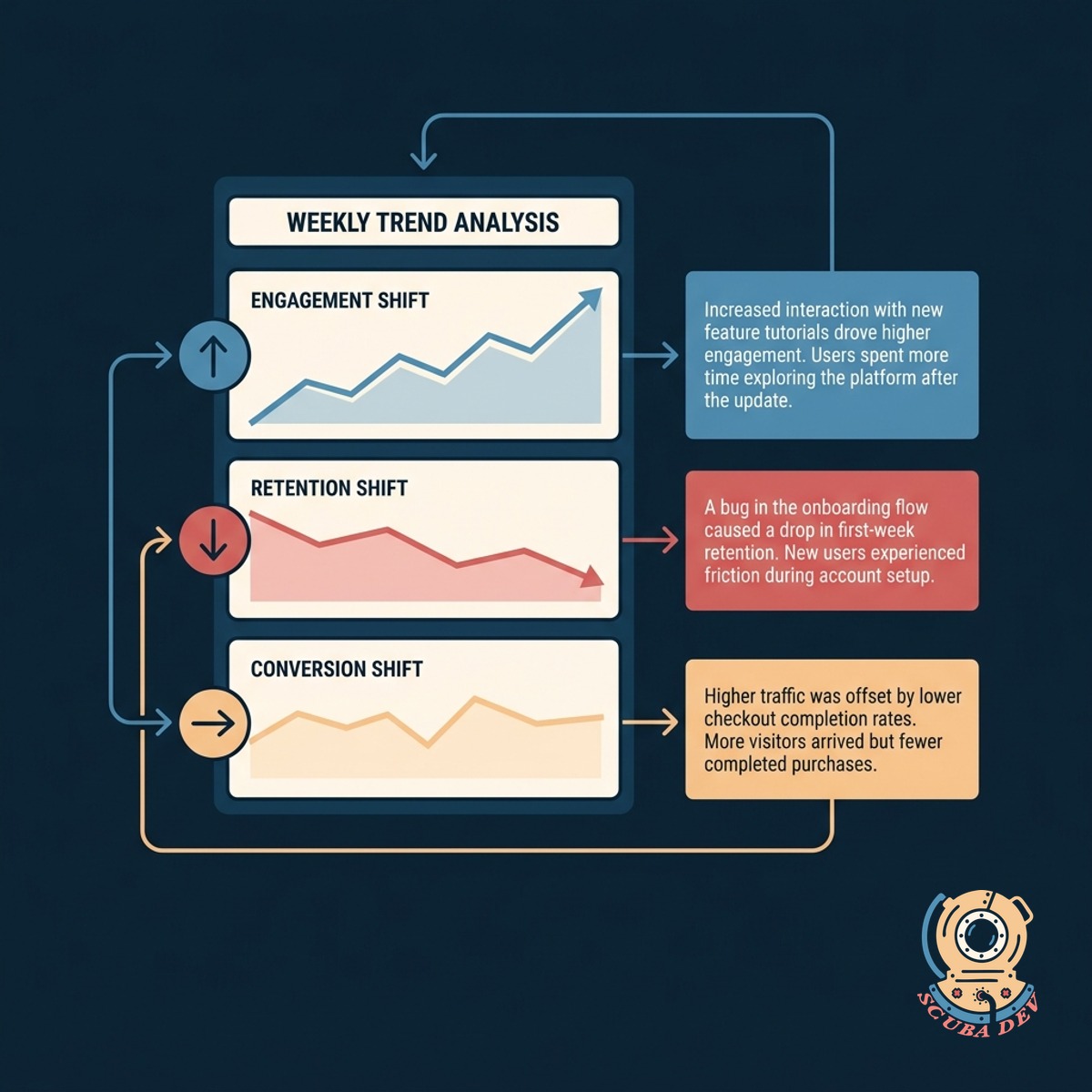
Contextual Metric Shifts
Each paragraph translates raw data into plain text to explain which specific user actions drove the weekly trend.
- Compares current week to previous week
- Generates natural language summaries
- Flags statistically significant deviations
- Connects feature usage to overall activity
Questions
Things people ask
Which analytics platforms does this integrate with?
The system connects directly to data warehouses like Snowflake and event tracking tools like Amplitude or Mixpanel to pull your weekly metrics.
How are the product areas defined?
You map specific tracking events to distinct product areas during setup. The digest then groups those events to generate the corresponding paragraphs.
Can we customize the delivery schedule?
Yes. While it defaults to a weekly cadence, you can adjust the delivery day and time to align with your internal reporting meetings.
How does the tool generate the written paragraphs?
It uses a natural language generation model to read the week over week percentage shifts and translate those numbers into plain text summaries.
What happens if a product area has no activity?
The digest will either omit that section for the week or explicitly state that no usage was recorded, depending on your configuration preferences.
Can we send the digest to a Slack channel instead of email?
The system supports webhooks, allowing you to route the weekly digest to Slack, Microsoft Teams, or standard email providers like SendGrid.
How does it calculate the week over week shifts?
The tool compares the total event counts from the last seven days against the preceding seven days to determine the exact percentage change.