Revenue reconciliation report
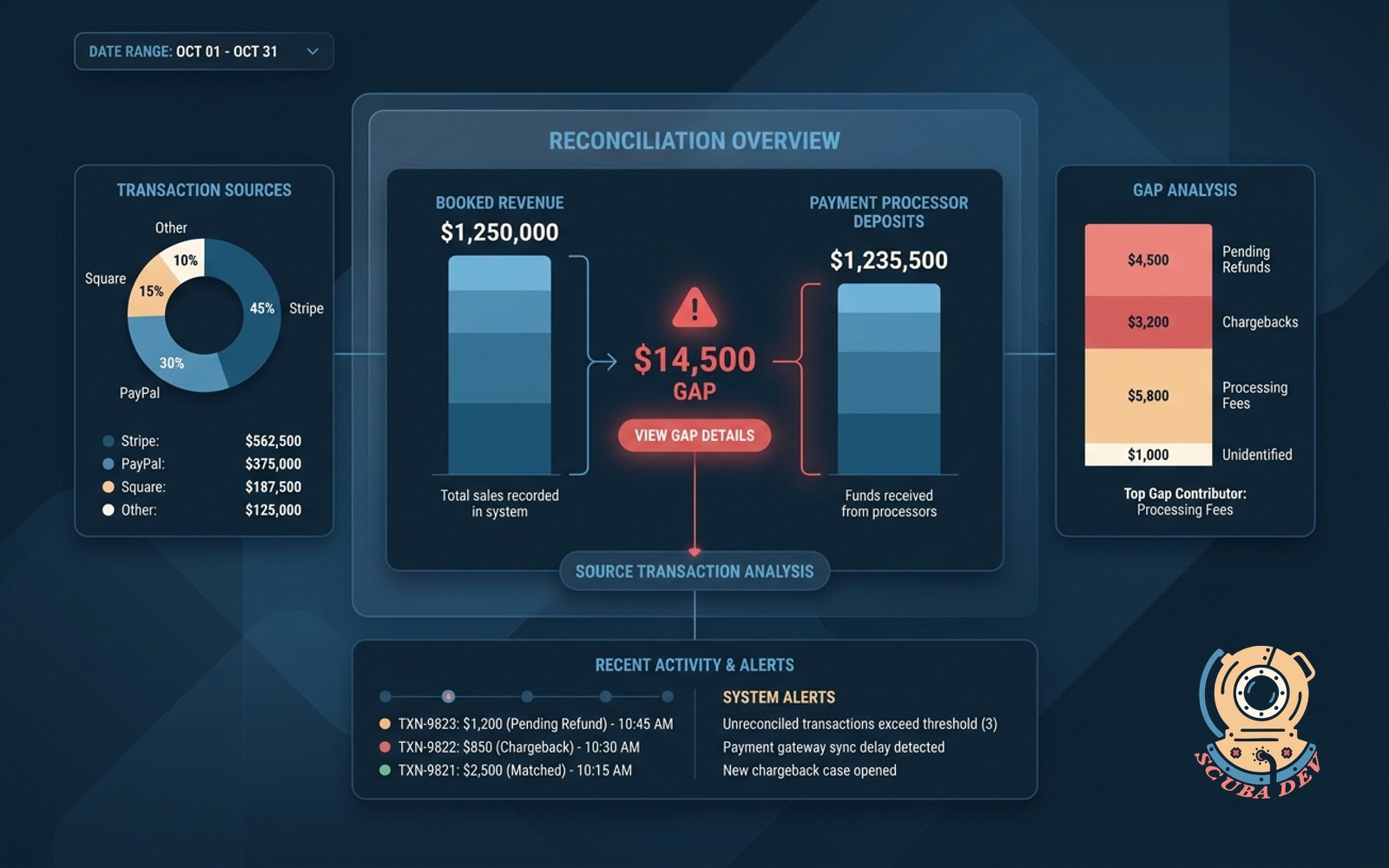
Matches booked revenue against payment processor deposits and flags the gap with the source transaction.
Possibilities
Where this could go
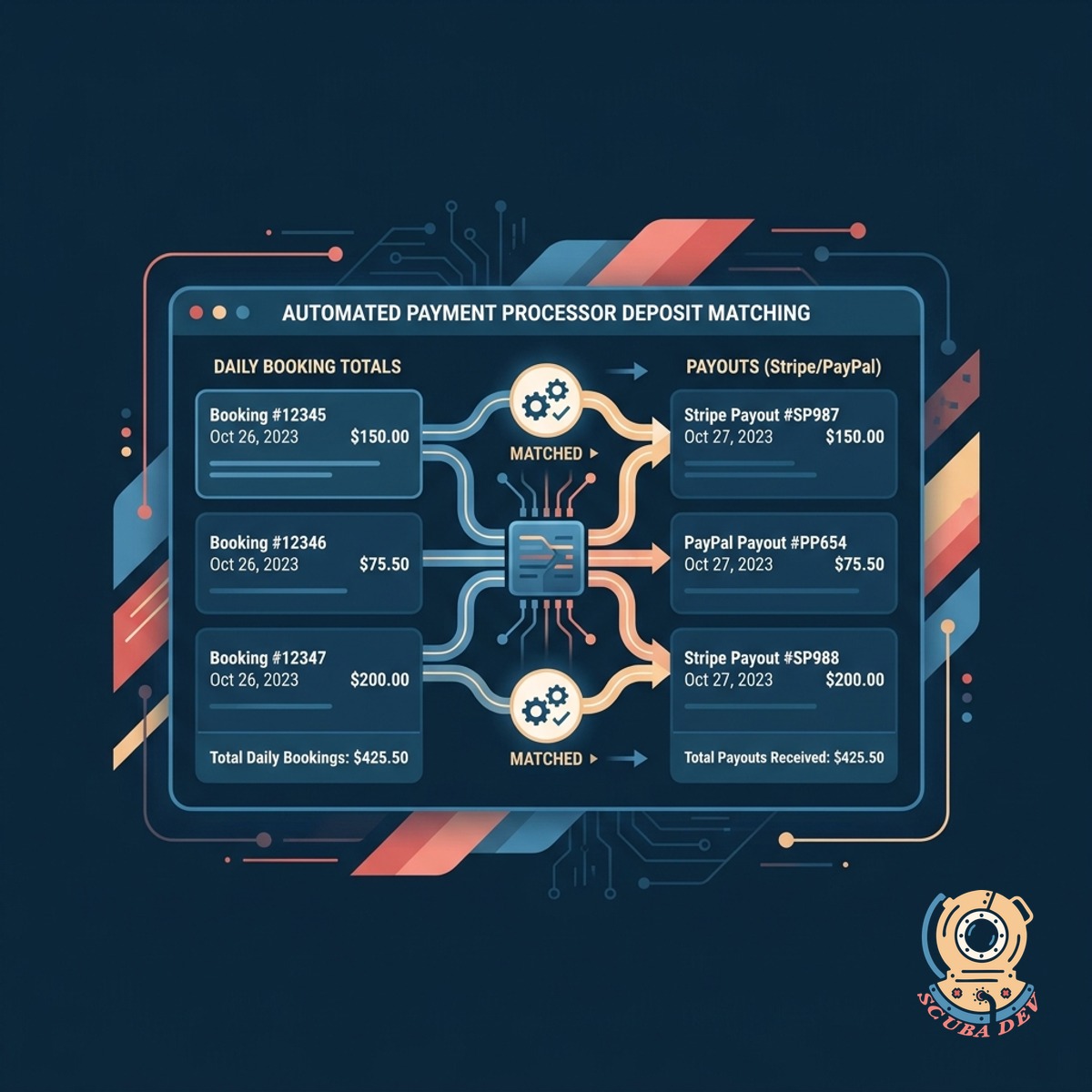
Automated Payment Processor Deposit Matching
The report automatically links your daily booking totals to the corresponding payouts in Stripe or PayPal.
- Connect your Stripe and PayPal accounts to pull payout data automatically.
- Group individual bookings into daily batches to mirror processor deposit schedules.
- View expected revenue next to actual settled funds on a single screen.
- Filter deposit history by date range, payment method, or specific processor.
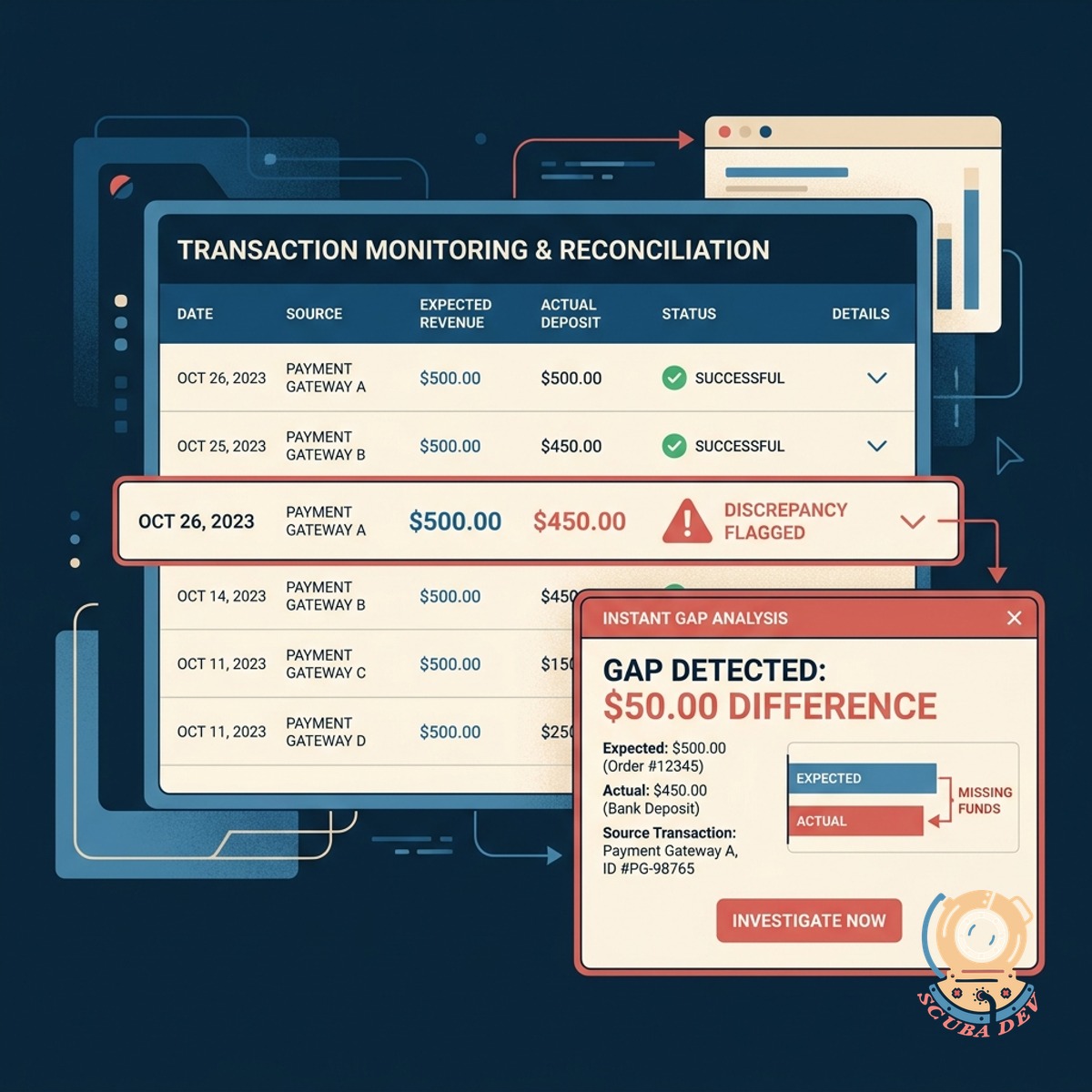
Instant Discrepancy And Gap Flagging
Any difference between expected revenue and actual deposits is immediately highlighted alongside the source transaction.
- Highlights mismatched totals
- Links directly to source bookings
- Flags unexpected processor fees
- Isolates partial refunds
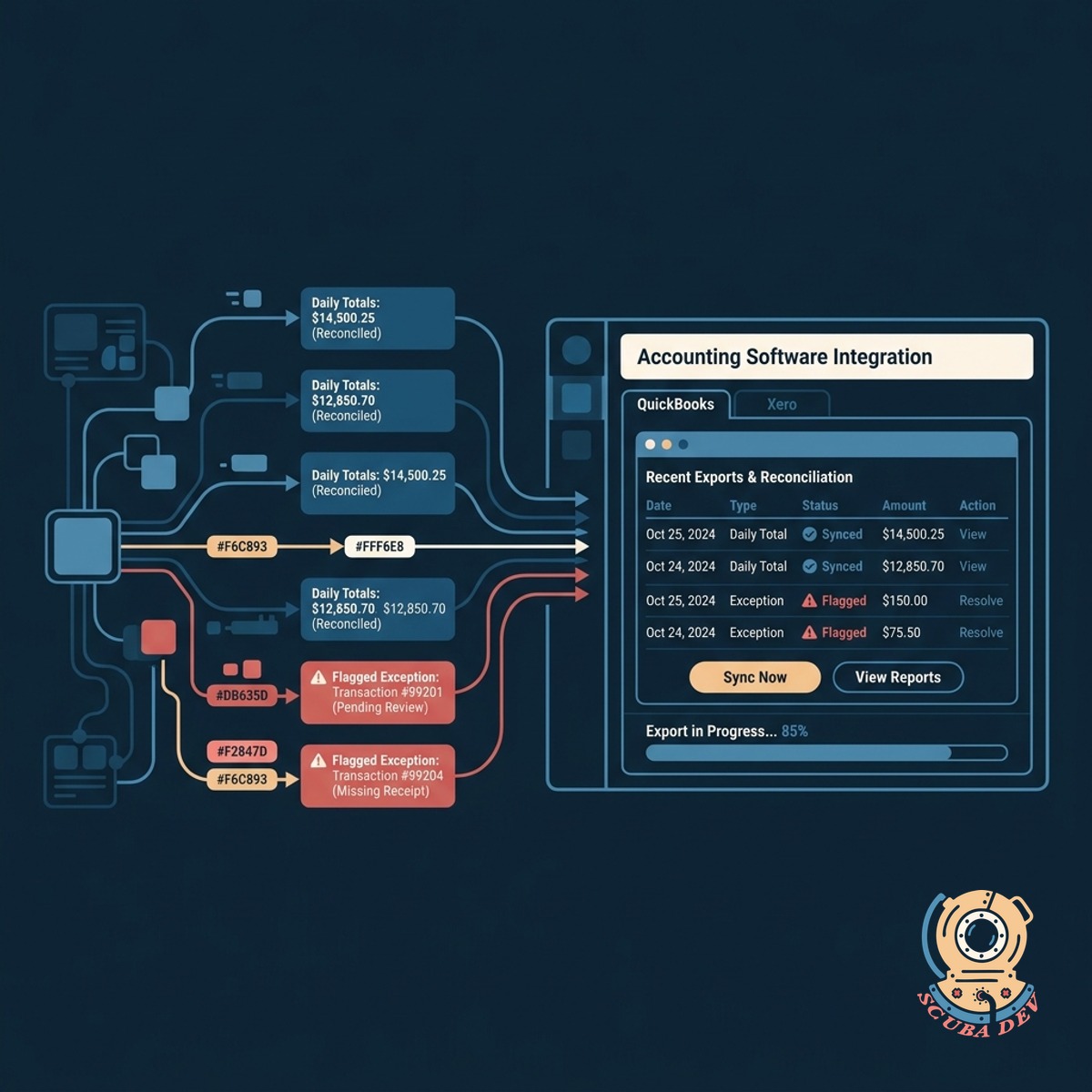
Seamless Export For Accounting Software
Reconciled daily totals and flagged exceptions export directly into QuickBooks or Xero to keep your books accurate.
- Formats data for QuickBooks
- Prepares clean Xero imports
- Groups transactions by day
- Maintains accurate general ledgers
Questions
Things people ask
How does the report match bookings to deposits?
The system compares the transaction IDs and dates from your booking software with the batch settlement reports from your payment processor.
Which payment processors are supported?
The tool integrates with major processors like Stripe, PayPal, and Square to pull your daily payout and fee data.
Can this handle partial refunds or cancellations?
Yes. The report flags partial refunds and cancellations as discrepancies if they cause a mismatch between the booked revenue and the final deposit.
Does it account for payment processing fees?
The report separates net deposits from processing fees so you can see exactly why a deposit amount differs from the gross booking total.
How often does the reconciliation report update?
The system syncs daily to match the previous day of transactions and deposits.
Does this replace my accounting software?
No. This tool acts as a bridge between your booking system and your accounting software like QuickBooks or Xero to ensure the data you import is accurate.
What happens when a missing transaction is found?
The report highlights the gap and provides a direct link to the source booking so you can investigate the missing funds immediately.