AR aging board with auto-nudge
Groups open invoices by days past due. Sends staged reminders on your cadence and pauses when the customer replies.
Possibilities
Where this could go
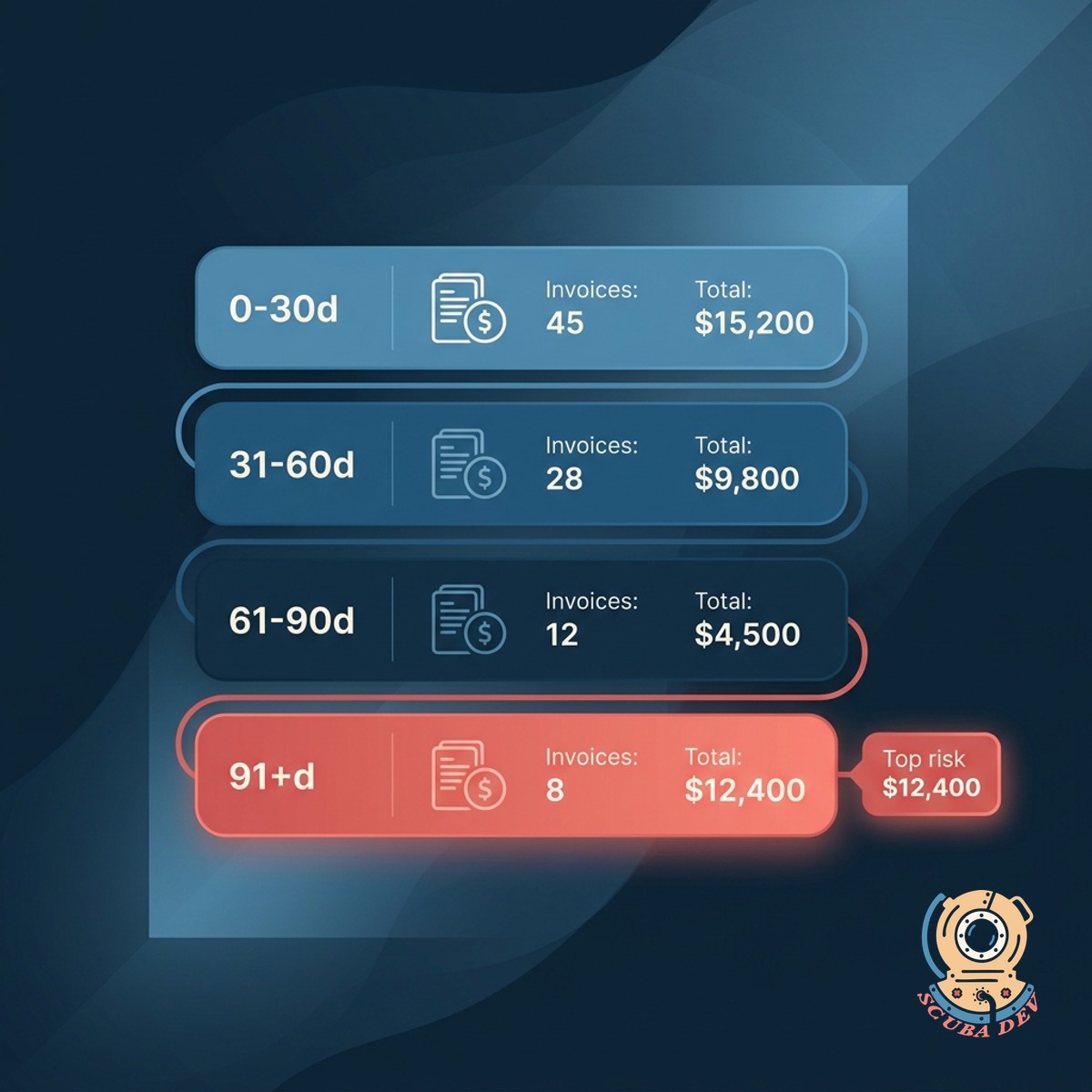
Grouped By Days Past Due
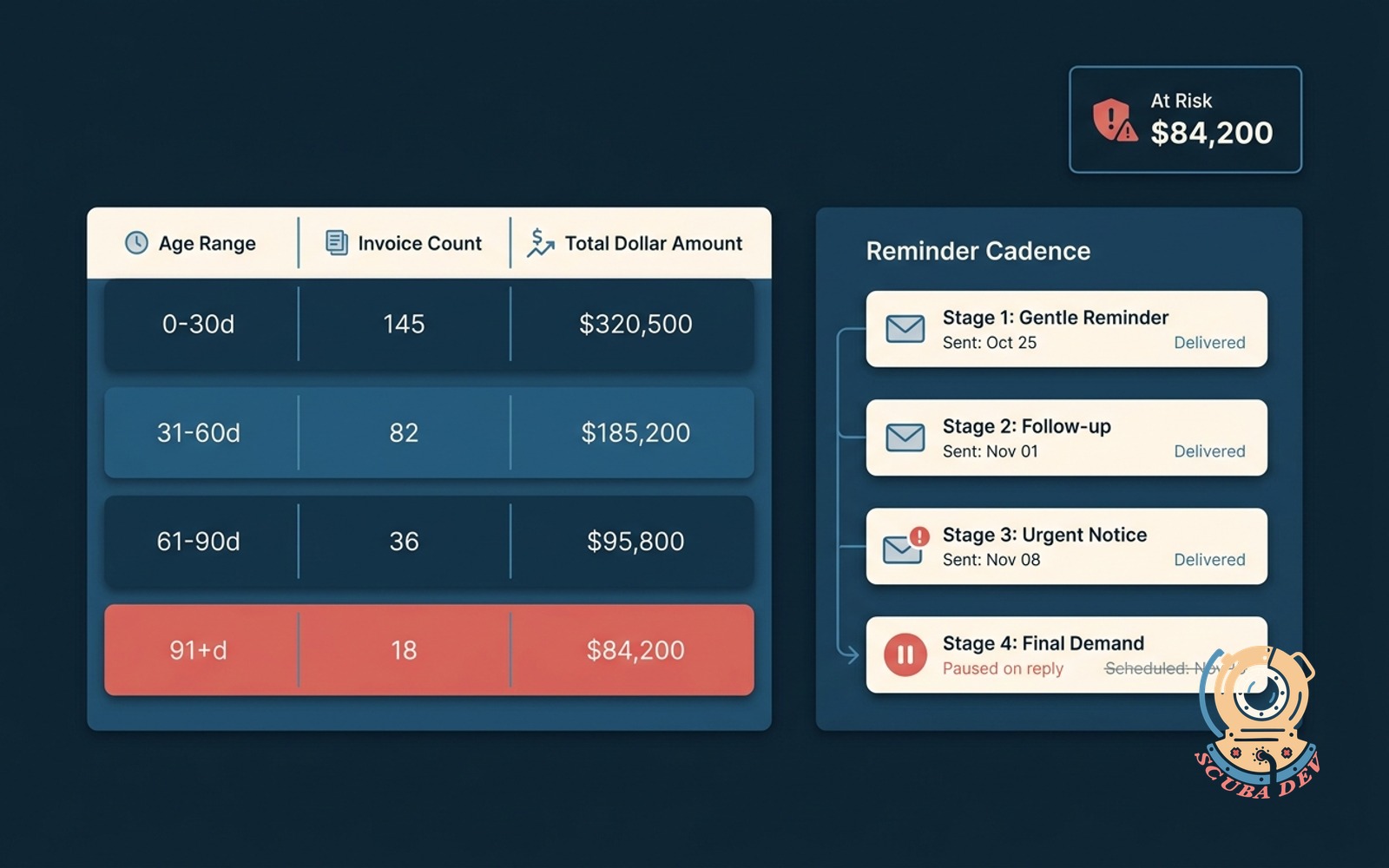
Every open invoice sorted into 0 to 30, 31 to 60, 61 to 90, and 91-plus buckets. Total at risk per bucket shown at a glance.
- Reads live from QuickBooks, Xero, NetSuite, or your AR system
- Buckets refresh nightly with manual on-demand refresh
- Click any invoice to see the history, the contact, and the thread
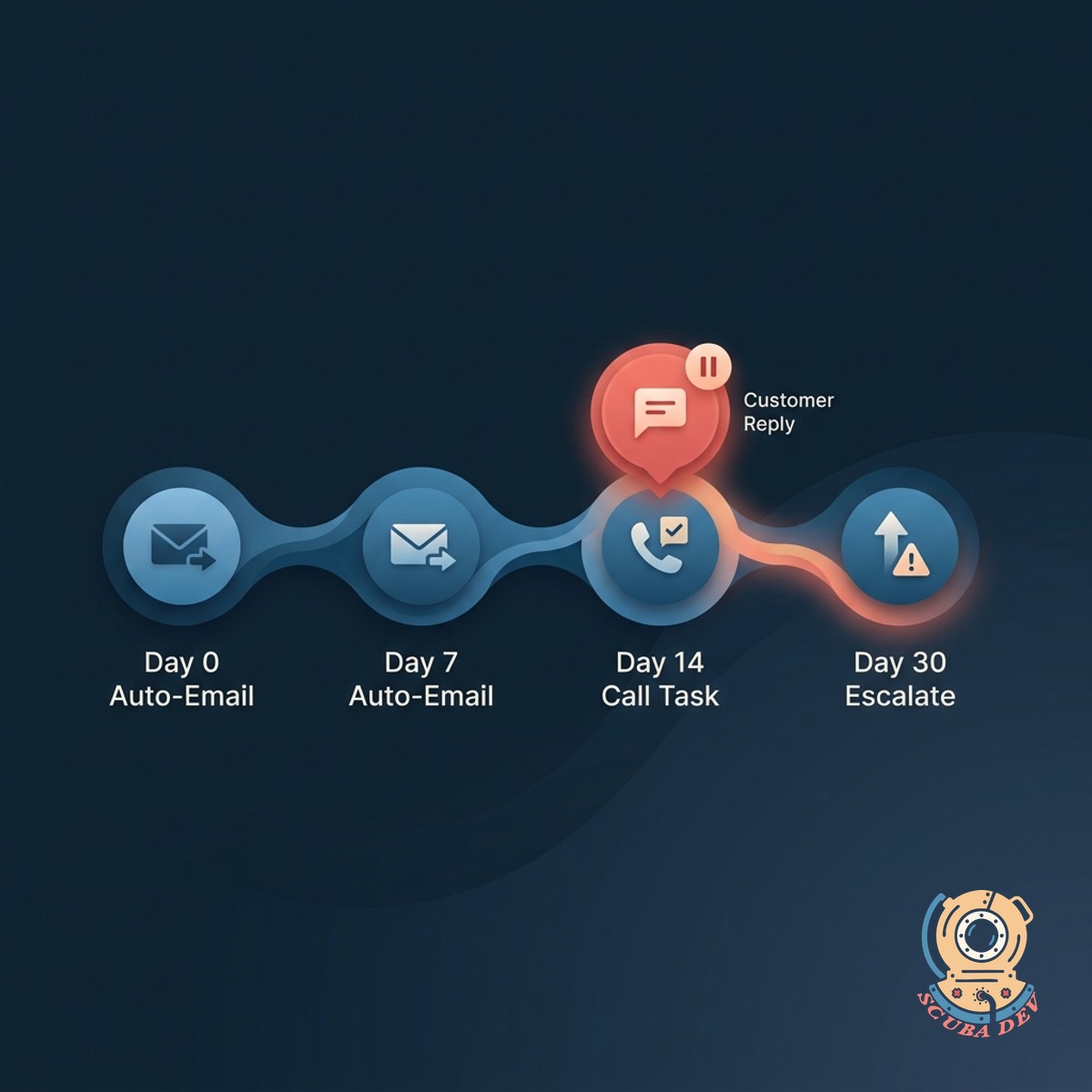
Auto-Nudge Cadence
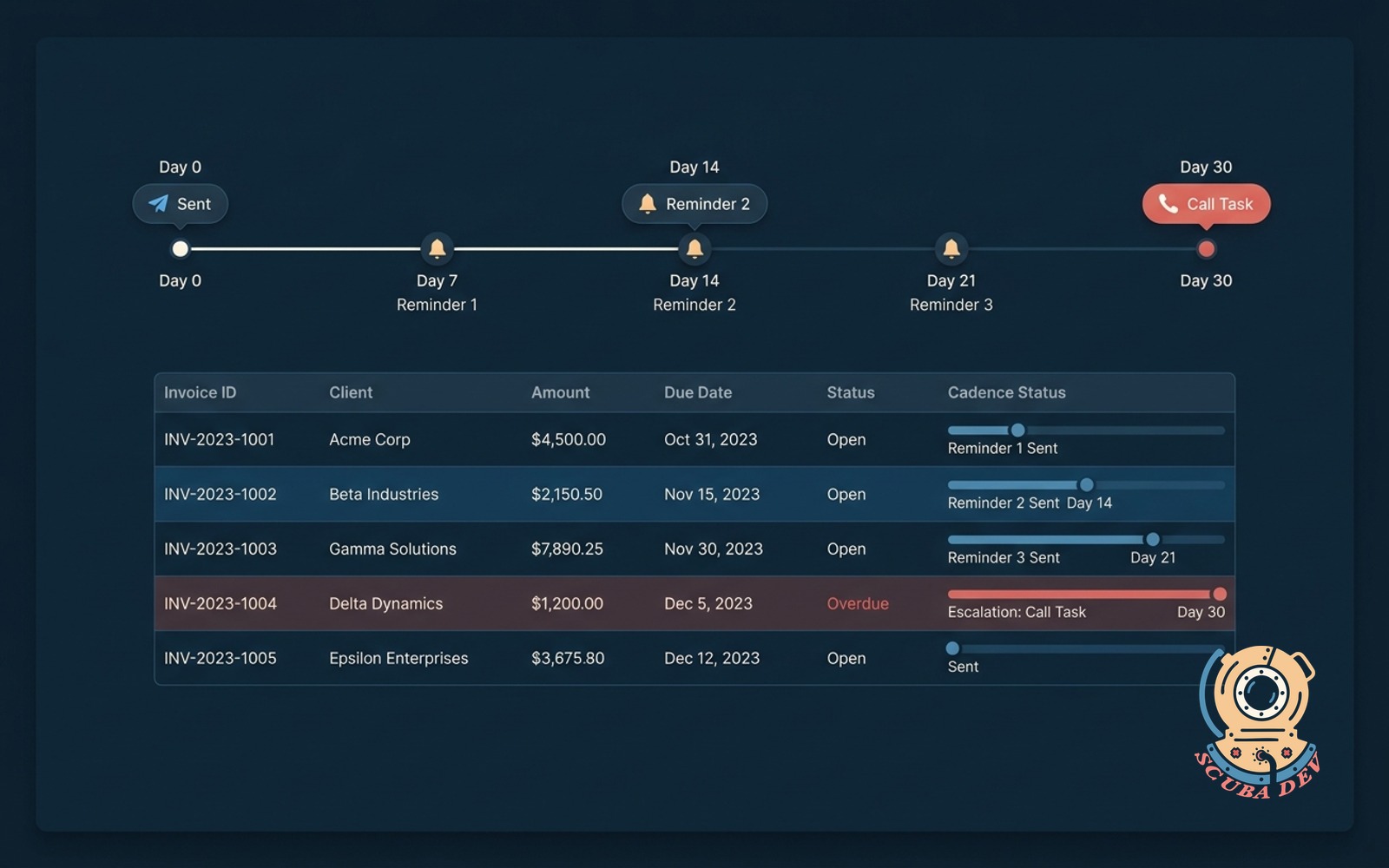
Staged reminders on your cadence. Pauses automatically when the customer replies so you never talk over them.
- Your cadence, your voice, your signer
- Detects customer replies in the shared inbox and pauses
- Escalates to a call task if the bucket crosses your threshold
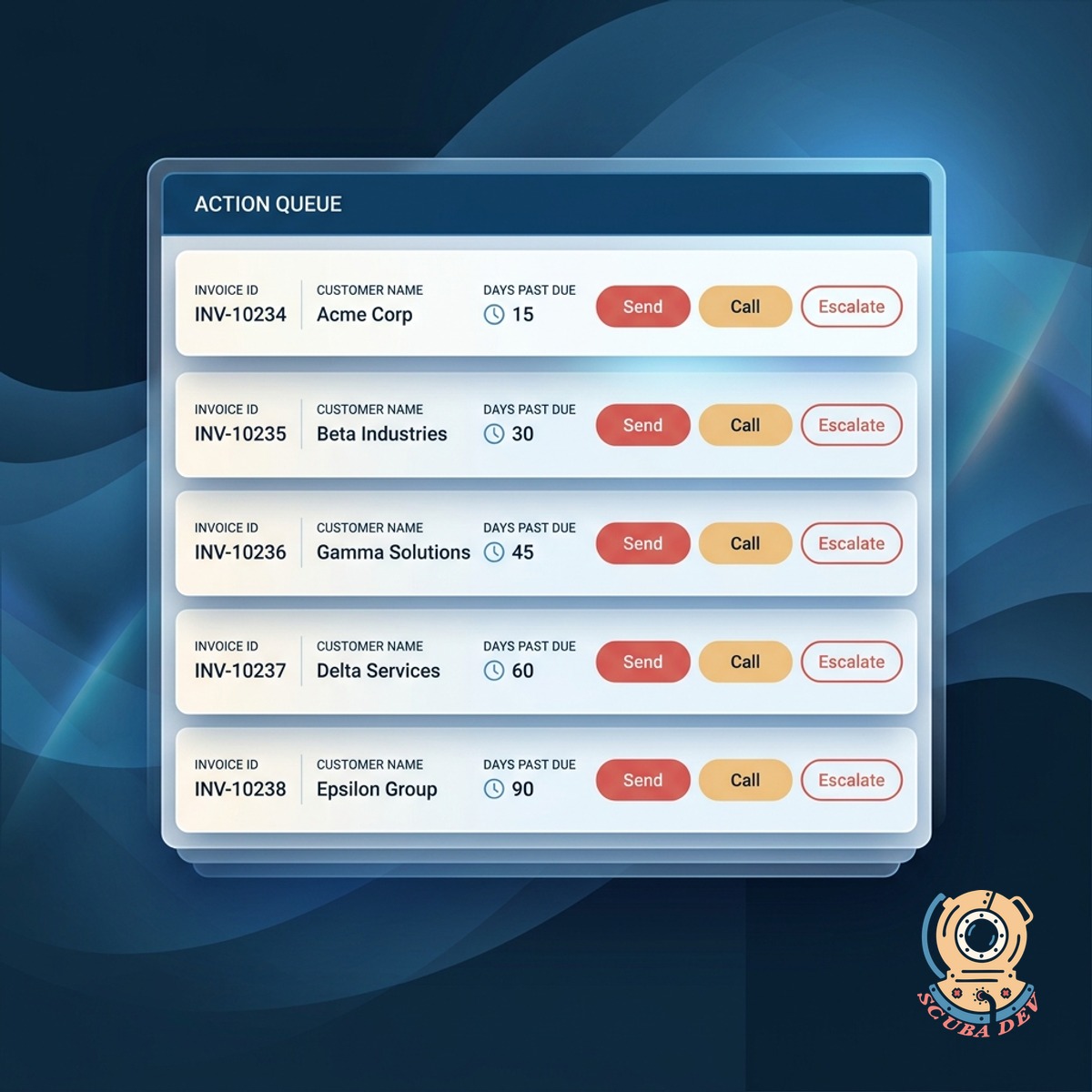
Owner-Ready Actions
Each flagged invoice comes with a suggested action for the AR owner. Send reminder, call, escalate, or write off.
- Suggested action per invoice with one-click approve
- Logs every touch back to your CRM or AR system
- Weekly rollup of what was collected
Questions
Things people ask
Which accounting systems work?
QuickBooks Online and Desktop, Xero, NetSuite, Sage Intacct, Zoho Books, and FreshBooks. Custom ERPs with an AR API also work.
How does the pause-on-reply work?
We watch the shared inbox that sends your reminders. When a reply comes in from the invoice contact, the next reminder is paused and the thread routes to a human for review.
Can different segments get different cadences?
Yes. You can set cadences per customer segment, contract size, or product line. Enterprise deals can have a slower, gentler cadence than self-serve.
Where do the reminders come from?
Your domain, your signer. Templates are written in your brand voice during setup and you approve them before anything ships.
What happens at 91 days past due?
The invoice hits a decision point: you can escalate to a call task, pass it to collections, or write it off. The dashboard shows the recommendation and you make the call.
Can we see collection trends over time?
Yes. Monthly collection rate, days sales outstanding, and aging drift are all tracked. You can compare quarters and slice by segment.
Does this replace our collections agency?
We connect directly to your email inbox to monitor replies from the customer. When a response comes in, the system automatically pauses the nudge sequence for that specific invoice. This prevents you from sending an automated reminder while you are already in an active conversation.