Expense submission form
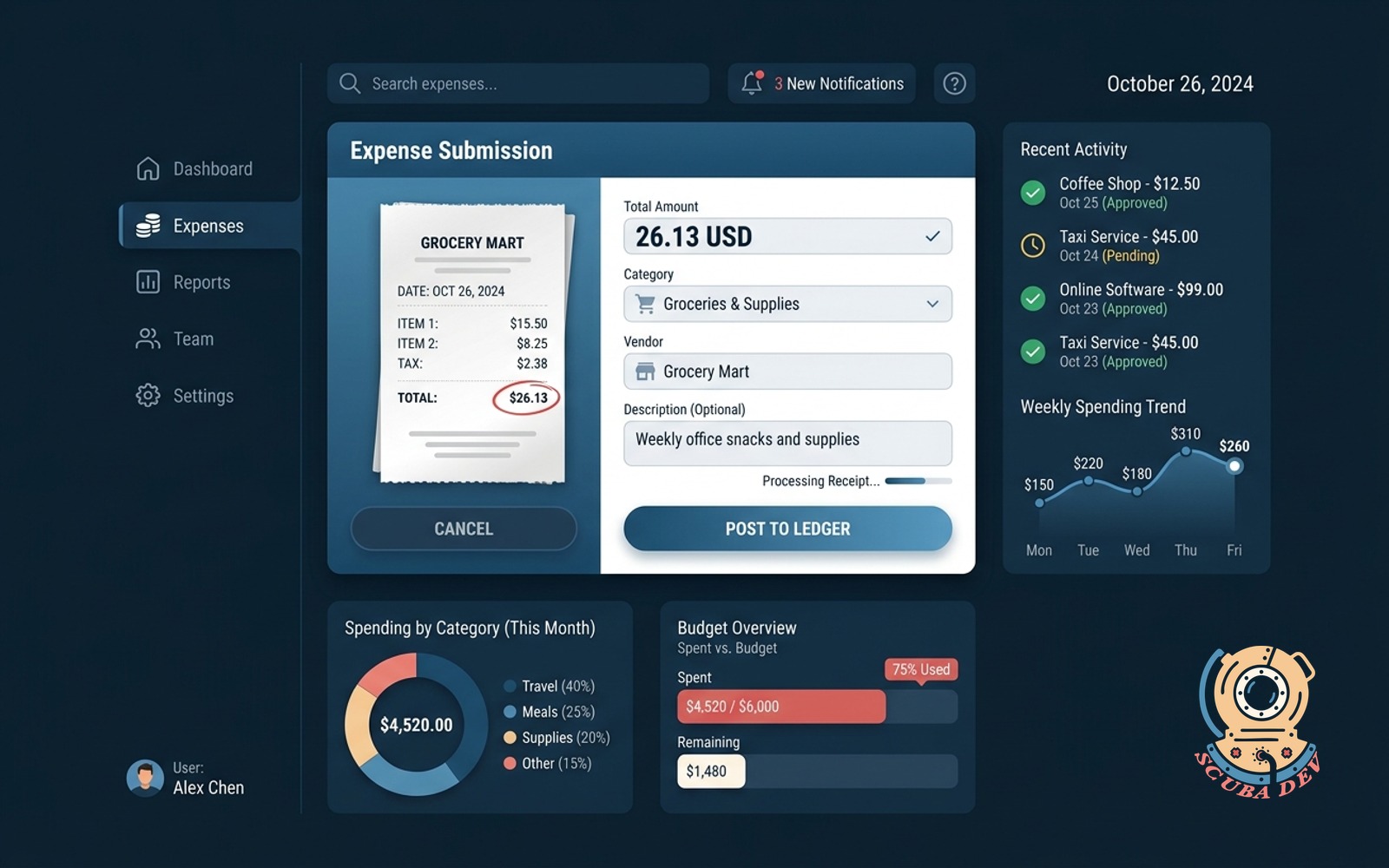
Photo of the receipt, the form reads the total, category and vendor, posts straight to the ledger.
Possibilities
Where this could go
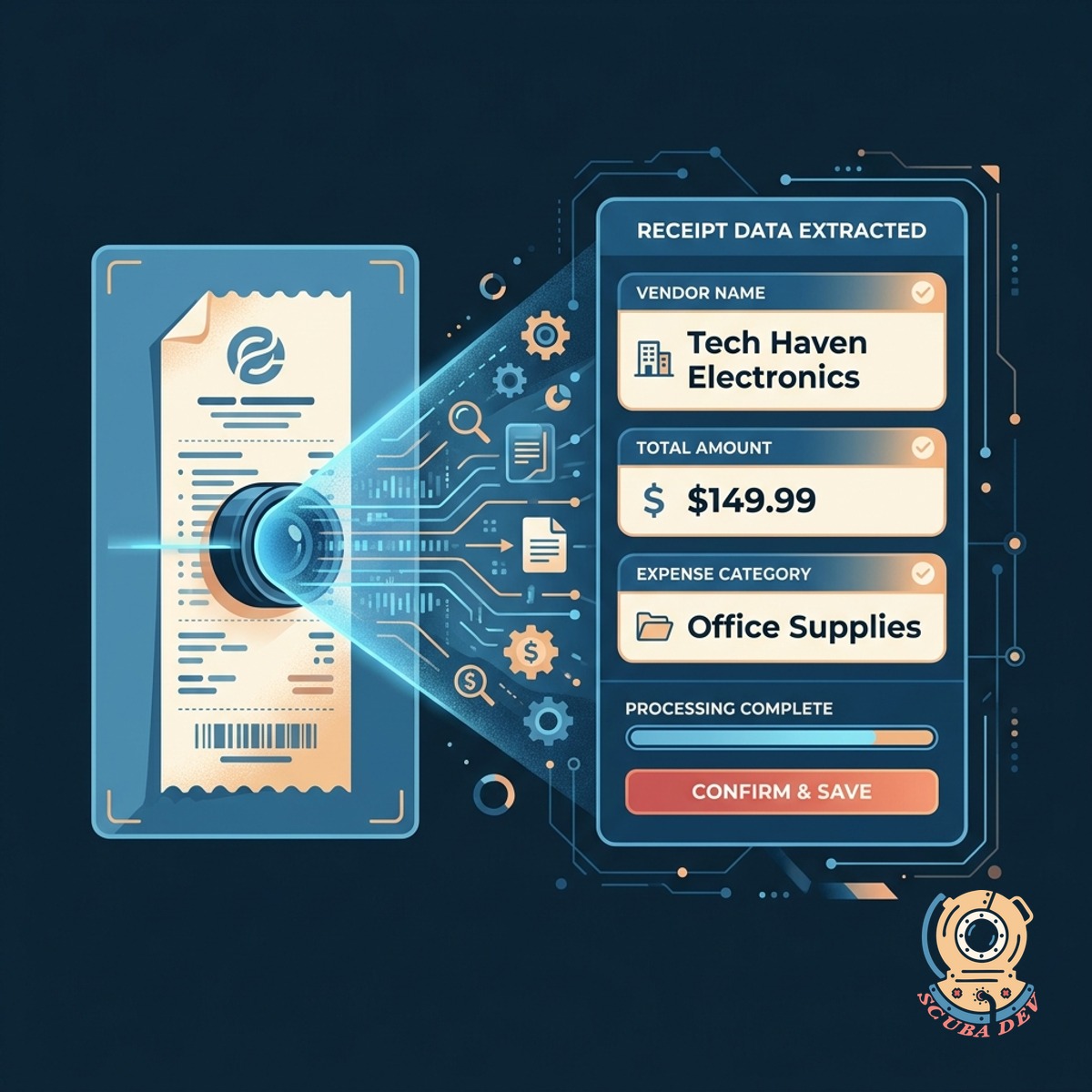
Automated Receipt Data Extraction
The application scans the uploaded receipt photo and instantly reads the vendor name, total amount, and expense category.
- Upload photo or PDF
- Extract text automatically
- Identify key data points
- Reduce manual entry
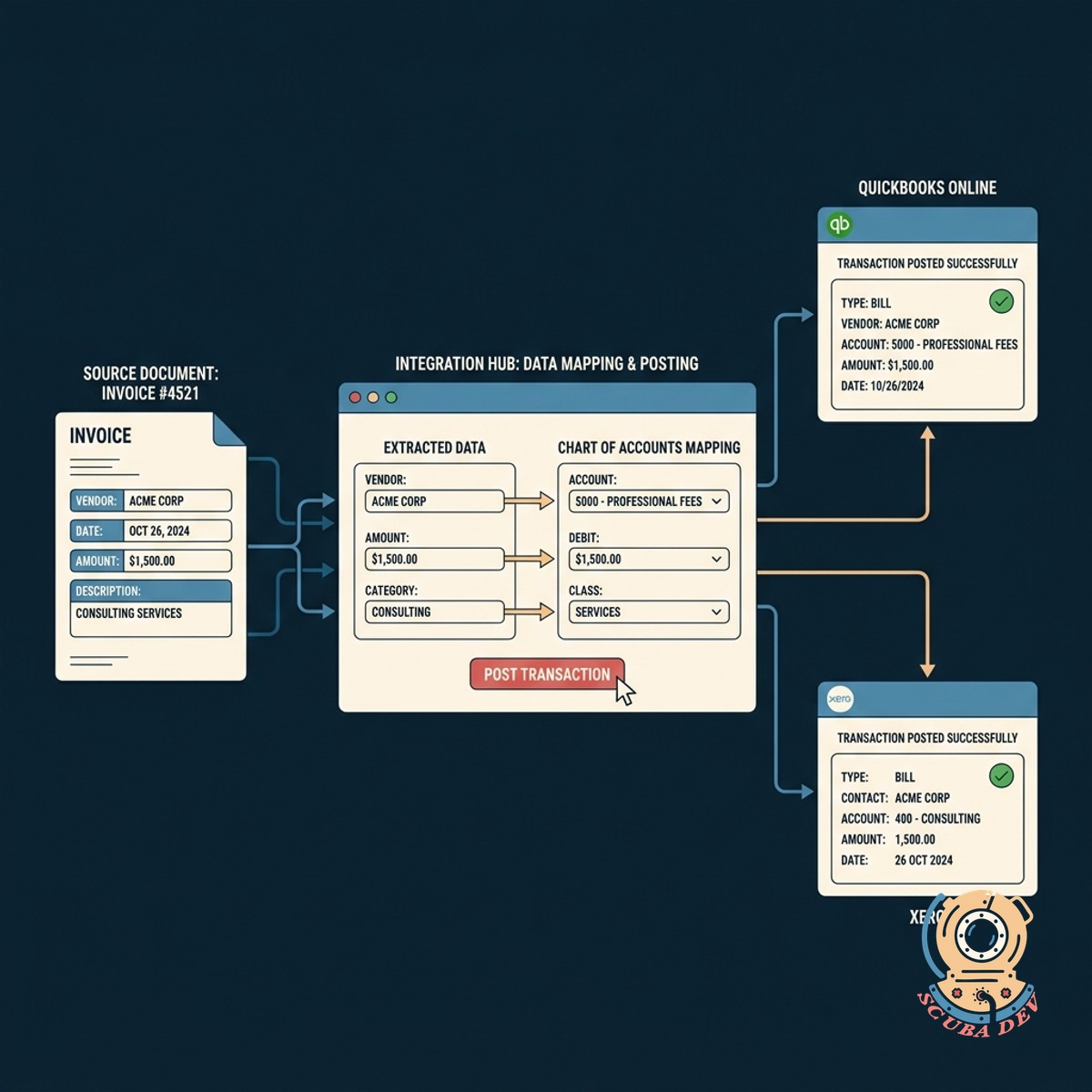
Direct Accounting Ledger Integration
The system maps the extracted data to your specific chart of accounts and posts the transaction directly to QuickBooks or Xero.
- Map to custom categories
- Connect to QuickBooks
- Sync with Xero
- Post transactions instantly

Mobile Expense Submission Interface
Team members can submit their expenses on the go using a responsive web application that works on any smartphone or tablet.
- Access via mobile browser
- Take photos in the app
- Review extracted data
- Submit for approval
Questions
Things people ask
How does the form read the text on the receipt?
The application uses optical character recognition APIs like Google Cloud Vision or Amazon Textract to scan the image and convert the visible text into structured data.
Can the tool connect directly to our accounting software?
Yes, the system uses native APIs to push the categorized expense data straight into accounting platforms like QuickBooks Online, Xero, or NetSuite.
What happens if the scanner reads the wrong amount?
The form presents the extracted data to the user for a quick review before final submission, allowing them to manually correct any misread totals or vendor names.
Does this work for digital receipts and invoices?
Users can upload PDF documents or screenshots of digital receipts just as easily as taking a photo of a physical paper receipt.
How does the system know which expense category to choose?
We can implement logic that maps specific keywords or vendor names to your custom chart of accounts, automatically suggesting the most likely category.
Can we add an approval step before it hits the ledger?
We can build a routing system that sends submissions over a certain dollar amount to a manager for review before the data posts to the accounting software.
Is the original receipt image saved for tax purposes?
The application stores the uploaded image file securely in cloud storage like AWS S3 and attaches a direct link to the transaction record in your ledger.