AP Invoice Extraction With Three Way Match
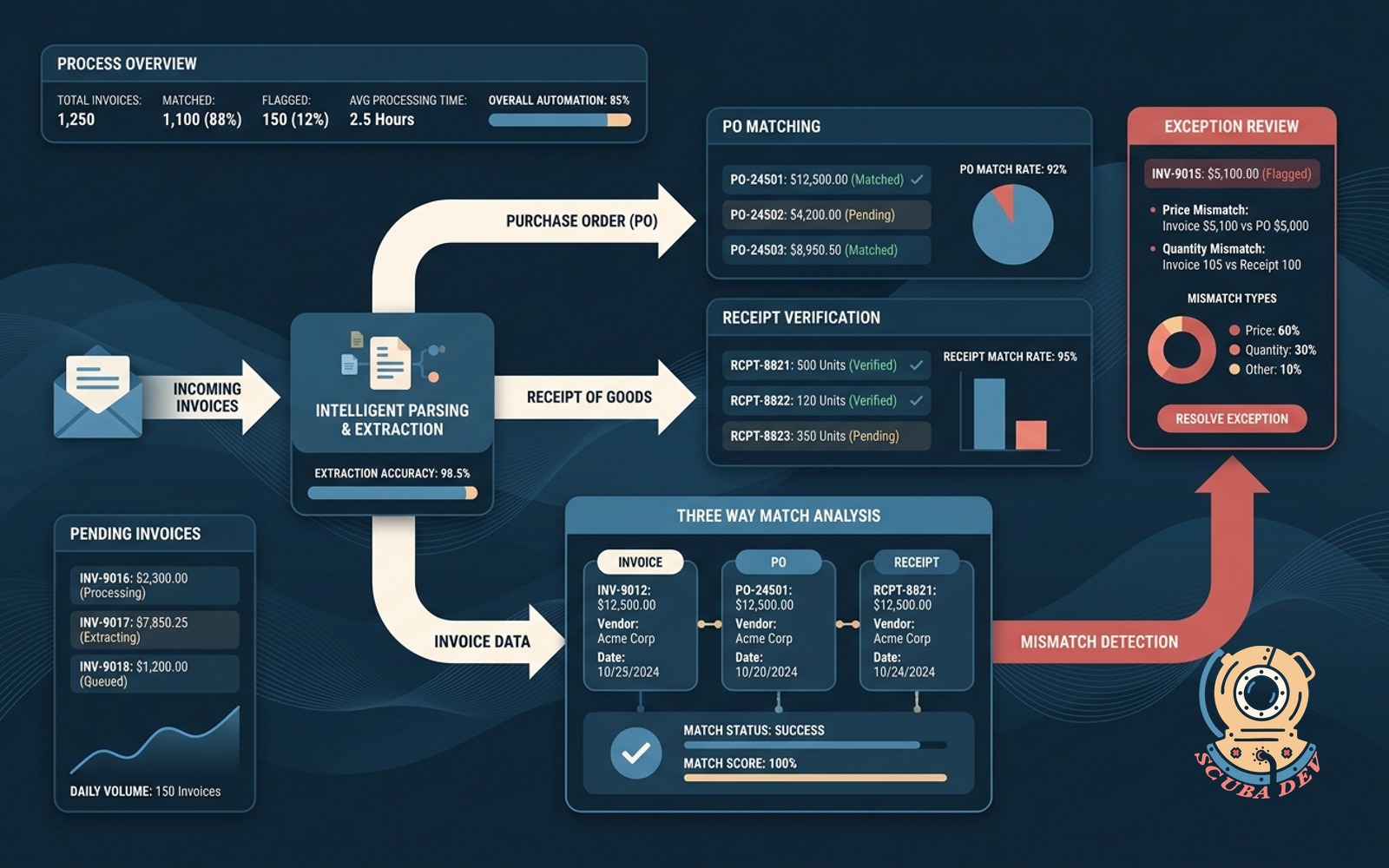
Emailed invoices are parsed, matched against PO and receipt, and flagged on any mismatch for review.
Possibilities
Where this could go
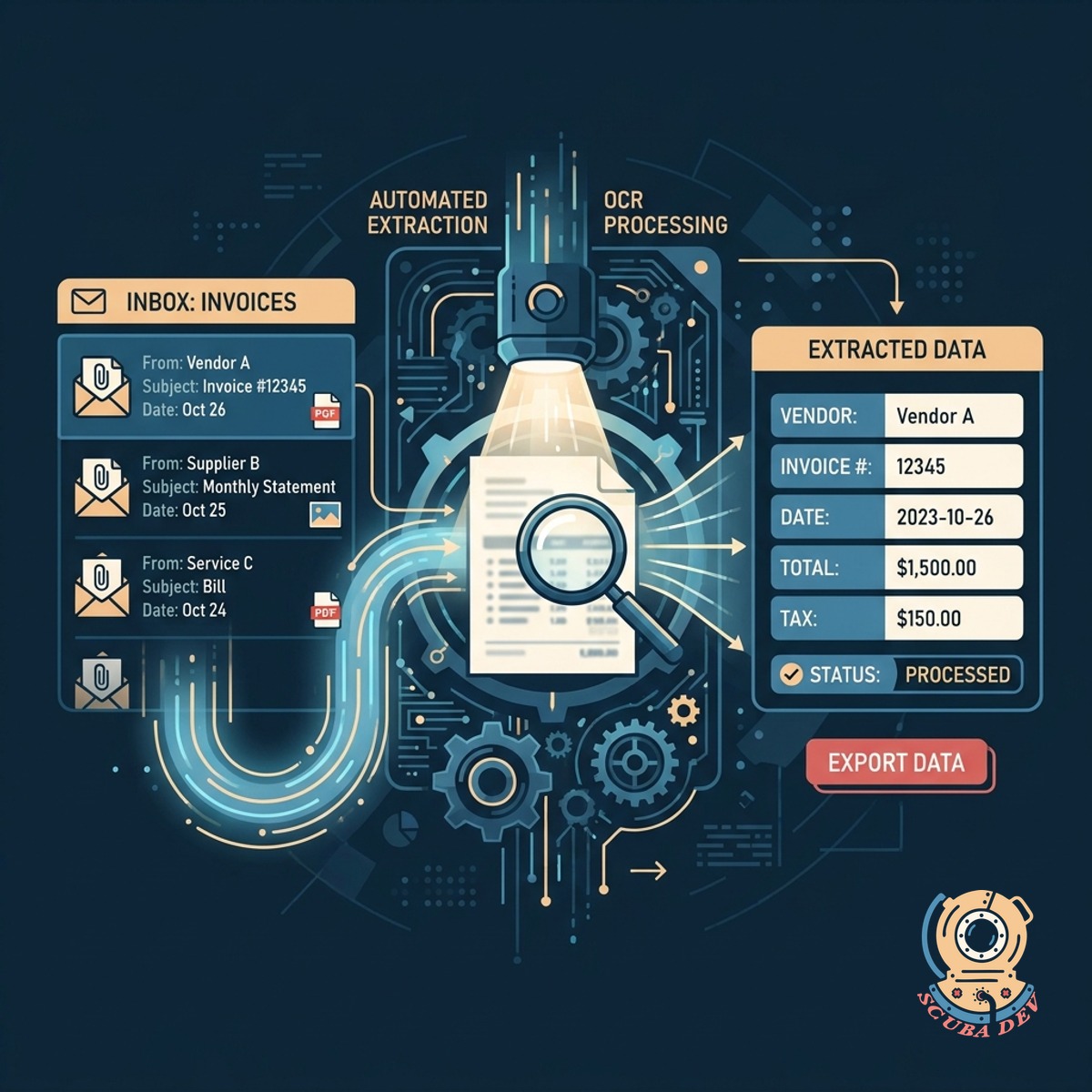
Automated Email Invoice Extraction
The system monitors a dedicated inbox to automatically extract data from incoming PDF and image invoices using optical character recognition.
- Connects to standard email providers
- Extracts line item details
- Handles PDF and image formats
- Maps data to your accounting software
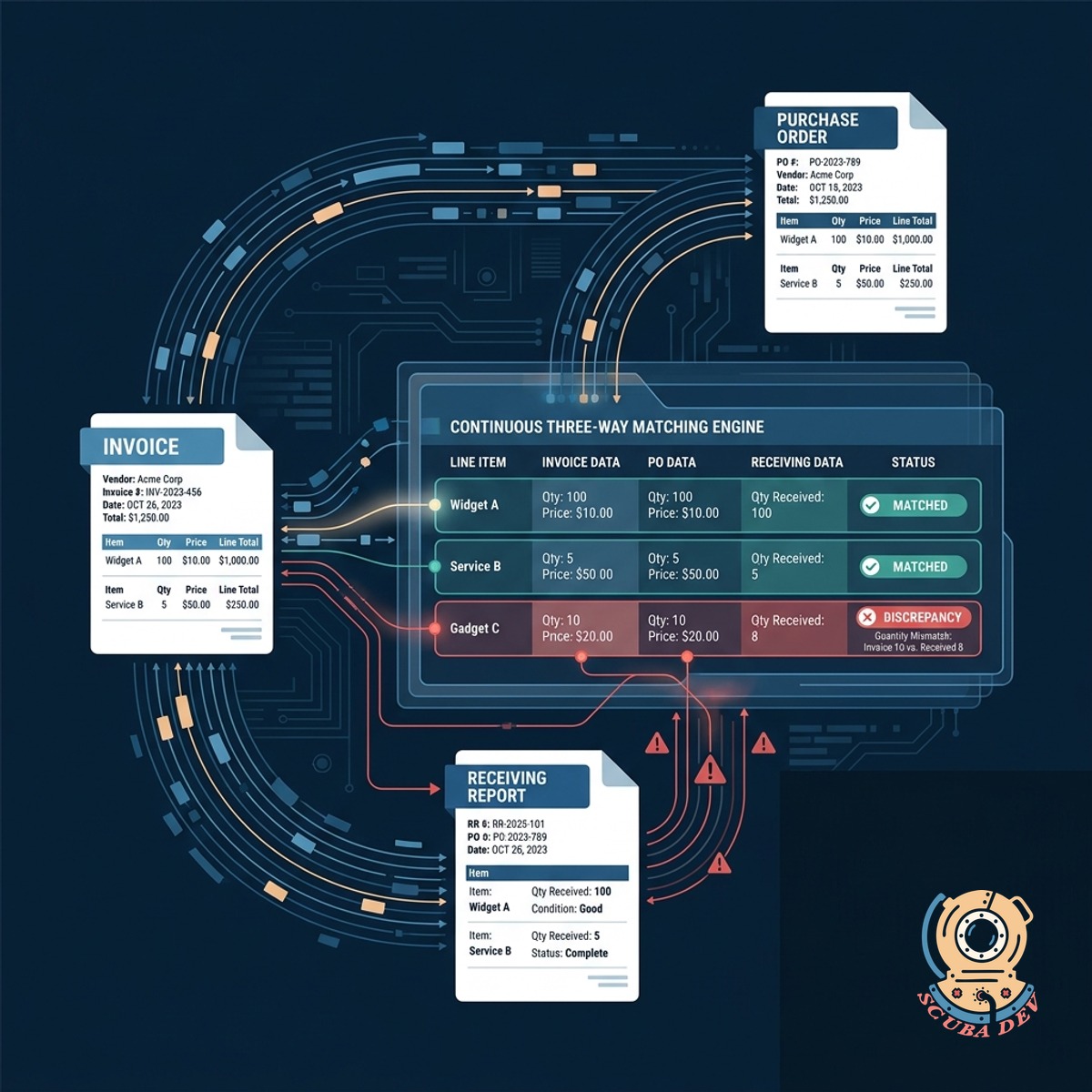
Continuous Three Way Record Matching
Extracted invoice data is instantly compared line by line against the original purchase order and the receiving report in your ERP.
- Verifies quantities and unit prices
- Checks vendor details
- Confirms receipt of goods
- Integrates with NetSuite or QuickBooks
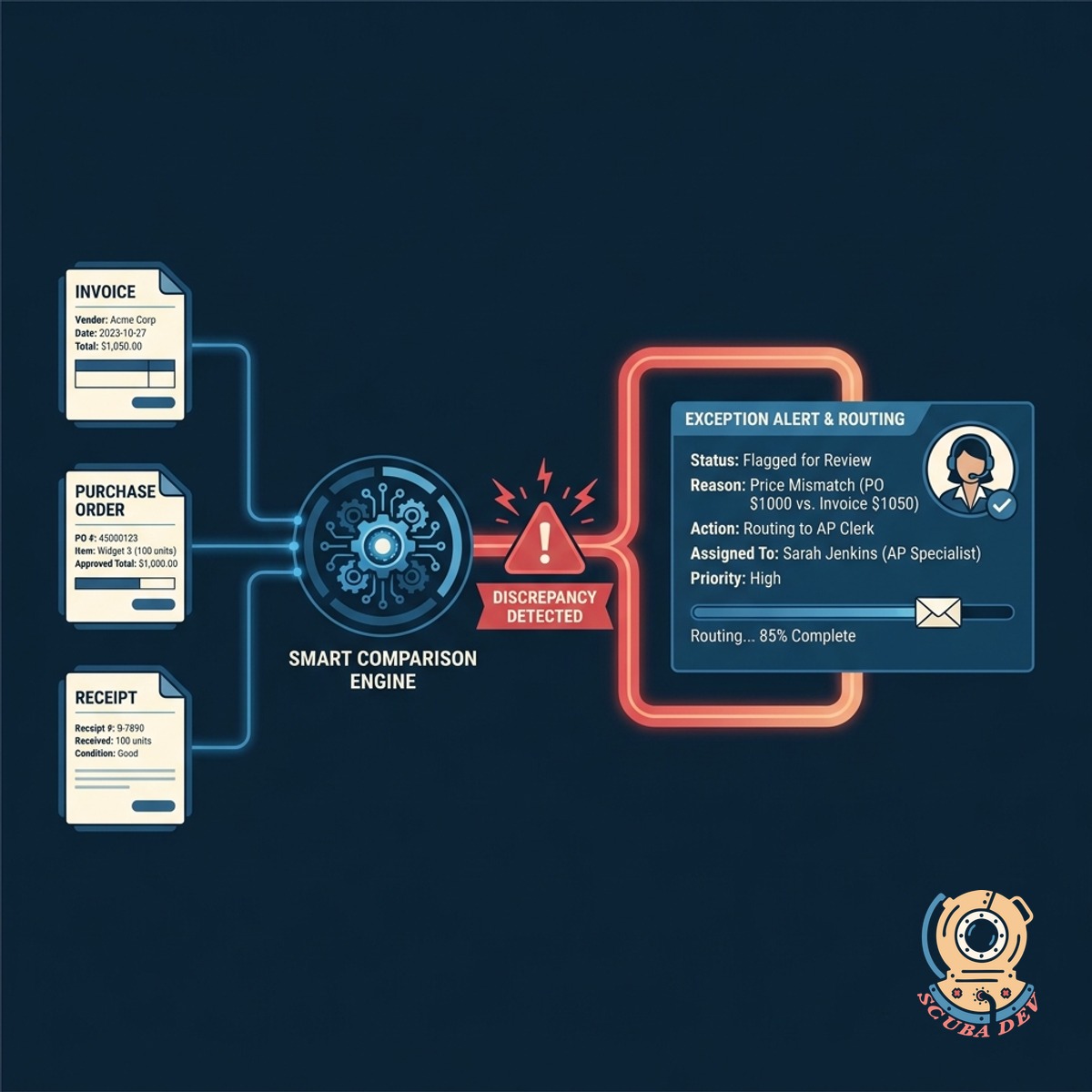
Smart Exception Flagging And Routing
Any discrepancy between the invoice purchase order and receipt triggers an immediate alert and routes the file to an accounts payable clerk.
- Highlights mismatched line items
- Prevents overpayments
- Routes to specific approvers
- Maintains a complete audit trail
Questions
Things people ask
What happens if an invoice does not match the purchase order?
The system flags the specific line item that does not match and routes the invoice to an accounts payable team member for manual review.
Which accounting systems can this tool integrate with?
We build integrations for major enterprise resource planning and accounting platforms including NetSuite, QuickBooks Online, Xero, and Microsoft Dynamics.
Can the tool read handwritten invoices or poor quality scans?
The optical character recognition engine handles standard digital PDFs and clear scans well. Poor quality or handwritten documents are automatically flagged for human review.
How does the system access incoming invoices?
The tool connects directly to a dedicated accounts payable email inbox using secure API protocols to monitor and download incoming attachments.
Does the tool verify that goods were actually received?
Yes. The three way match compares the invoice against the receiving report or goods receipt note in your system to confirm delivery before approval.
How are multi page invoices handled?
The extraction tool is configured to parse multi page documents and accurately capture all line items across the entire file.
Can we set tolerance levels for minor price discrepancies?
We can configure custom tolerance rules so that minor differences in shipping costs or tax rounding do not trigger a manual review.