Stripe to ledger sync
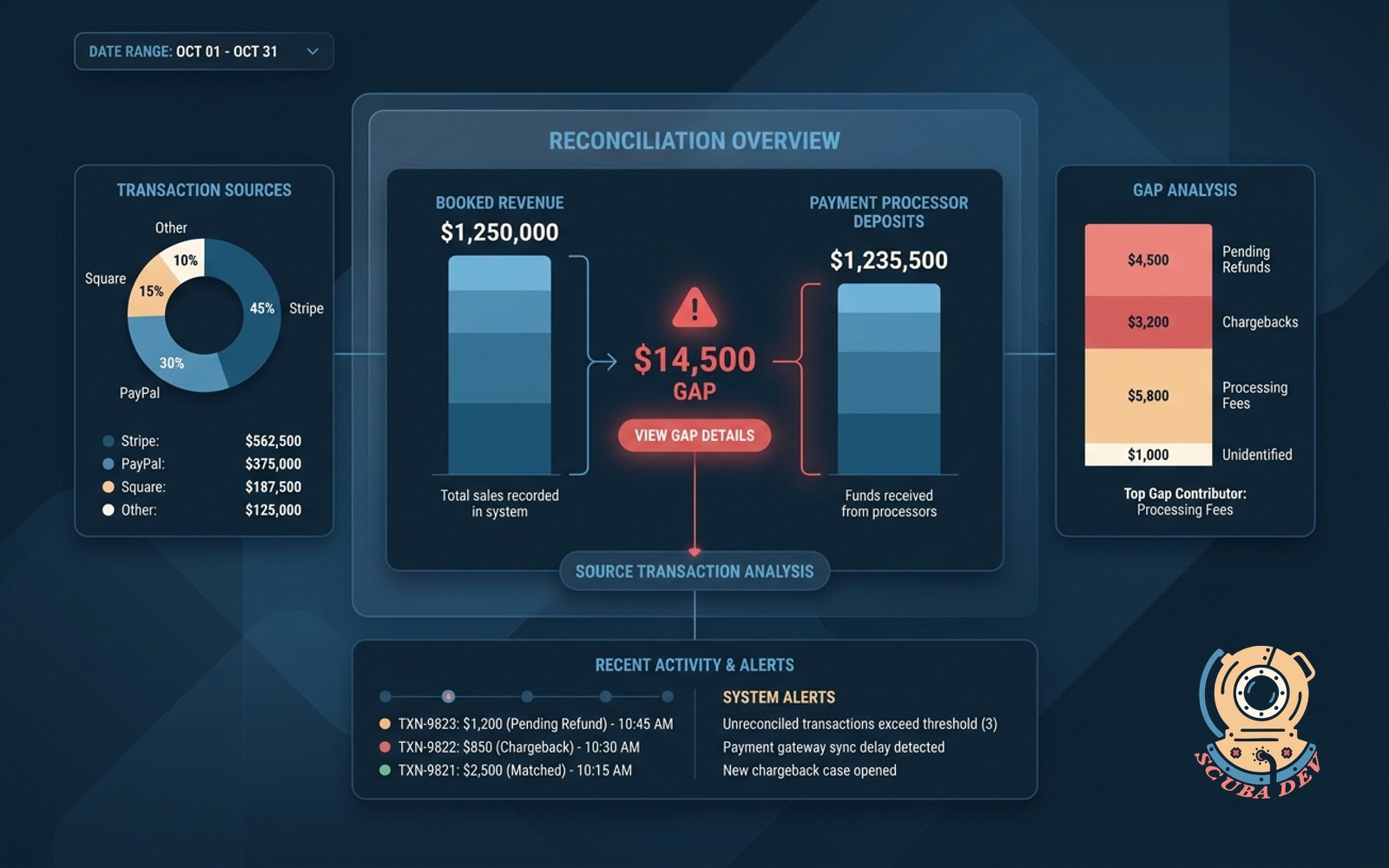
Every charge, refund and fee flows into the accounting ledger with matching accounts, no monthly cleanup.
Possibilities
Where this could go

Sync Individual Stripe Transactions Directly
The system maps every charge and fee from Stripe to the correct ledger account so your books match reality.
- Sync individual charges and refunds
- Separate processing fees automatically
- Match payouts to bank deposits
- Handle multiple currencies
Map Products To Specific Ledger Accounts
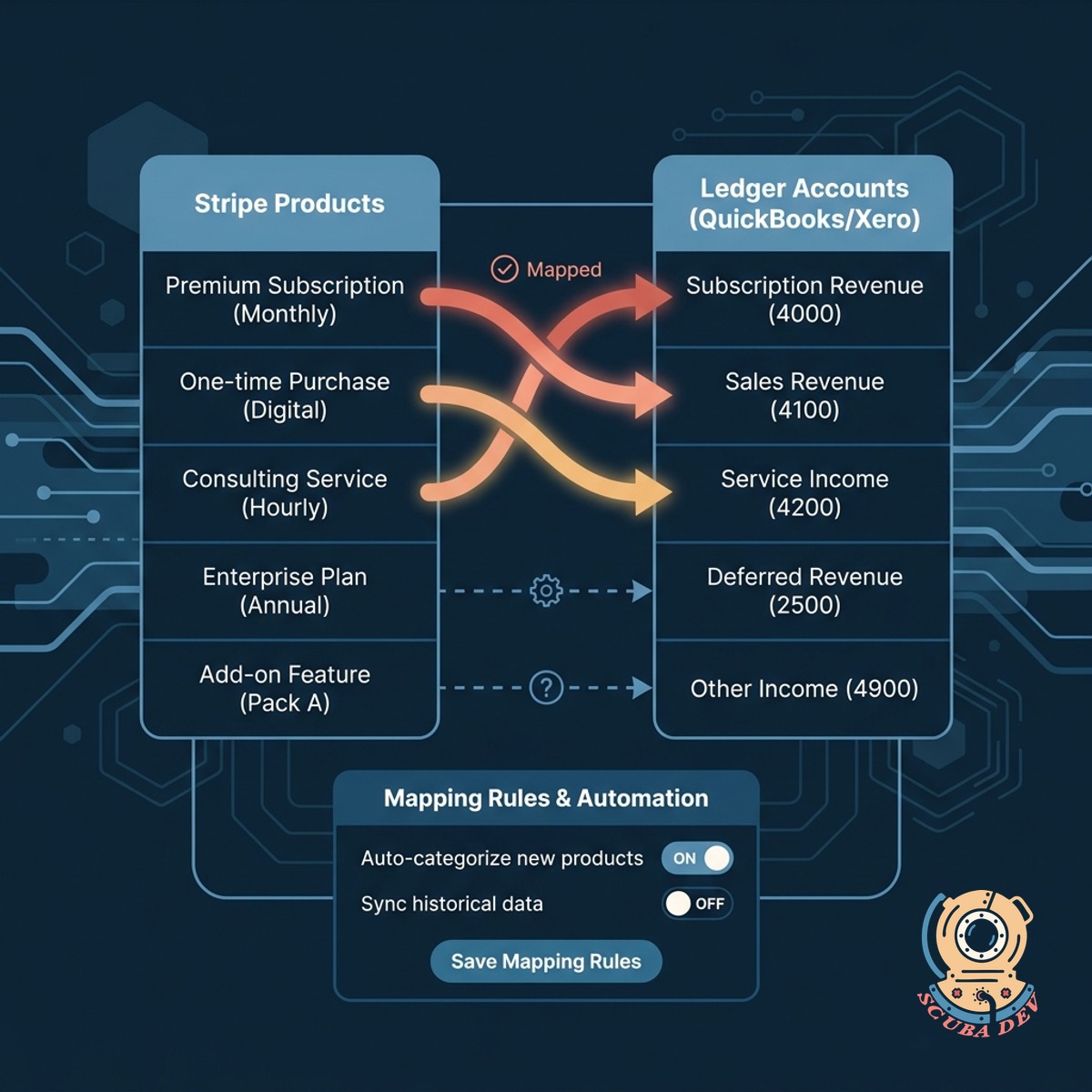
You can route different Stripe products to specific revenue accounts in QuickBooks or Xero for accurate categorization.
- Assign products to revenue accounts
- Map tax collected to liability accounts
- Route disputes to dedicated accounts
- Update mappings without code
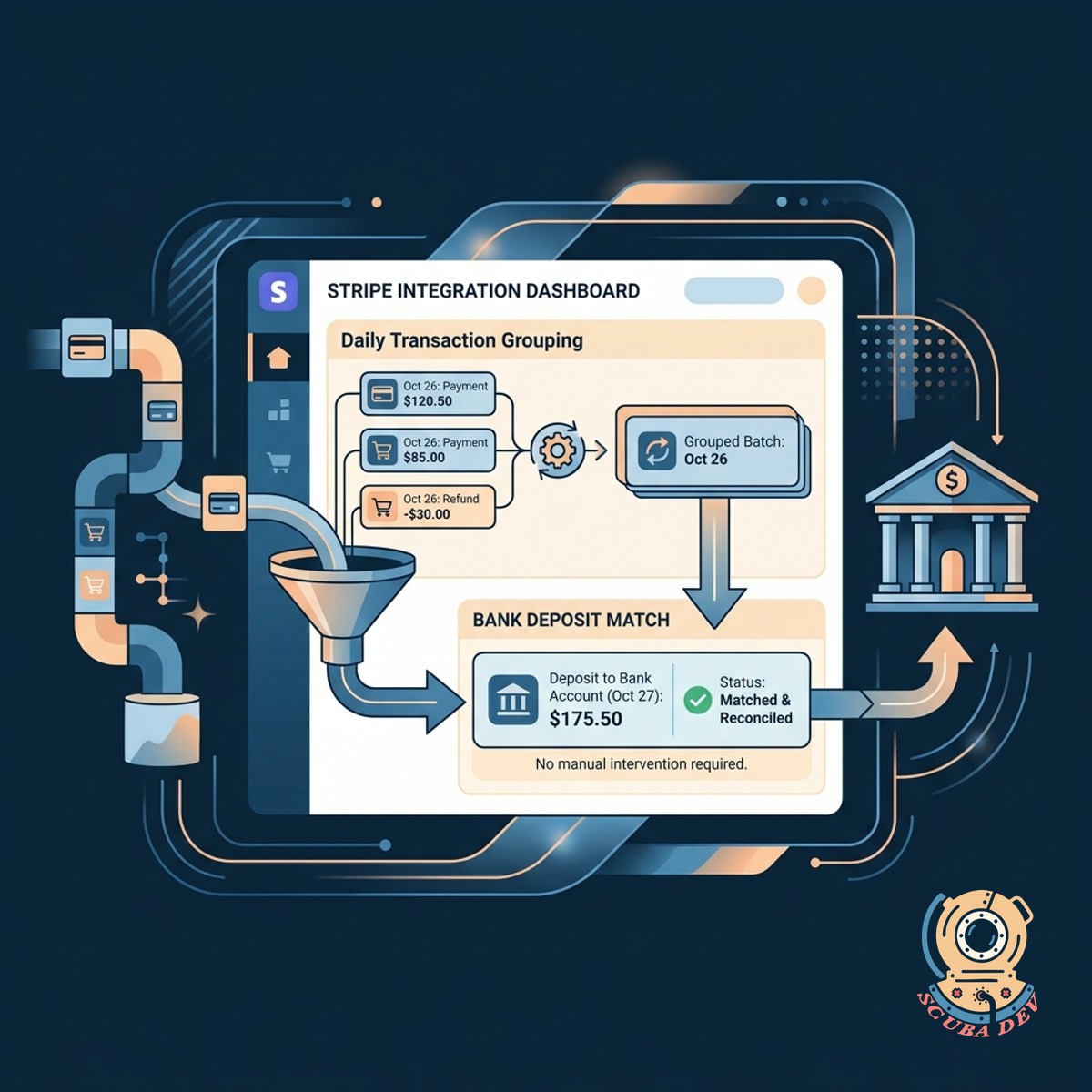
Reconcile Stripe Payouts Without Manual Work
The integration groups daily transactions to match the exact deposit Stripe sends to your bank account.
- Group transactions by payout batch
- Account for rolling reserves
- Handle failed payout adjustments
- Match bank feed deposits instantly
Questions
Things people ask
Which accounting platforms do you support?
We build syncs for major platforms like QuickBooks Online, Xero, and NetSuite. If you use a different ledger, we can evaluate its API to determine if a direct integration is possible.
How does the system handle Stripe processing fees?
The integration separates the gross revenue from the Stripe fee for every transaction. It records the full amount as revenue and logs the fee as an expense in your designated merchant fee account.
Does this handle refunds and chargebacks?
Yes. When a refund or dispute occurs in Stripe, the system creates a corresponding entry in your ledger. It reverses the revenue and logs any associated dispute fees to the correct accounts.
Can we map different products to different revenue accounts?
You can map specific Stripe products, subscription tiers, or metadata tags to distinct accounts in your chart of accounts. This keeps your revenue categorized exactly how your finance team requires.
How do payouts match up with my bank feed?
The system groups individual transactions, fees, and refunds into a clearing account based on Stripe payout batches. When the actual payout hits your bank feed, it matches the balance in the clearing account perfectly.
What happens if a sync fails?
The system includes a dashboard that flags any transactions that fail to sync due to missing accounts or API errors. You can resolve the issue and manually retry the sync for those specific records.
Does this support historical data imports?
We can configure the tool to pull historical Stripe data from a specific start date. This allows you to backfill your ledger for the current fiscal year without duplicating older records.