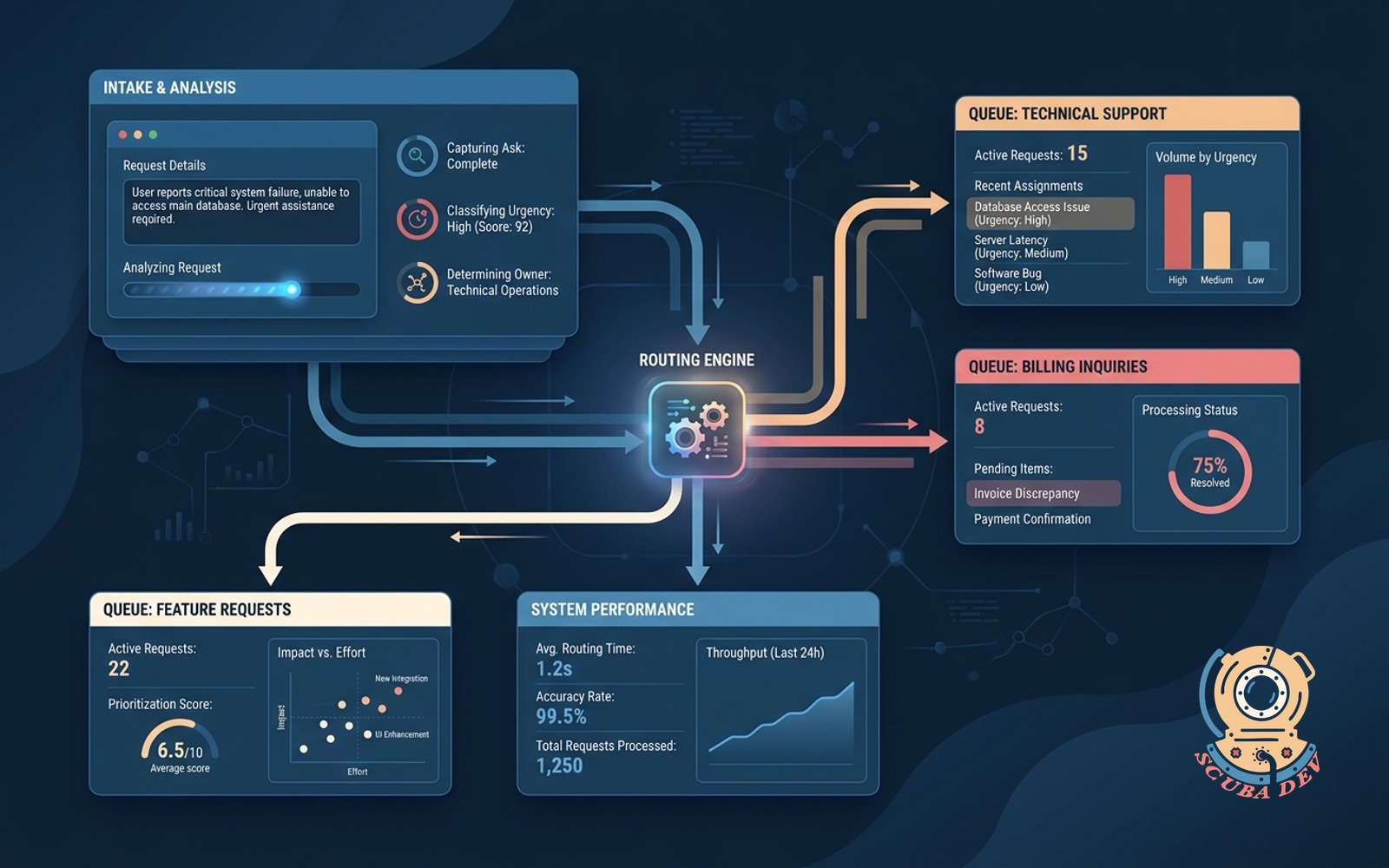
Routing intake form that reads the request
Captures the ask, classifies urgency and owner, routes to the right queue without a human triage step.
Possibilities
Where this could go
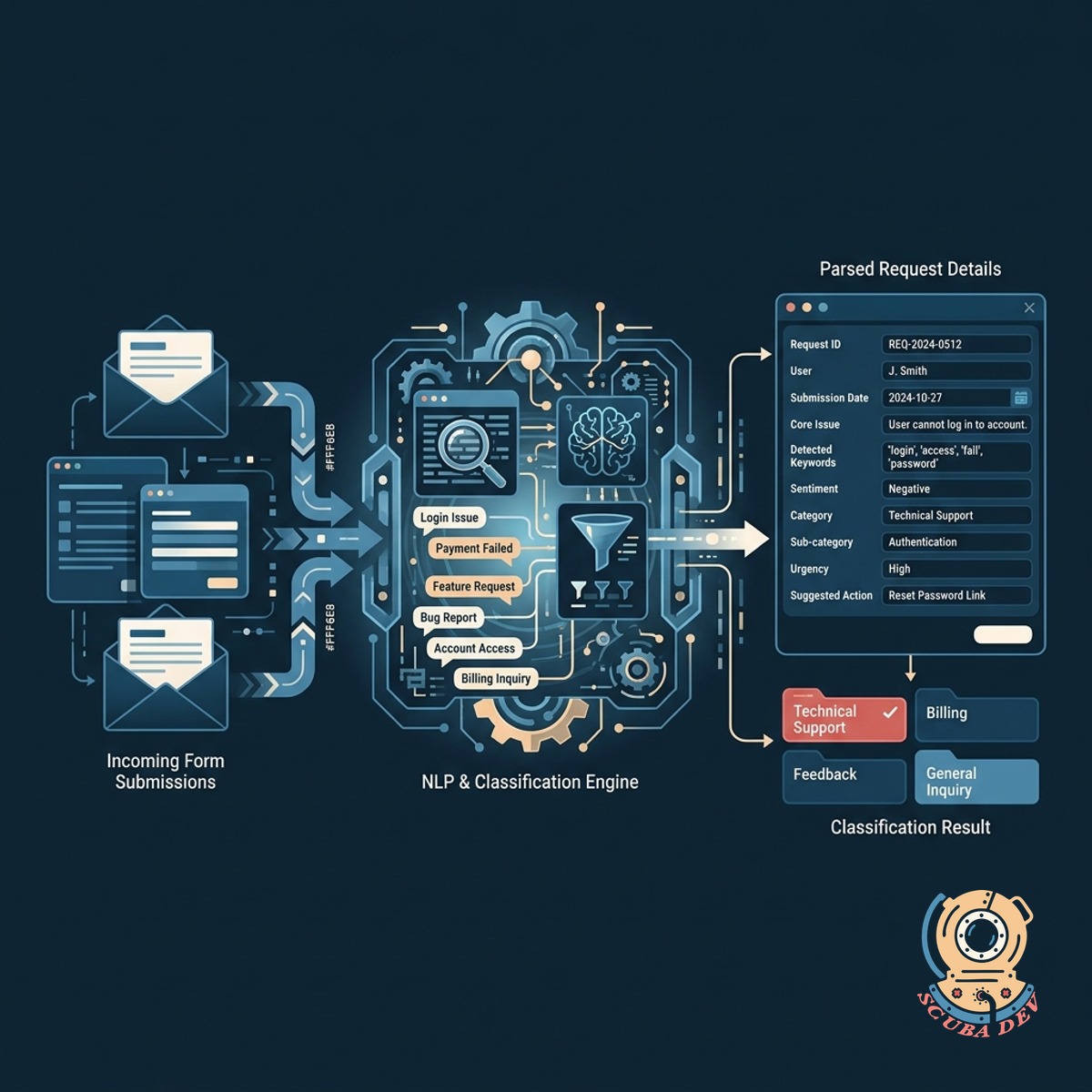
Automated Request Parsing And Classification
The system reads incoming form submissions and uses natural language processing to understand the core issue.
- Reads plain text submissions
- Identifies key request details
- Extracts relevant data points
- Works with Typeform and Jotform
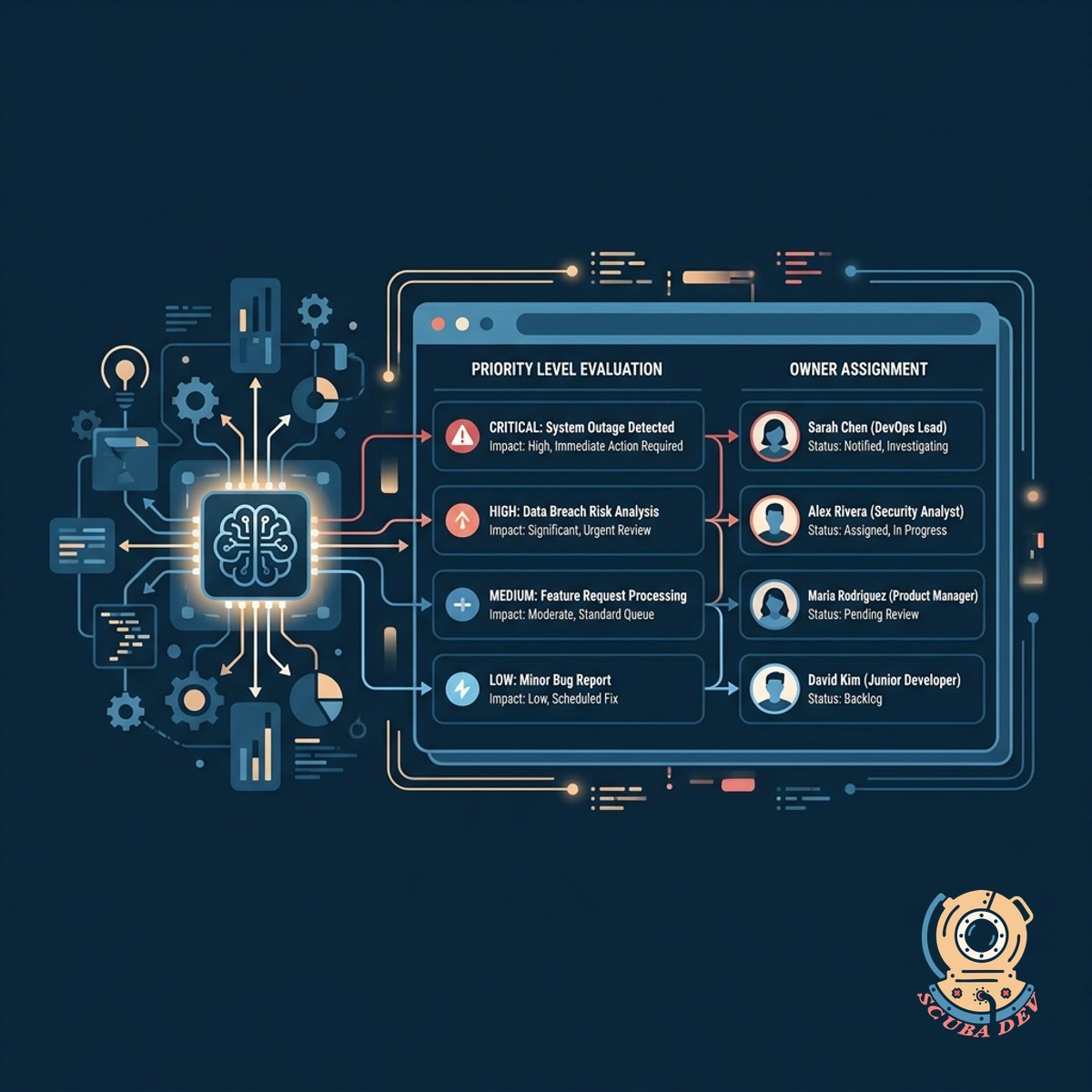
Intelligent Urgency And Owner Assignment
An integration evaluates the context of the request to determine priority levels and assign the correct team member.
- Flags critical issues immediately
- Evaluates sentiment and context
- Matches requests to specific agents
- Bypasses manual triage steps
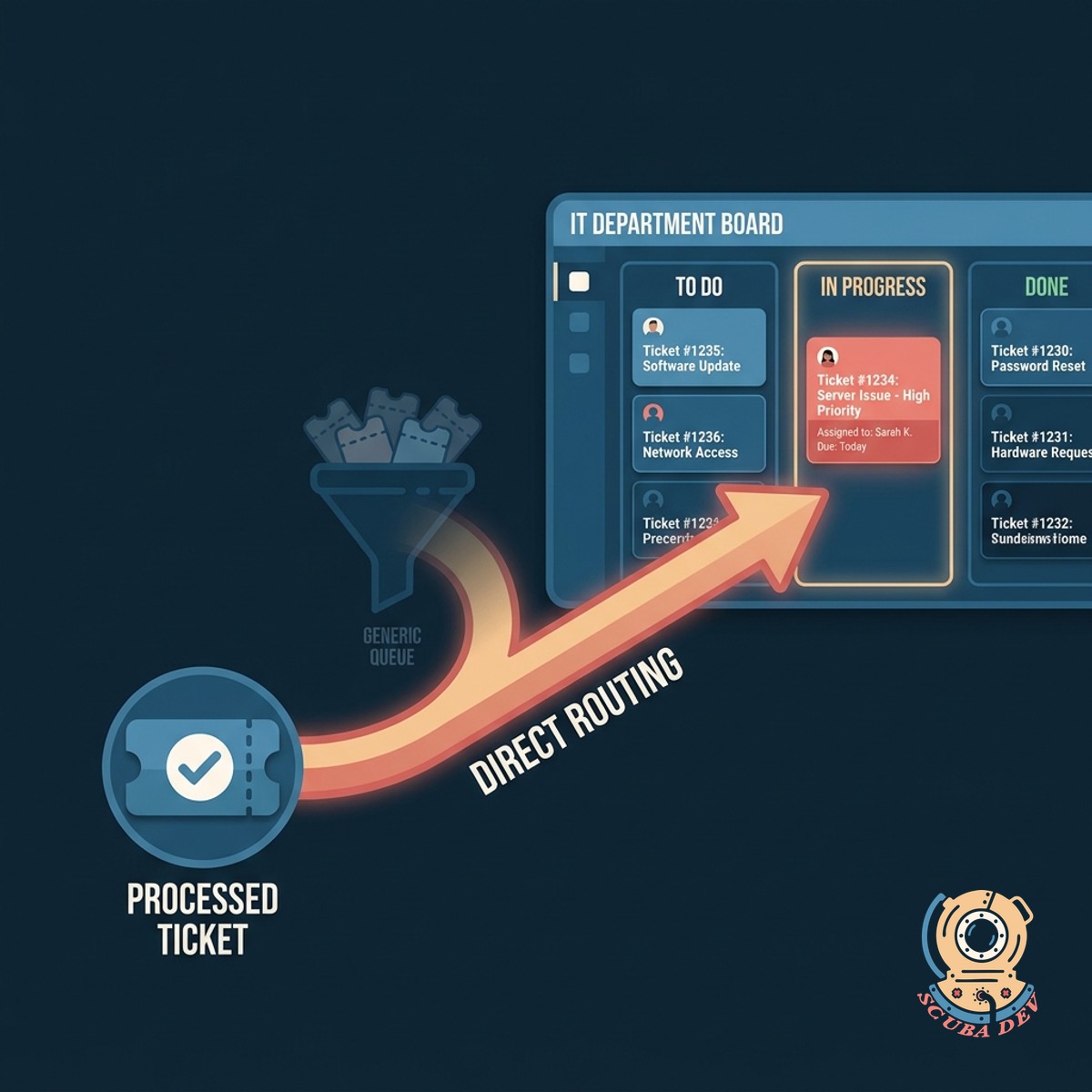
Direct Routing To The Right Queue
The processed ticket is sent straight to the appropriate department board in your existing project management tool.
- Creates tickets in Jira automatically
- Pushes updates to Slack channels
- Routes to Zendesk support views
- Organizes work by department
Questions
Things people ask
What form builders work with this system?
We can connect this routing logic to most modern form tools including Typeform, Jotform, Google Forms, and native Jira Service Management portals.
How does the system determine the urgency of a request?
We use a large language model like OpenAI to analyze the text of the submission against a set of predefined rules you establish for your business.
Can it route tickets to different software platforms?
Yes. The system can send a billing question to Zendesk and a bug report to Jira based on the initial classification.
What happens if the system cannot classify a request?
Unclear requests are routed to a default general queue for manual review to ensure nothing falls through the cracks.
Will this notify my team when a high priority ticket arrives?
The routing logic can trigger immediate alerts in Slack or Microsoft Teams when a request is classified as urgent.
Does this replace our existing help desk software?
No. This acts as a smart layer between your customers and your current help desk to organize requests before your team sees them.
How do we update the routing rules later?
We configure the routing logic in automation platforms like Make or Zapier so your operations team can adjust the rules without writing new code.