Incident timeline builder
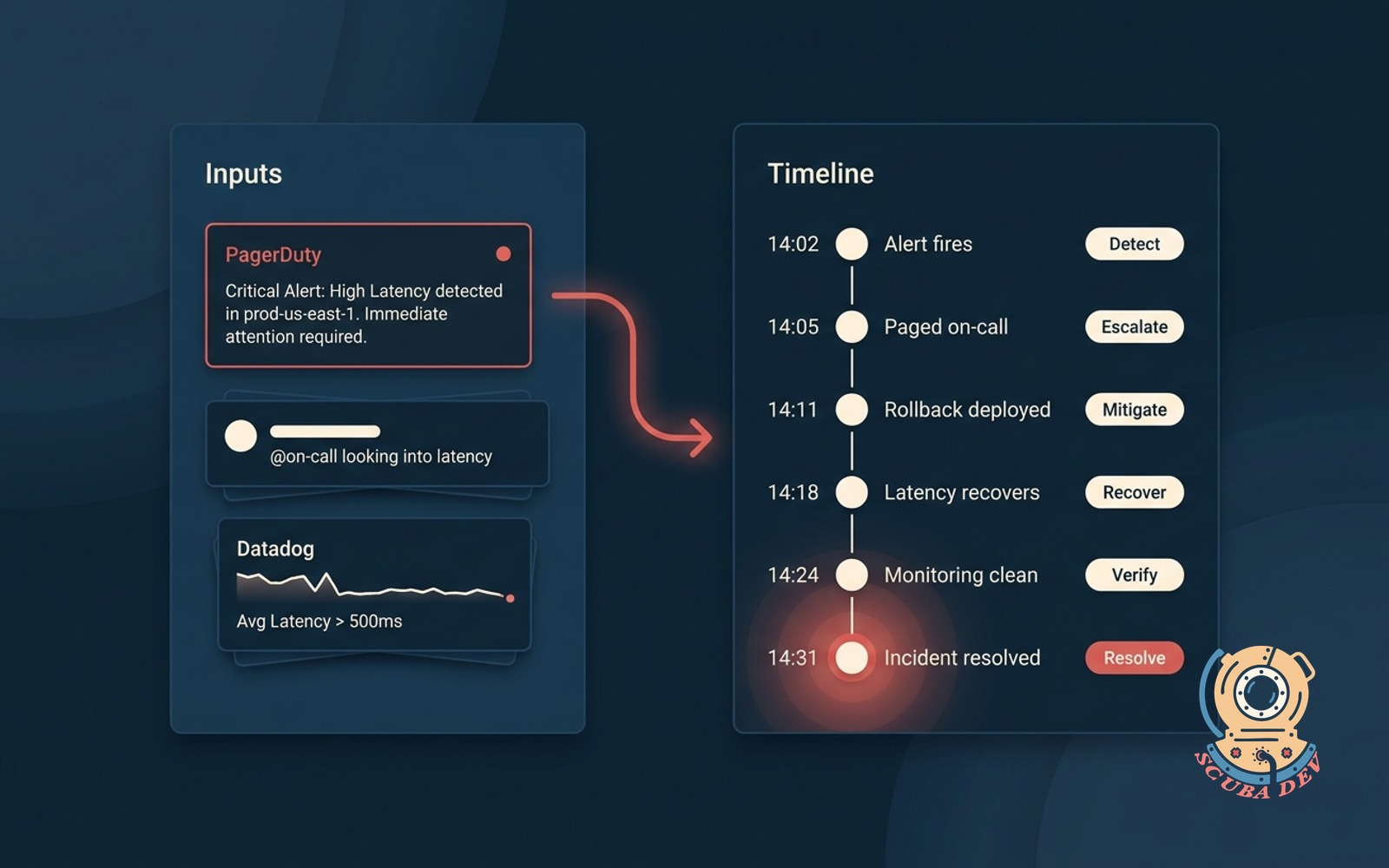
Drop alerts and messages in, get a clean timeline with actions, owners, and the minute the incident resolved.
Possibilities
Where this could go
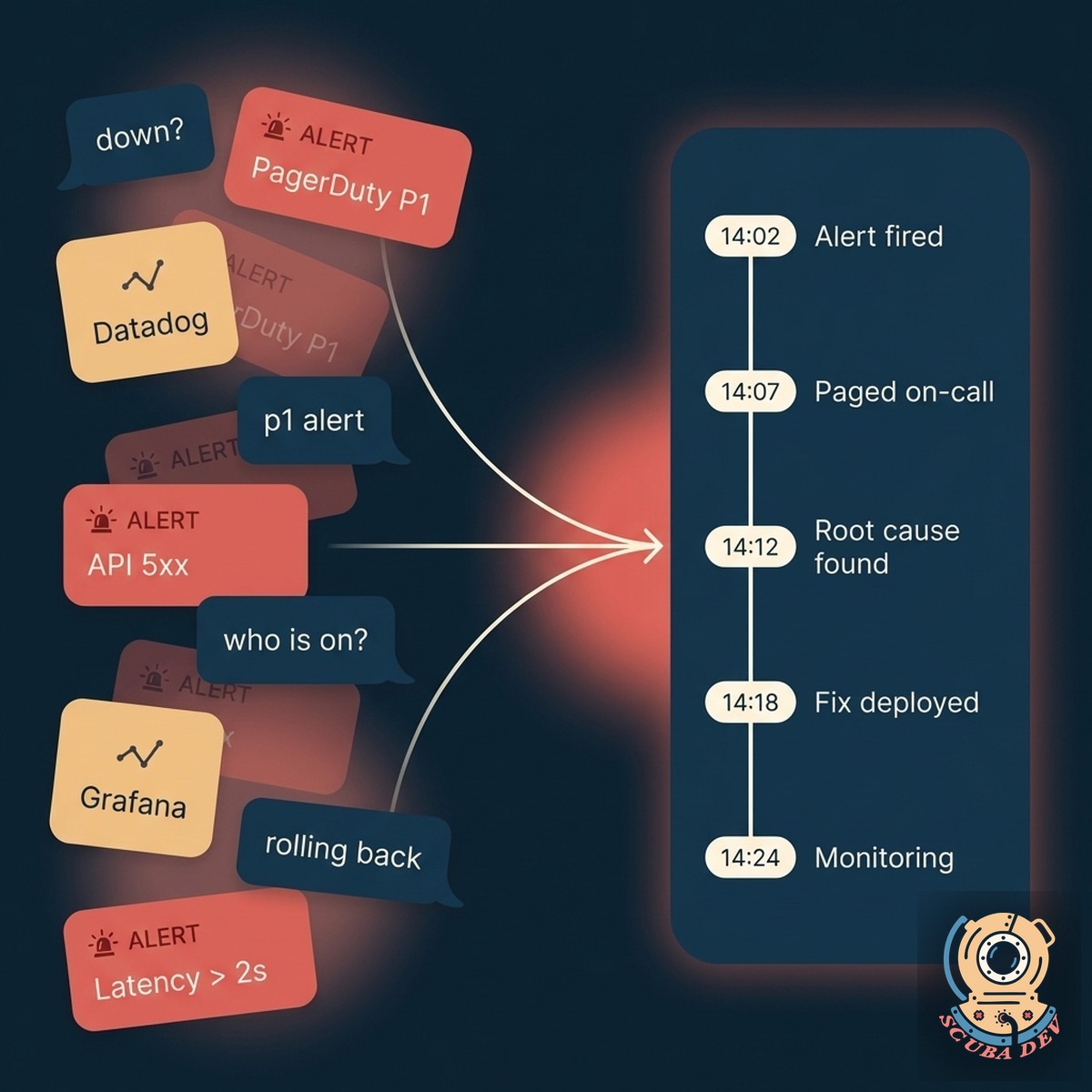
Drop In, Timeline Out
Paste your raw chat logs and system alerts to generate a chronological event sequence instantly.
- Paste text from Slack or Microsoft Teams channels.
- Upload raw JSON payloads from monitoring tools.
- The system extracts timestamps and orders events automatically.
- Merge multiple data sources into a single unified view.
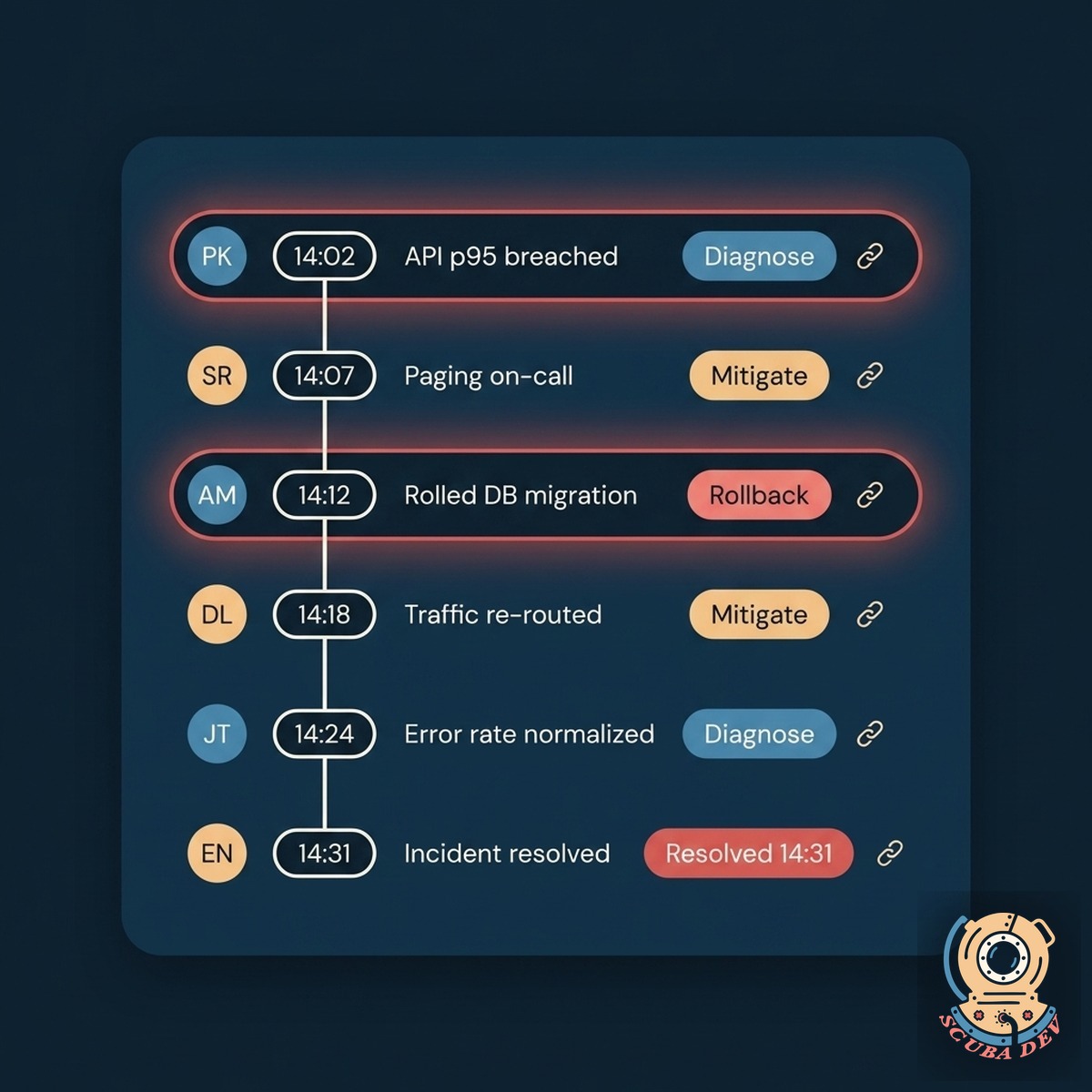
Owners And Actions Attached
Map specific remediation steps to the engineers who executed them during the incident.
- Tag individual team members to specific timeline events.
- Log the exact terminal commands run to mitigate the issue.
- Track when a responder joined and left the incident bridge.
- Filter the timeline by specific owners to see individual contributions.
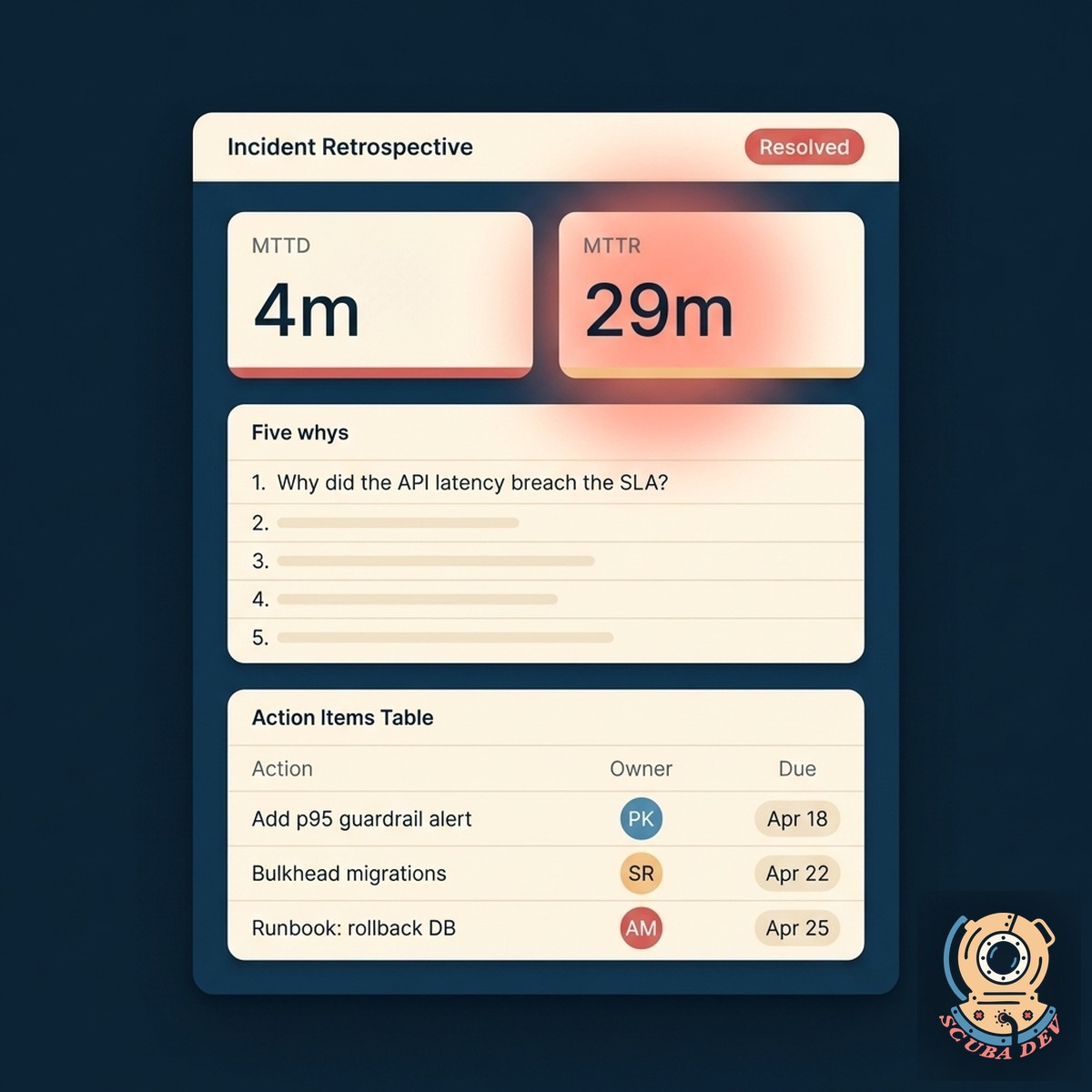
Export For Post Incident Reviews
Exports a clean incident doc with the timeline, the owners, the resolution time, and a starter template for action items.
- Generate a formatted Markdown file of the complete timeline.
- Export directly to your internal wiki or documentation workspace.
- Highlight key turning points and the exact time of resolution.
- Keep a permanent record of the incident for future reference.
Questions
Things people ask
What alerting tools does this pull from?
We currently support manual text drops and JSON uploads. You can paste your raw chat logs directly into the builder, and we will parse the timestamps for you. Direct API integrations are planned for a future release.
Can we redact sensitive info?
Yes. Redaction rules run before anything lands in the timeline. PII, secrets, customer names, and IP addresses can be masked automatically. You configure the rules once, they apply everywhere.
How does it identify owners?
You select a primary time zone when you start a new timeline. The builder reads the timestamps from your pasted logs and normalizes them to your chosen time zone. This keeps your sequence accurate even if your servers and team members are spread out.
Can we use this for post-incident reviews?
We process your text drops in the browser and do not store your raw logs on our servers. Once you export your finished timeline, the session data clears completely. You keep full control over where your incident records live.
Does it support multiple simultaneous incidents?
Yes. Each incident gets its own workspace so parallel fires do not mix. You can tag an event that applies to both, and it shows in both timelines without duplication in metrics.
How do we share the timeline?
Share a link internally, export to your doc tool, or post to a Slack channel as a threaded summary. You can also schedule a public status-page update based on the communicate events the timeline logged.
Can this integrate with our status page?
Yes. Statuspage, Atlassian, Better Uptime, and Incident.io are supported. The communicate events in the timeline can push directly to your status page so external updates never lag internal reality.