Property Turnover Inspection App
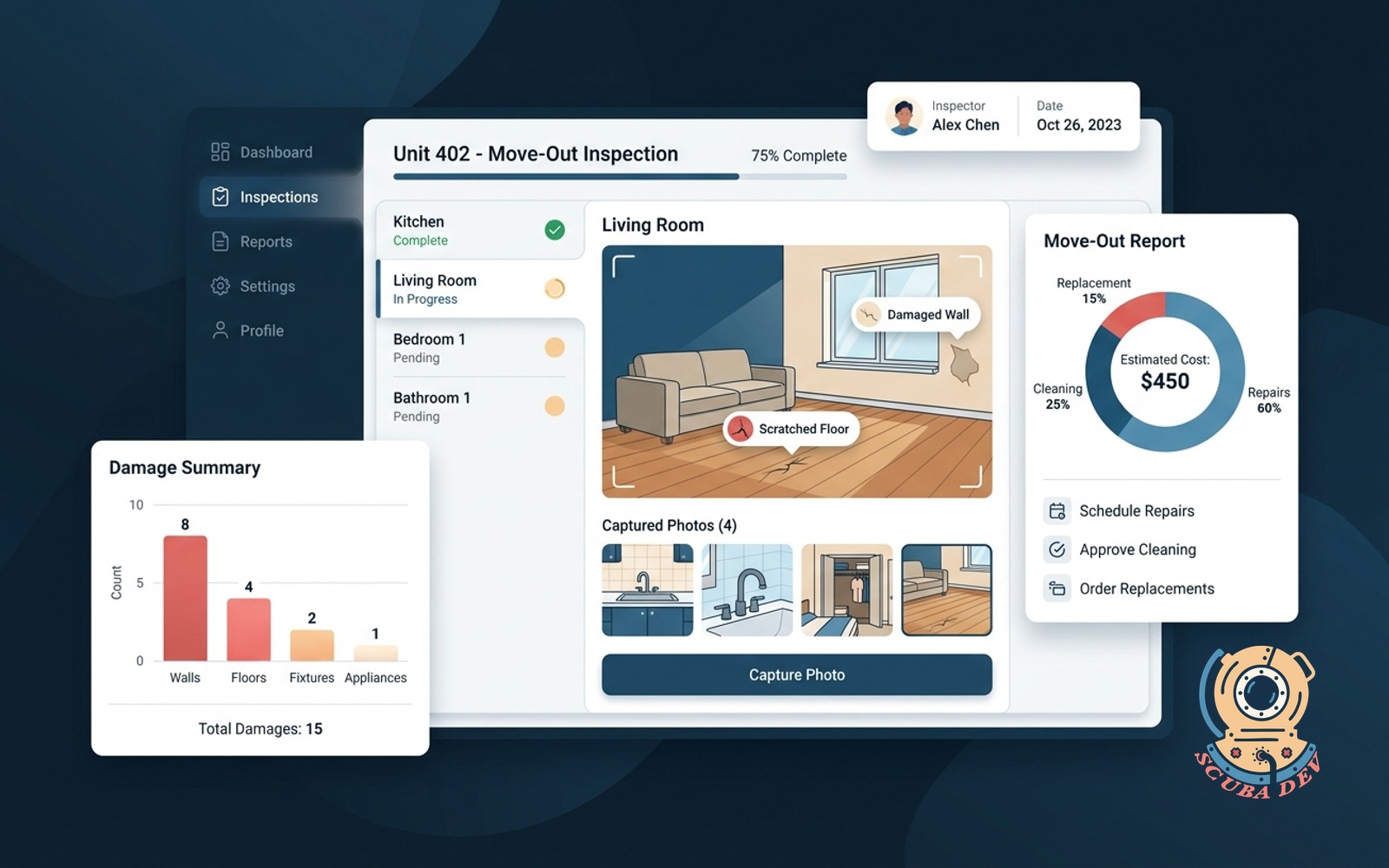
Walkthrough inspector for multi-family and short-term rentals with room-by-room photo capture, damage tagging, and a move-out report.
Possibilities
Where this could go
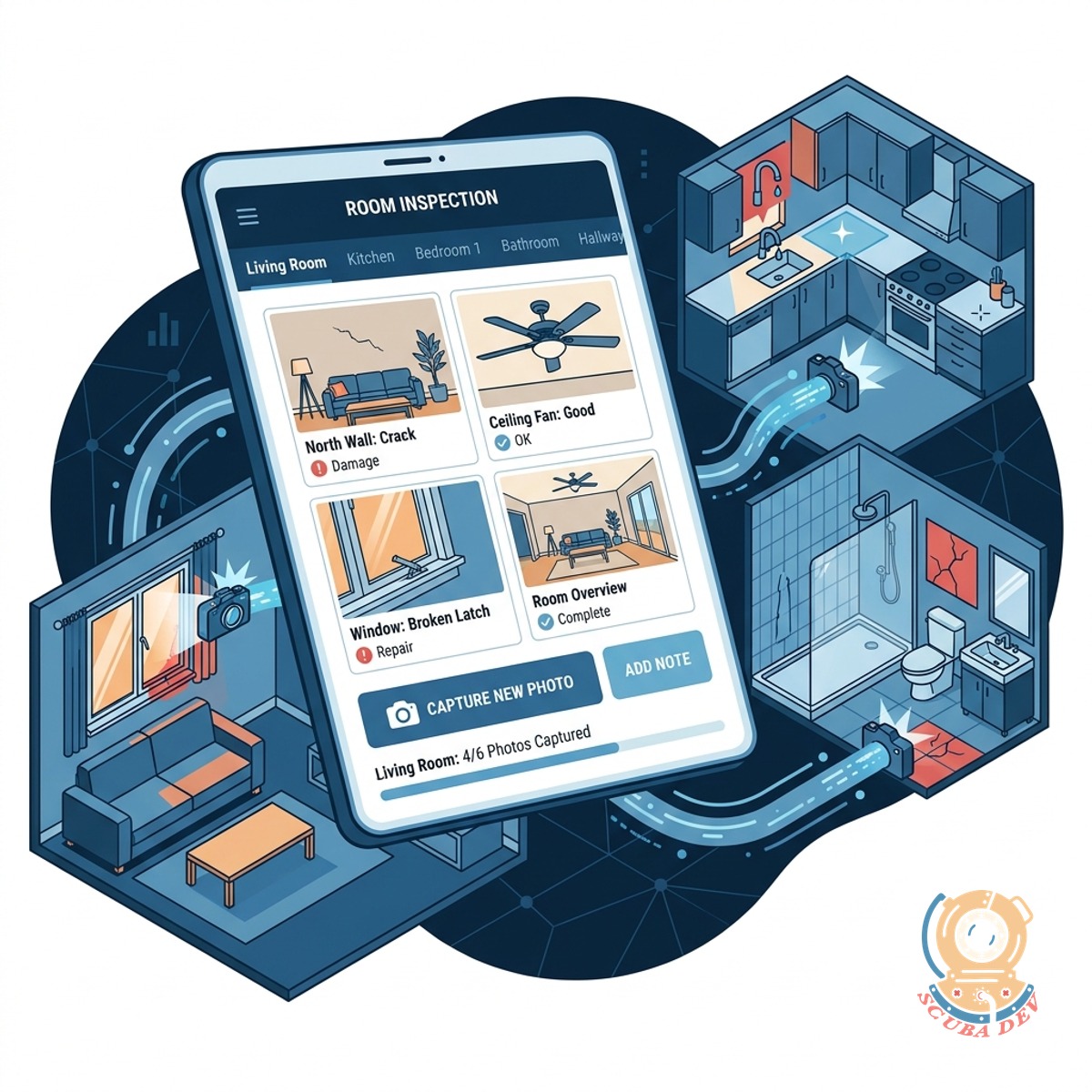
Room By Room Photo Capture
Inspectors document the condition of each room by snapping photos directly within the application.
- Upload photos from mobile
- Organize by property area
- Require specific photo angles
- Store media securely in AWS S3
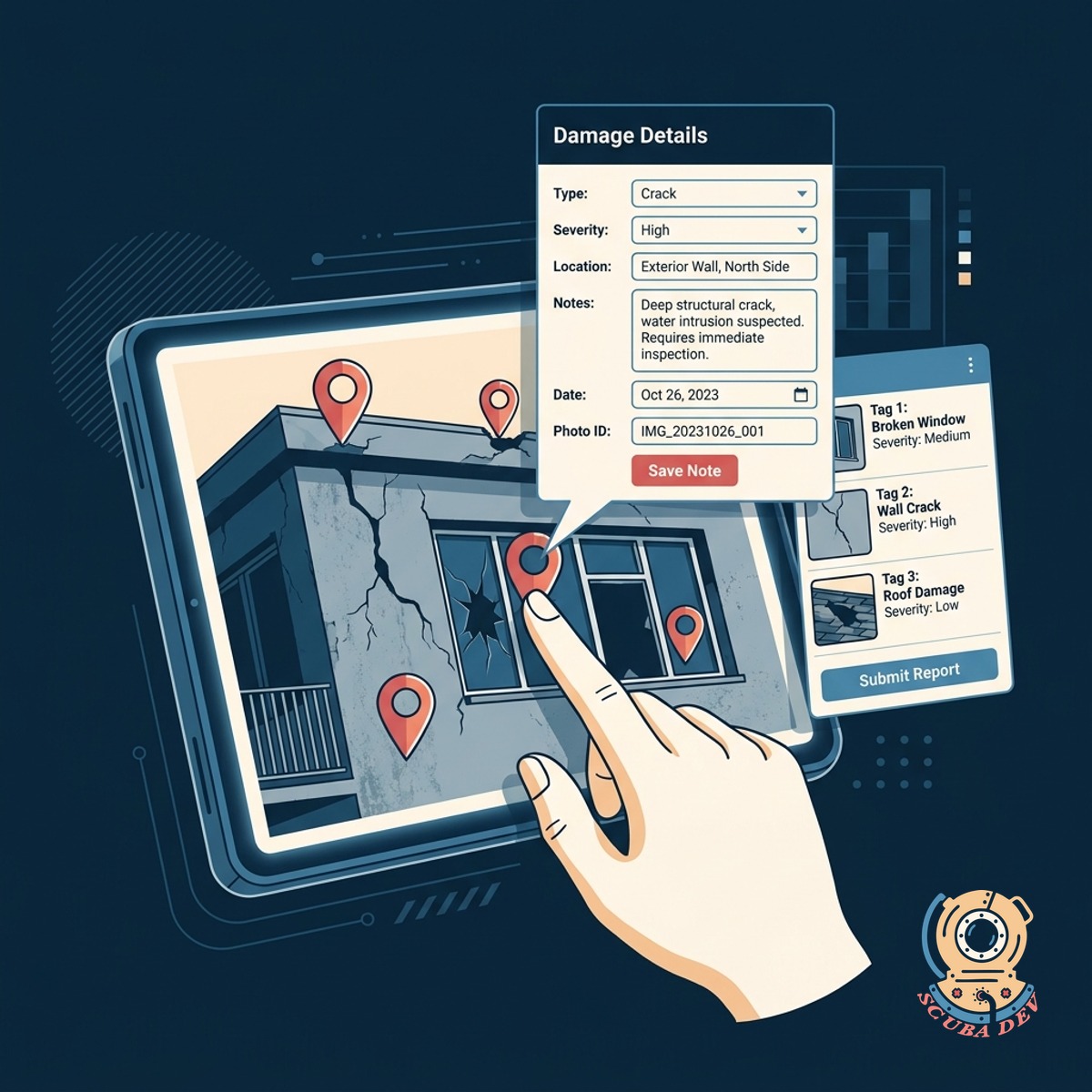
Interactive Damage Tagging System
Users tap on uploaded photos to drop pins and add detailed notes about specific property damage.
- Drop pins on image areas
- Add text notes to tags
- Categorize damage severity
- Link tags to repair tickets
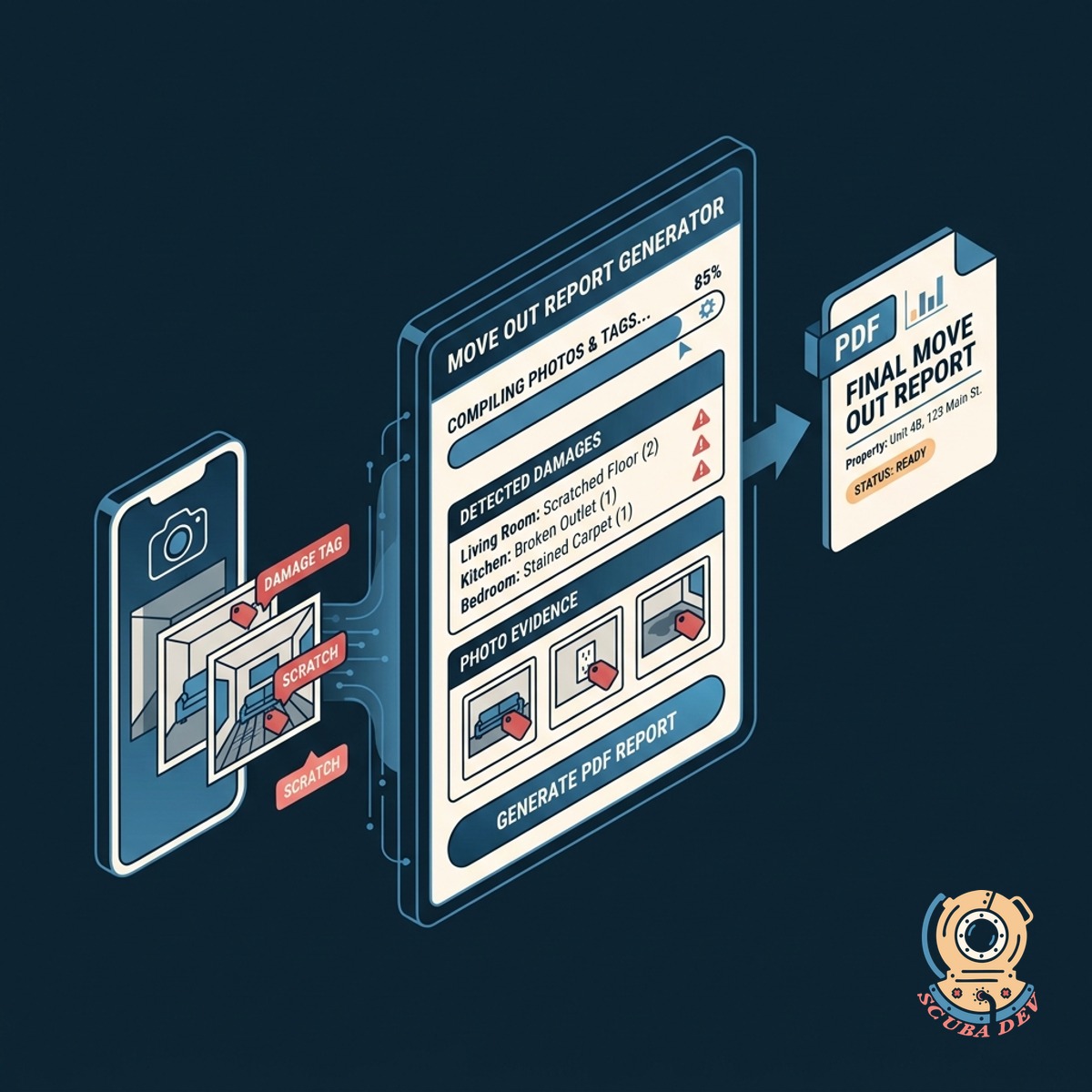
Automated Move Out Reports
The application compiles all photos and damage tags into a formatted PDF report for property managers.
- Generate PDF documents instantly
- Email reports to management
- Compare move in conditions
- Archive historical property data
Questions
Things people ask
How does the app handle offline inspections?
The application stores data locally on the device during the walkthrough and syncs to the cloud once a reliable internet connection is established.
Can we customize the room checklist for different properties?
Yes, administrators can create specific templates for different property types like studio apartments, single family homes, or short term rentals.
Where are the inspection photos stored?
All captured photos and generated reports are stored securely in cloud storage solutions like AWS S3 or Google Cloud Storage.
Does the app integrate with our existing property management software?
We can build custom API integrations to connect the inspection app with platforms like Guesty, Buildium, or AppFolio.
How do inspectors tag damage on the photos?
Inspectors tap directly on the uploaded image to place a marker, which opens a prompt to enter a description and select a damage category.
Can tenants sign off on the move out report?
The app can include a digital signature pad feature allowing tenants or inspectors to sign off directly on the mobile device at the end of the walkthrough.
What format are the final inspection reports?
The system automatically compiles the data into a clean PDF document that can be downloaded, printed, or emailed directly to stakeholders.