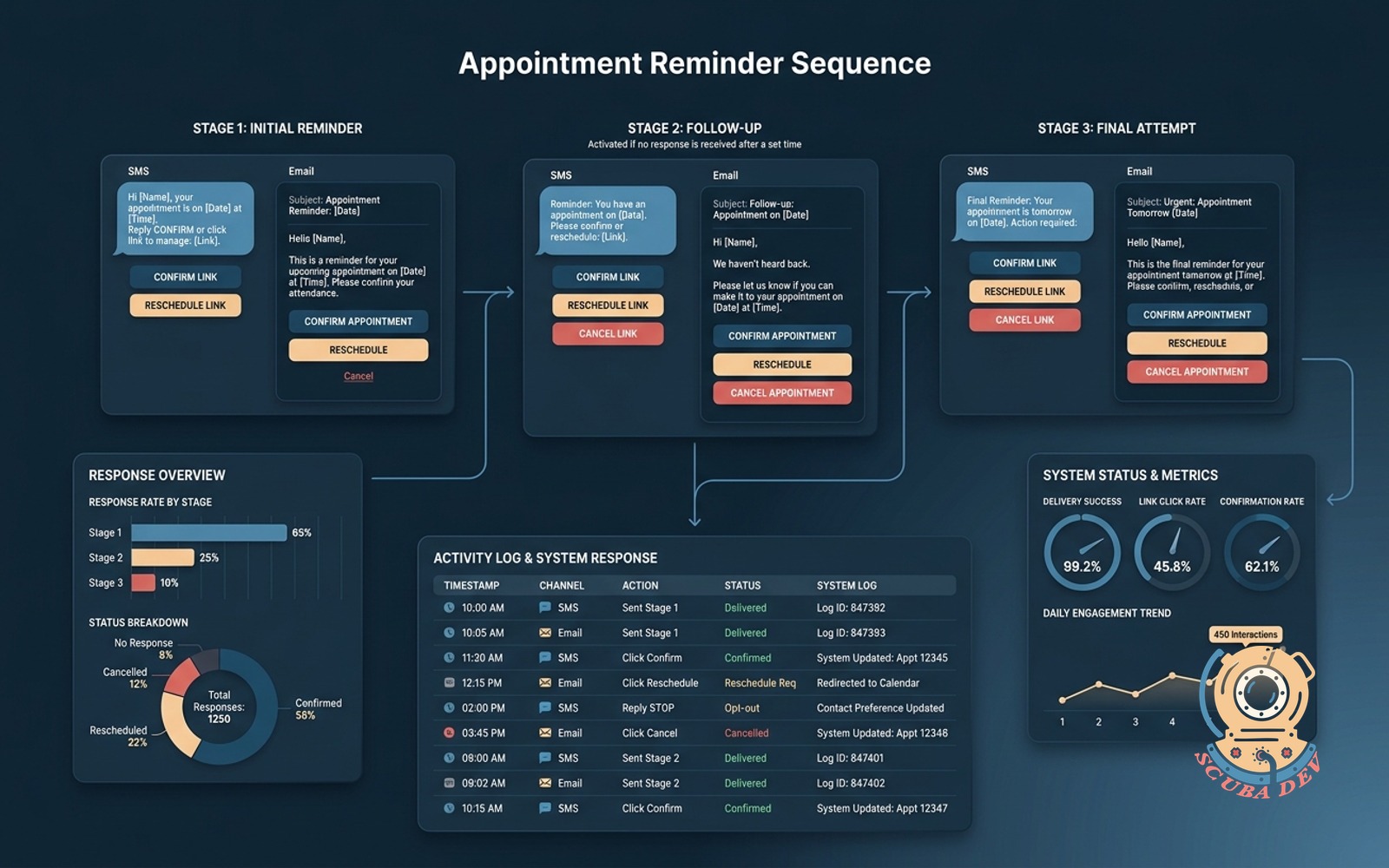
Appointment reminder sequence with confirm links
Three-touch SMS and email sequence with confirm, reschedule, and cancel links. Logs every response back to your system.
Possibilities
Where this could go
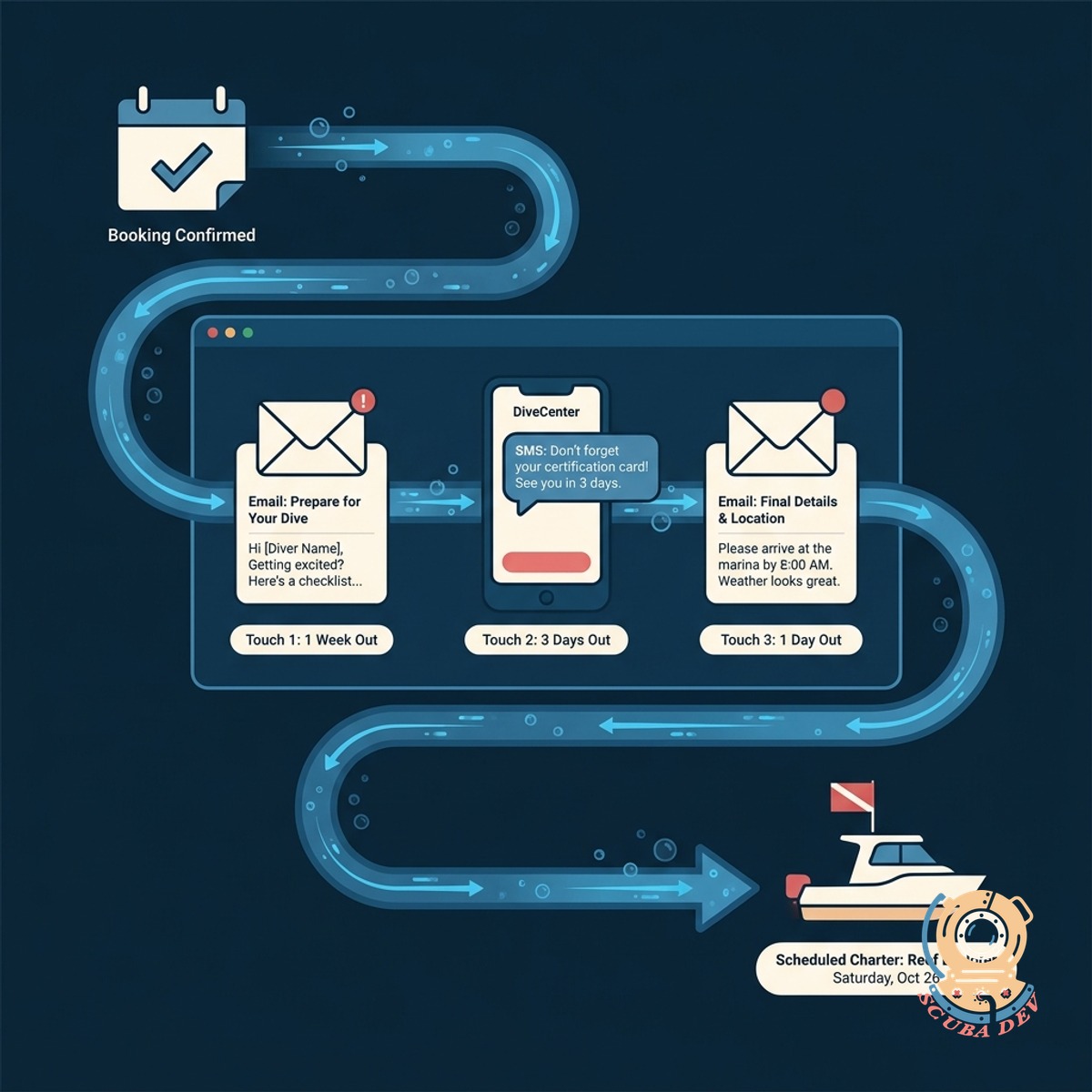
Automated Three Touch Reminder Sequence
We set up a reliable schedule of messages to reach your patients before their appointment.
- Sends an initial confirmation request immediately upon booking.
- Delivers a second reminder three days before the appointment.
- Triggers a final text message two hours prior to the scheduled time.
- Stops the sequence automatically once a patient confirms.
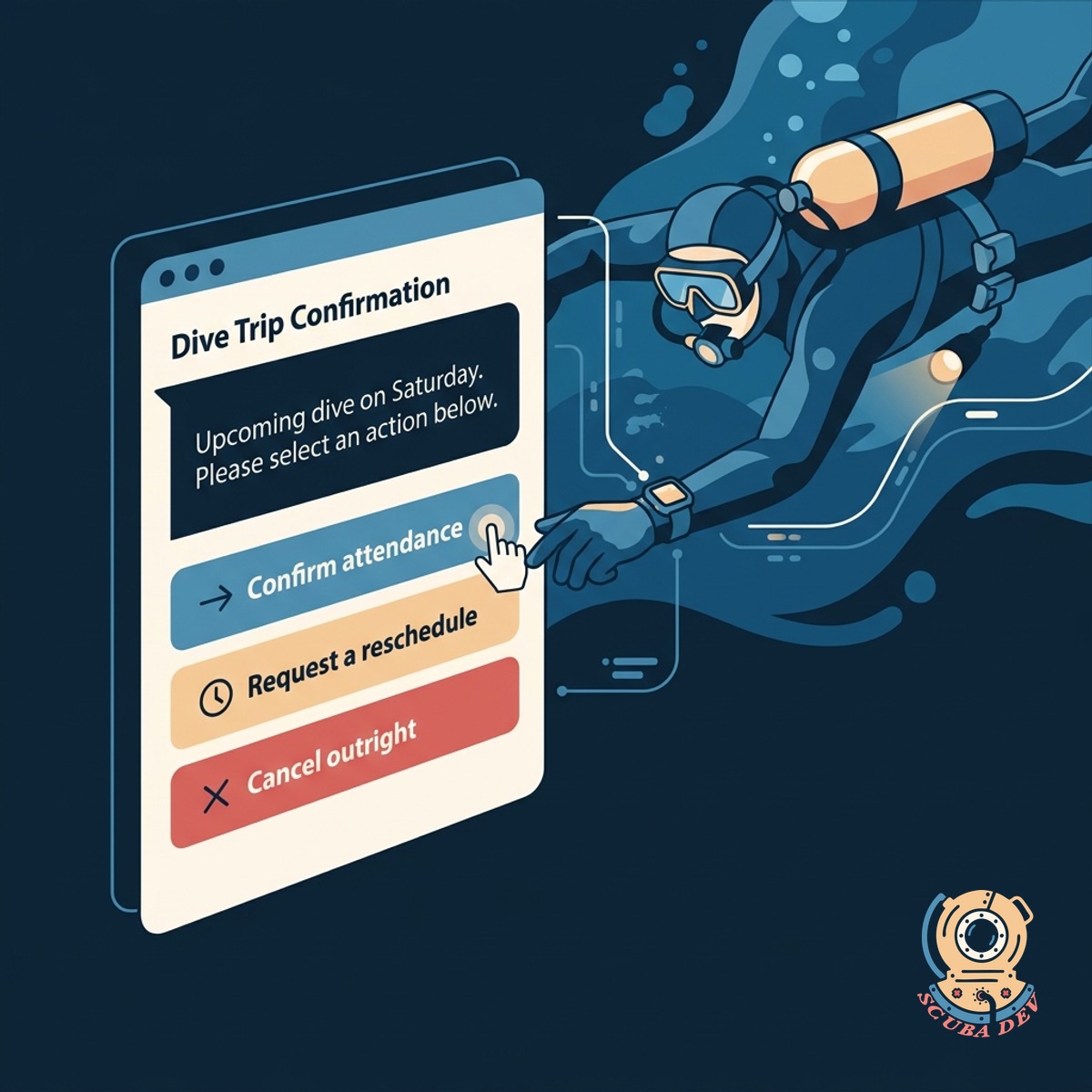
Secure Links To Manage Appointments
Every message includes unique links that allow patients to confirm, cancel, or reschedule without logging in.
- Generate unique secure URLs
- Process confirmations instantly
- Route reschedule requests to staff
- Handle cancellations cleanly
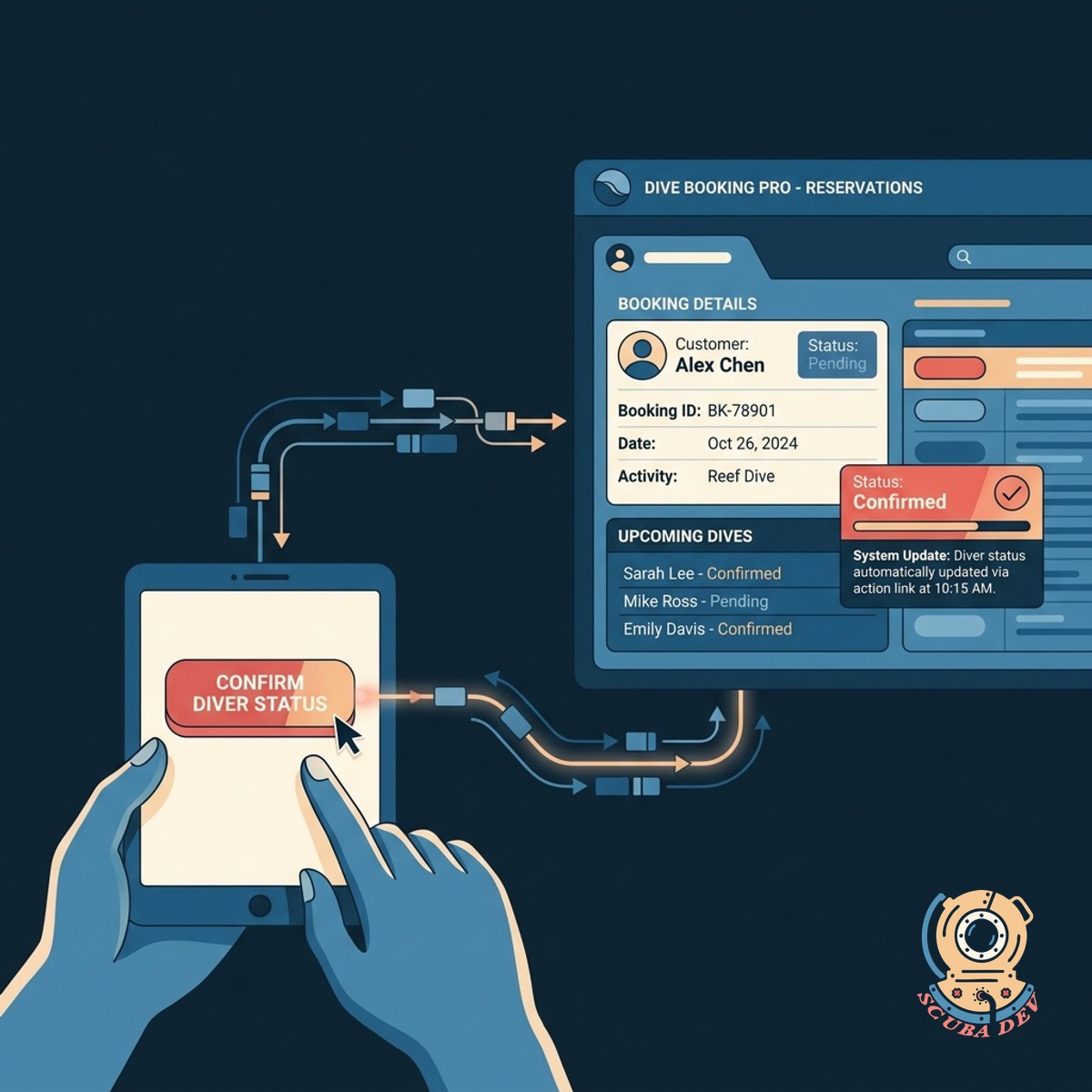
Direct Integration With Your Booking System
We connect this reminder sequence directly to your existing calendar or electronic health record software.
- Reads appointment data to trigger the correct reminder schedule.
- Updates the appointment status in your system when a patient clicks confirm.
- Clears the calendar slot automatically if a patient cancels.
- Logs all sent messages and patient replies in the patient record.
Questions
Things people ask
How does the three touch sequence work?
We build this sequence to comply with HIPAA guidelines. The messages only contain the minimum necessary information, and the response links are hosted on secure servers.
Can we customize the timing of the reminders?
You can adjust the timing of every message in the sequence. We configure the default schedule based on your preferences during setup.
What happens if a patient replies with a text message instead of clicking the link?
The system updates their specific reservation record in your booking software to show a confirmed status. It also stops any further confirmation requests from sending for that specific appointment.
How do you handle reschedule requests?
If a patient types a response, the system routes that message to a shared inbox. Your staff can read and reply to the message directly from your dashboard.
Which communication providers do you use for this?
We integrate with industry standard providers like Twilio for SMS delivery and SendGrid or Mailgun for email routing. This ensures high deliverability for all your automated messages.
Does this sync with our existing booking software?
We integrate with most major electronic health record systems using standard APIs. If you use a custom system, we can build a secure connection to sync your appointment data.
Do staff members get notified of cancellations?
We can configure the system to send messages in the preferred language of each patient. You just need to track the language preference in your booking software.