Internal Training Content Generator
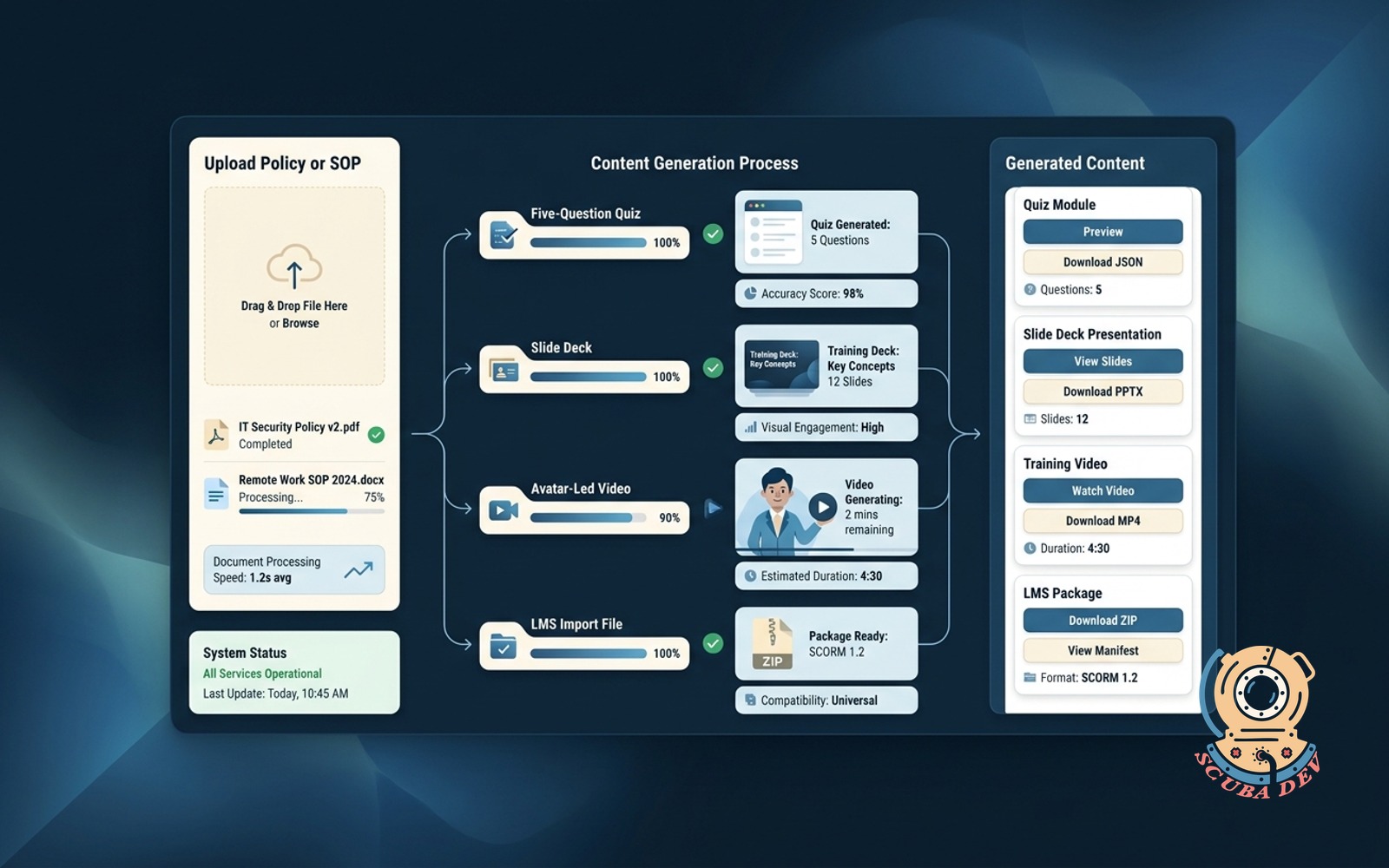
Upload a policy or SOP. System produces a five-question quiz, slide deck, avatar-led video, and an LMS import file.
Possibilities
Where this could go
Automated Quiz And Assessment Generation
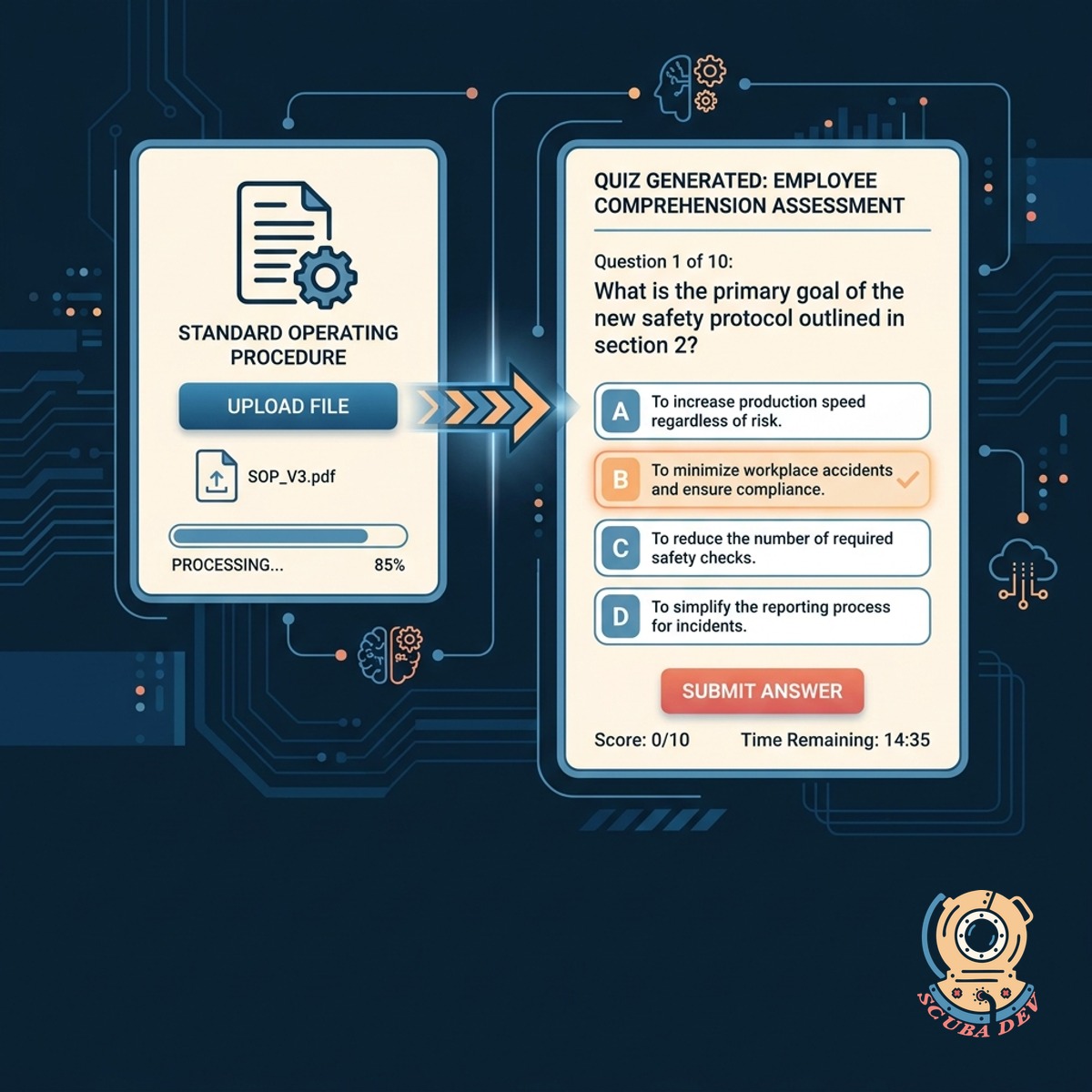
Upload your standard operating procedure and the system extracts key concepts to build a multiple choice quiz.
- Extracts key policy points
- Generates five distinct questions
- Includes correct answers and distractors
- Formats for immediate LMS import
Instant Slide Deck Presentation Export
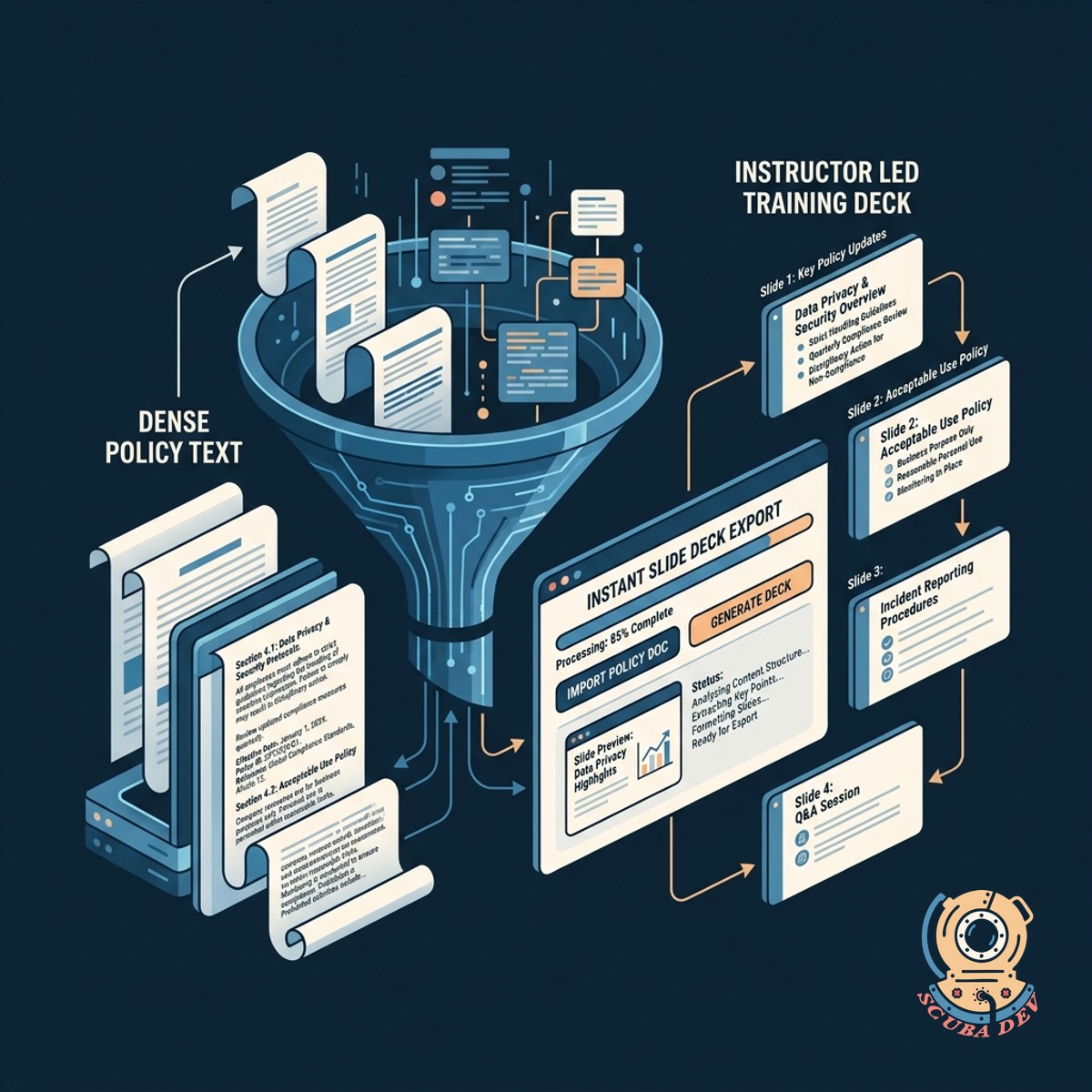
The system converts dense policy text into a structured presentation deck for instructor led training sessions.
- Summarizes long paragraphs
- Creates logical slide breaks
- Exports to standard presentation formats
- Maintains consistent corporate styling
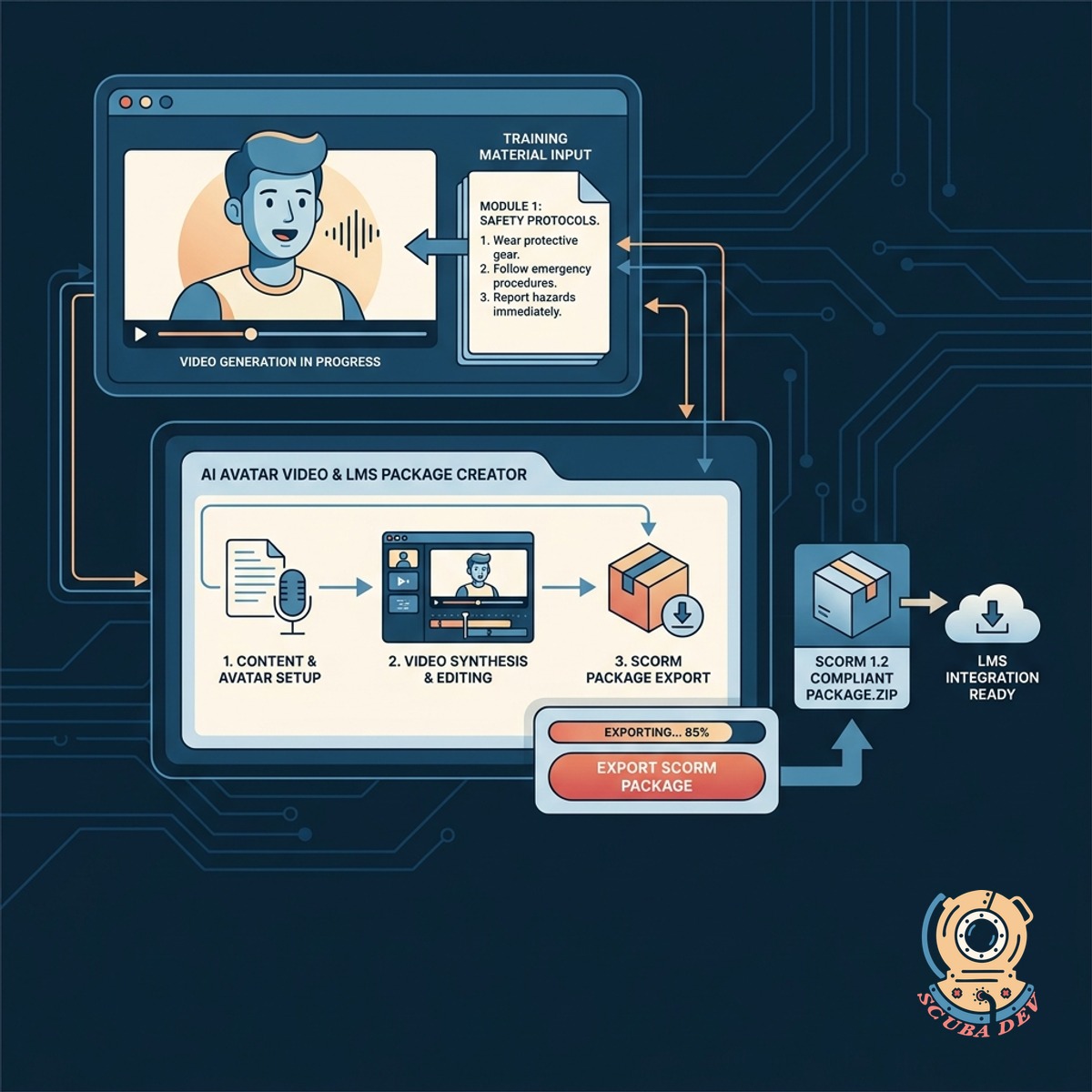
Avatar Video And LMS Package Creation
Generate an AI avatar video reading the training material and export everything as a SCORM compliant package.
- Select from a library of digital avatars to narrate your training script
- Customize the voice speed and tone to match your company brand
- Download the final video as an MP4 file for direct sharing
- Export a complete SCORM package ready for upload to your learning management system
Questions
Things people ask
What types of documents can I upload?
You can upload standard text documents, PDFs, and presentation files. The system reads the text from these files to generate your training materials. We also support direct text pasting if you prefer to copy from an internal wiki.
How does the quiz generation work?
Yes, you have full control over the generated content. You can rewrite quiz questions, adjust the slide text, and change the avatar script before you finalize the export. This ensures the final training matches your exact requirements.
Can I edit the slide deck after it is generated?
Yes. The system outputs a standard PowerPoint file. You can open it to adjust the text, change the layout, or add your own company graphics before presenting.
What technology creates the avatar video?
We export the training content as a standard SCORM package. This format is supported by almost all modern learning management systems. You simply download the zip file from our platform and upload it directly into your LMS course builder.
Will this work with my existing learning management system?
The application bundles the video, slide deck, and quiz into a standard SCORM package. This format is natively supported by major platforms like Canvas, Moodle, and Blackboard.
Can I choose the voice and appearance of the video avatar?
Yes. The system allows you to select from a library of avatars and voice profiles provided by the integrated video service. You can set a default presenter that aligns with your company brand.
How long does it take to generate the training materials?
The text processing, quiz generation, and slide creation happen in seconds. The avatar video rendering typically takes a few minutes depending on the length of the source document.