Change management request portal
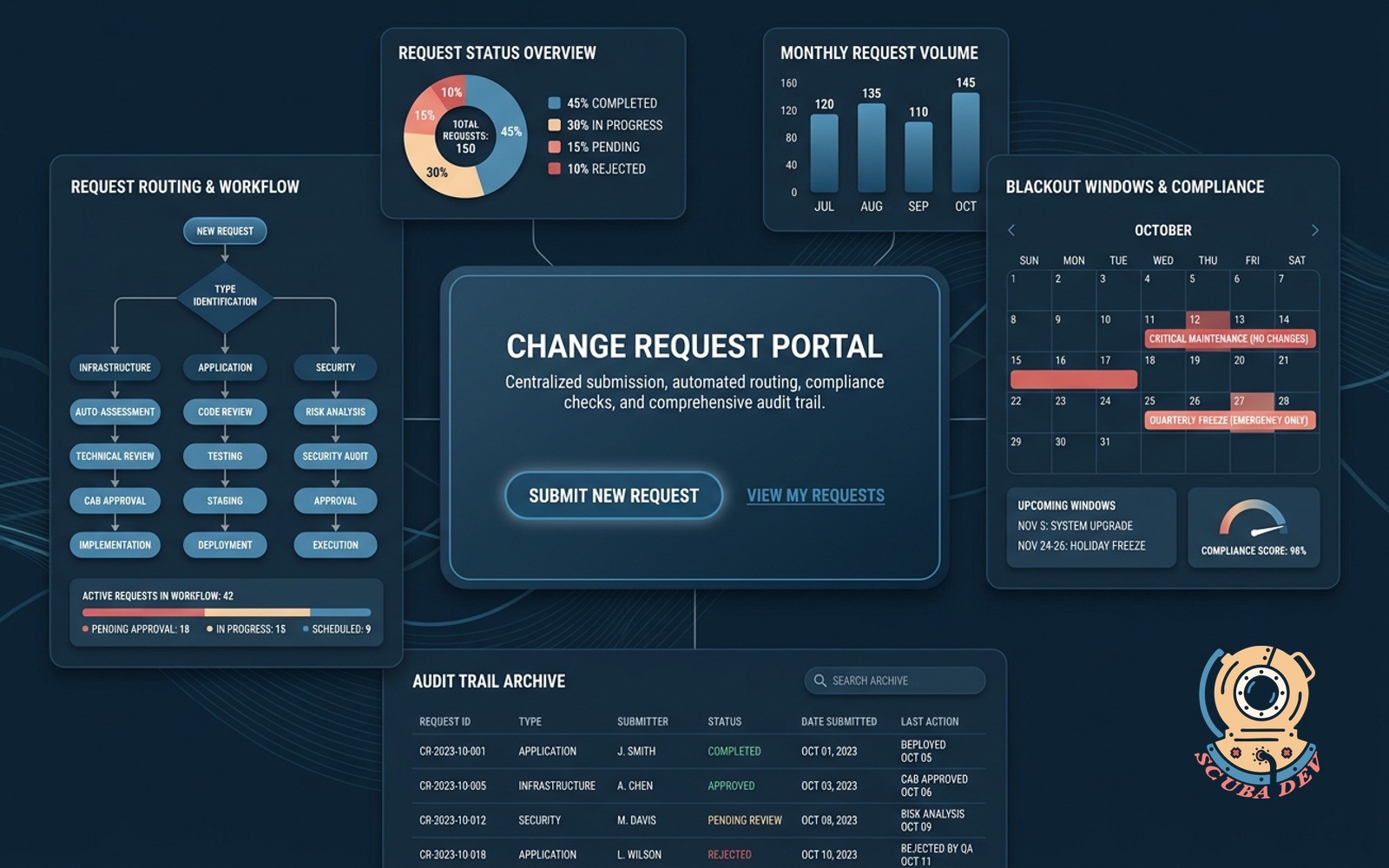
One front door for every change request. Routes by type, checks against blackout windows, archives the audit trail.
Possibilities
Where this could go
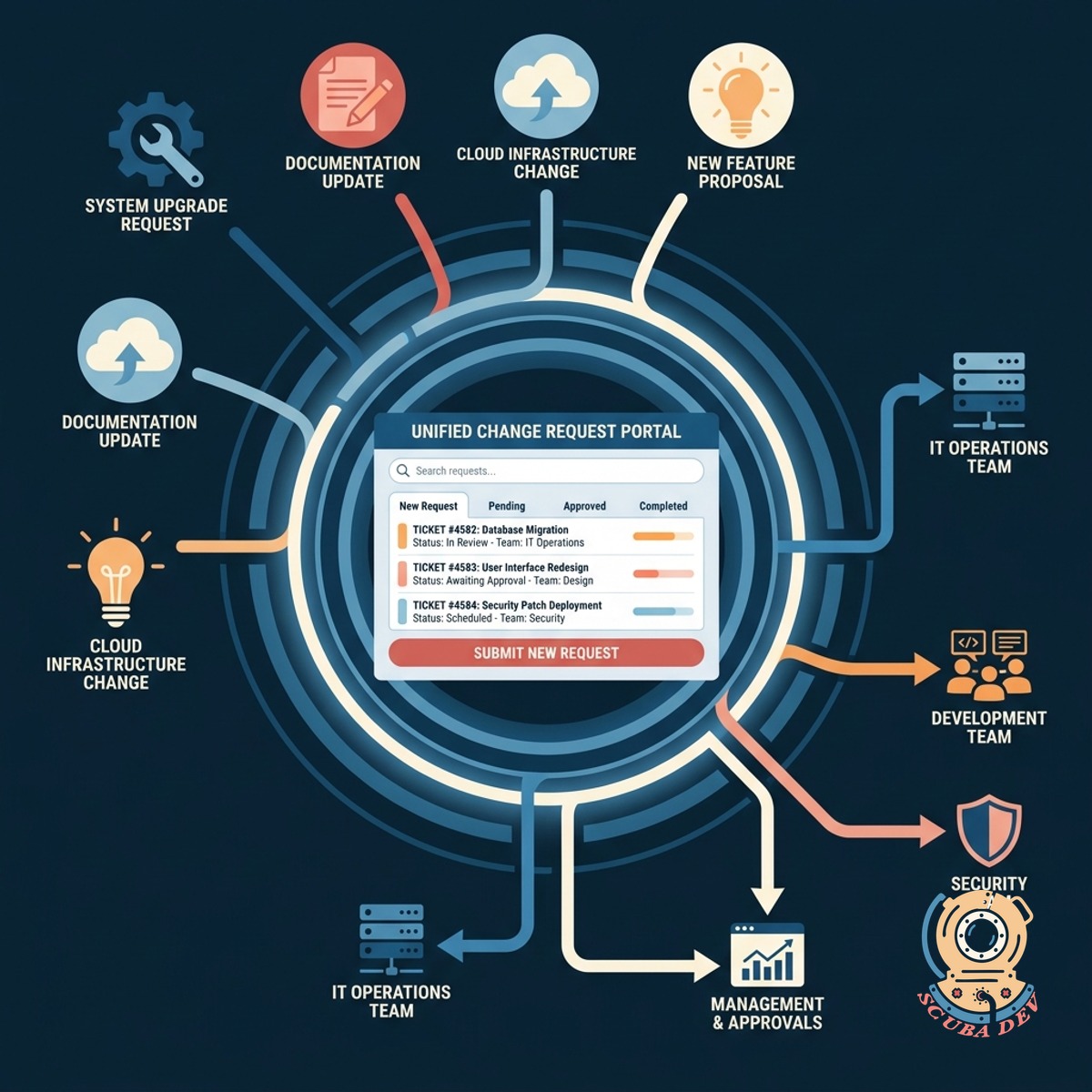
Single Portal For All Change Requests
Consolidate every change request into one intuitive interface that automatically routes tickets to the correct teams.
- Standardized intake forms
- Automated team routing
- Jira and ServiceNow integration
- Centralized request tracking
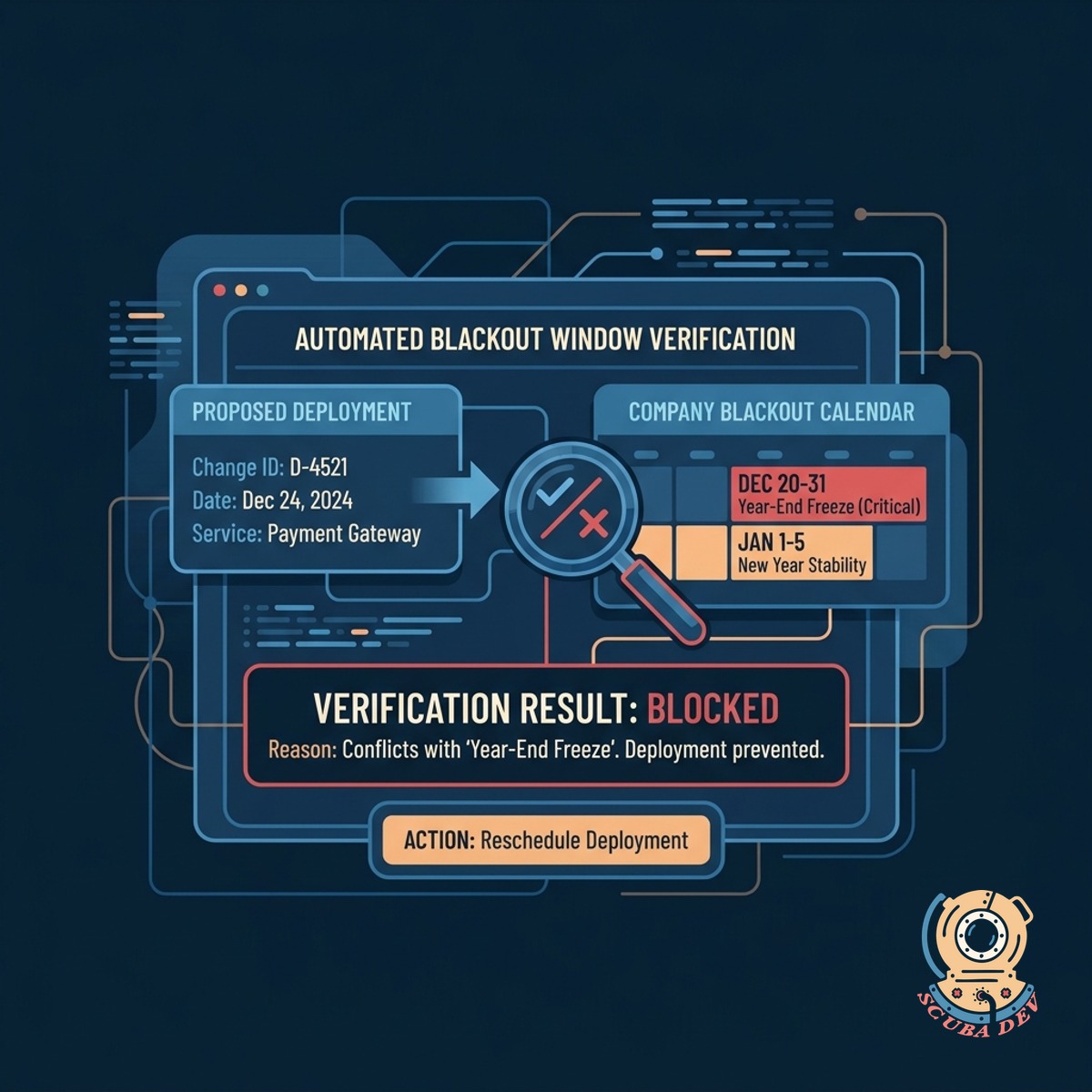
Automated Blackout Window Verification
Prevent risky deployments by automatically checking proposed changes against your scheduled blackout windows and freeze periods.
- Define custom blackout periods for holidays, end of quarter, or major events.
- Block or flag change requests that overlap with restricted deployment dates.
- Require secondary executive approval to bypass active freeze windows.
- View a shared calendar of all upcoming blackout periods and scheduled changes.
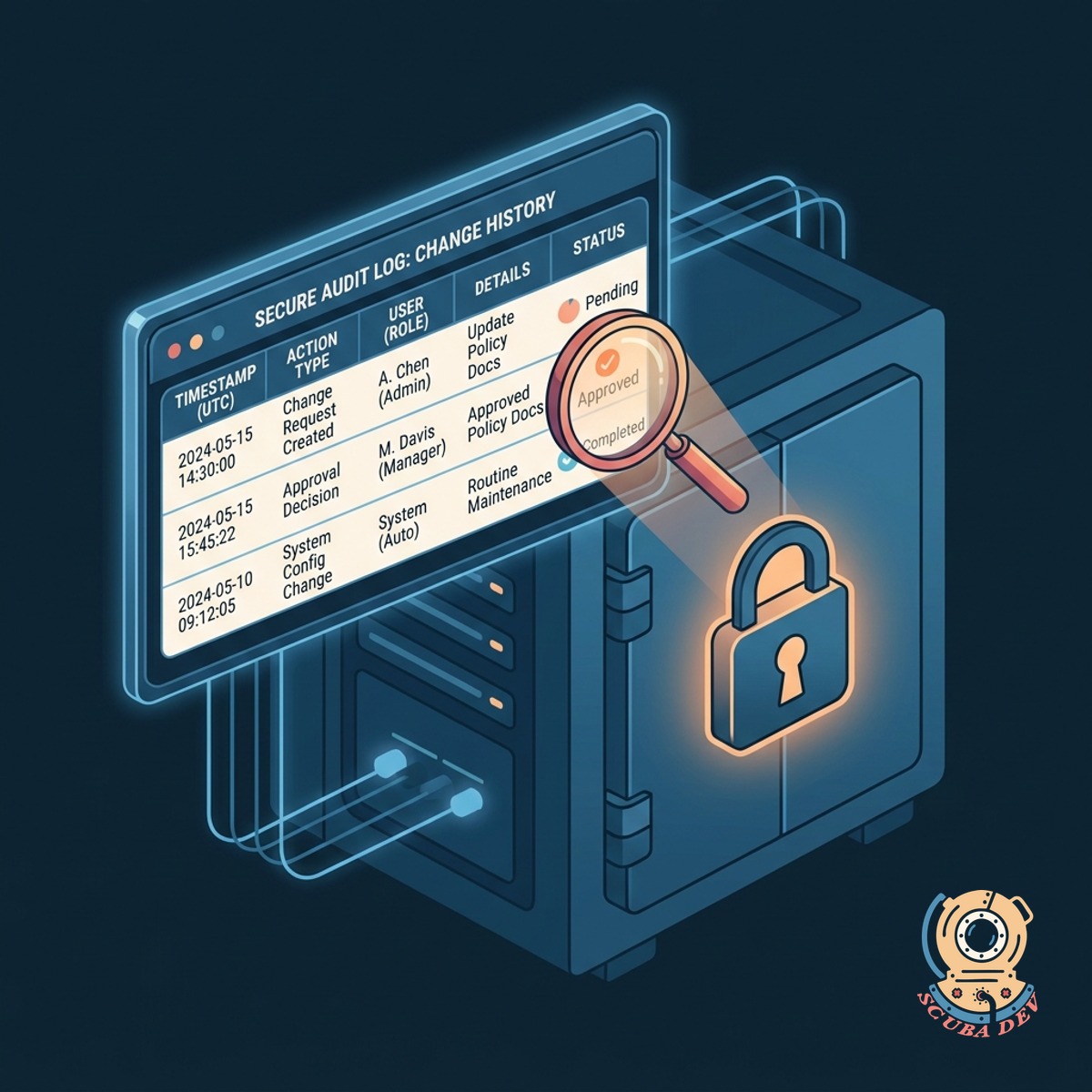
Secure Archive For Audit Compliance
Maintain a complete history of every change request and approval decision in a secure log for future compliance audits.
- Immutable change logs
- Approval timestamp tracking
- Exportable compliance reports
- Historical request search
Questions
Things people ask
How does this portal integrate with our existing ticketing systems?
The portal connects directly to tools like Jira, ServiceNow, and Zendesk via API. It acts as the intake layer and automatically creates or updates tickets in your primary systems.
Can we set different approval workflows based on the change type?
Yes. You can configure custom routing rules that trigger specific approval chains based on the risk level or category of the request. A routine configuration change can bypass the extensive approvals required for a major infrastructure update.
How does the system handle emergency change requests?
Emergency requests follow a dedicated fast track workflow. The system bypasses standard blackout windows but immediately alerts key stakeholders in Slack or Microsoft Teams for rapid review.
Is it possible to define blackout windows for specific departments only?
You can configure blackout dates globally or limit them to specific teams and services. This ensures the marketing team can freeze website updates during a major campaign without blocking internal IT maintenance.
Where are the audit logs stored?
Audit logs are securely archived within the portal database and can be mirrored to your own data warehouse like Snowflake or Amazon S3. This guarantees you have an immutable record ready for compliance reviews.
Can we customize the approval workflows based on the type of change?
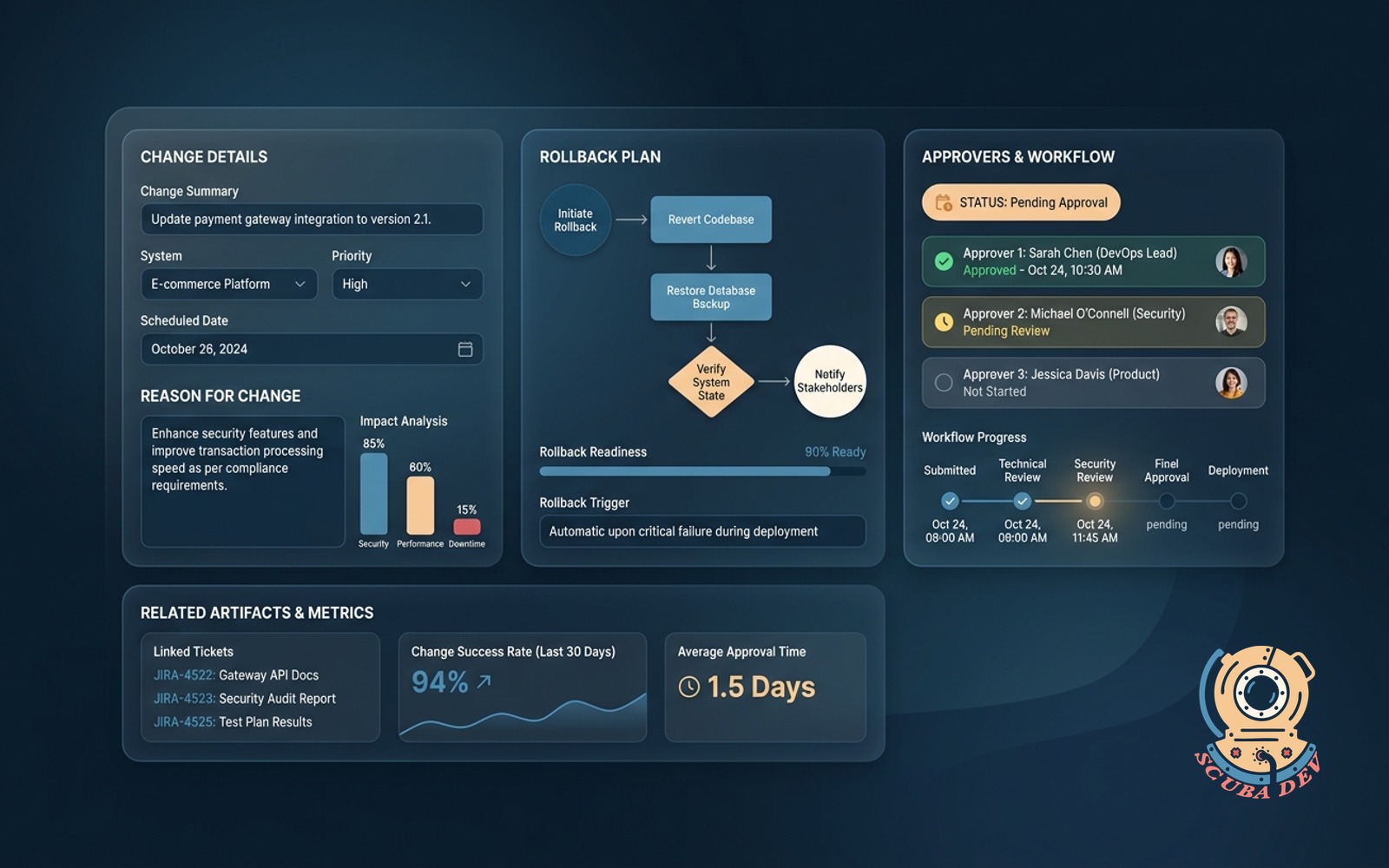
Yes, you can build custom routing rules for different categories of changes. Routine updates can follow a standard path, while high-risk infrastructure changes require additional sign-offs from security and engineering leads. We make it easy to map these workflows to your exact organizational structure.
How do approvers get notified when a request needs their sign off?
Approvers receive automated notifications through email or chat applications. They can review the change details, check for blackout conflicts, and approve or deny the request directly from the notification.