Email Drip Sequence Generator
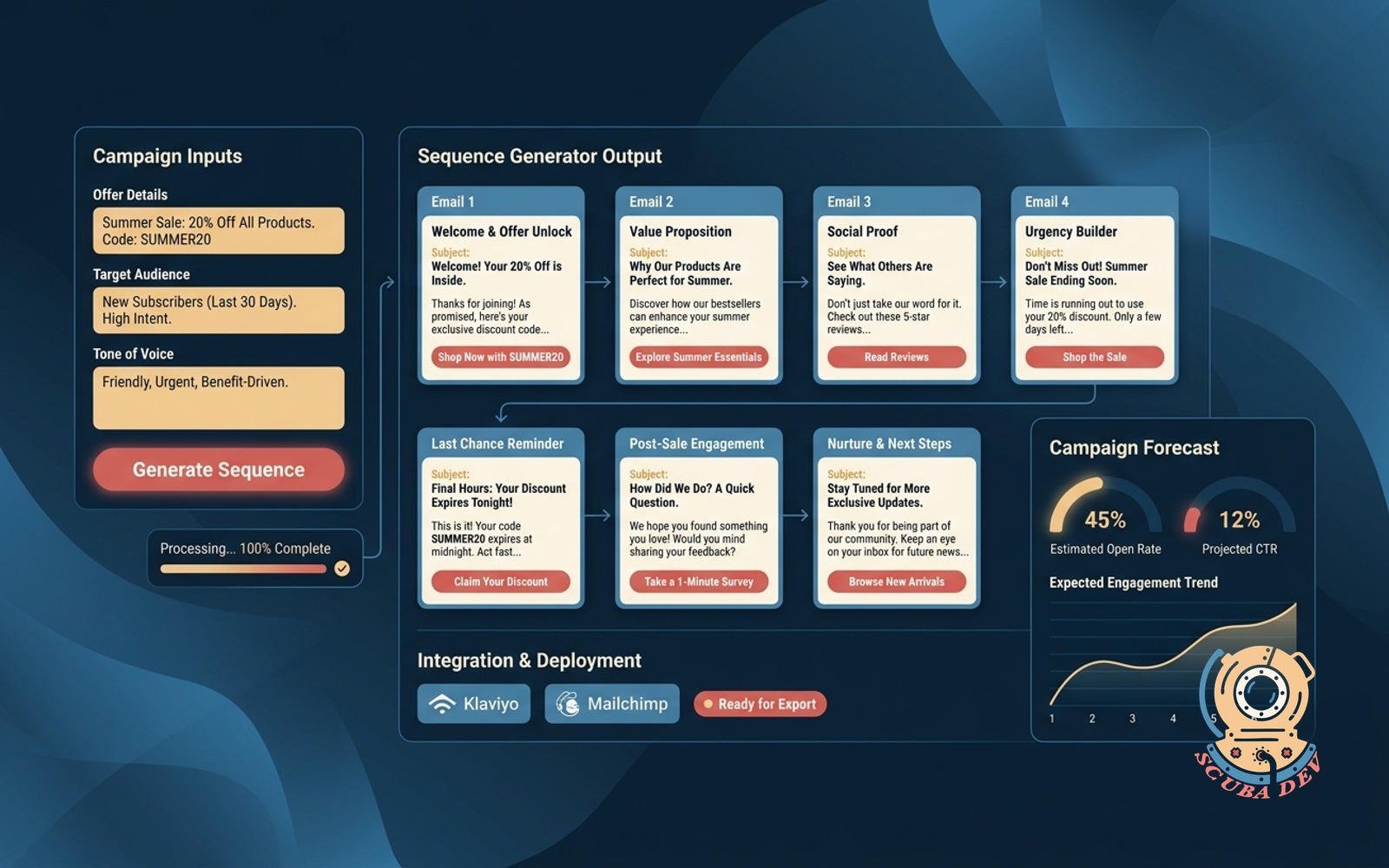
Enter the offer, audience, and tone. Output is a seven-email sequence with subject lines and CTAs loaded into Klaviyo or Mailchimp.
Possibilities
Where this could go
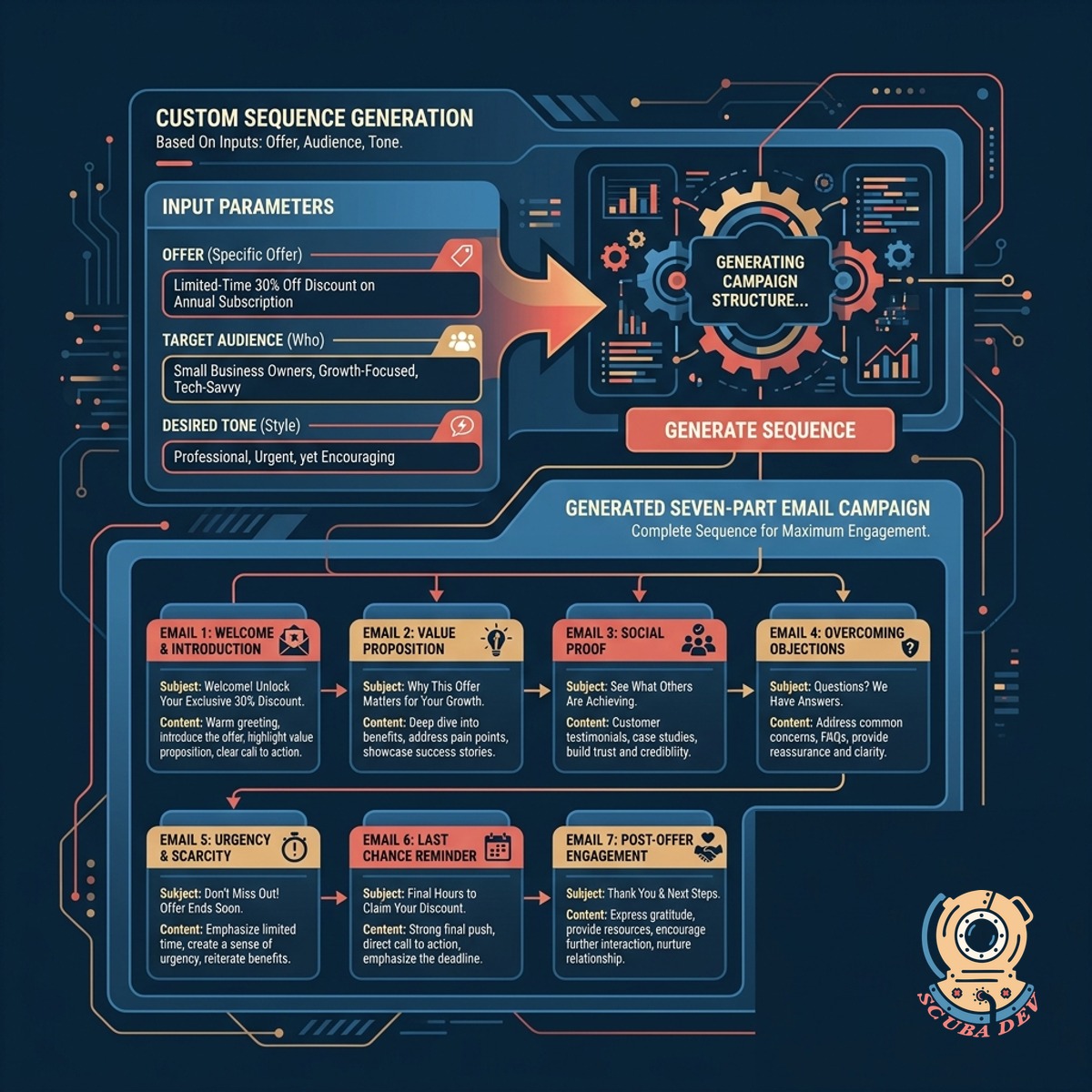
Custom Sequence Generation Based On Inputs
Enter your specific offer, target audience, and desired tone to generate a complete seven part email campaign.
- Define the core product offer
- Specify your target audience segment
- Select the exact tone of voice
- Generate seven unique email drafts
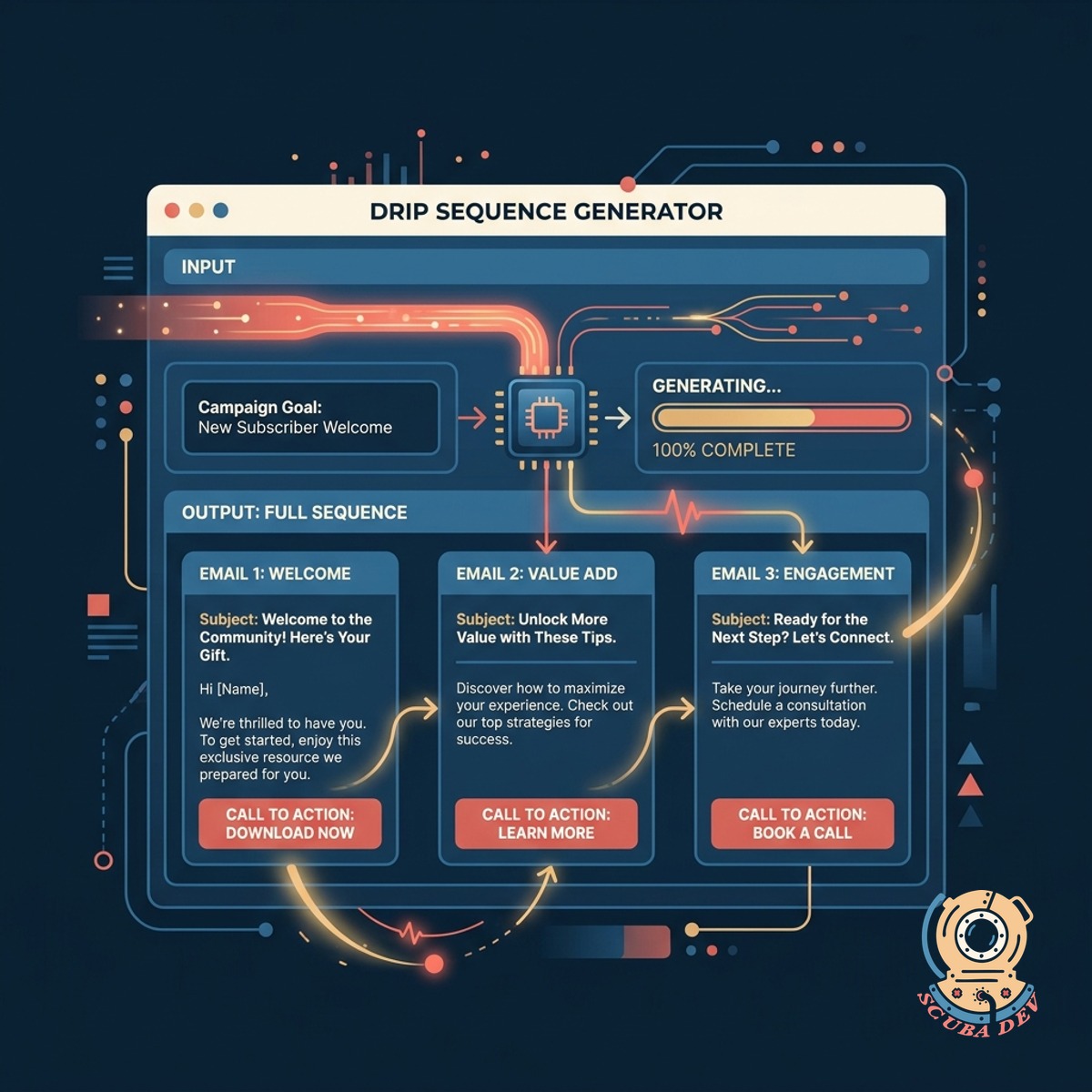
Complete Subject Lines And Calls To Action
The tool writes every subject line, body paragraph, and call to action required for a full drip sequence.
- Creates engaging subject lines
- Writes plain text body copy
- Formats clear call to action buttons
- Structures the seven day flow
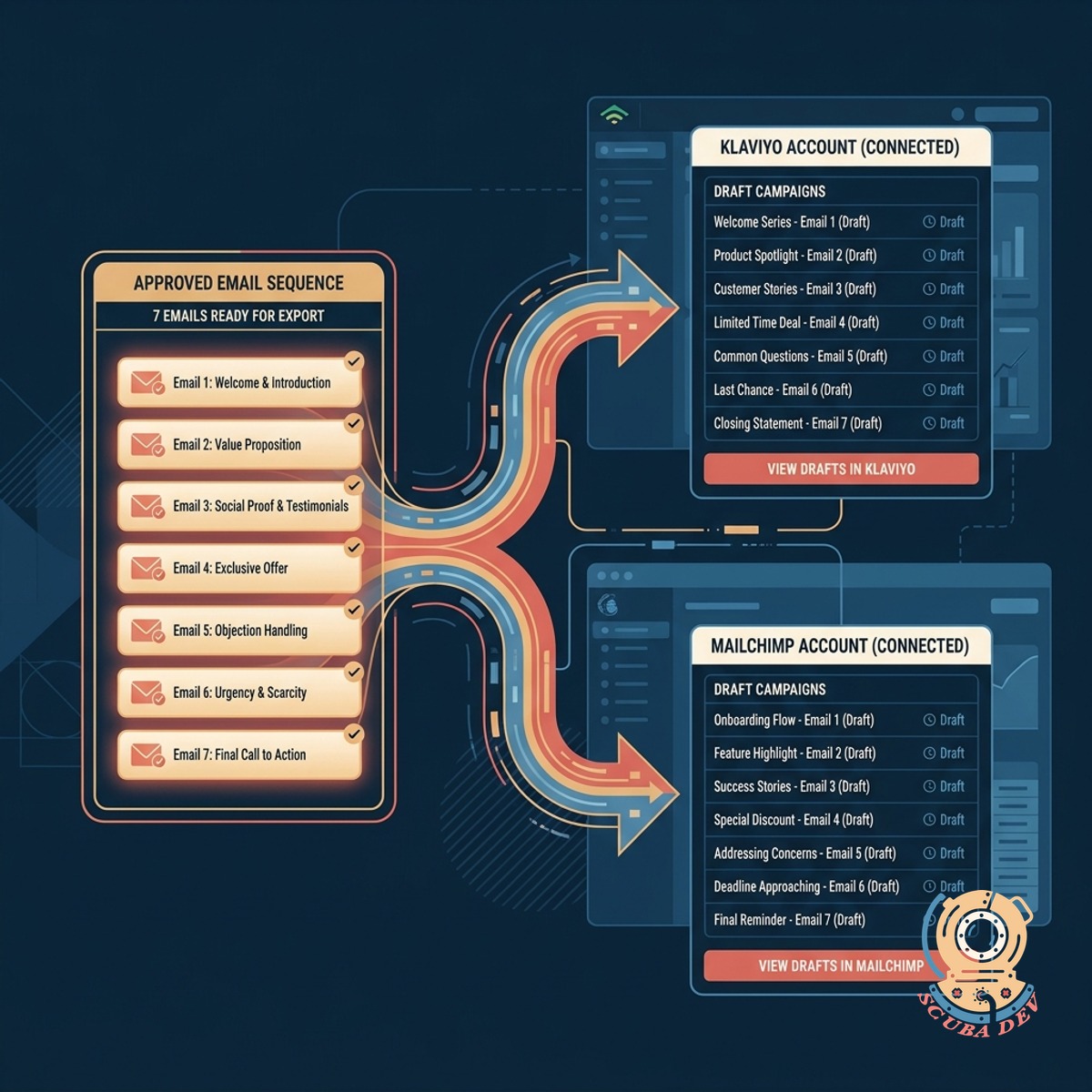
Direct Export To Klaviyo And Mailchimp
Push the approved seven email sequence directly into your connected Klaviyo or Mailchimp account as draft campaigns.
- Connects via native API integrations
- Creates new draft campaigns automatically
- Transfers subject lines and body text
- Bypasses manual copying and pasting
Questions
Things people ask
How does the tool connect to my email platform?
The generator uses the official APIs for Klaviyo and Mailchimp. You authenticate your account once, and the tool pushes the generated sequences as draft campaigns.
Can I edit the emails before they are exported?
Yes. The tool provides a preview of all seven emails after generation. You can edit the text, subject lines, and calls to action directly in the interface before sending them to your email platform.
Does it support email platforms other than Klaviyo and Mailchimp?
The core build focuses on Klaviyo and Mailchimp. However, we can add custom API connections for other platforms like HubSpot or ActiveCampaign during development.
What language models power the email generation?
We typically use OpenAI models to generate the text. We configure the system prompts to closely follow your specified tone, audience, and offer inputs.
How do I define the tone of voice?
You can select from a dropdown of common tones or type a custom description. The system uses this input to adjust the vocabulary and pacing of the generated emails.
Does the tool design the visual layout of the emails?
No. The generator focuses entirely on the text content, including subject lines, body copy, and button text. It exports plain text or basic HTML into your existing platform templates.
Are the exported emails sent automatically to my list?
No. The tool only creates draft campaigns or flows in your Klaviyo or Mailchimp account. You must manually review and activate the sequence within your email software.