Review request that fires right after job completion
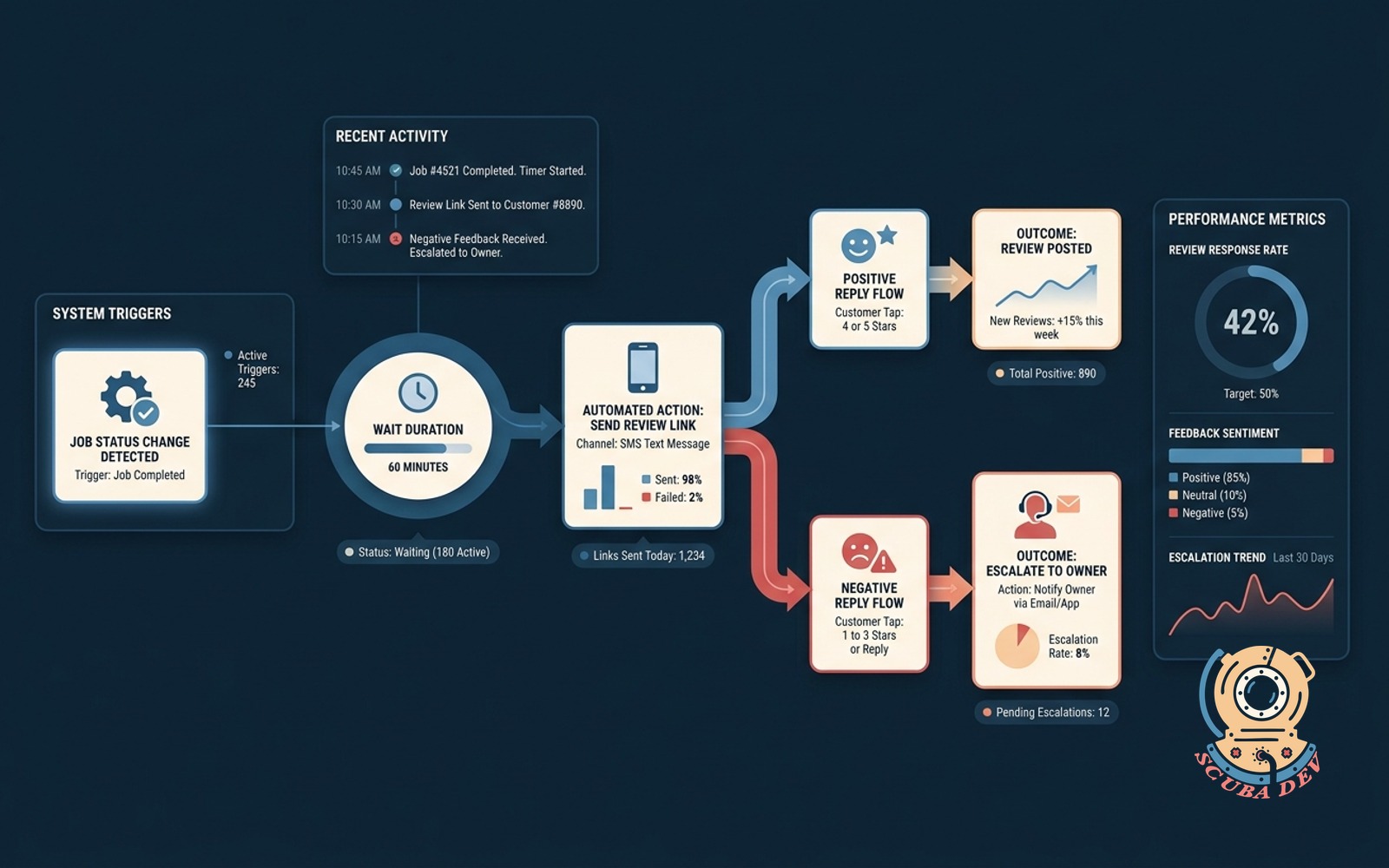
Detects job status change in your system, waits 60 minutes, texts a one-tap review link. Escalates unhappy replies to the owner.
Possibilities
Where this could go

Automated Job Completion Detection
The system monitors your field service management software and triggers a sixty minute countdown the moment a technician marks a job as complete.
- Connects to Housecall Pro or Jobber
- Reads job status updates in real time
- Starts a one hour delay timer
- Prevents sending texts while techs are still on site
One Tap SMS Review Requests
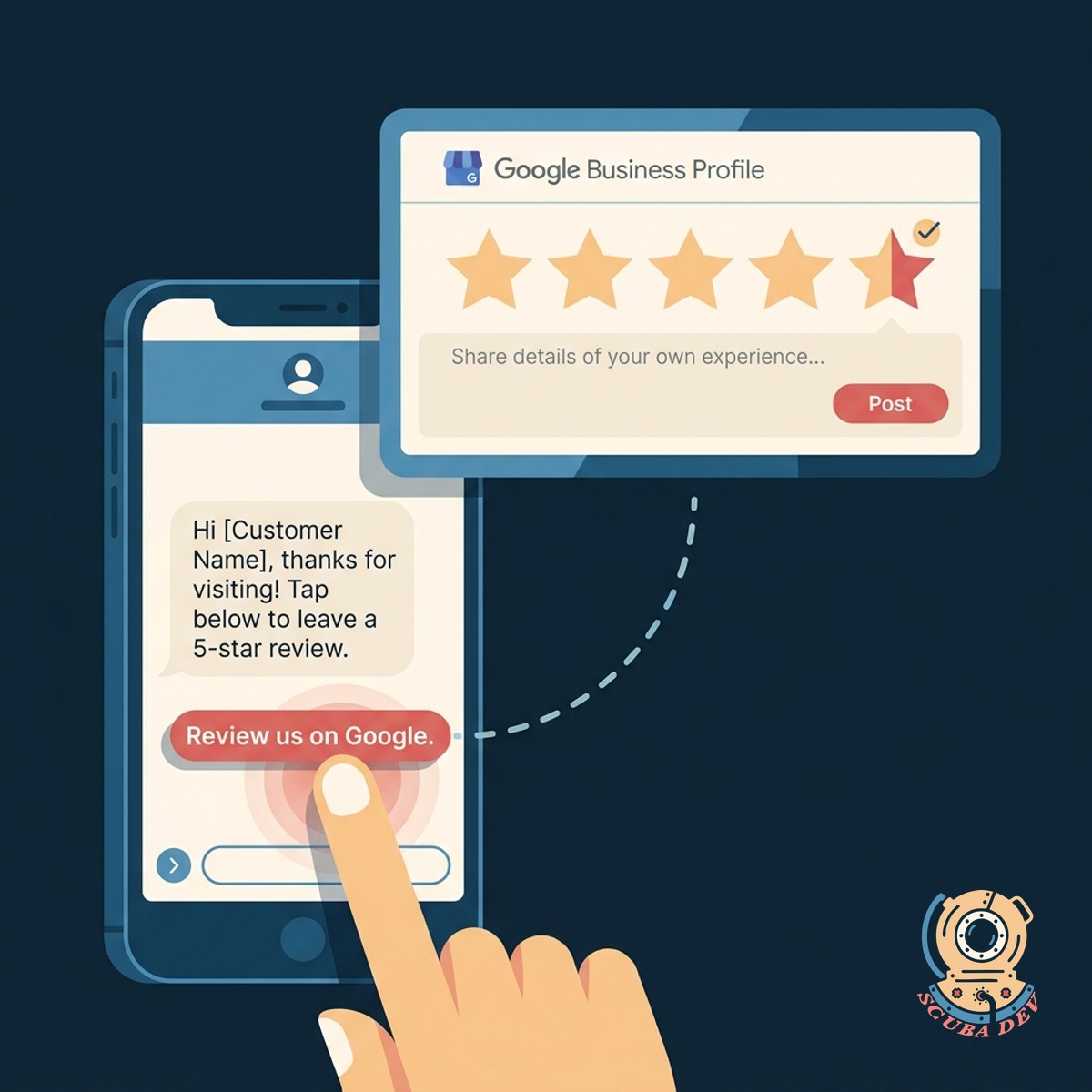
Customers receive a personalized text message containing a direct link to your Google Business Profile so they can leave a five star review instantly.
- Sends via Twilio or similar SMS tool
- Uses the customer first name
- Includes a direct Google review link
- Works on any standard smartphone
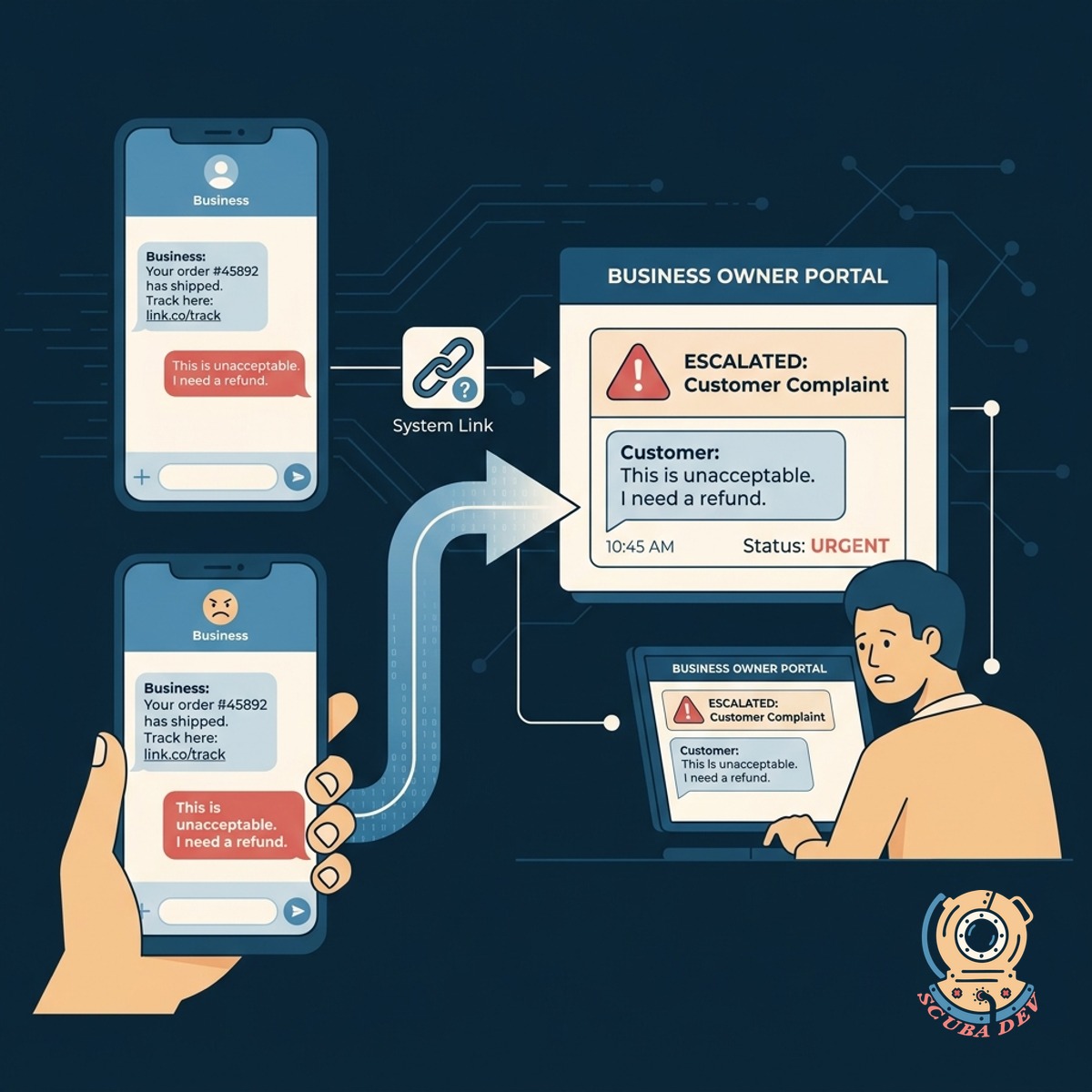
Unhappy Customer Reply Escalation
If a customer replies to the text message with a complaint instead of clicking the link, the system immediately routes their message to the business owner.
- Scans incoming SMS replies
- Flags negative keywords or complaints
- Sends an instant alert to management
- Allows you to intercept bad experiences
Questions
Things people ask
Which field service tools does this work with?
We can integrate this workflow with most modern dispatch tools like ServiceTitan, Housecall Pro, Jobber, and FieldEdge using webhooks or standard APIs.
Why wait sixty minutes before sending the text?
A one hour delay gives your technician time to leave the property and allows the customer to settle in and enjoy the completed work before asking for a favor.
What happens if the customer ignores the first text?
The system can be configured to send a single polite follow up text a few days later if they have not clicked the review link.
How does the system know if a reply is negative?
We use basic keyword filters or simple AI sentiment analysis on inbound SMS replies to detect frustration and route those messages to your team instead of asking for a review again.
Can the text message come from our business phone number?
Yes. We typically route these messages through SMS platforms like Twilio, which can often host your existing business number or provide a dedicated local number.
Does the customer have to log in to leave a review?
The link takes them directly to your Google Business Profile review window. If they are already logged into a Google account on their phone, they can rate you in one tap.
Can we send them to platforms other than Google?
Absolutely. While Google is the default for local search, we can swap the link to direct customers to Facebook, Yelp, or your own internal feedback form.