Zapier replacement for lead routing
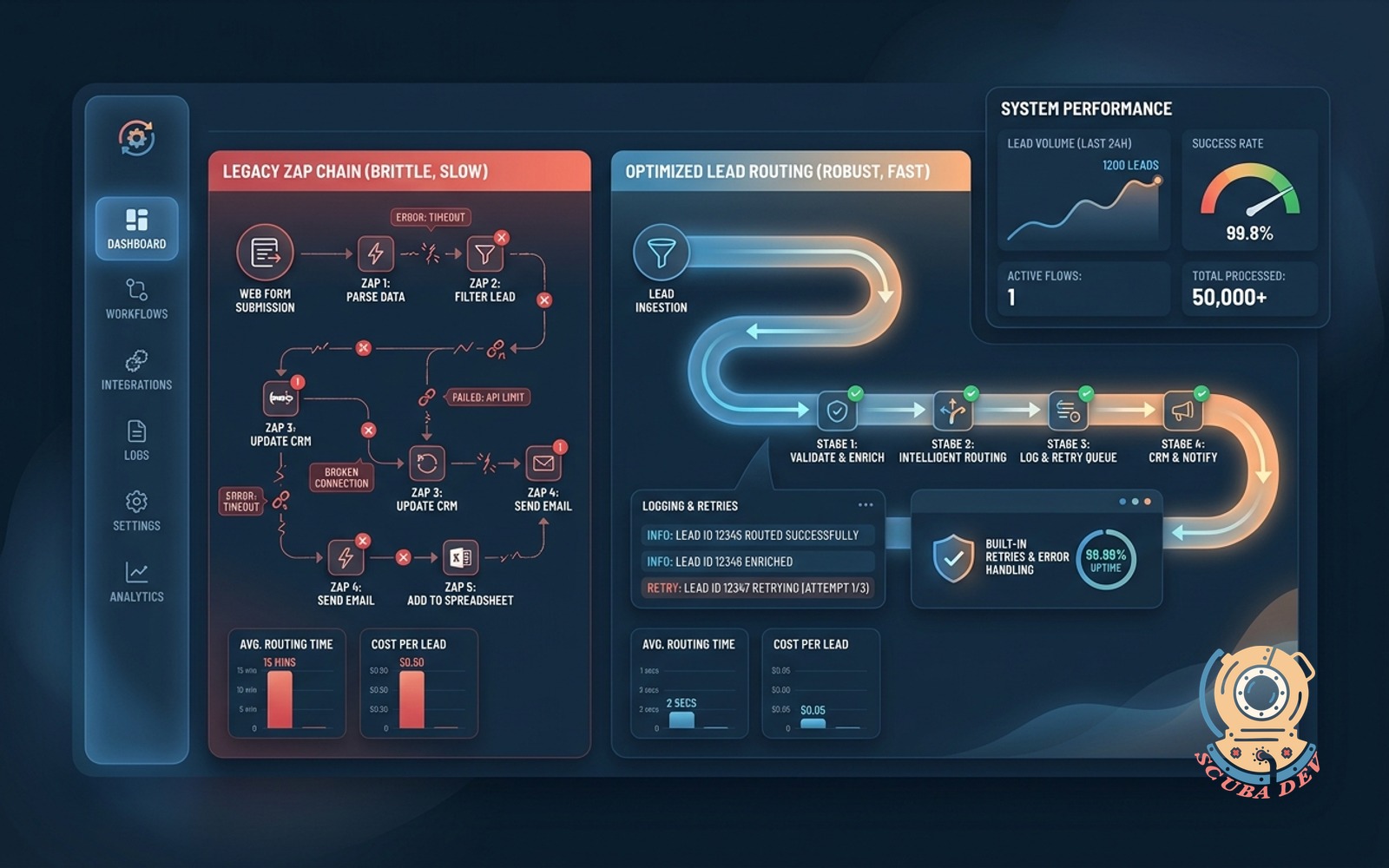
Single coded flow replaces a brittle Zap chain, cheaper, faster, with proper logging and retries.
Possibilities
Where this could go
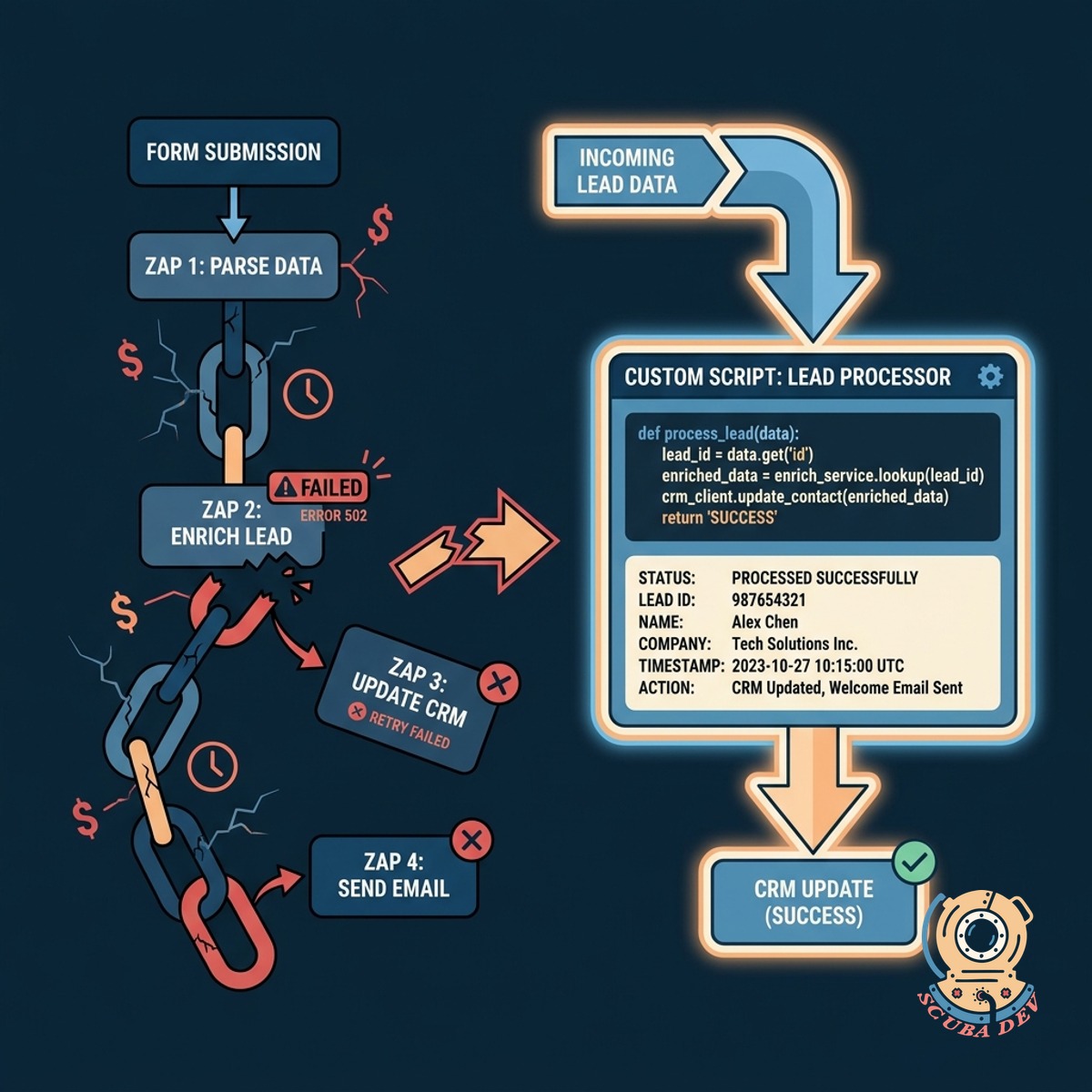
Replace Brittle Zapier Chains With Code
A custom script processes incoming lead data directly instead of relying on a fragile sequence of expensive third party automation steps.
- Consolidate multiple Zaps into one script
- Reduce monthly automation platform costs
- Execute routing logic instantly
- Eliminate step delay limits
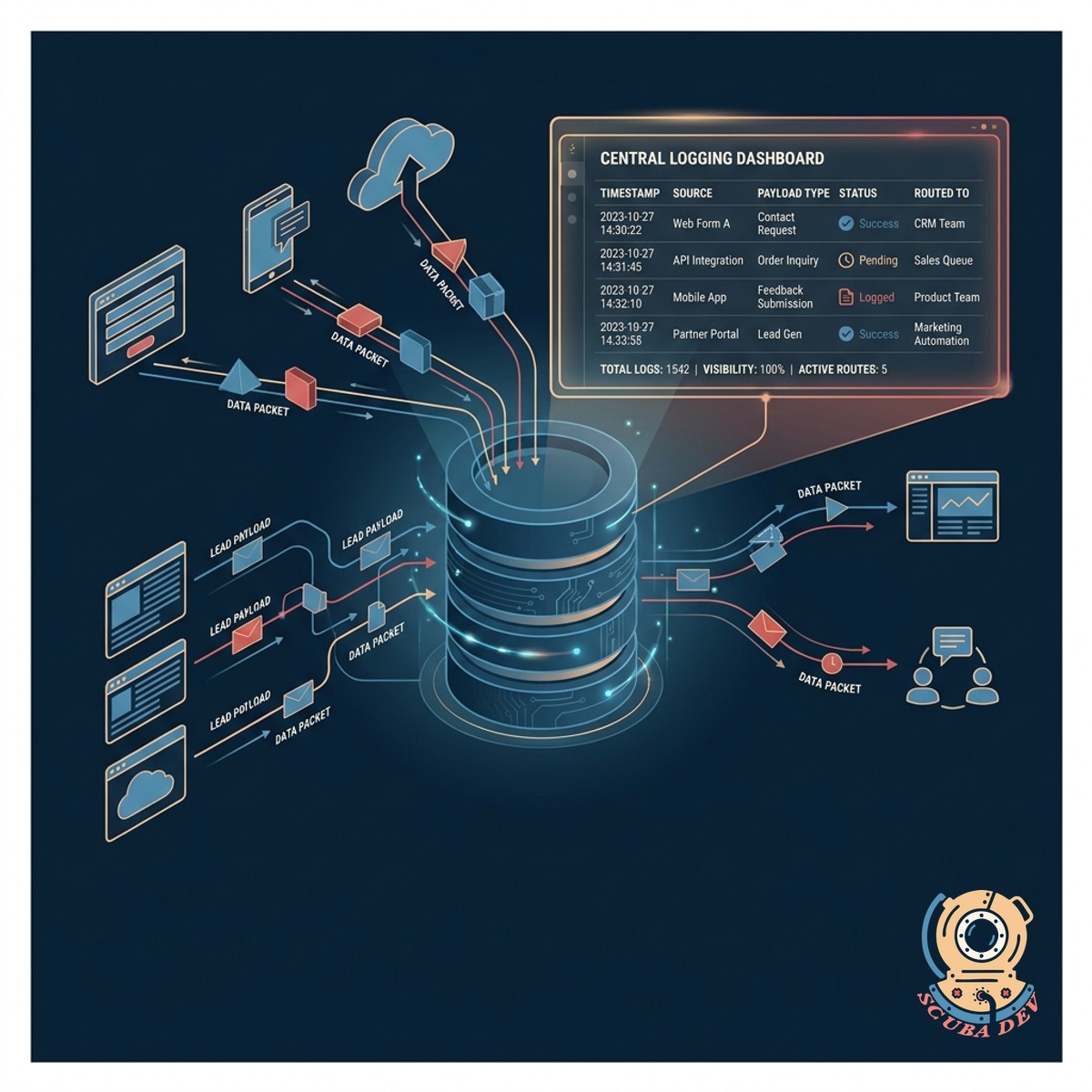
Gain Complete Visibility With Proper Logging
Every lead payload is recorded in a central database so your team can see exactly what data arrived and where it was routed.
- Store raw incoming webhook payloads
- Track routing decisions for every lead
- Search historical lead data easily
- Identify formatting errors immediately
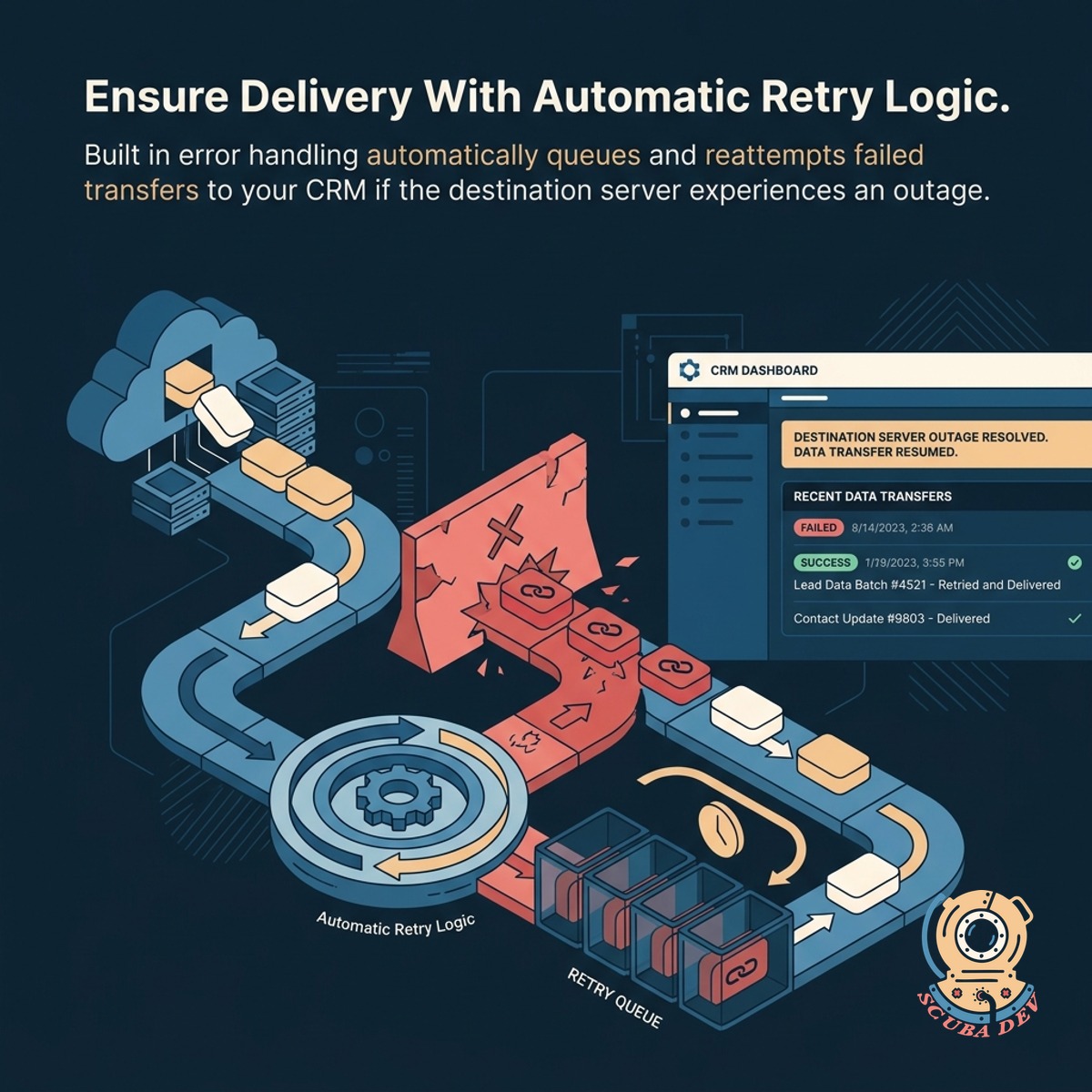
Ensure Delivery With Automatic Retry Logic
Built in error handling automatically queues and reattempts failed transfers to your CRM if the destination server experiences an outage.
- We store incoming leads in a temporary queue before sending them to your CRM.
- The system detects API timeouts and schedules a retry attempt automatically.
- You can configure the exact delay between failed attempts to avoid rate limits.
- Administrators receive an alert if a lead fails to sync after the maximum number of retries.
Questions
Things people ask
Why is a custom coded flow better than Zapier for lead routing?
A custom script handles complex logic without stringing together multiple fragile steps. It executes faster and provides exact control over how data is parsed and delivered to your CRM.
What happens if our CRM API goes down?
The custom routing system includes an automated retry queue. If the destination server is unavailable, the system stores the lead and attempts to send it again later until it succeeds.
Will this reduce our monthly software costs?
Yes. High volume lead generation often requires expensive premium Zapier tiers. A custom hosted script processes unlimited tasks for a fraction of the cost of standard automation platforms.
How do we track leads that fail to route properly?
The system logs every incoming payload and routing decision. Your team can access these logs to see exactly why a specific lead was rejected or misrouted and correct the issue.
Can this system route leads to multiple destinations at once?
Yes. The code can be configured to send the same lead data to your CRM, an email marketing platform, and a Slack channel simultaneously without requiring separate integration tools.
How long does it take to migrate from Zapier to a custom script?
Most lead routing flows can be rewritten and deployed within a few days. We run the new system in parallel with your existing setup to ensure accurate data transfer before switching over.
Do we need to change our lead capture forms?
No. Your existing forms simply need to point their webhook destination to the new custom endpoint instead of the Zapier webhook URL. The user experience remains exactly the same.