Route Driver Replenishment App
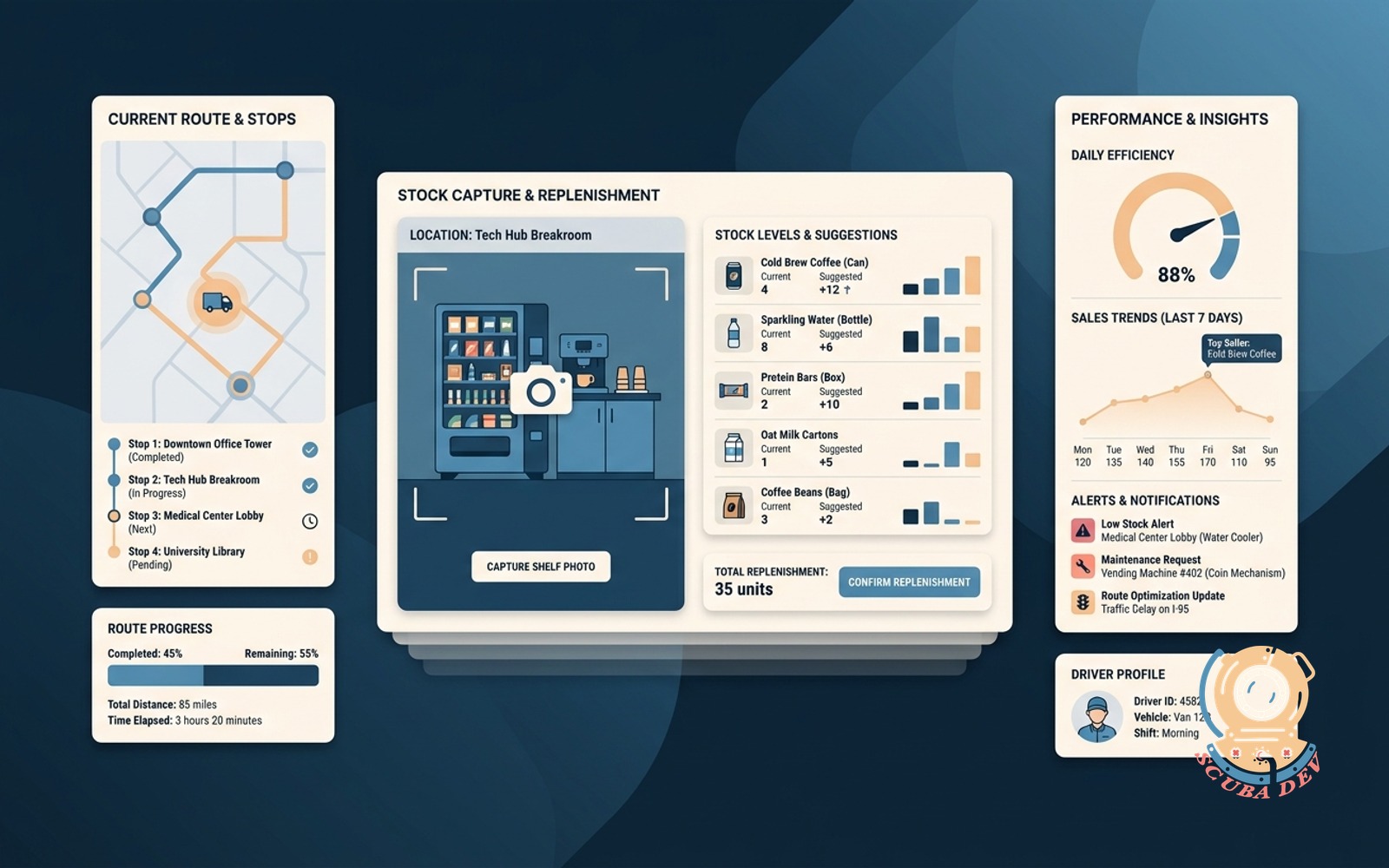
Vending, coffee, and water-cooler route drivers capture stock levels, see next-best-stock suggestions, and photo the shelf state.
Possibilities
Where this could go
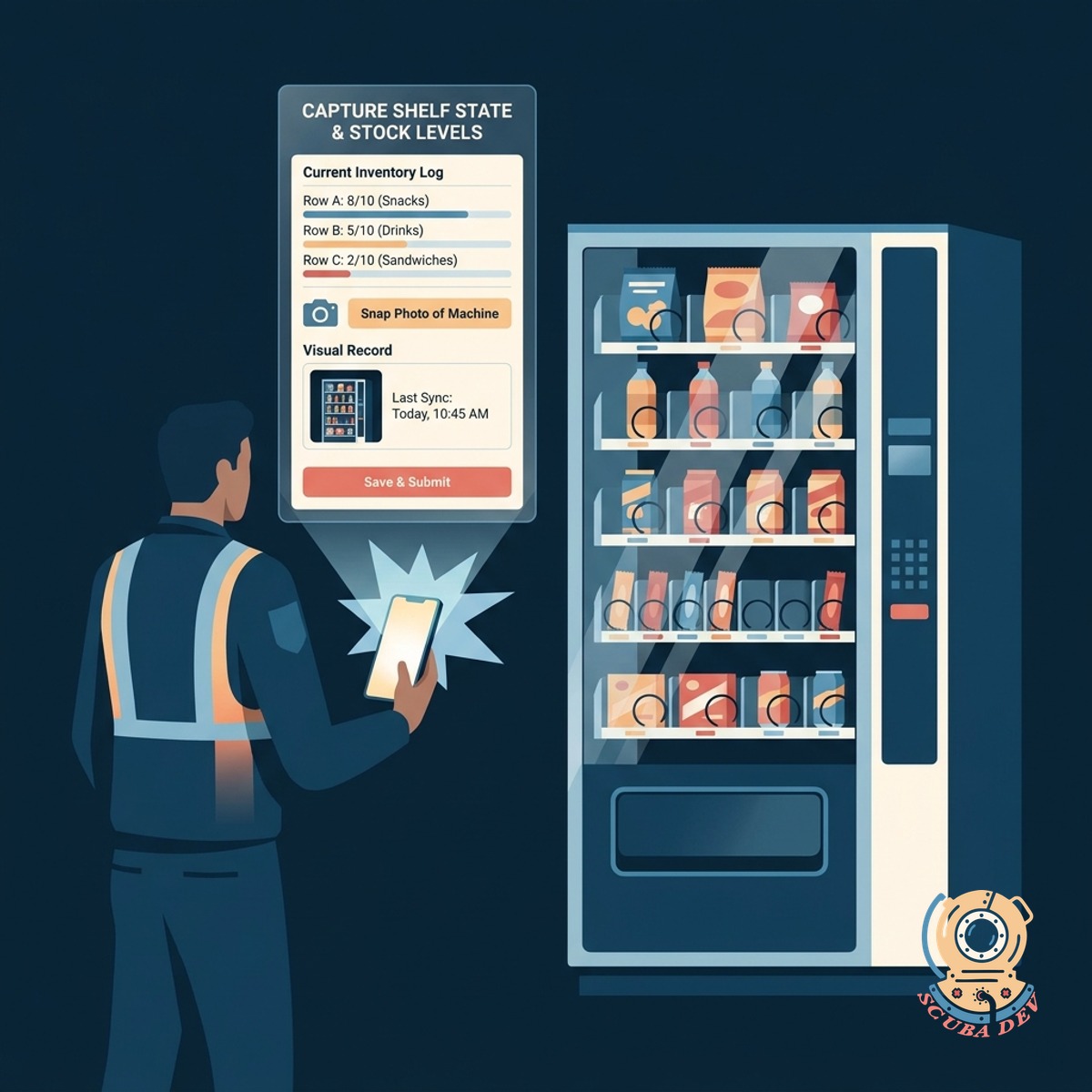
Capture Shelf State And Stock Levels
Drivers log current inventory and snap a photo of the machine to maintain a visual record of shelf conditions.
- Log current product quantities
- Upload photos of the physical shelf
- Flag damaged items or machine issues
- Sync data directly to your central database
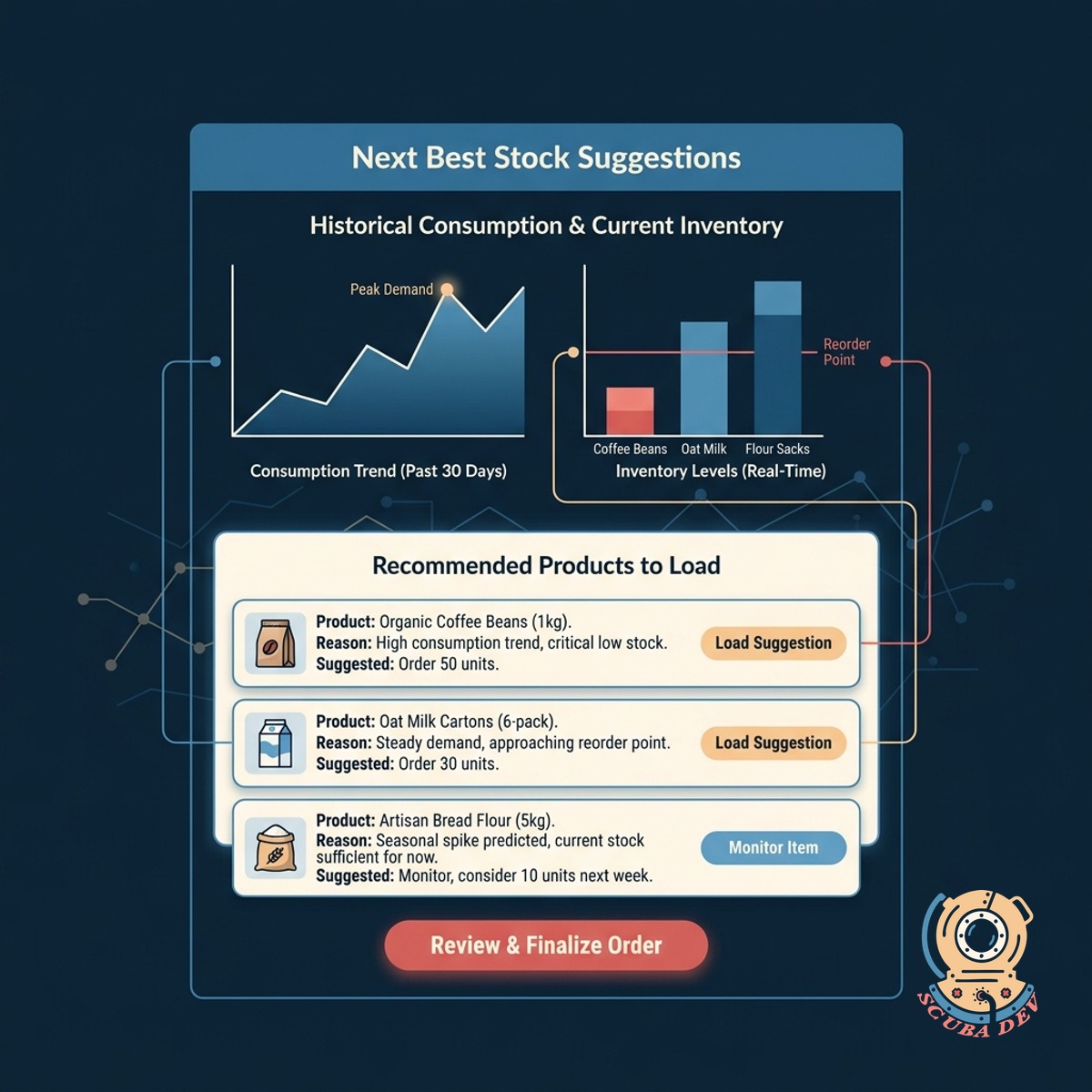
View Next Best Stock Suggestions
The app recommends specific products to load based on historical consumption data and current inventory levels.
- Generate automated restock lists
- Review historical product popularity
- Adjust suggestions based on seasonal trends
- Prevent stockouts of high demand items
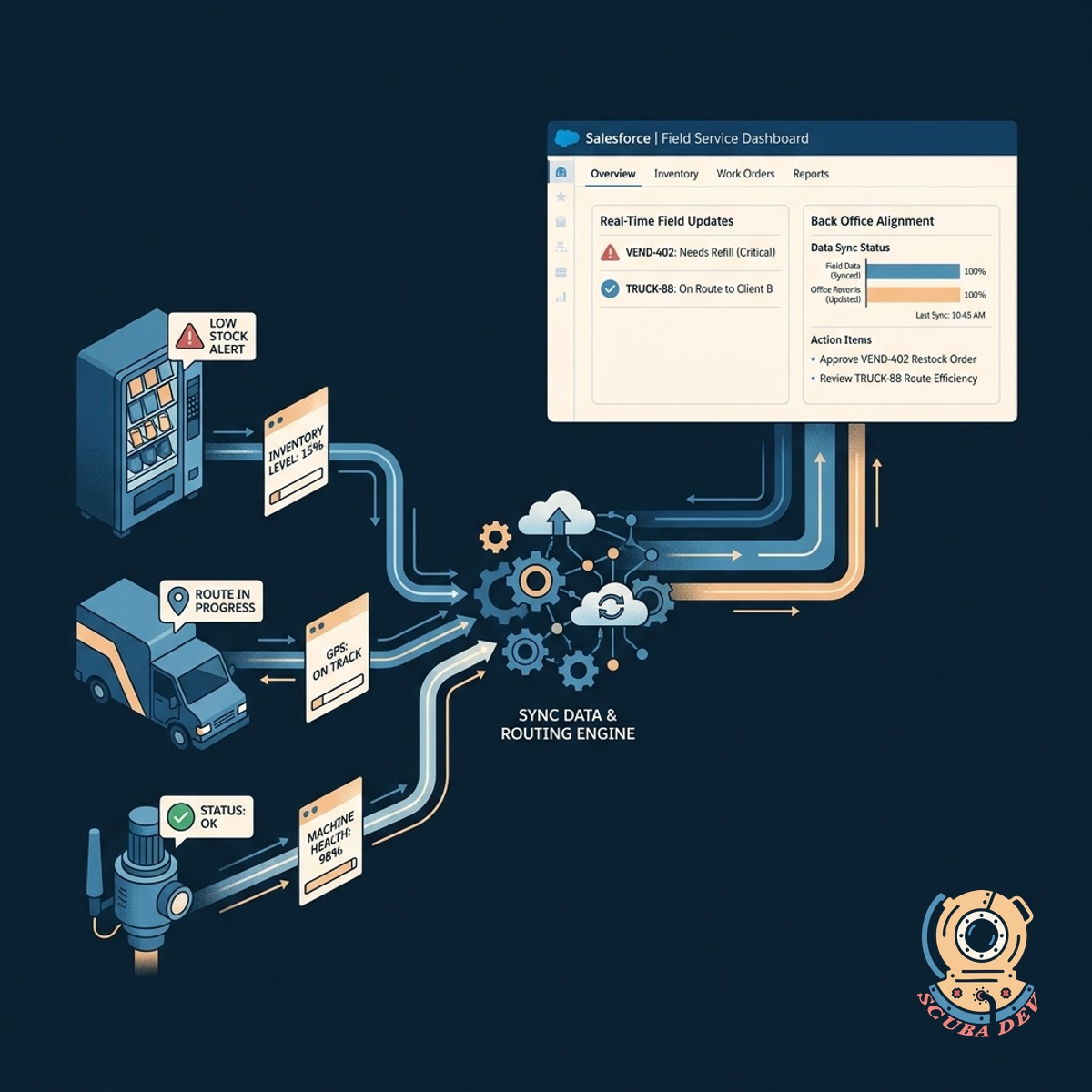
Sync Data With Salesforce And Routing Tools
Send inventory updates and machine status reports directly to Salesforce to keep your back office aligned with field operations.
- Update Salesforce records in real time
- Trigger maintenance tickets automatically
- Connect with existing route planning software
- Store historical photos in your CRM
Questions
Things people ask
Does the app work if the driver loses cellular service?
Yes. The app caches data locally on the device when offline. It automatically syncs inventory counts and photos once the driver reconnects to a stable network.
Can we integrate this with our existing inventory management system?
We build the app to connect with your current tools using standard APIs. This includes syncing data with platforms like Salesforce, NetSuite, or custom backend databases.
How does the app generate restock suggestions?
The system looks at previous fill levels and current stock to calculate consumption rates. It then suggests a restock list designed to bring the machine back to optimal capacity.
Where are the shelf photos stored?
Photos are uploaded to your preferred cloud storage provider, such as AWS S3 or Google Cloud Storage. The app links each image to the specific machine record in your database.
Can drivers report machine maintenance issues through the app?
Drivers can flag mechanical problems or physical damage while logging inventory. This action can automatically create a service ticket in tools like Zendesk or Salesforce Service Cloud.
Is the mobile app compatible with both iOS and Android devices?
We build cross platform applications that work on both operating systems. Your drivers can use their preferred company issued smartphones or tablets.
How do we update the product catalog when we add new items?
The app pulls product data directly from your central database. When you add a new snack or beverage to your core system, it appears immediately in the mobile app for drivers to select.