Contract review workflow
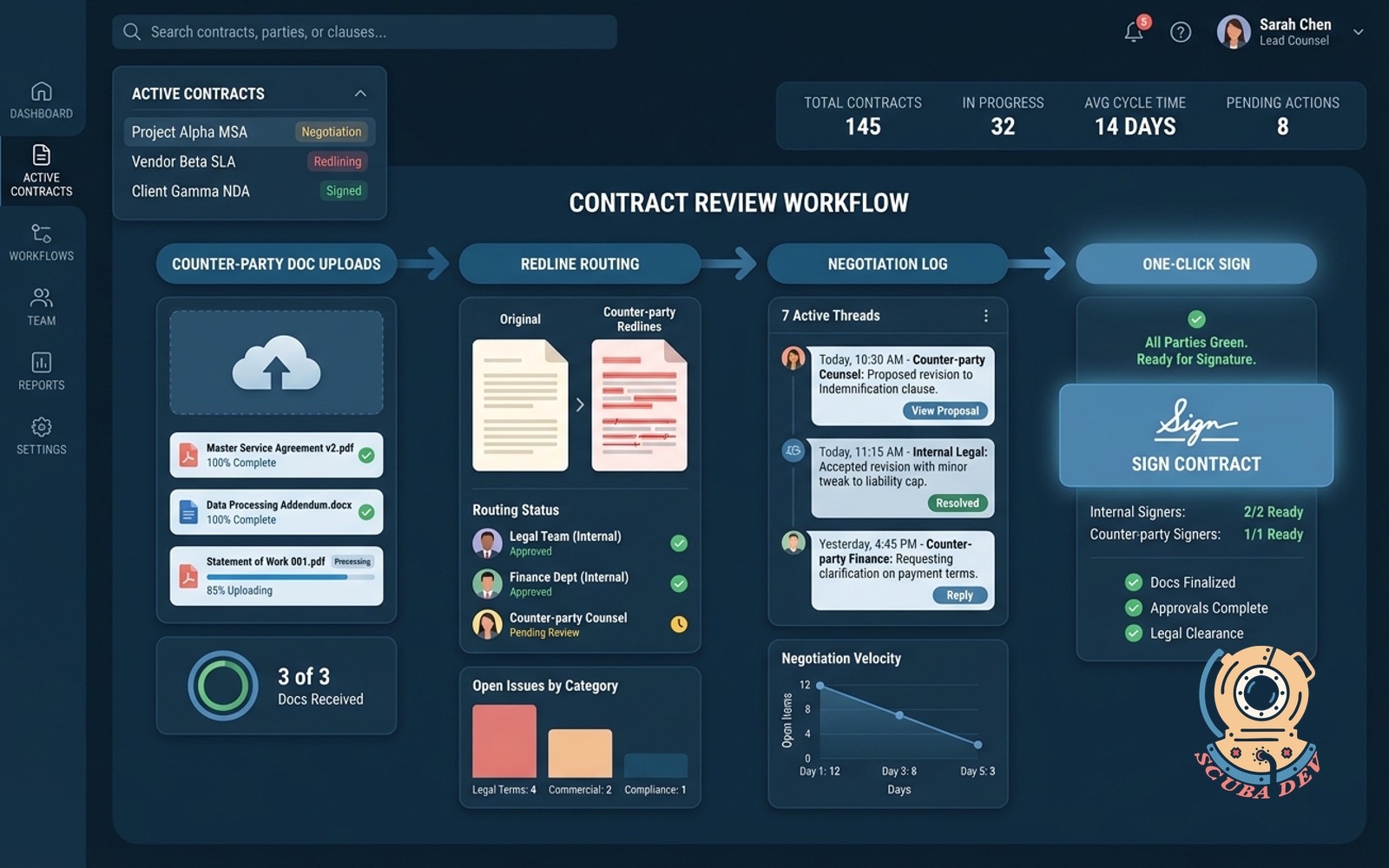
Counter-party doc uploads, redline routing, negotiation log and one-click sign when every party is green.
Possibilities
Where this could go
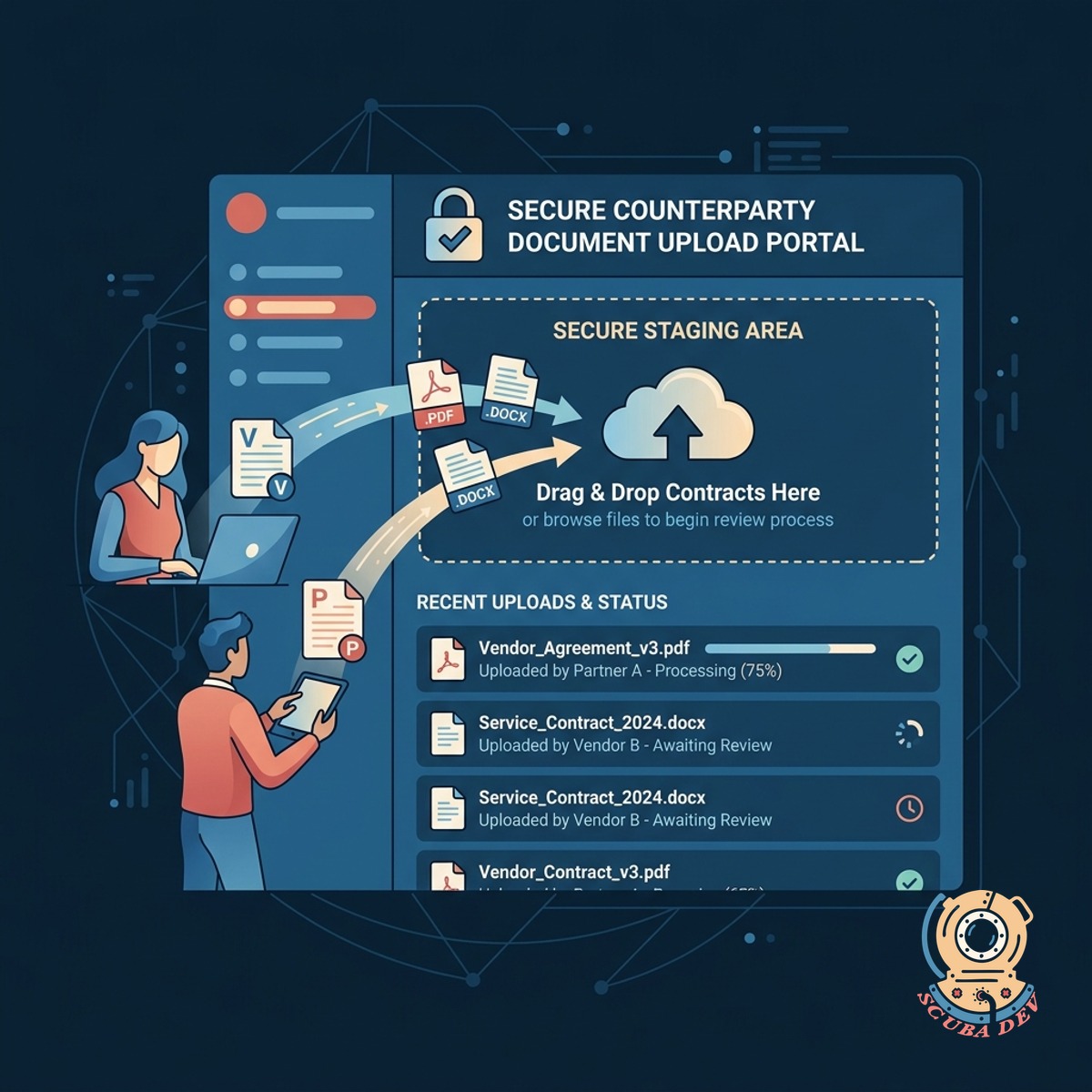
Secure Counterparty Document Upload Portal
External vendors and partners upload their contracts directly to a secure staging area to begin the review process.
- Drag and drop upload interface
- Automated virus scanning
- Automatic version tracking
- Integration with Google Drive and SharePoint
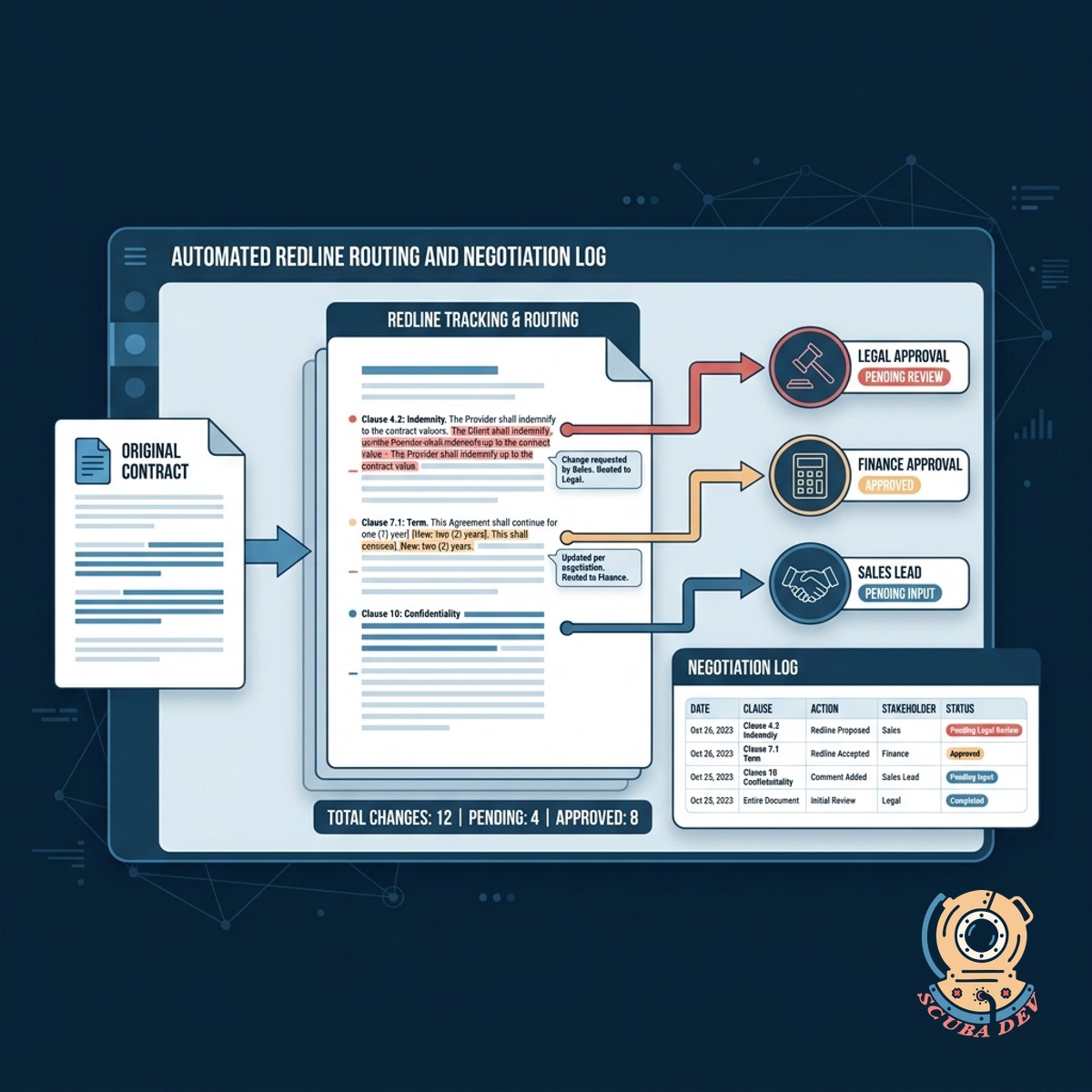
Automated Redline Routing and Negotiation Log
The system tracks every change and routes specific clauses to the right internal stakeholders for approval.
- Clause level routing rules
- Complete chronological negotiation log
- Side by side redline comparison
- Comments synced to Slack or Microsoft Teams
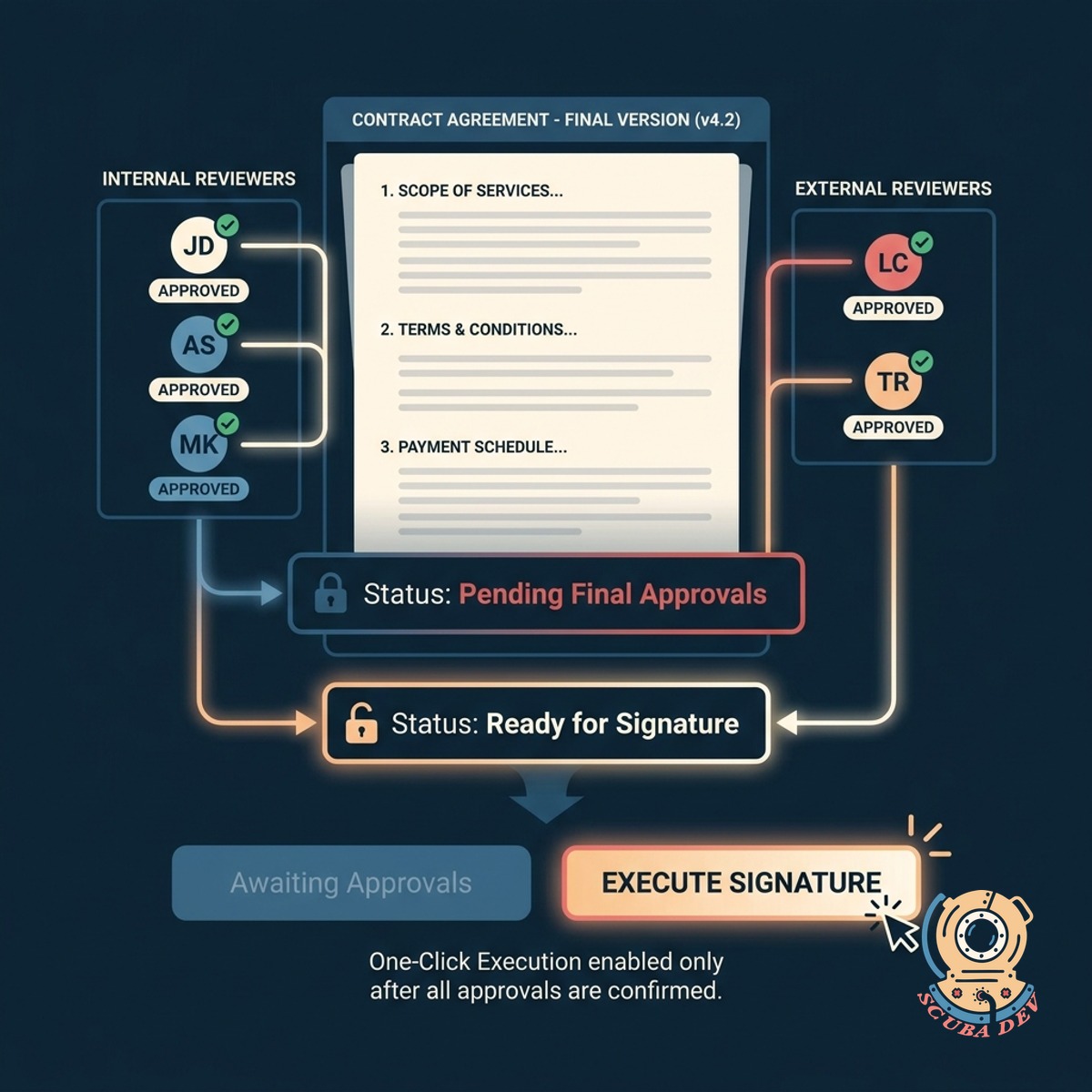
Conditional One-Click Signature Execution
Signatures are unlocked only after all required internal and external reviewers approve the final document version.
- Status lights for all parties
- DocuSign and Dropbox Sign integration
- Locked signature blocks until approved
- Final executed PDF distribution
Questions
Things people ask
How do external parties access the upload portal?
We generate secure, single-use upload links that you can email to your vendors. They do not need to create an account to submit their documents. The system automatically tags their upload with the correct vendor ID.
Can the system handle both Word documents and PDFs?
Yes. The workflow accepts standard document formats including DOCX and PDF. It uses text extraction to compare versions and highlight redlines regardless of the original file type.
How does the routing system know who should review a specific clause?
We configure keyword and section triggers based on your internal rules. If a contract contains data privacy language, the system automatically flags the security team. If payment terms change, it alerts the finance department.
What happens to the negotiation log if we revise a contract multiple times?
The application maintains a strict chronological record of every upload, comment, and internal approval. You can view the complete history of the negotiation or filter the log by specific document versions.
Which e-signature platforms do you integrate with?
We build direct API integrations with major signature providers like DocuSign, PandaDoc, and Dropbox Sign. The workflow automatically pushes the final approved document to your preferred platform for execution.
How do we know when a contract is ready to sign?
The dashboard displays a status indicator for every required stakeholder. The final signature button remains disabled until all parties show a green approval status.
Does the tool notify reviewers when it is their turn?
The system sends automated alerts via email or Slack when a user needs to review a new redline. It also sends scheduled reminders for pending approvals to prevent bottlenecks.