Hiring pipeline workflow
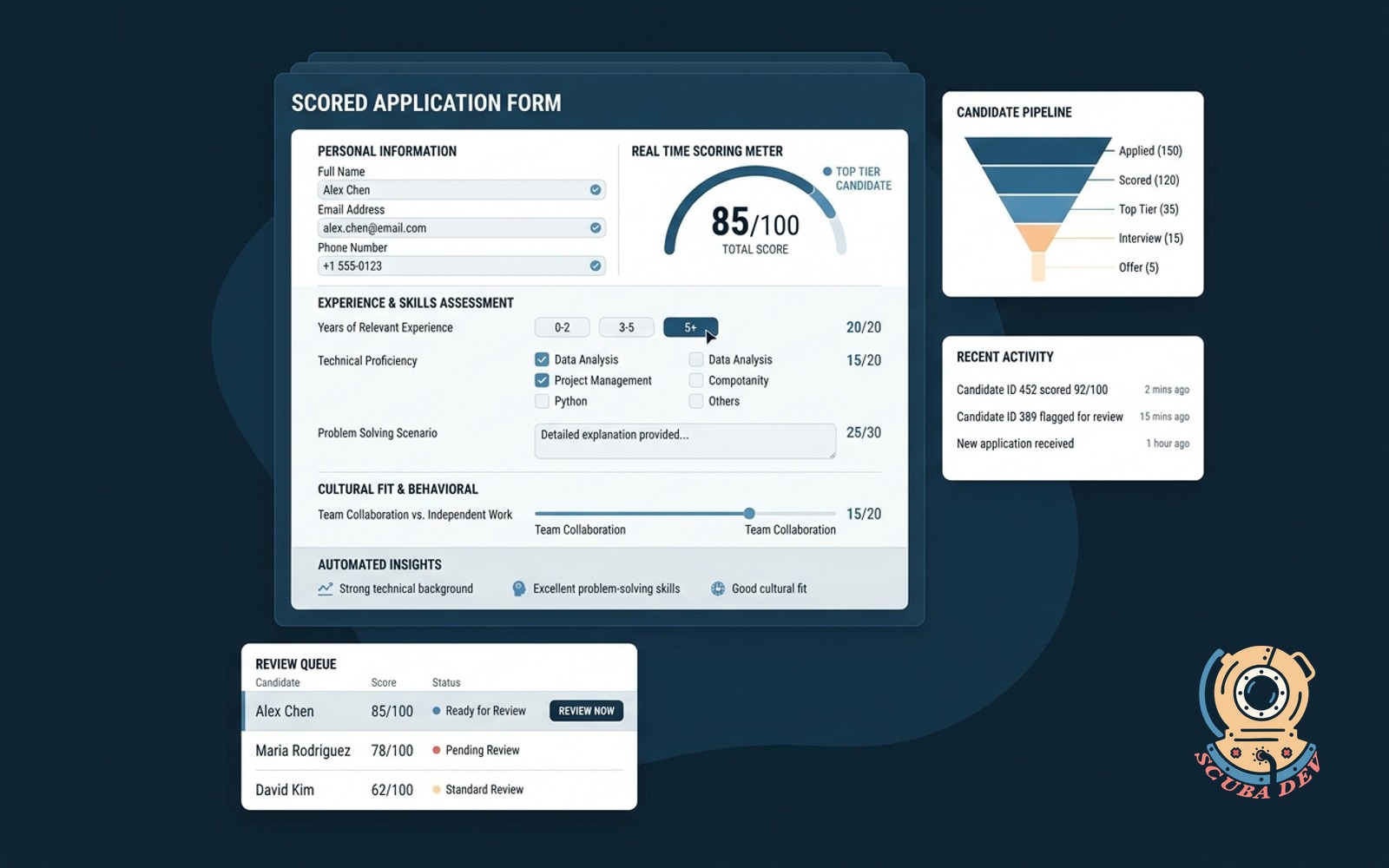
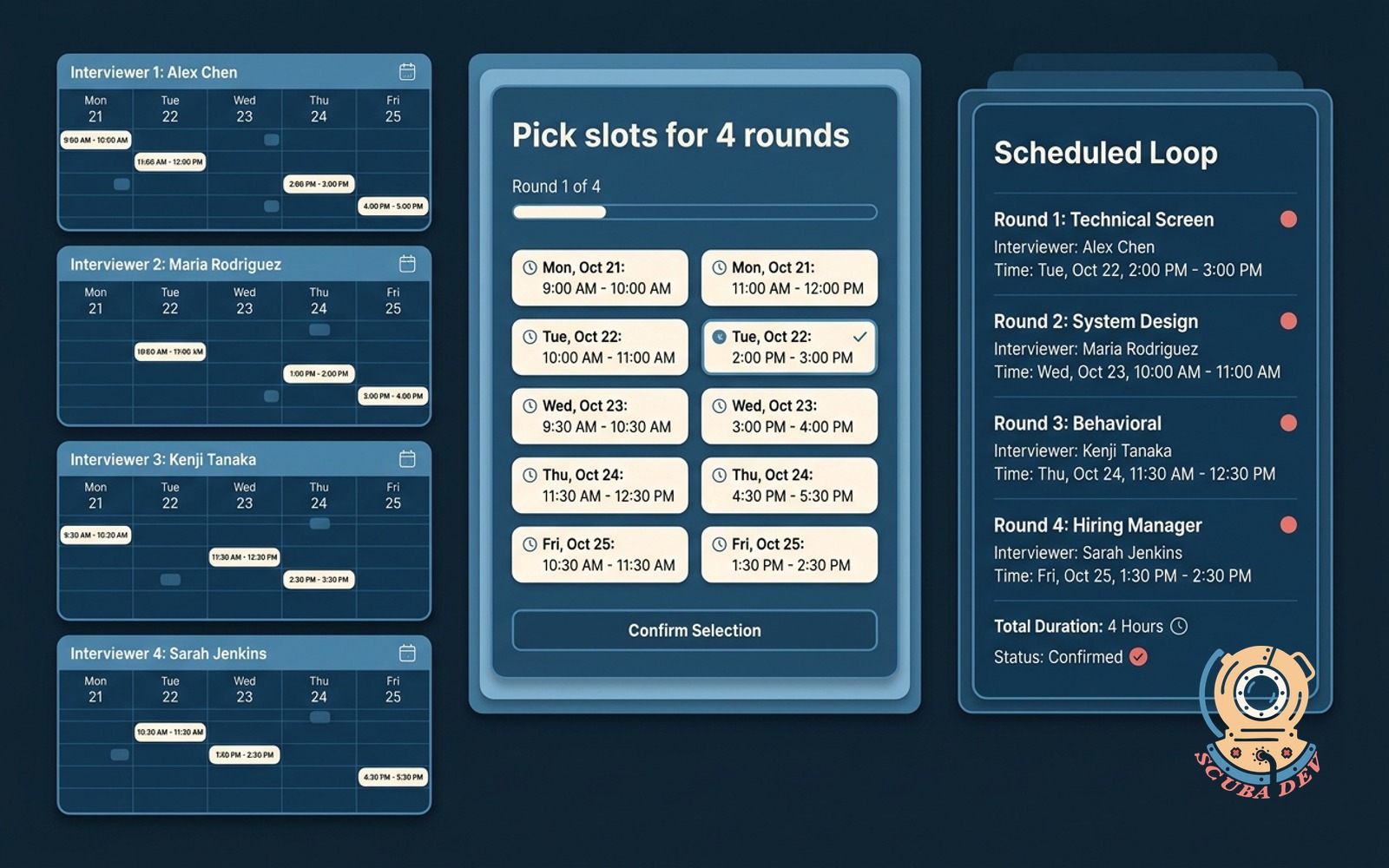
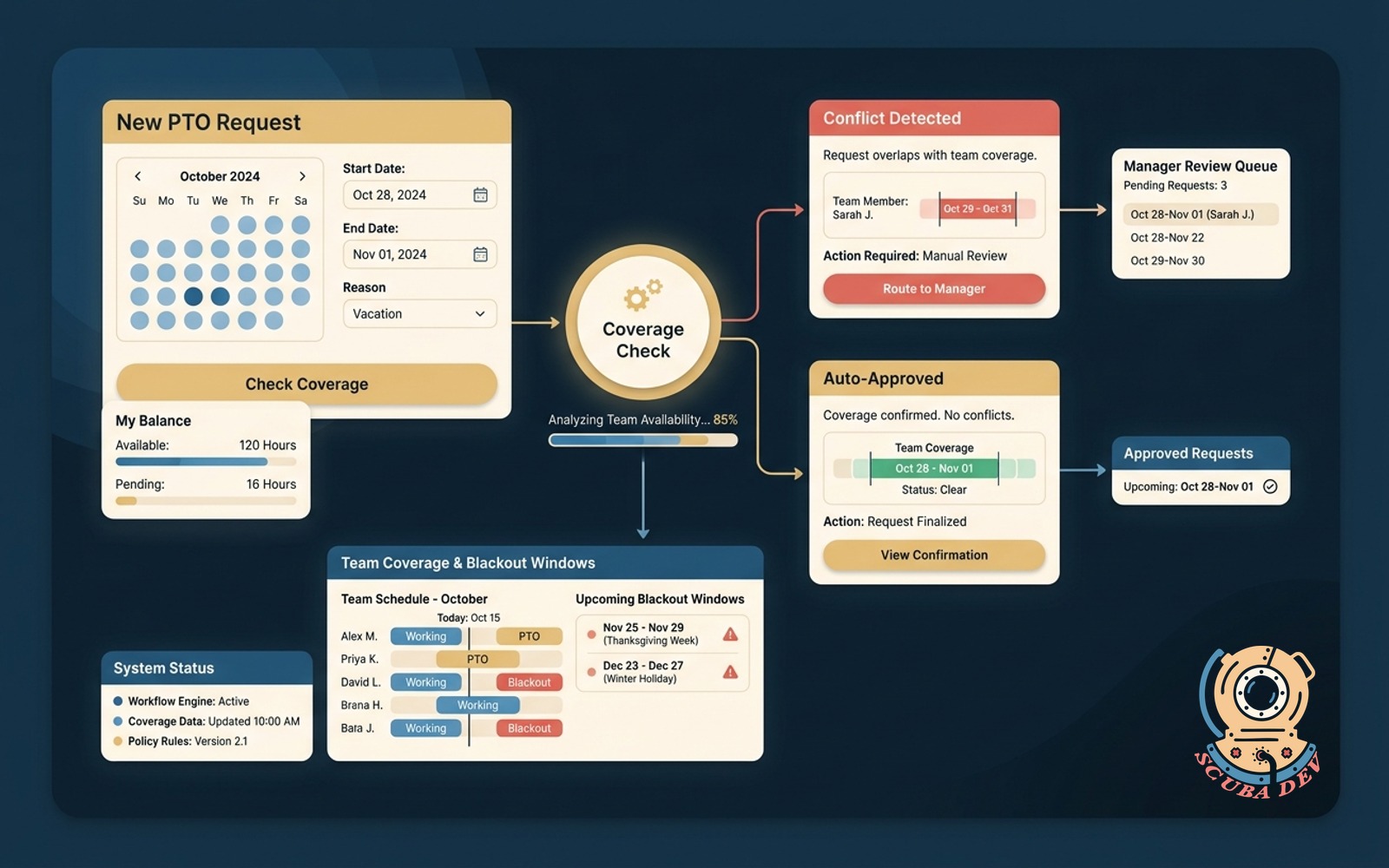
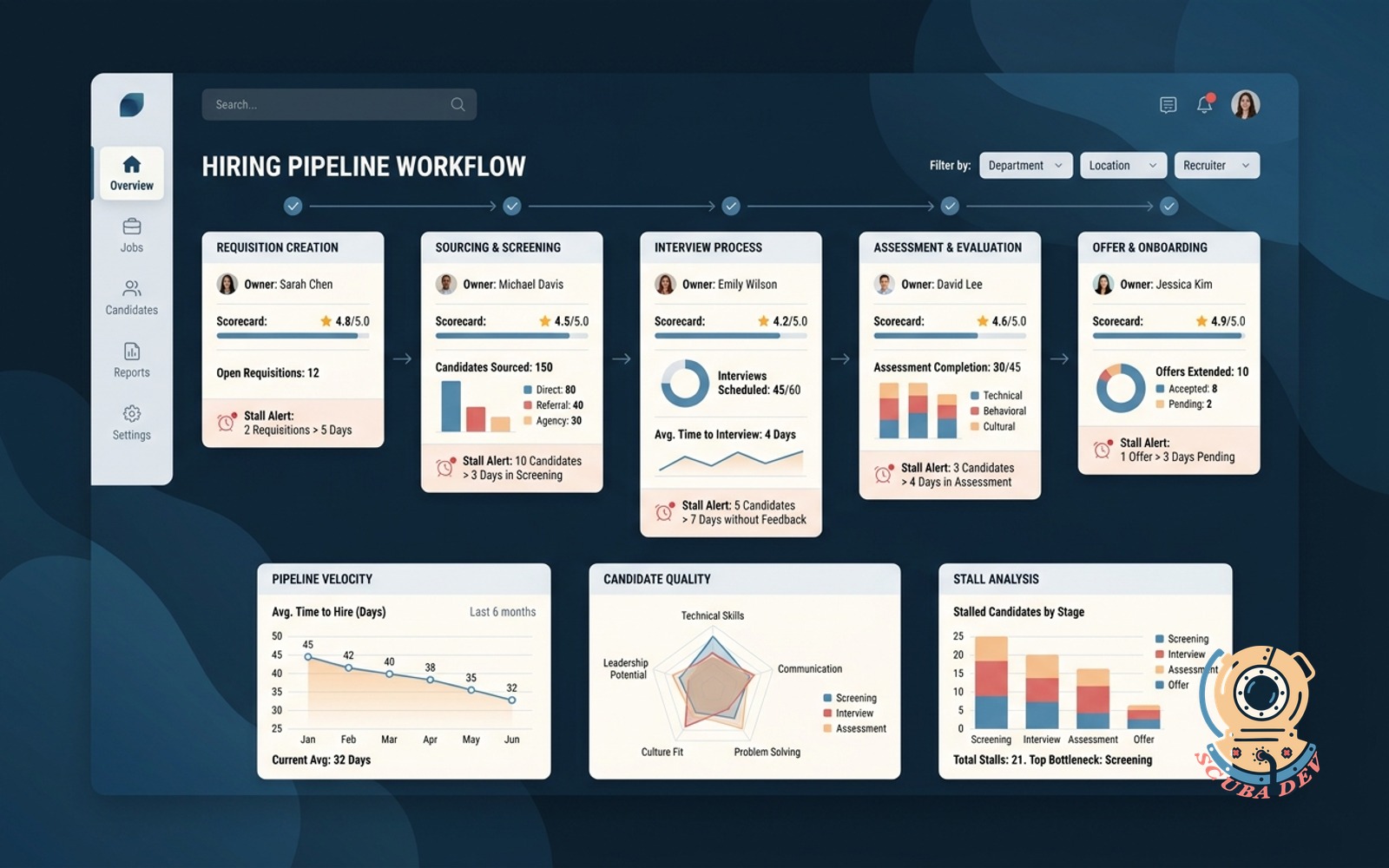
Requisition to offer with named stages, stage owners, scorecards and automatic reminders for stalls.
Possibilities
Where this could go

Track Candidates Through Named Stages
Define custom hiring phases and assign specific team members to manage each step.
- Create custom pipeline stages
- Assign owners to each phase
- Track candidate progression
- View pipeline bottlenecks

Standardize Feedback With Interview Scorecards
Collect structured feedback from interviewers to evaluate candidates against consistent criteria.
- Build role specific scorecards
- Require feedback submission
- Aggregate interviewer ratings
- Compare candidate scores

Prevent Stalls With Automated Reminders
Trigger automatic Slack or email notifications when a candidate sits in a stage too long.
- Set time limits per stage
- Send automated Slack alerts
- Trigger email reminders
- Keep the hiring process moving
Questions
Things people ask
Can we integrate this with our existing applicant tracking system?
We can connect this workflow to platforms like Greenhouse or Workable using their APIs. This allows you to sync candidate data and stage changes automatically.
How do stage owners receive their notifications?
Notifications are routed through your preferred communication tools. We typically configure alerts to ping the assigned owner in Slack or Microsoft Teams, alongside a standard email digest.
Can we use different scorecards for different roles?
Yes, the system supports role specific templates. You can define unique evaluation criteria for an engineering role versus a sales position.
What happens if an interviewer forgets to submit their scorecard?
The workflow monitors scorecard completion status. If feedback is missing after a scheduled interview, the system sends an automated reminder to that specific interviewer.
How do we define what counts as a stalled candidate?
You set the maximum time allowed for each pipeline stage. A candidate in the initial review stage might trigger an alert after two days, while a final offer stage might allow five days.
Can hiring managers view the entire pipeline?
Yes, managers have access to a high level dashboard showing all active requisitions. They can see where every candidate currently sits and identify which stages are causing delays.
Do candidates interact with this system directly?
This is an internal tool for your hiring team. Candidates continue to communicate with your team via email or your standard career portal.