
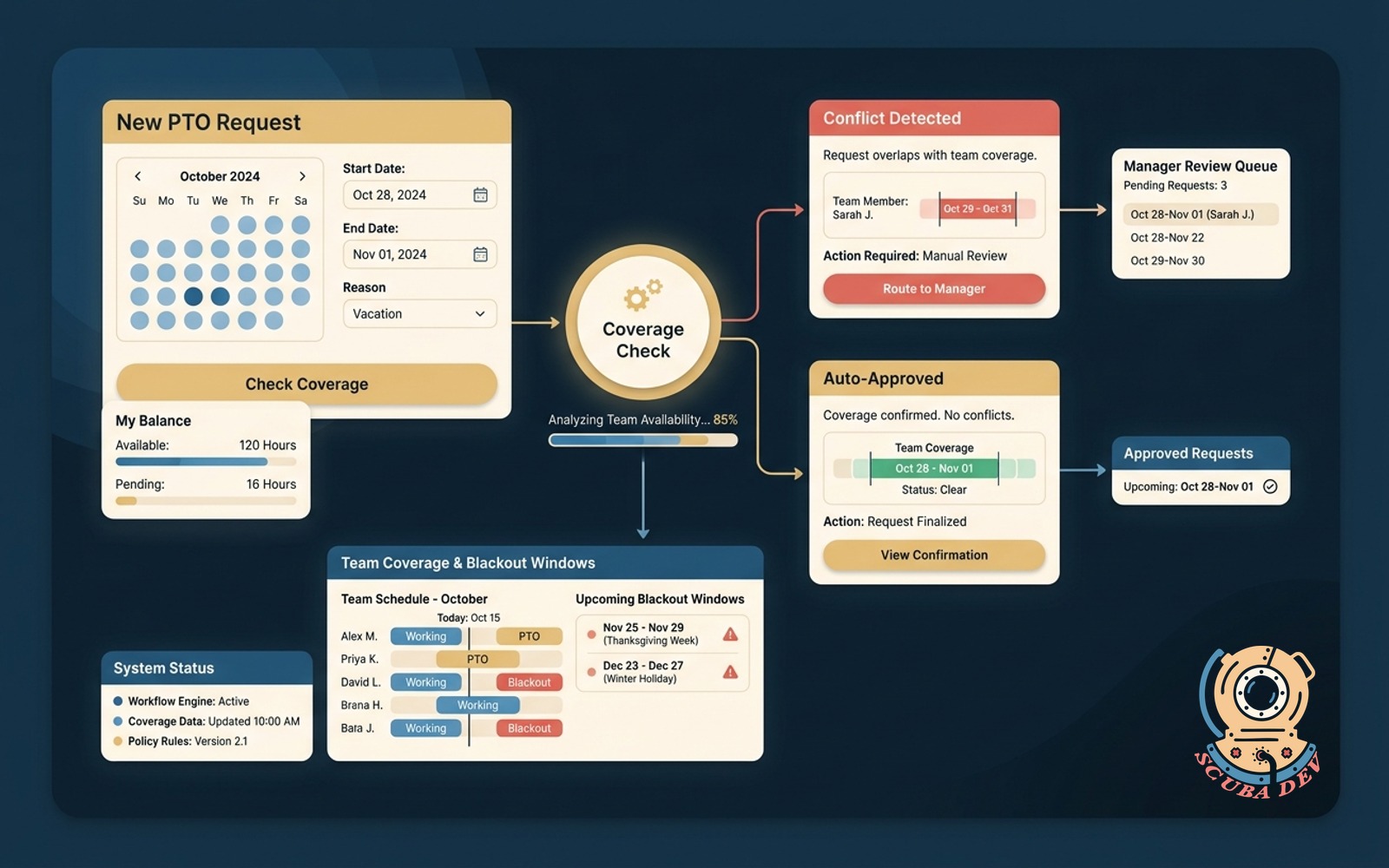
PTO request workflow with coverage check
Requests check against team coverage and blackout windows. Auto-approves clean ones, routes conflicts.
Possibilities
Where this could go
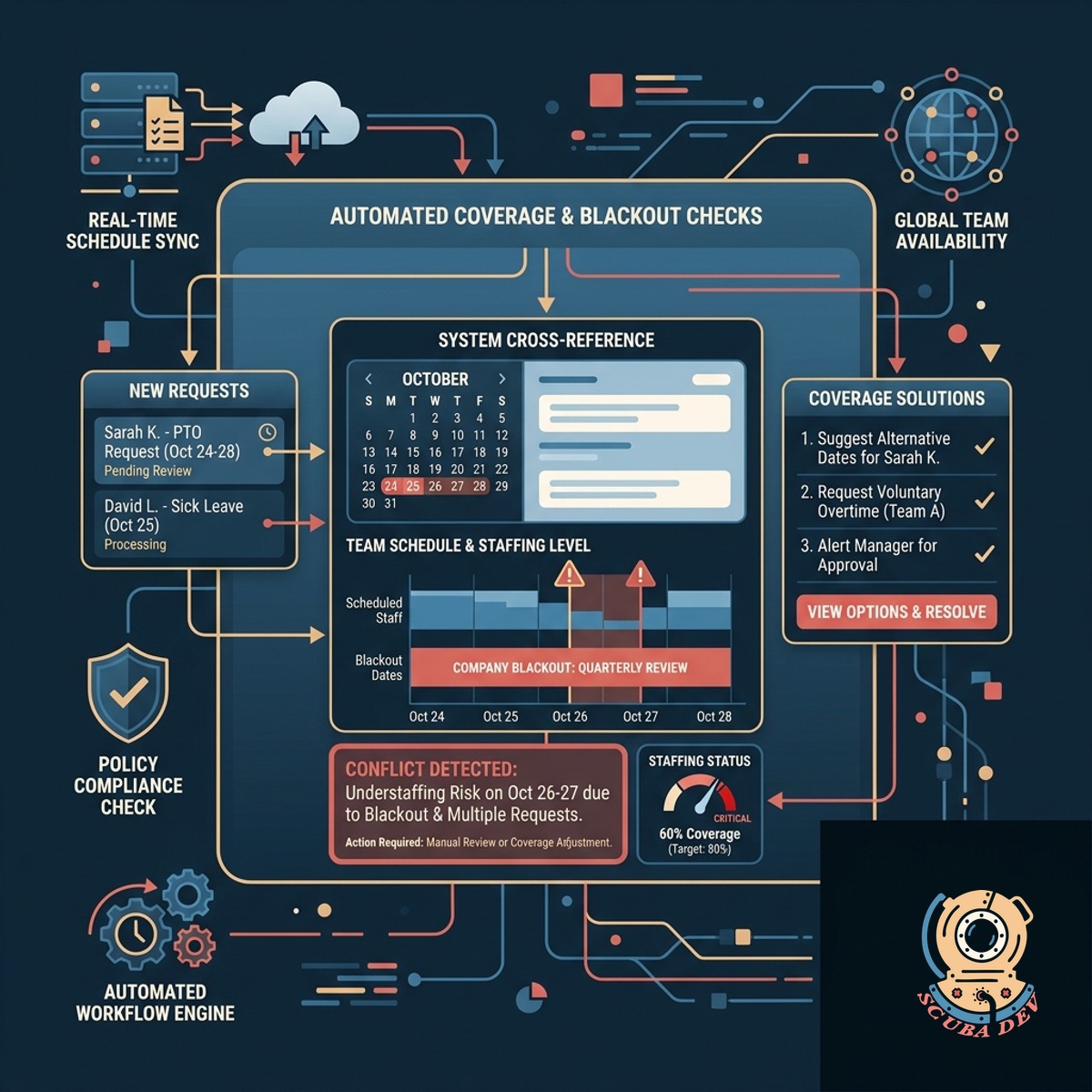
Automated Team Coverage And Blackout Checks
The system cross-references new requests against existing team schedules and company blackout dates to prevent understaffing.
- Syncs with BambooHR or Workday
- Reads team schedules in real time
- Blocks dates during peak periods
- Calculates minimum coverage thresholds
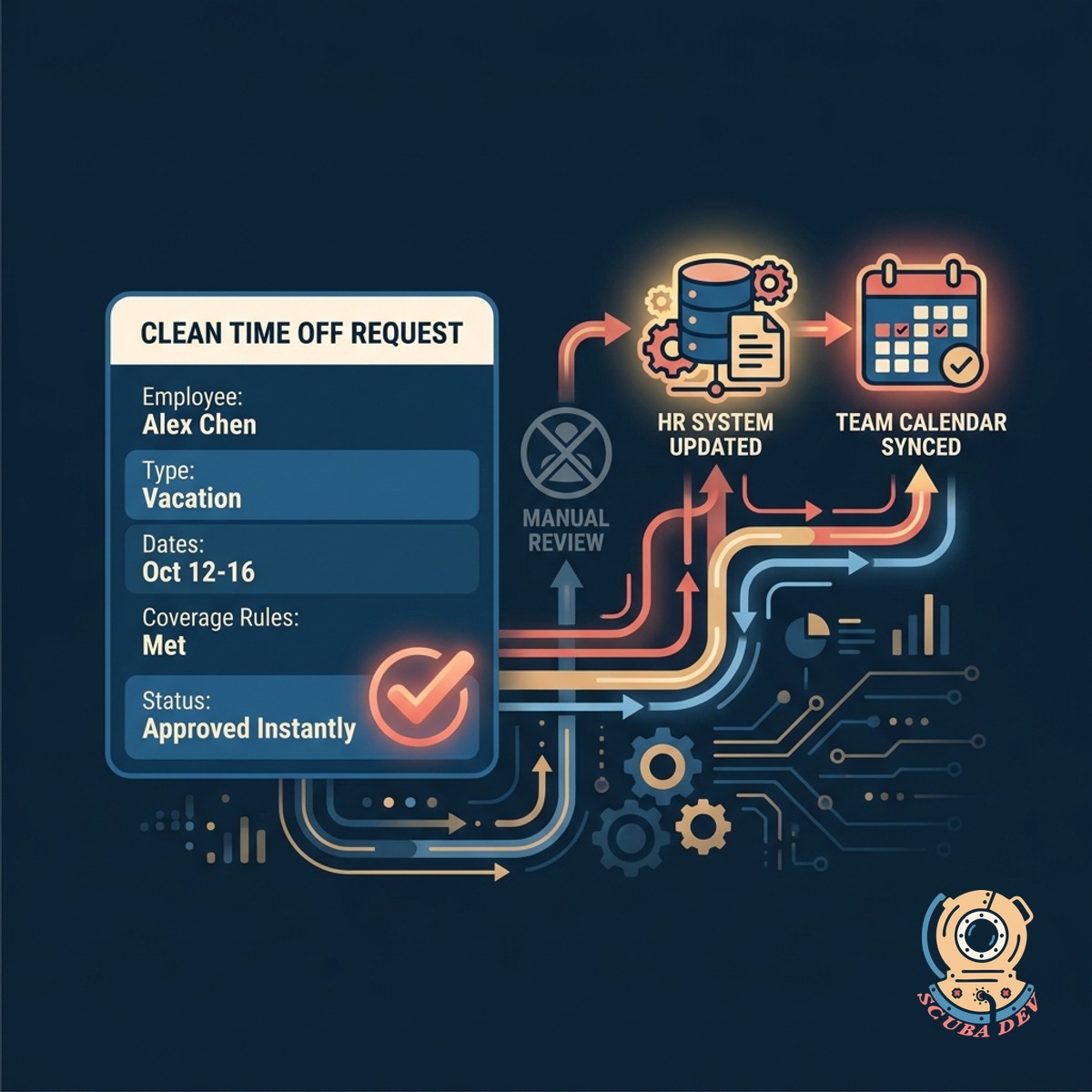
Instant Approvals For Clean Time Off
Requests that meet all coverage rules bypass manual review and automatically update the HR system and team calendars.
- Approves rule-compliant requests instantly
- Updates Google Calendar automatically
- Logs approved time in your HRIS
- Sends confirmation messages via Slack
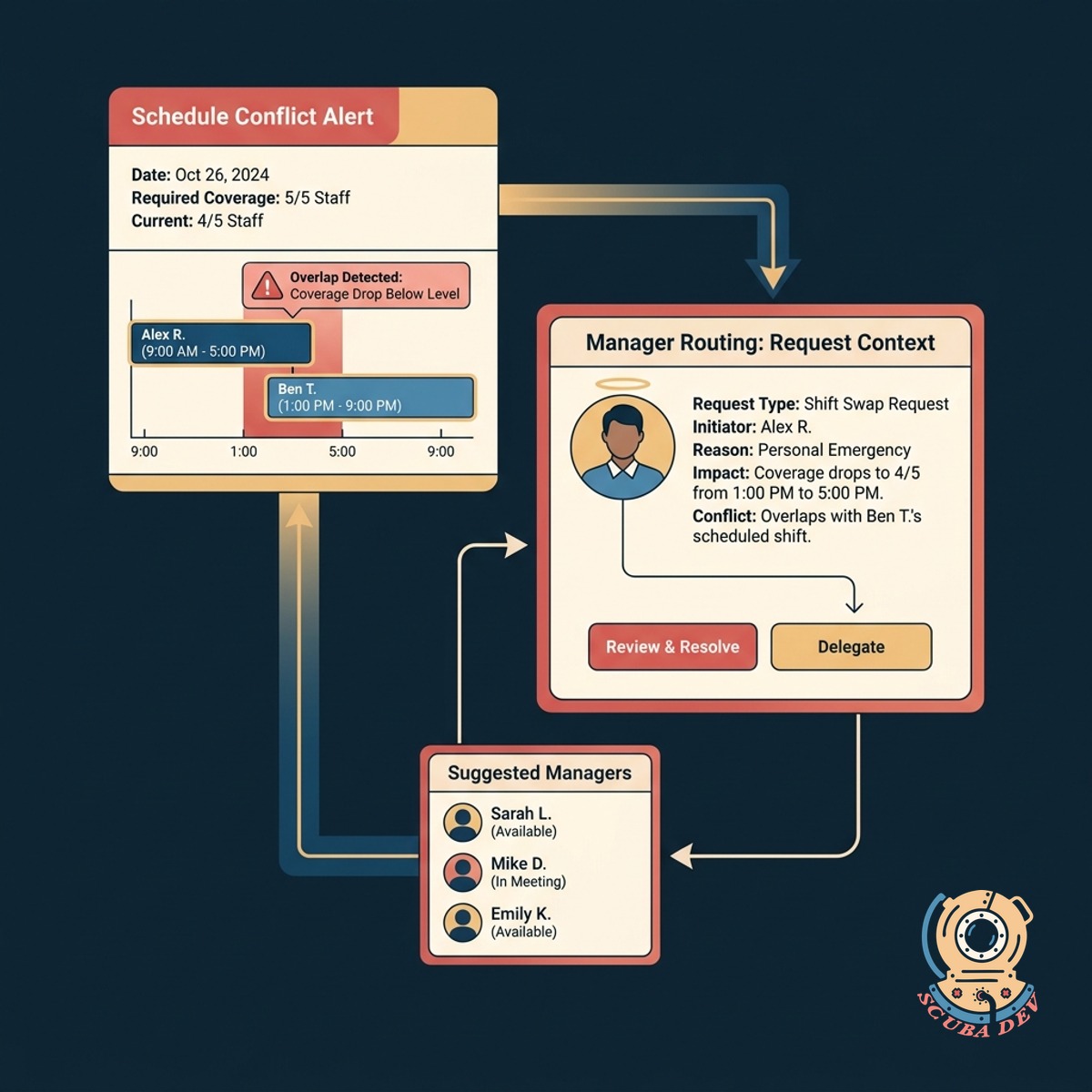
Manager Routing For Schedule Overlaps
When coverage drops below required levels, the tool routes the request to a manager with context on the scheduling conflict.
- Flags overlapping requests immediately
- Sends Slack alerts to managers
- Provides context on missing coverage
- Allows manual override or denial
Questions
Things people ask
Which HR platforms does this workflow support?
We build integrations for major HR systems like BambooHR, Gusto, Workday, and Rippling. The workflow reads employee balances and writes approved time directly to your platform.
How do we define team coverage rules?
You set minimum staffing thresholds per department or specific team. The system uses these rules to evaluate whether a new request will leave a group understaffed.
Can we set custom blackout dates for different departments?
Yes. You can configure global blackout dates for the entire company or specific restricted periods for individual teams like sales or customer support.
What happens if a manager needs to override an auto-denial?
The system does not automatically deny requests. It flags conflicts and routes them to a manager in Slack or email for a final manual decision.
How are employees notified about their request status?
The workflow sends automated updates directly to the employee via Slack or Microsoft Teams. They receive an instant message when a request is approved or routed for review.
Does this update our shared team calendars?
The workflow connects to Google Calendar or Outlook. Once a request is approved, it automatically creates an out of office event on the relevant shared calendars.
Can the system handle half days or hourly time off?
The tool processes whatever time increments your underlying HR system supports. It calculates coverage based on the specific hours requested rather than just full days.