Vendor spend audit
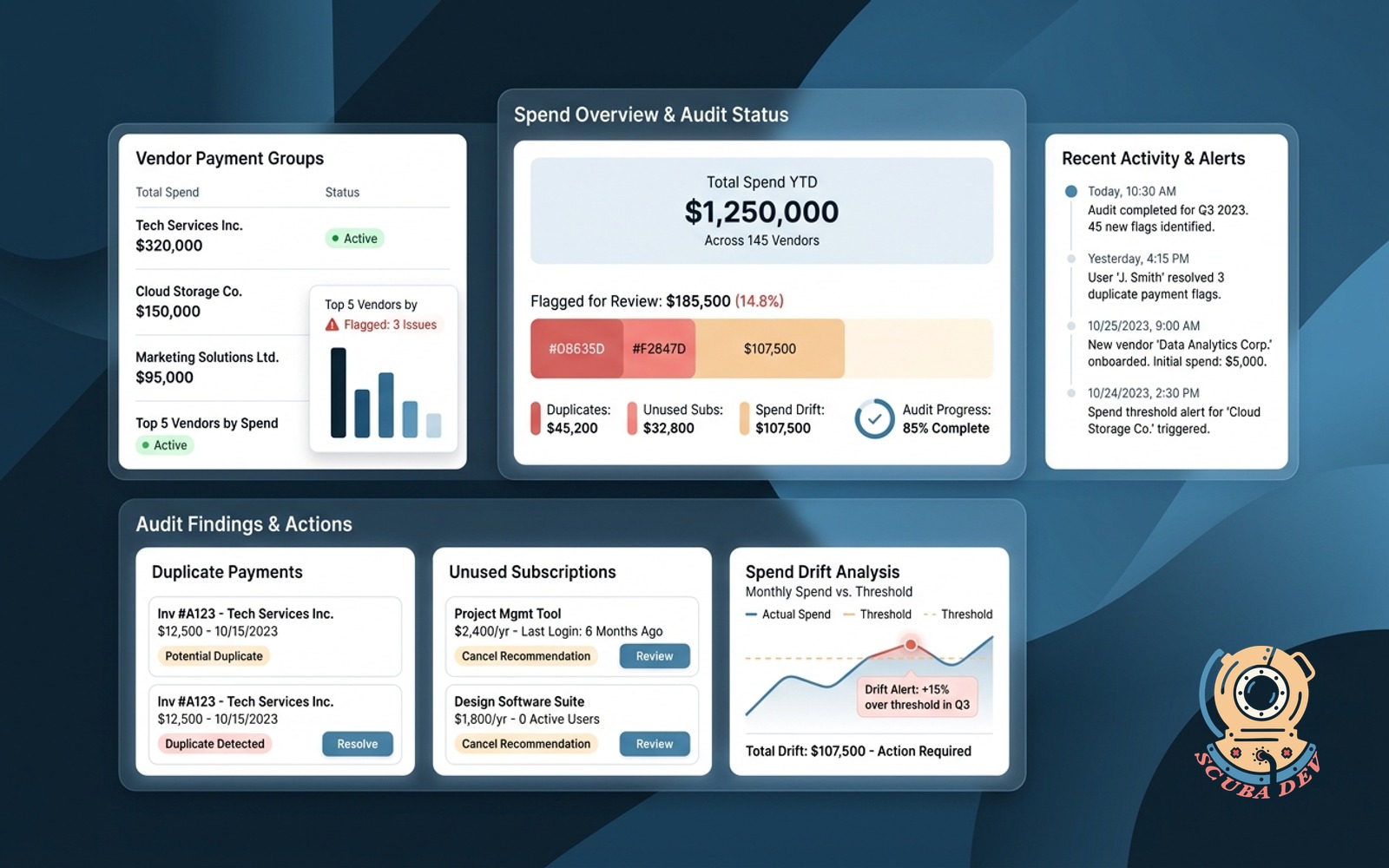
Groups payments by vendor, flags duplicates, unused subscriptions and spend drift above threshold.
Possibilities
Where this could go
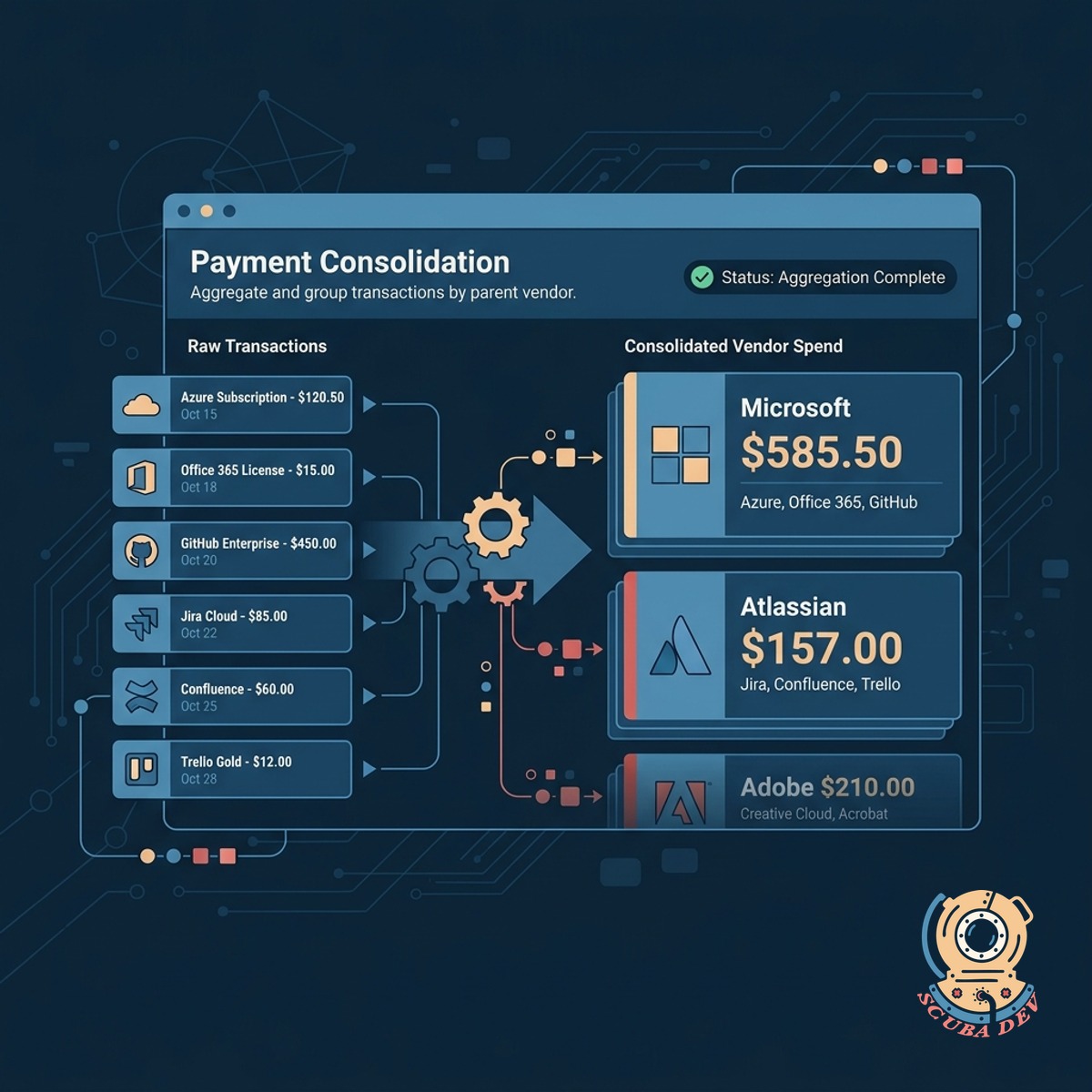
Consolidate Payments By Software Vendor
The tool aggregates individual transactions from your accounting system and groups them under parent vendors like Microsoft or Atlassian to show total spend.
- Connects to accounting software
- Maps transactions to parent vendors
- Normalizes varied billing names
- Displays aggregate monthly spend
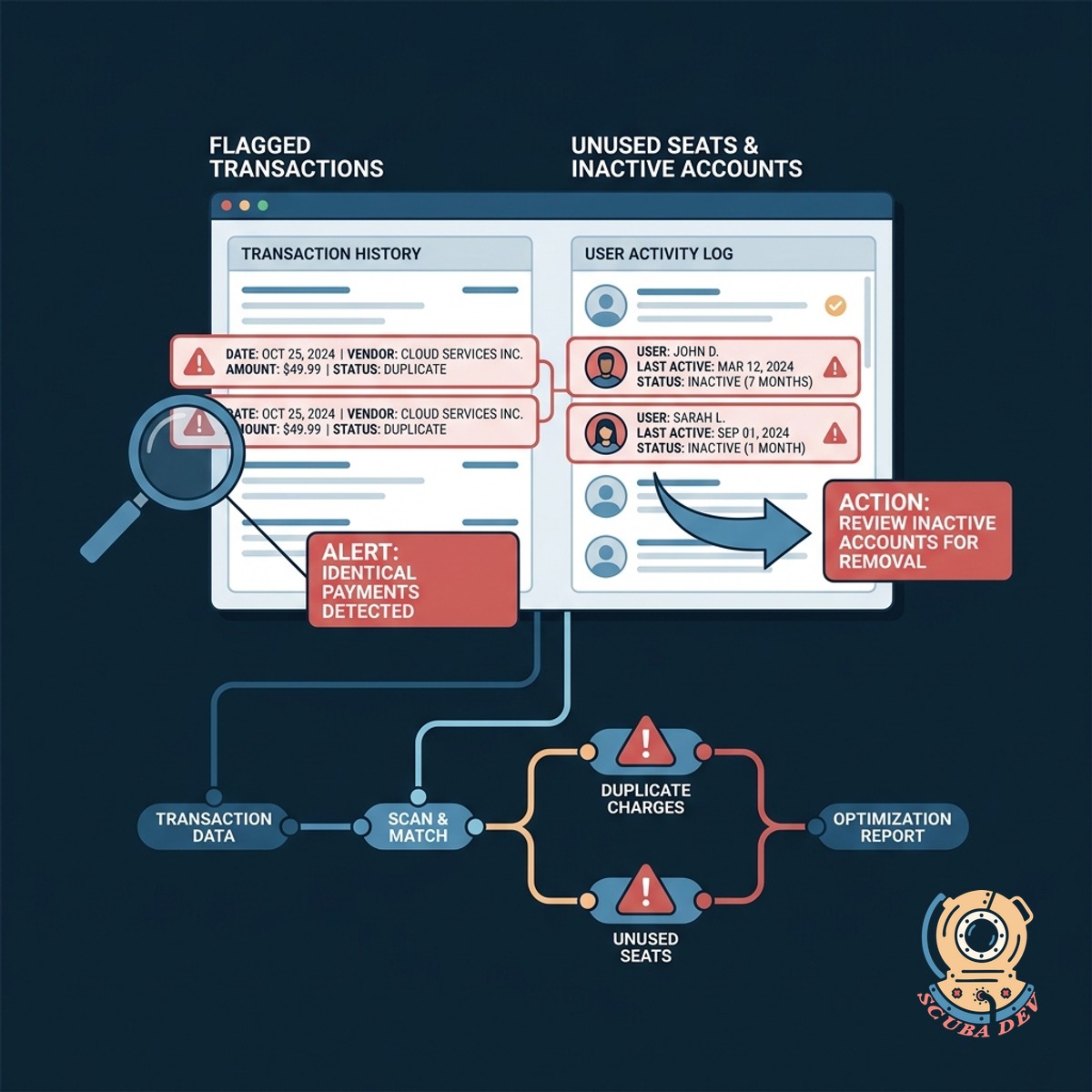
Flag Duplicate Charges And Unused Seats
It scans transaction histories to identify identical payments to the same vendor and cross references user activity to find inactive accounts.
- Identifies overlapping subscriptions
- Flags duplicate invoices paid twice
- Compares active seats to billed seats
- Generates alerts for inactive accounts
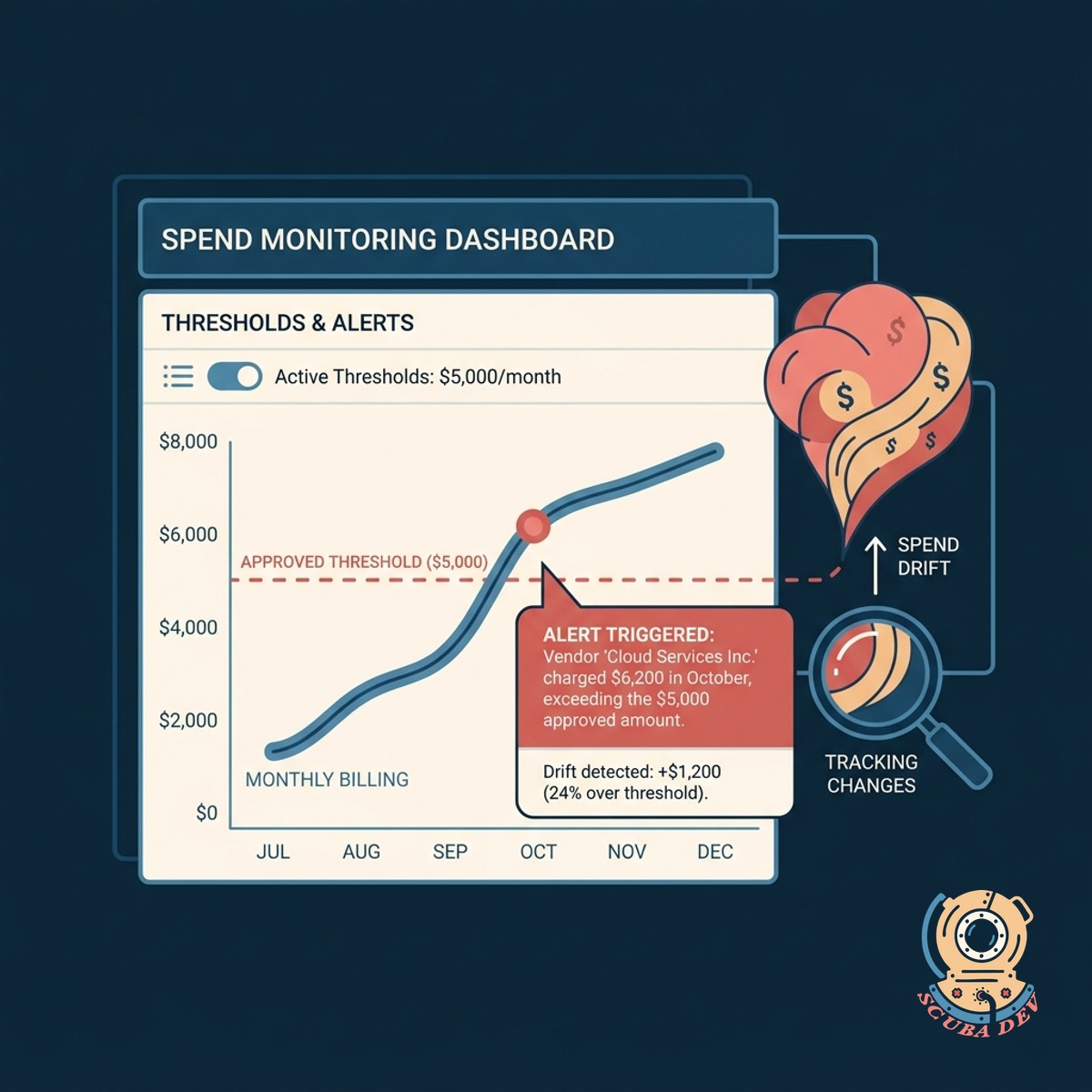
Monitor Spend Drift Above Set Thresholds
The system tracks month over month billing changes and triggers alerts when a vendor charges more than your predefined approved amount.
- Sets baseline expected costs
- Tracks historical pricing changes
- Triggers alerts on price hikes
- Logs unauthorized overage fees
Questions
Things people ask
How does the tool access our payment data?
It integrates directly with your existing accounting software or corporate card provider via API. This allows it to pull transaction records automatically without manual data entry.
Can it recognize different billing names for the same vendor?
Yes. The system uses mapping rules to group variations of a vendor name under one parent profile. For example, it will group AWS and Amazon Web Services together.
How does it know if a software subscription is unused?
The tool connects to the admin APIs of major platforms like Salesforce, Google Workspace, and HubSpot. It compares the number of active users logging in against the total number of paid licenses.
What happens when spend drift occurs?
You set a specific threshold for each vendor. If a monthly invoice exceeds that baseline amount, the system flags the transaction and sends a notification to your finance team.
Does this replace our existing accounting software?
No. This tool works alongside your current financial systems like QuickBooks or NetSuite. It acts as an analytical layer specifically built to monitor software and vendor expenses.
Can we set different thresholds for different departments?
You can apply custom rules based on the vendor or the department responsible for the software. This allows engineering to have different AWS thresholds than the marketing team.
How does the tool handle annual versus monthly subscriptions?
The system categorizes payments by their billing frequency. It normalizes annual payments into monthly equivalents for reporting while still tracking the actual renewal dates.