Tax prep summary
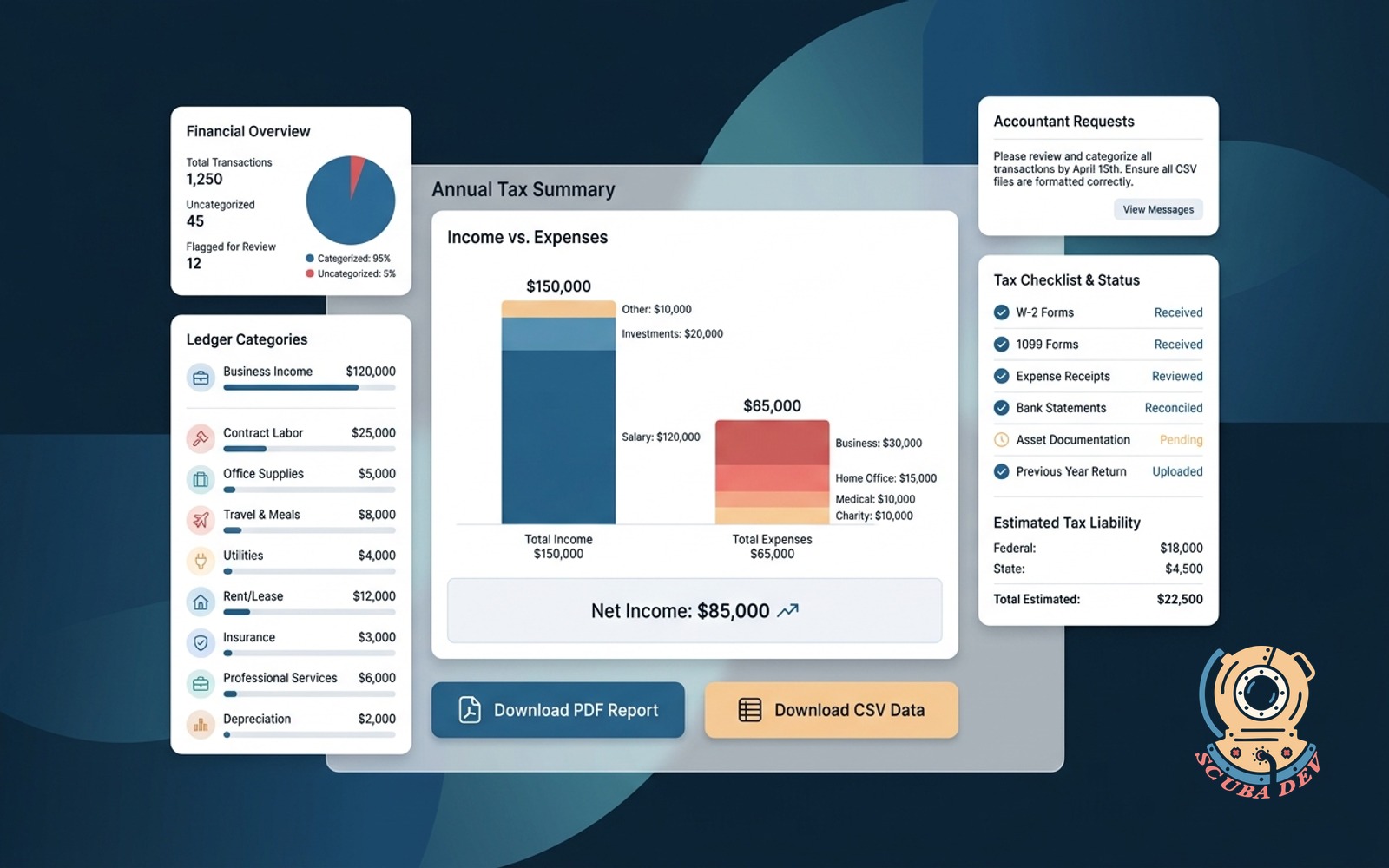
Pulls the year of ledger activity into the categories the accountant asks for every April, PDF plus CSV.
Possibilities
Where this could go
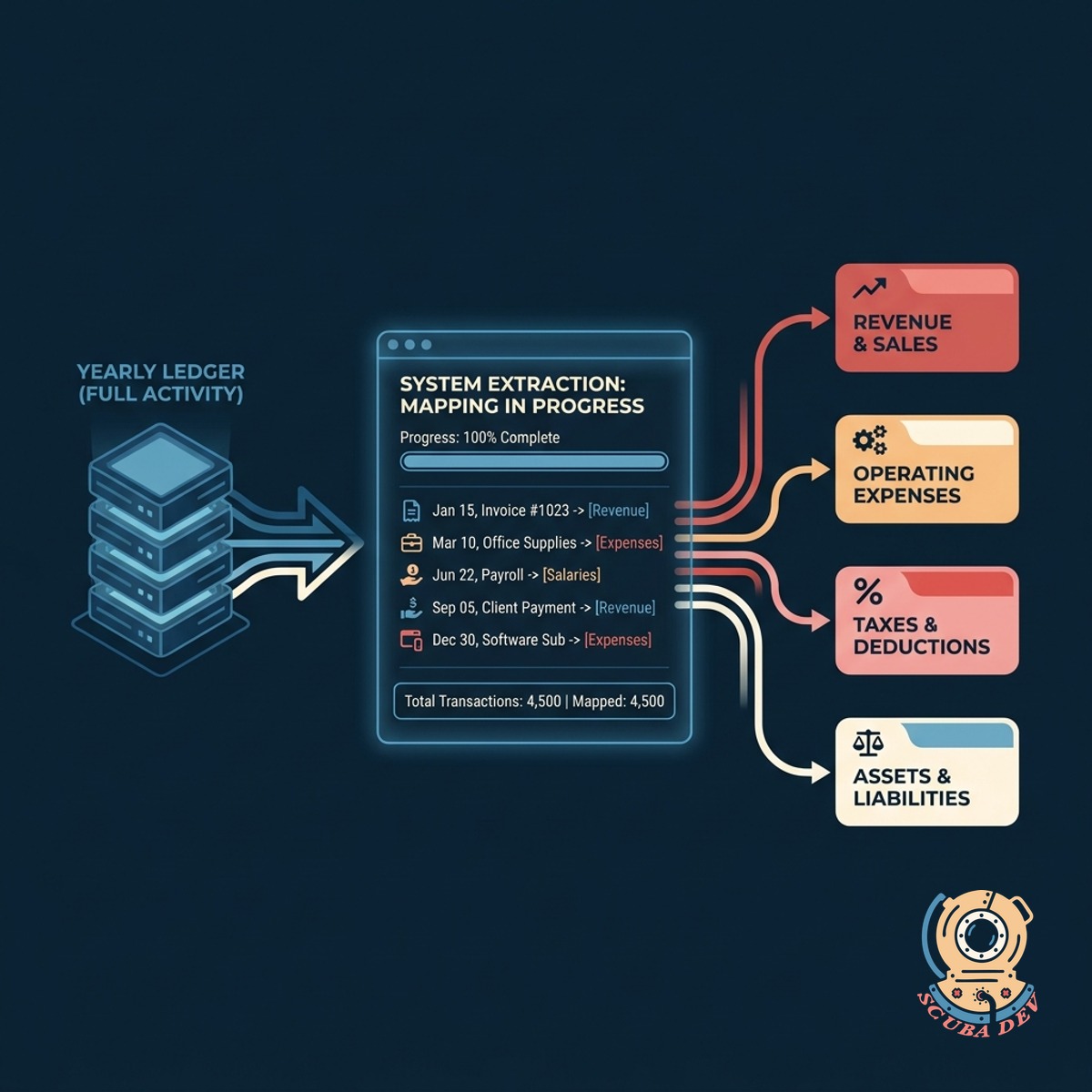
Categorized Yearly Ledger Extraction
The system pulls a full year of financial activity and maps it directly to the specific categories required by your accountant.
- Connects to Stripe and QuickBooks
- Maps transactions to tax categories
- Filters out non-taxable events
- Groups data by fiscal quarter
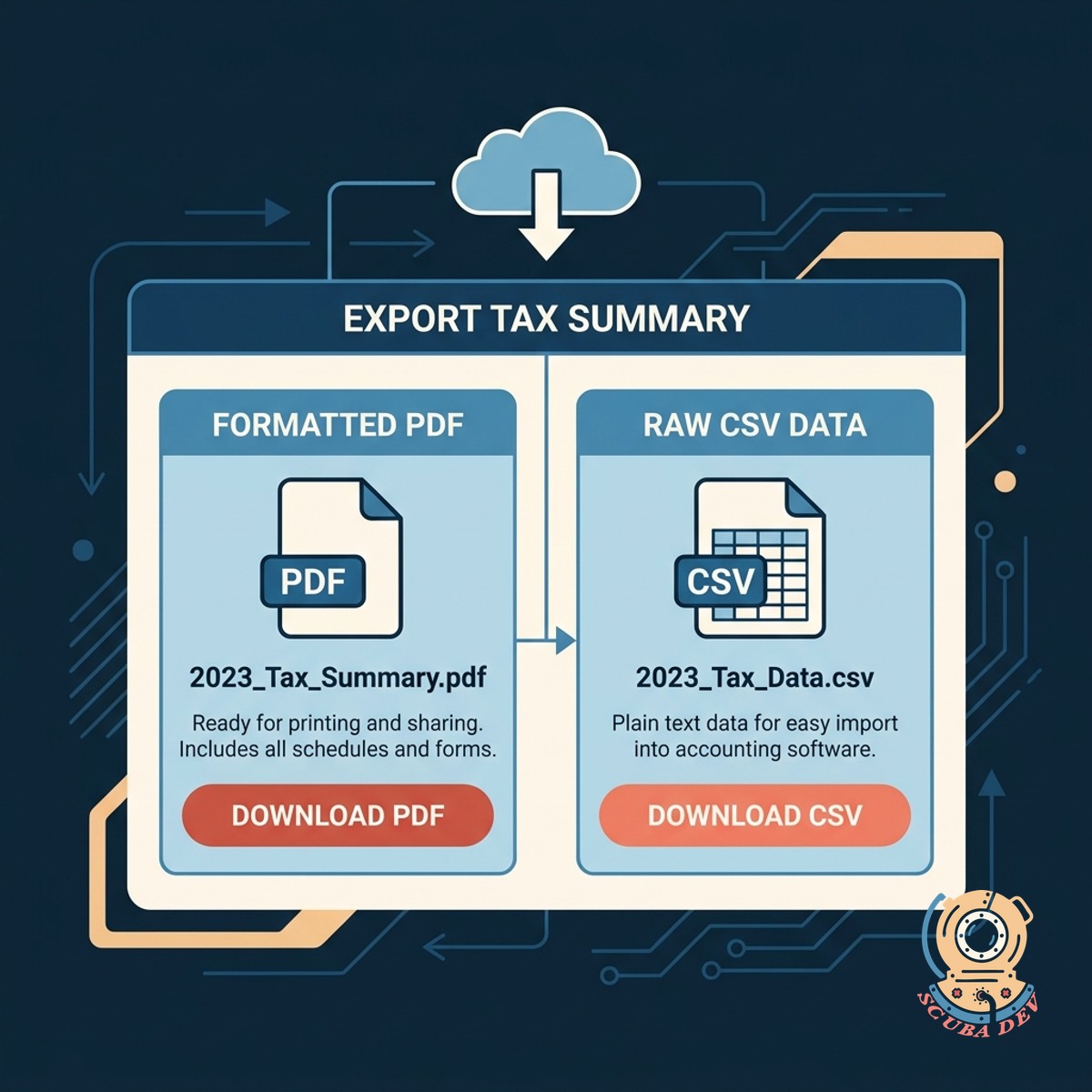
Dual Format Export Options
Generate your final tax summary as both a formatted PDF document and a raw CSV file for easy import into accounting software.
- Generates clean PDF reports
- Creates raw CSV spreadsheets
- Maintains consistent formatting
- Supports secure file downloads
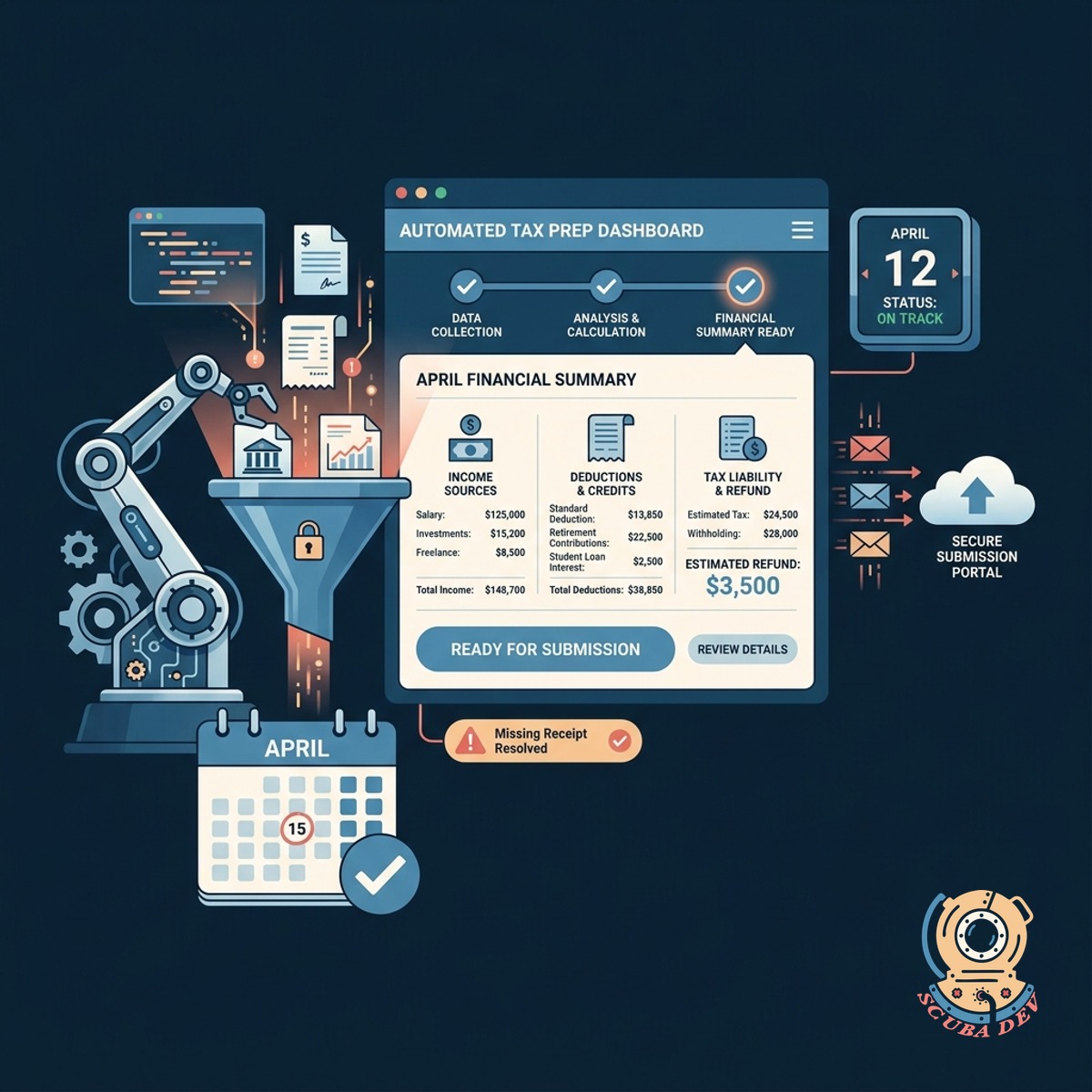
Automated April Tax Preparation
The tool prepares your financial summary automatically so your records are ready for submission before the tax deadline.
- Compiles data automatically
- Runs at the end of the fiscal year
- Reduces manual data entry
- Prepares files for accountant review
Questions
Things people ask
What accounting platforms can this tool connect to?
We can integrate the tool with standard financial platforms like QuickBooks, Xero, and Stripe to pull your ledger activity automatically.
How does the tool know which tax categories to use?
We map your raw transaction data to the specific categories your accountant requests. You can define these rules during the initial setup.
Can I generate reports for different fiscal years?
Yes. You can select the specific date range or fiscal year you need, and the tool will pull the relevant ledger activity for that period.
Are the exported files ready to send to my accountant?
The tool generates a clean PDF for easy reading and a CSV file that your accountant can import directly into their own tax software.
Is my financial data kept secure during this process?
We build these tools using secure API connections. The system processes the data to generate the reports without storing your sensitive financial information long term.
Can I review the categorized data before exporting?
The system provides a preview interface where you can review the categorized transactions and make manual adjustments before generating the final PDF and CSV files.
What happens if a transaction does not fit a standard category?
Uncategorized or unrecognized transactions are flagged in a separate section of the report so you or your accountant can review them manually.