QuickBooks to dashboard
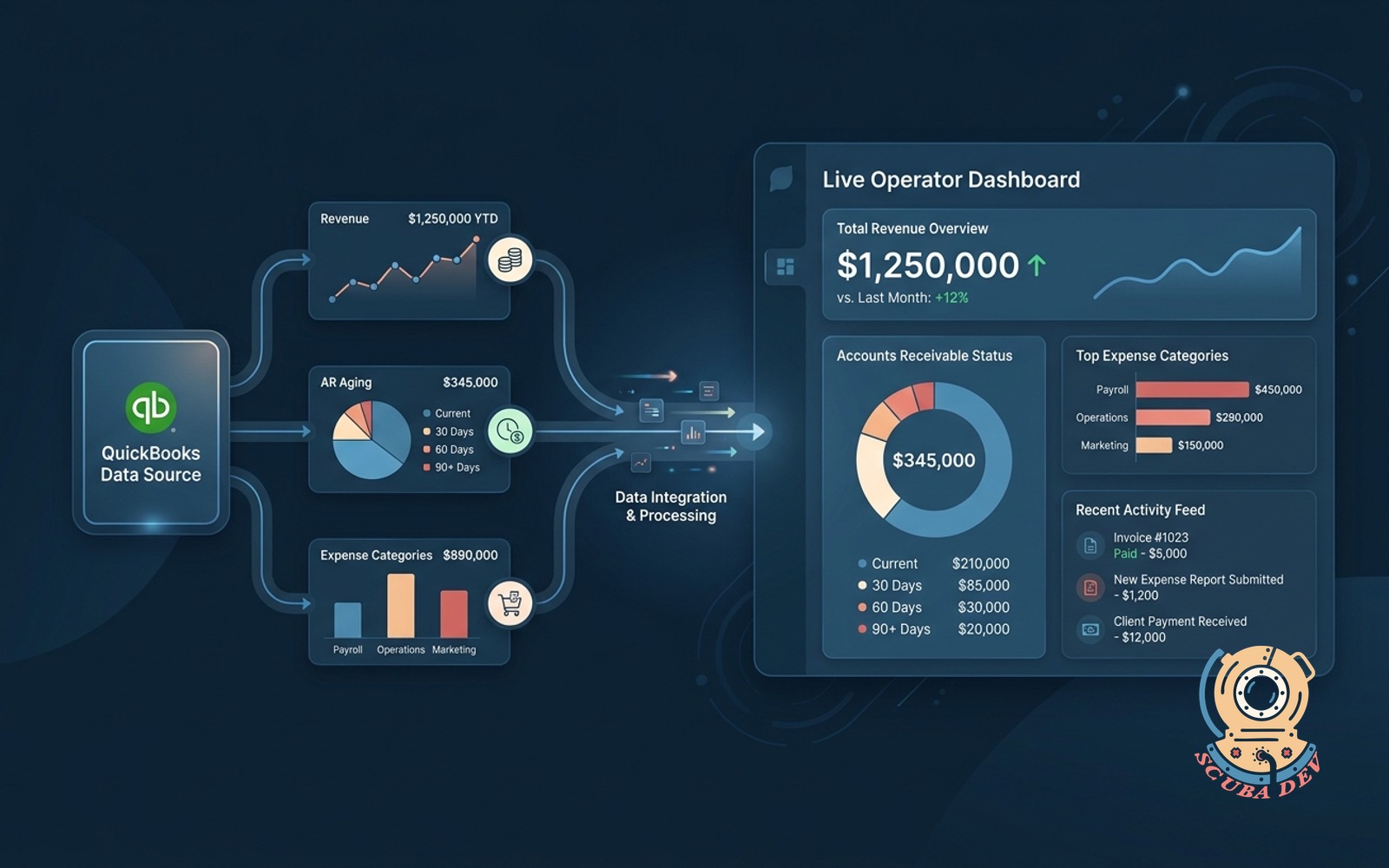
Revenue, AR aging and expense categories from QuickBooks power a live operator dashboard.
Possibilities
Where this could go
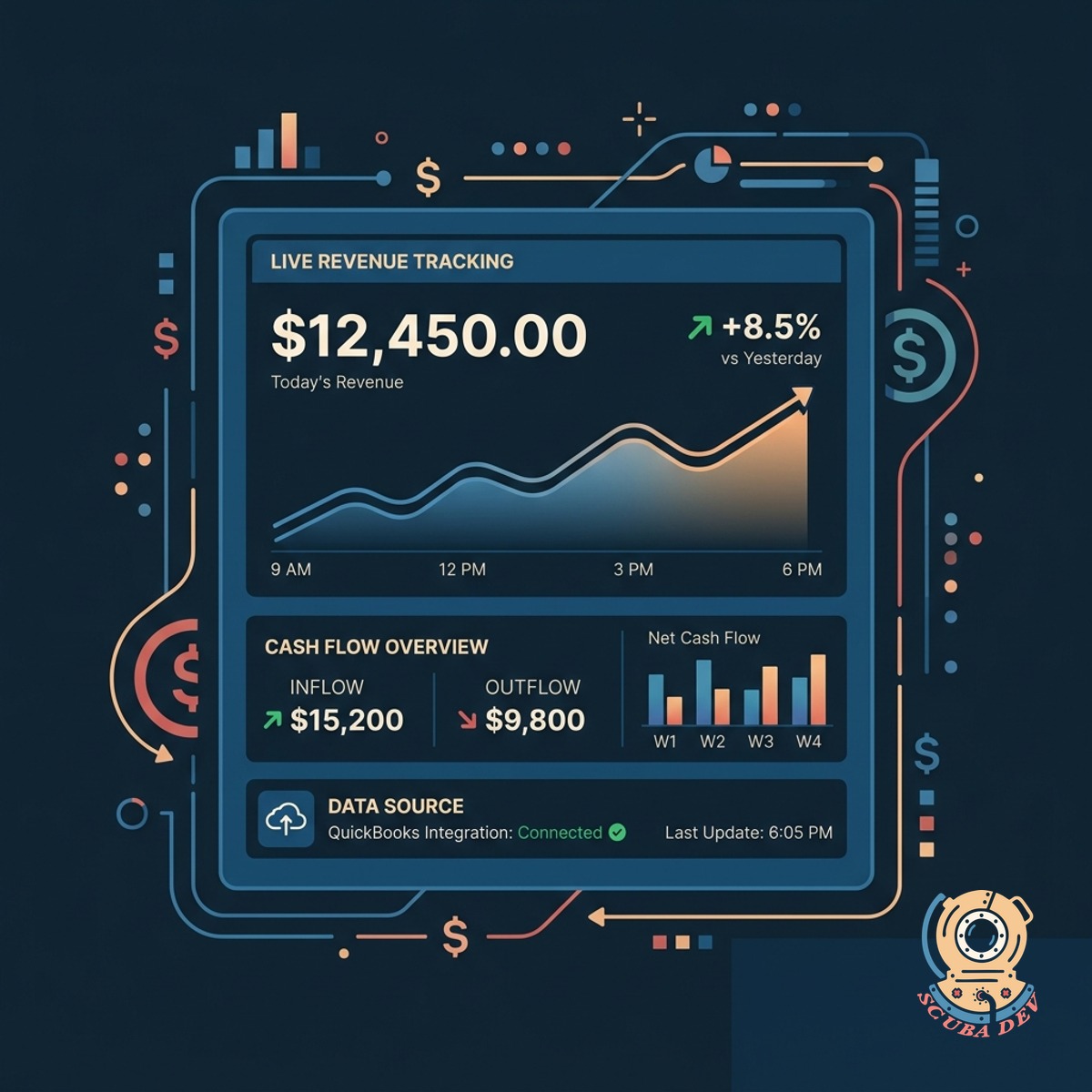
Live Revenue And Cash Flow Tracking
The dashboard pulls real time revenue data from QuickBooks to give operators an immediate view of business performance.
- Sync daily revenue totals
- View historical revenue trends
- Compare current month to past
- Monitor cash flow changes
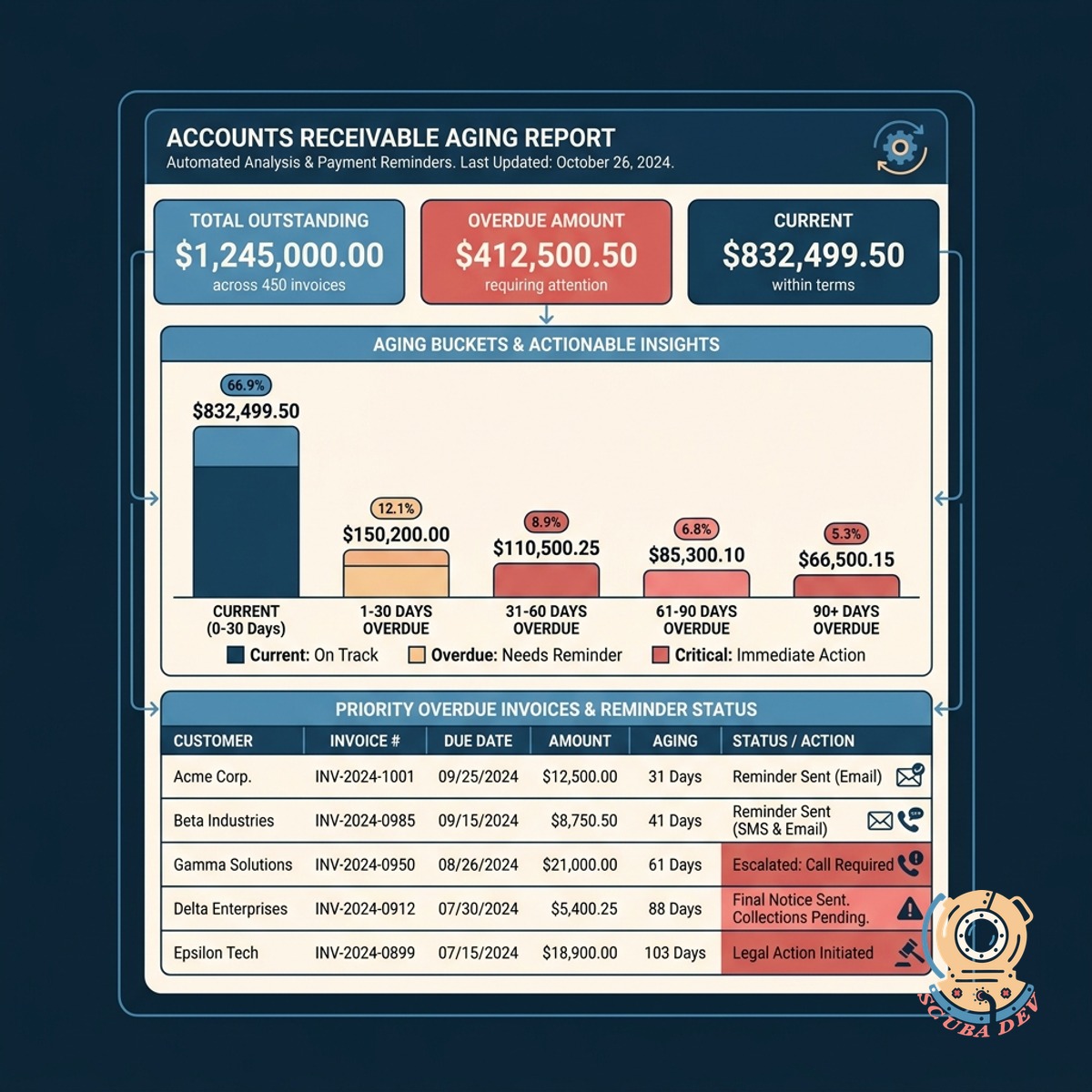
Automated Accounts Receivable Aging Reports
Overdue invoices and outstanding balances are categorized by age so your team knows exactly who needs a payment reminder.
- Track unpaid invoice statuses
- Group balances by days overdue
- Identify high priority collections
- View customer payment history
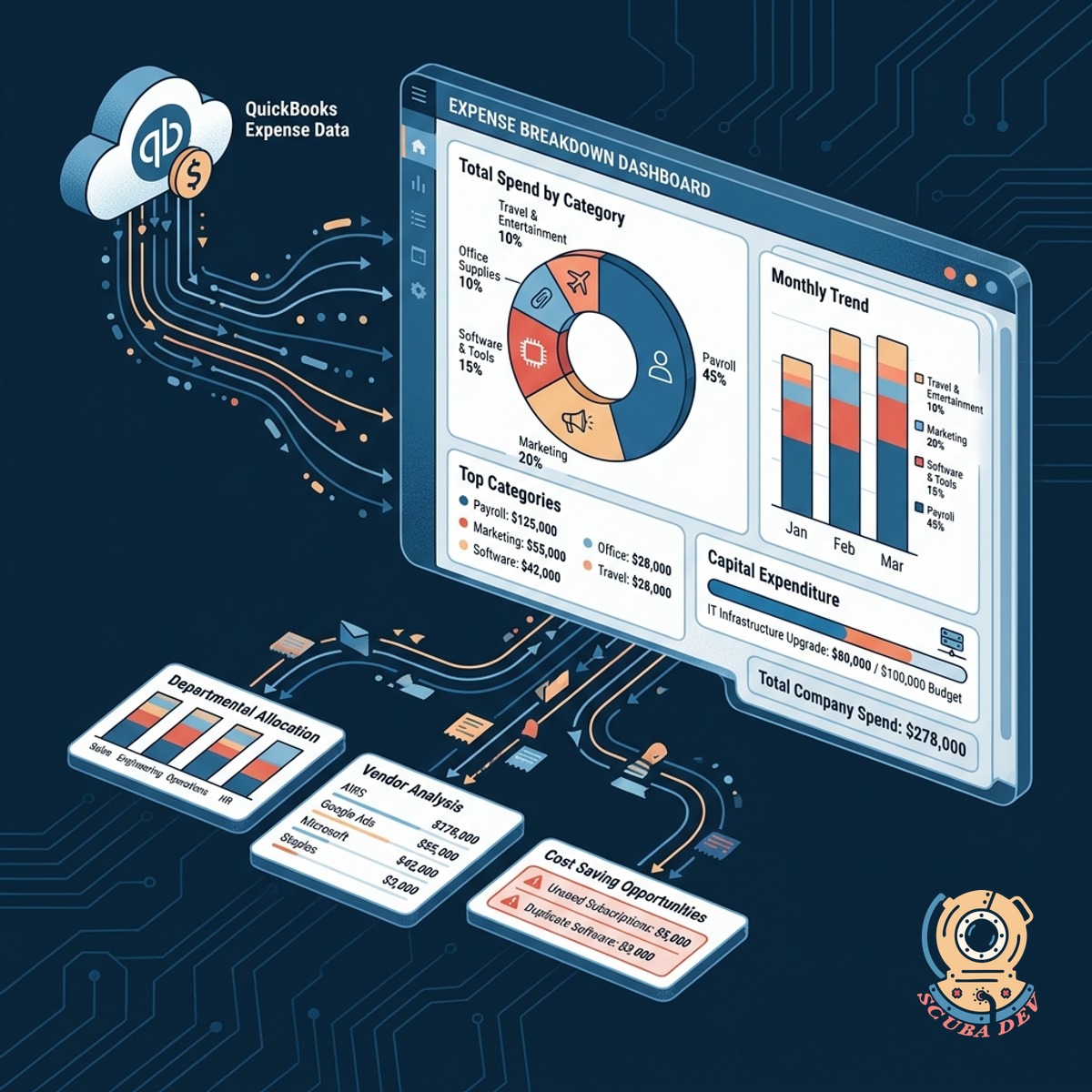
Categorized Expense Monitoring And Breakdown
QuickBooks expense data flows into visual breakdowns that show exactly where capital is being spent across the company.
- Map expenses by category
- Track departmental spending limits
- Identify recurring vendor costs
- Spot unusual spending patterns
Questions
Things people ask
How often does the dashboard sync with QuickBooks?
The integration uses the QuickBooks API to pull data at scheduled intervals. You can configure the dashboard to refresh daily, hourly, or on demand.
Do my employees need QuickBooks accounts to view this data?
No. The dashboard acts as an independent interface. Your team can view the financial metrics you choose to share without needing their own QuickBooks login credentials.
Can I filter the revenue data by specific product lines?
Yes. As long as your revenue is categorized by class, product, or service within QuickBooks, the dashboard can filter and display those specific segments.
Is it possible to see detailed invoice information in the AR aging view?
The dashboard pulls the invoice number, customer name, amount due, and due date. Users can click on an overdue balance to see the specific invoices making up that total.
How secure is the connection between QuickBooks and the dashboard?
The connection uses OAuth 2.0 authentication provided by Intuit. This ensures secure data transfer and allows you to revoke dashboard access from your QuickBooks settings at any time.
Can I customize which expense categories are shown?
The dashboard reads your existing chart of accounts from QuickBooks. You can select specific categories to highlight, group them into custom views, or hide irrelevant accounts.
Will this integration alter my existing data in QuickBooks?
The dashboard is designed as a read only tool. It extracts and displays your financial information but does not write new data or modify your existing QuickBooks records.