Competitive intel dashboard
Tracks competitor releases, pricing, and hiring. Digest the exec team reads, not a firehose.
Possibilities
Where this could go
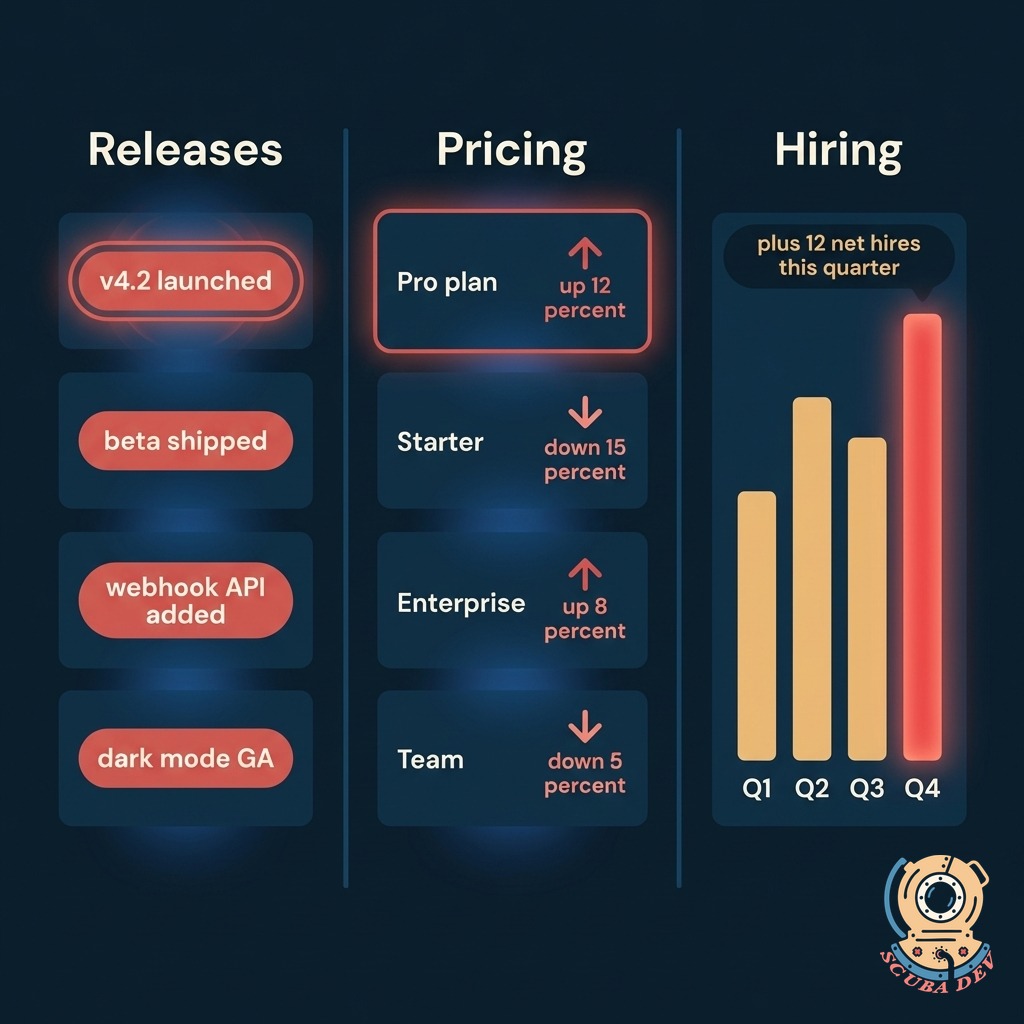
Tracks Releases, Pricing, and Hiring
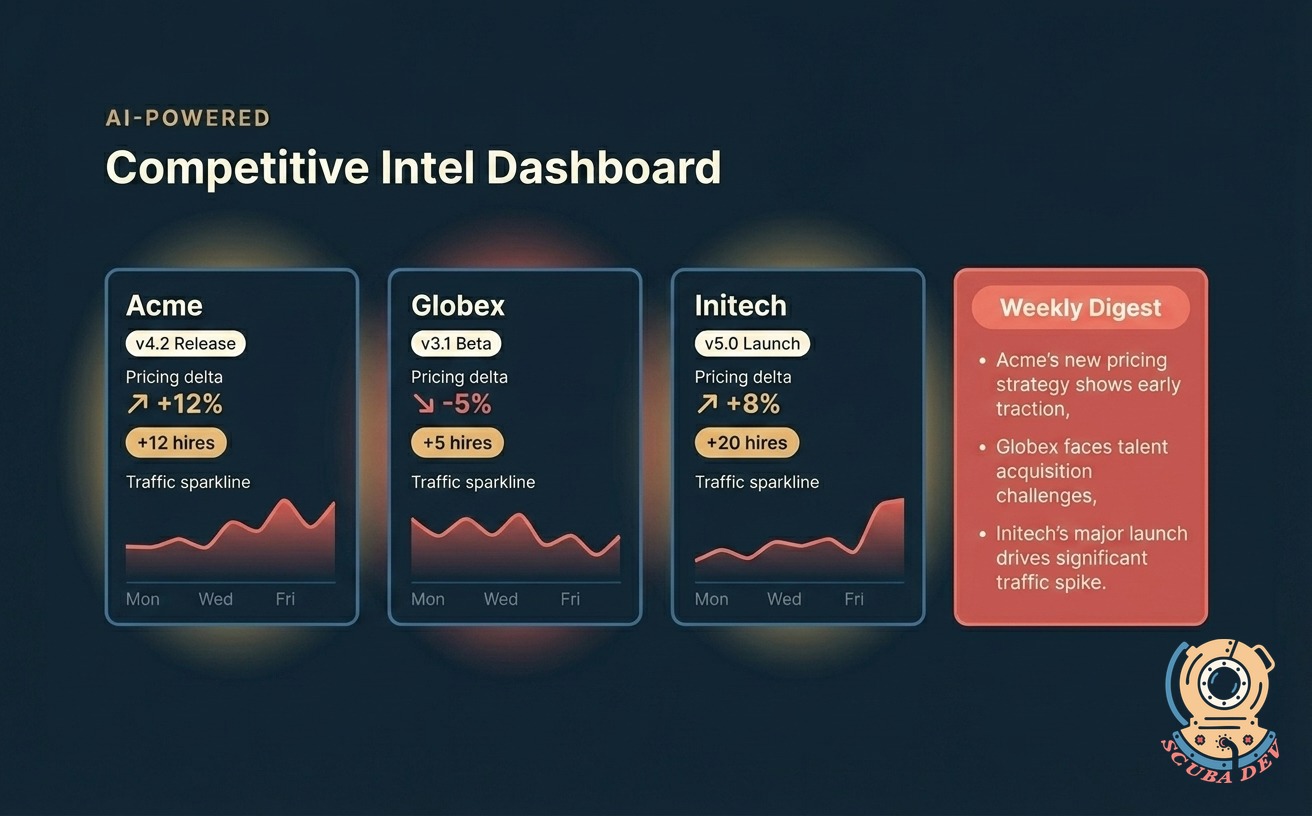
Pulls public signals across your competitors and organizes them into the three moves that matter: what shipped, what costs changed, and who is hiring.
- Release radar watches changelogs, release notes, product pages, and App Store listings
- Pricing radar tracks public pricing pages, tier changes, and promo windows
- Hiring radar pulls from LinkedIn jobs, company career pages, and headcount signals
- Traffic sparkline per competitor using public SimilarWeb or Ahrefs estimates
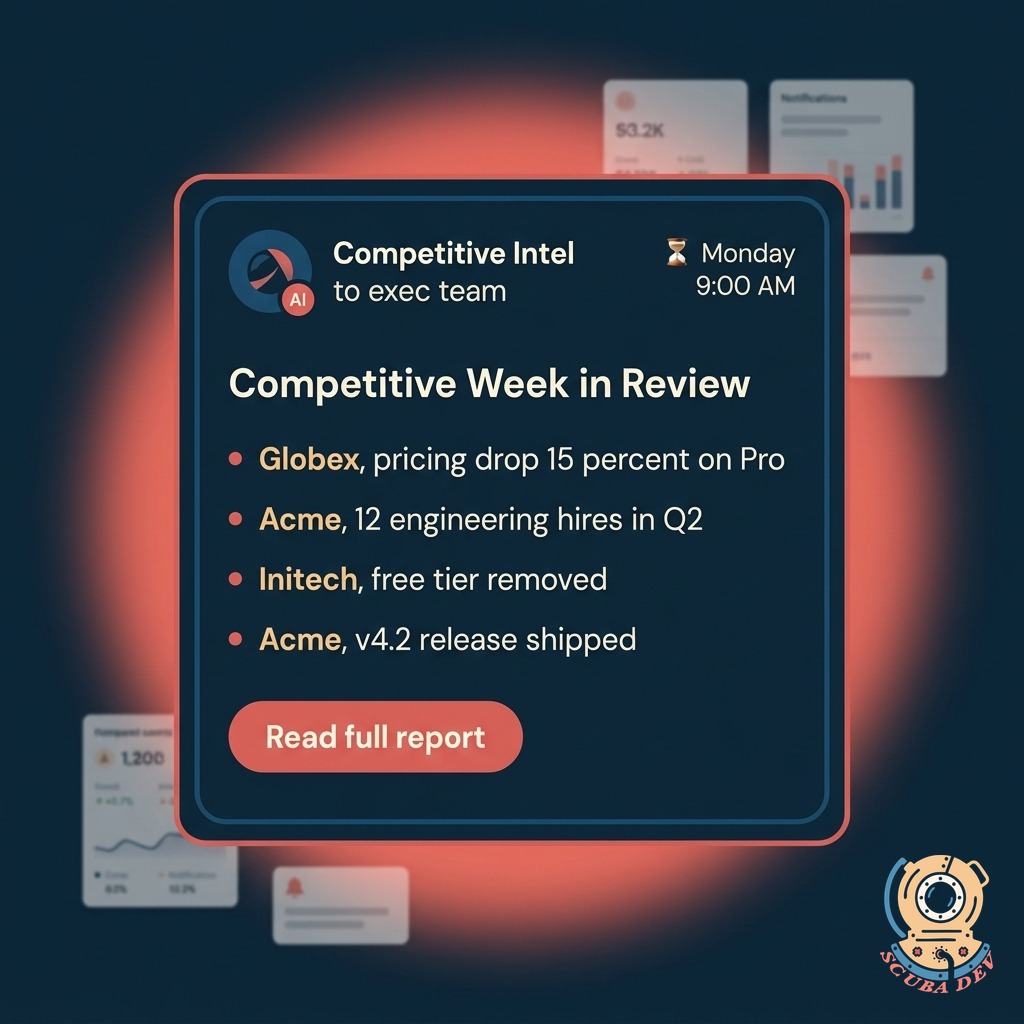
Weekly Digest, Not a Firehose
One email every Monday that summarizes the competitive moves from the last seven days. Ranked by the AI, reviewed by you.
- Lands in your inbox Monday 9 AM, sender is your domain
- Ranked by the AI using your configured priority rules
- Three to five summary bullets grouped by competitor and change type
- Full report one click away inside the dashboard
- Share button posts to your internal Slack channel in one click
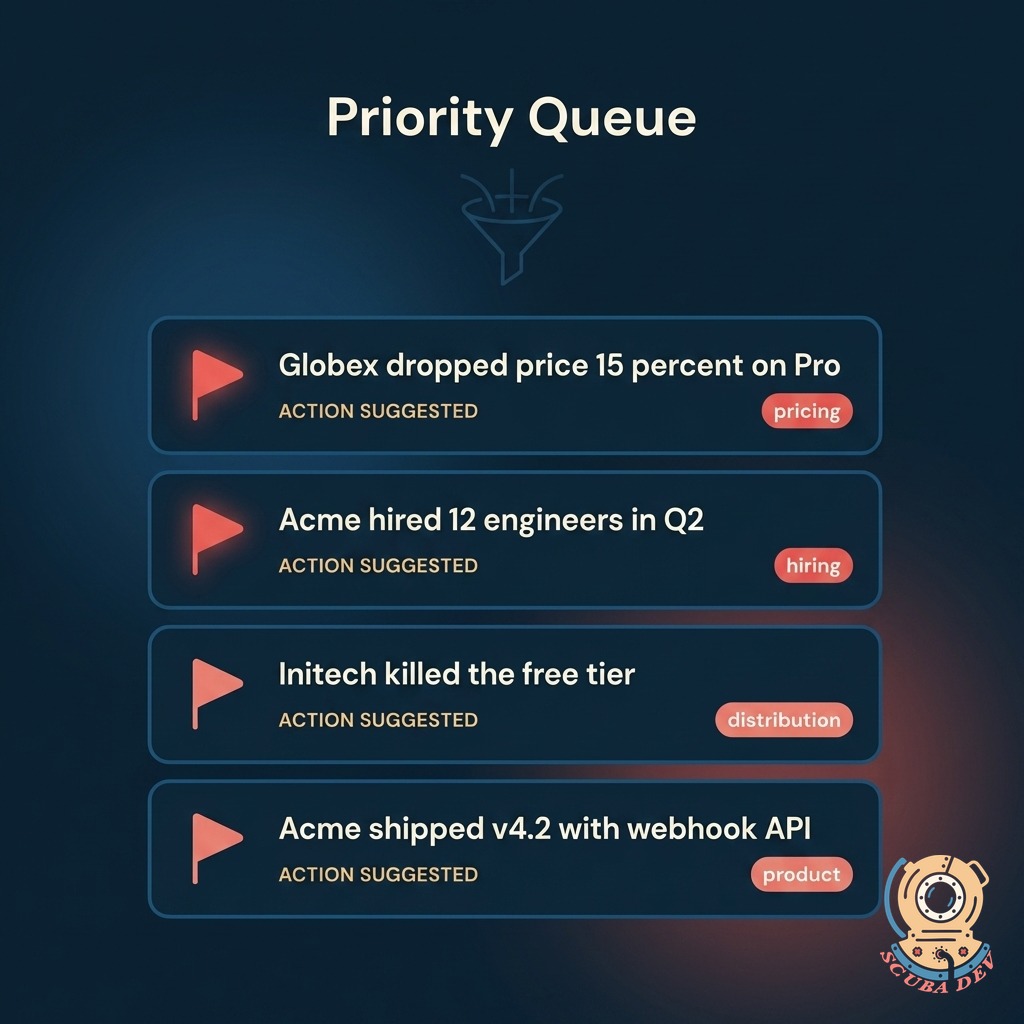
Flagged Moves That Matter
The dashboard flags the moves your team should actually react to. Price drops, feature launches, and hiring bursts bubble up automatically.
- Priority queue at the top of the dashboard with severity coloring
- Rules you set decide what counts as significant
- Each flagged item includes the source link and a suggested response
- Historical timeline of every flagged event per competitor
- Export flagged items to a board deck with one click
Questions
Things people ask
What competitors can you track?
Any company with a public website, changelog, career page, or LinkedIn footprint. You give us the list, we handle the setup. Most clients track five to fifteen competitors at once.
How fresh is the data?
Release and pricing signals refresh daily. Hiring and traffic refresh weekly. The digest always reflects the latest pull. You can trigger a manual refresh anytime from the dashboard.
Where do the signals come from?
Public sources only. Changelogs, release notes, pricing pages, product pages, LinkedIn job boards, company career pages, App Store listings, and optional SimilarWeb or Ahrefs integrations for traffic.
Can my team filter by competitor or change type?
Yes. Filter the queue by competitor, by change type, by severity, or by date range. Save filter presets per team member so each person lands on the view they need.
How does the AI decide what is important?
You configure priority rules up front. We review them with you on kickoff and adjust based on feedback during the first few digests. The rules are yours to edit anytime.
Does this replace my sales battle cards?
No. This is the feed. Battle cards live in your CRM or enablement tool. We can push flagged items into Salesforce, HubSpot, or GoHighLevel so the battle card author sees what changed without leaving their tool.
Can we include our own competitor notes inside the dashboard?
Yes. Each competitor has a notes field your team can edit. Notes show up next to the tracked signals so field intel lives alongside public signals in one view.