Contract renewal radar with 60-day heads-up
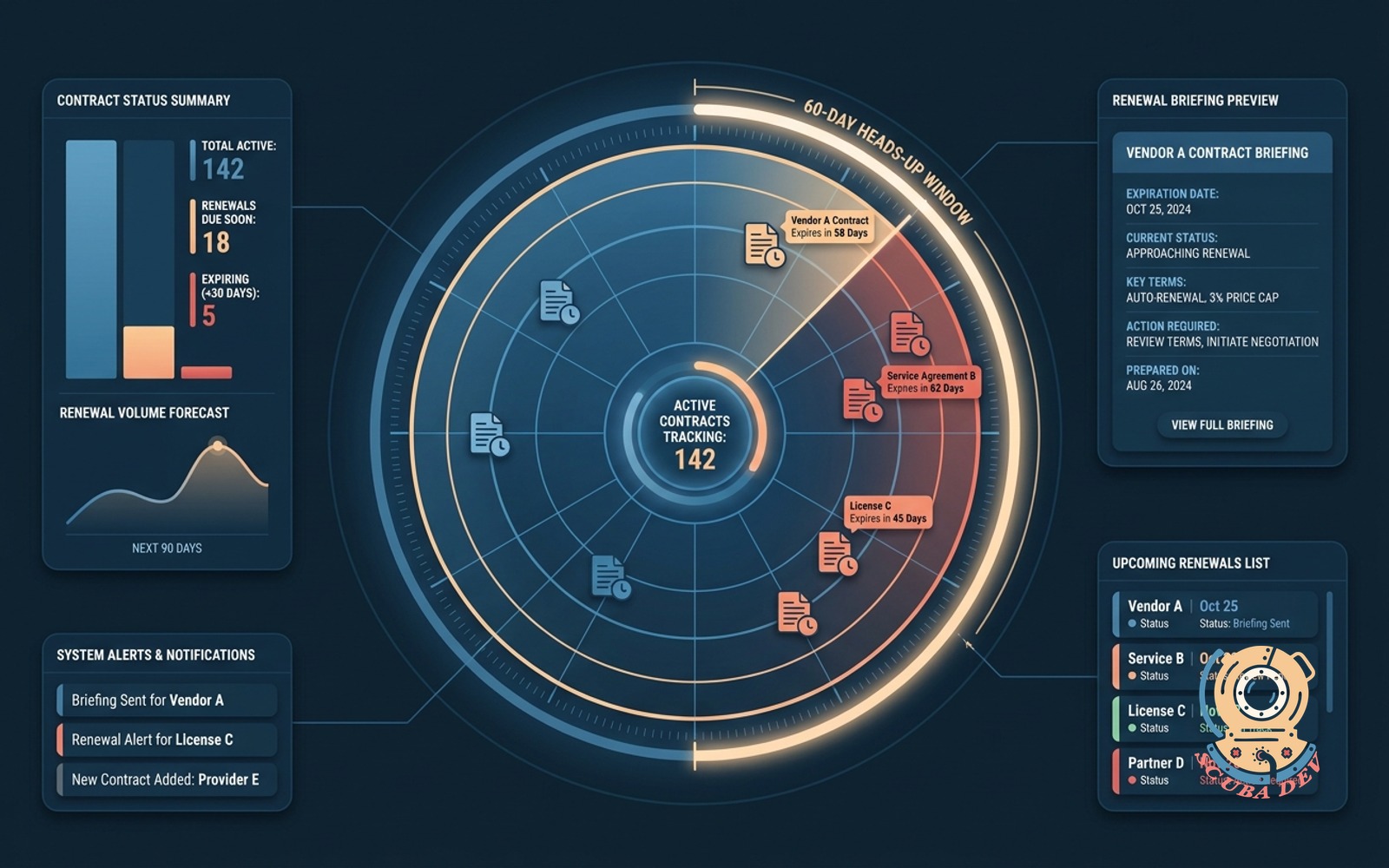
We track your active contracts and send you a detailed briefing 60 days before they expire so you have time to prepare.
Possibilities
Where this could go
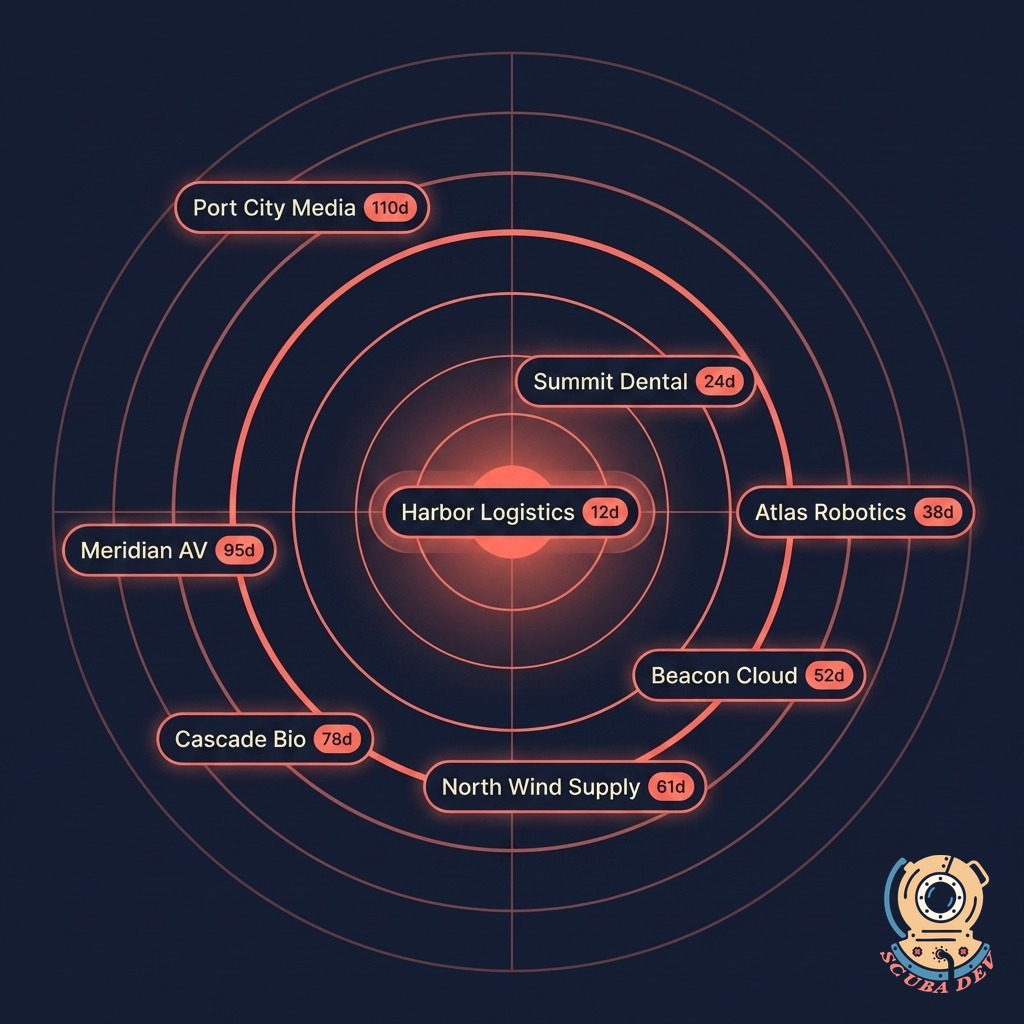
Every Renewal on the Radar
Every active contract shows up on one map with a days-to-renewal countdown. Nothing slips through the cracks.
- Pulls contract dates from your CRM, billing system, or a simple CSV
- Visualizes every account by distance to renewal
- Color coding flags the 60, 30, and 10-day windows automatically
- Search and filter by owner, segment, or contract size
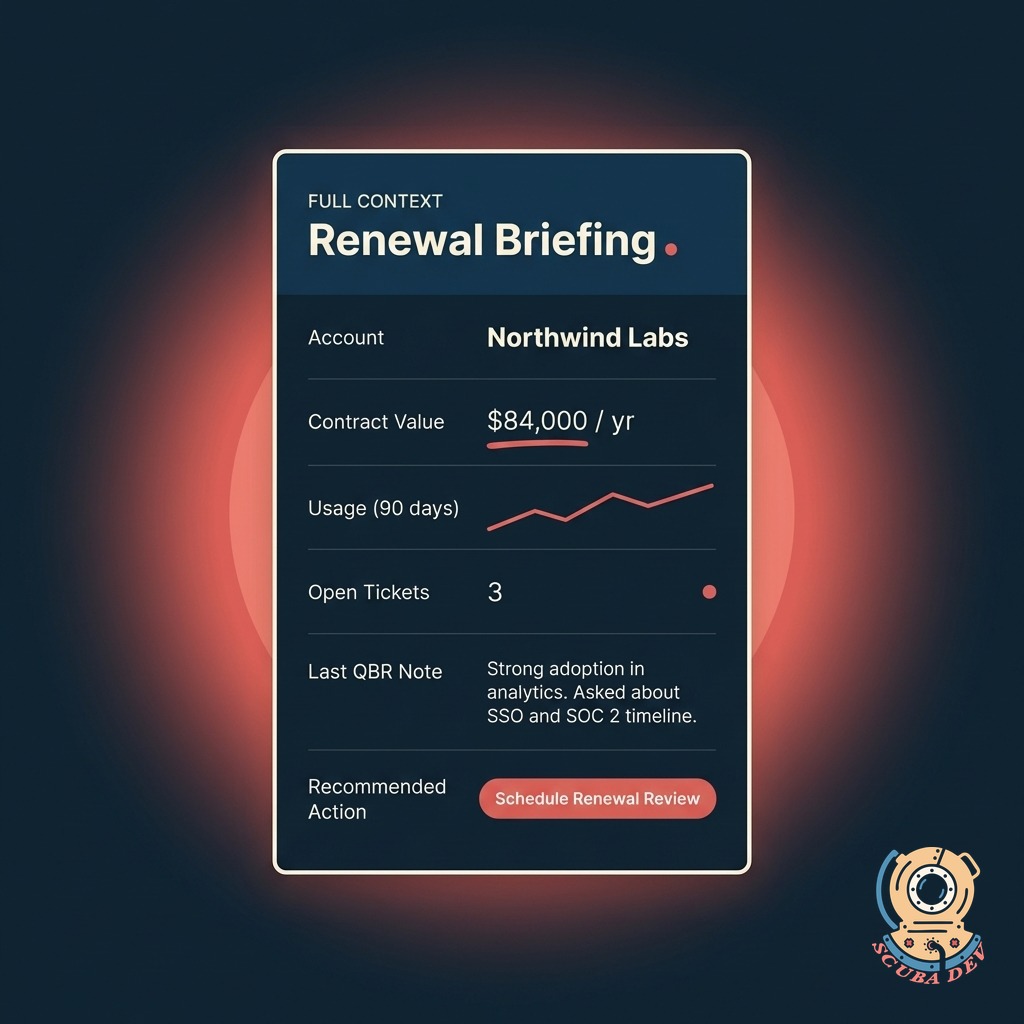
Full Account Context in One Briefing
When a renewal hits the 60-day window, the owner gets a briefing with everything they need. No digging through tools.
- Pulls recent support tickets and feature requests into one view.
- Summarizes product usage data for the last six months.
- Lists the key stakeholders and their contact information.
- Highlights any outstanding invoices or billing issues.
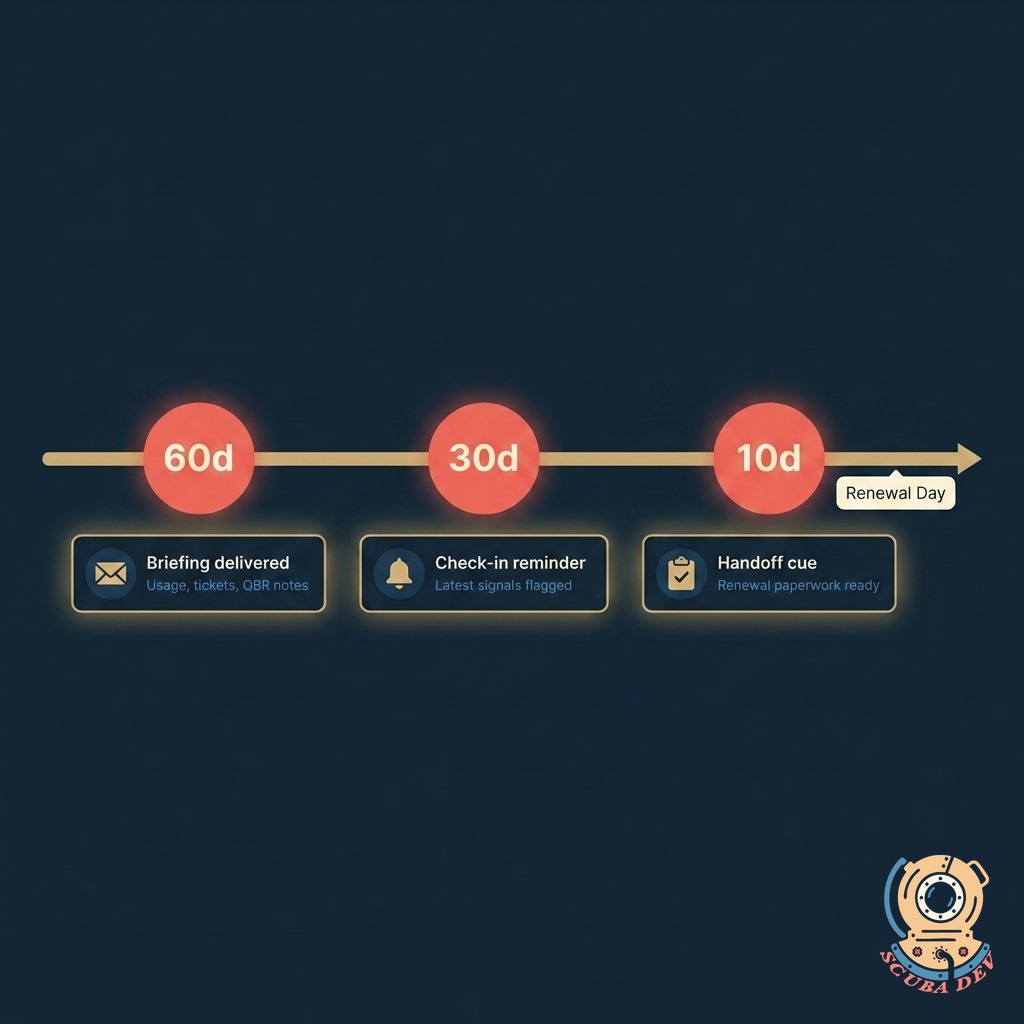
60 / 30 / 10 Day Heads-Up
Three touchpoints before renewal. The owner gets a briefing, a check-in reminder, and a handoff cue. Renewals do not get forgotten.
- 60 days out: full briefing delivered to the account owner
- 30 days out: check-in reminder with latest signals
- 10 days out: handoff cue with renewal paperwork draft
- All three touchpoints logged to the CRM for the record
Questions
Things people ask
Where do the contract dates come from?
Your CRM, billing system, or a simple CSV. Works with Salesforce, HubSpot, GoHighLevel, Pipedrive, Stripe, Chargebee, and custom setups. We run a one-time import on kickoff and then keep it synced.
What if a contract does not have a clean renewal date?
We handle evergreen contracts, auto-renew clauses, and month-to-month deals separately. Evergreen contracts show up on a parallel review cadence so they still get touched even without a fixed date.
Can different account owners get different briefings?
Yes. Each owner sees only their accounts. Managers see the full portfolio. Executives get a roll-up view that shows which renewals are on track, at risk, or already closed.
How does the AI know which renewals are at risk?
We connect directly to your CRM and helpdesk tools to pull in account data. You do not have to manually enter support tickets or usage metrics. The system updates the briefing automatically.
Can we push renewals into an existing workflow?
Yes. Each briefing can create a task in Salesforce, a deal in HubSpot, a ticket in Zendesk, or a thread in Slack. Pick the channel and the dashboard handles the handoff automatically.
What if account ownership changes mid-cycle?
Reassign the account and the radar instantly routes future briefings to the new owner. The previous owner still sees the full history so context never disappears.
Can we include custom signals beyond usage and tickets?
You can adjust the alert schedule to fit your sales cycle. If you need a ninety day notice instead of sixty days, you can change the default setting in your account preferences.