Contract builder from intake answers
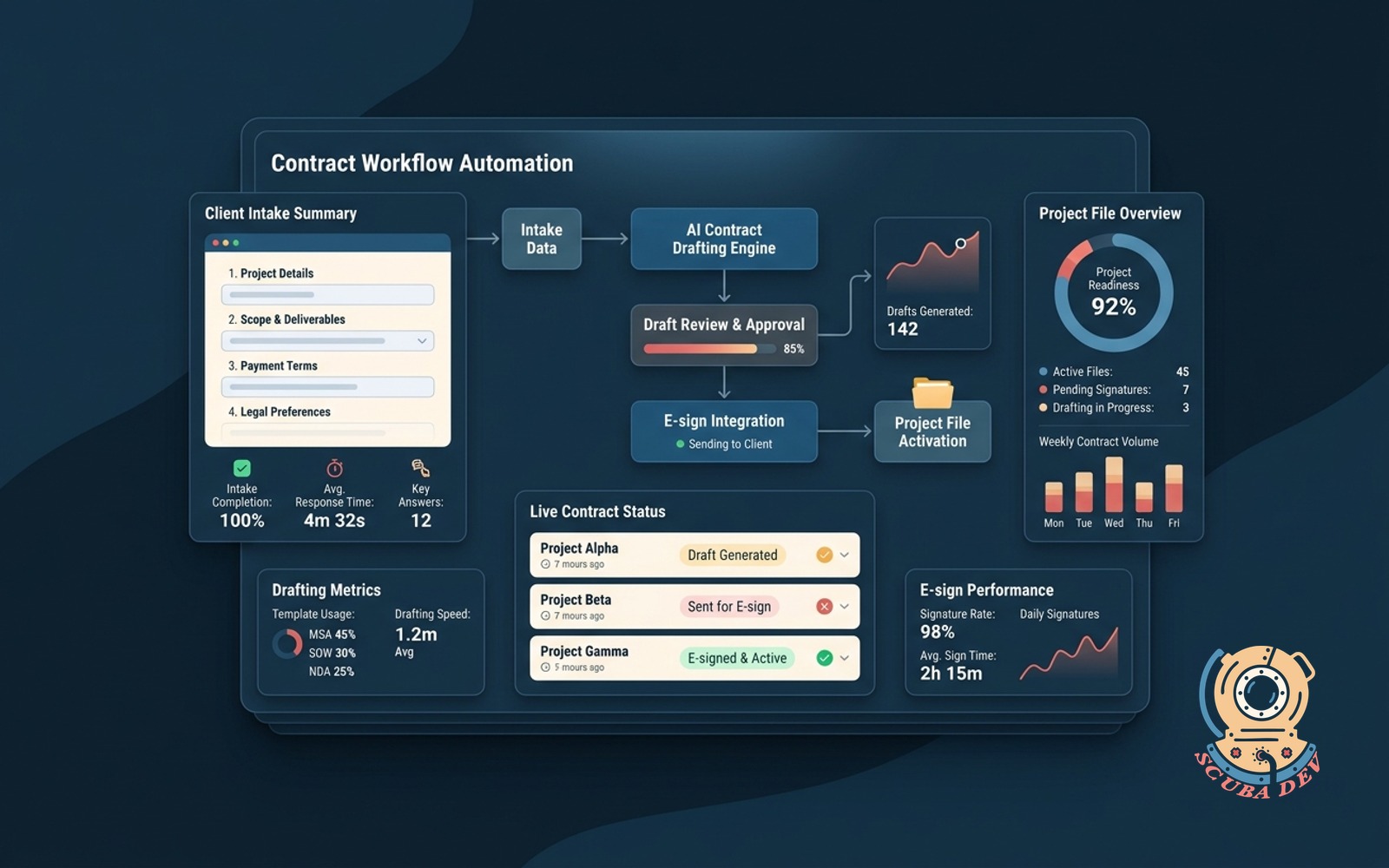
Client answers a short guided form. The system drafts the contract, sends for e-sign, and opens the project file on return.
Possibilities
Where this could go
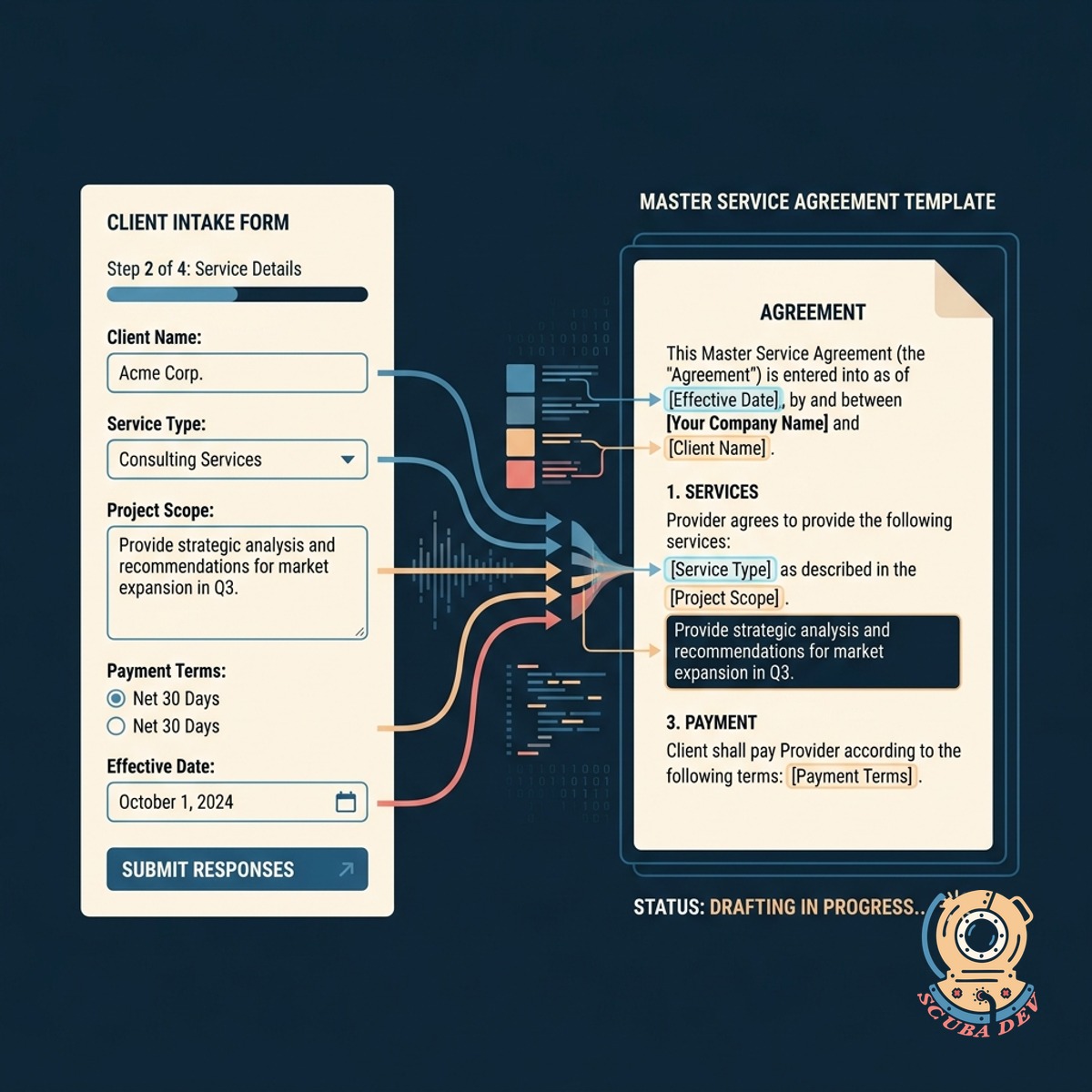
Automated Contract Drafting From Intake Forms
The system takes client responses from a guided questionnaire and maps them directly into your standard contract templates.
- Connect Typeform or Jotform
- Map fields to contract variables
- Generate PDF agreements instantly
- Eliminate manual data entry
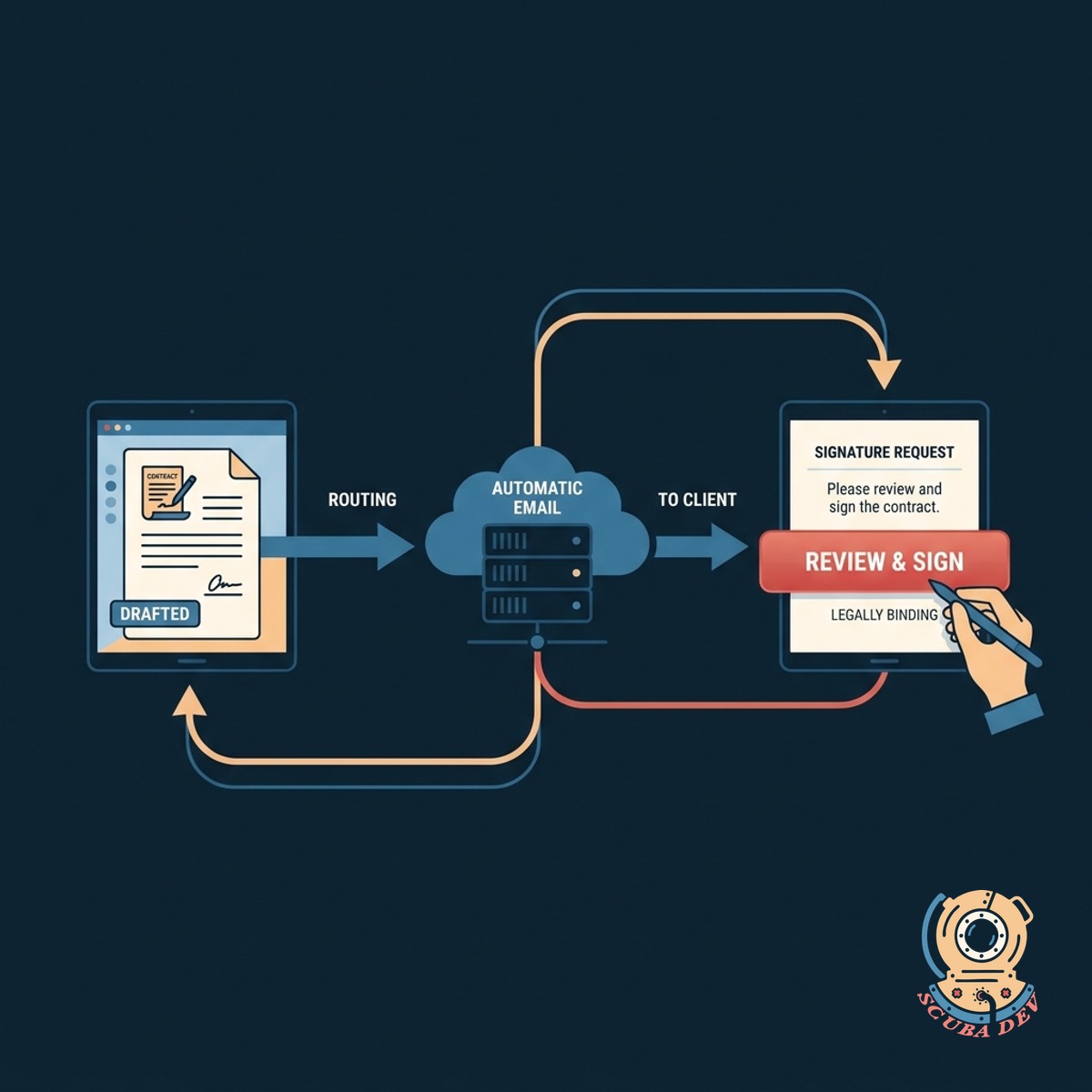
Seamless Electronic Signature Routing Process
Once the contract is drafted, the platform automatically emails the document to the client for a legally binding signature.
- Integrate with DocuSign or PandaDoc
- Trigger automated email delivery
- Track document open rates
- Send automated signature reminders
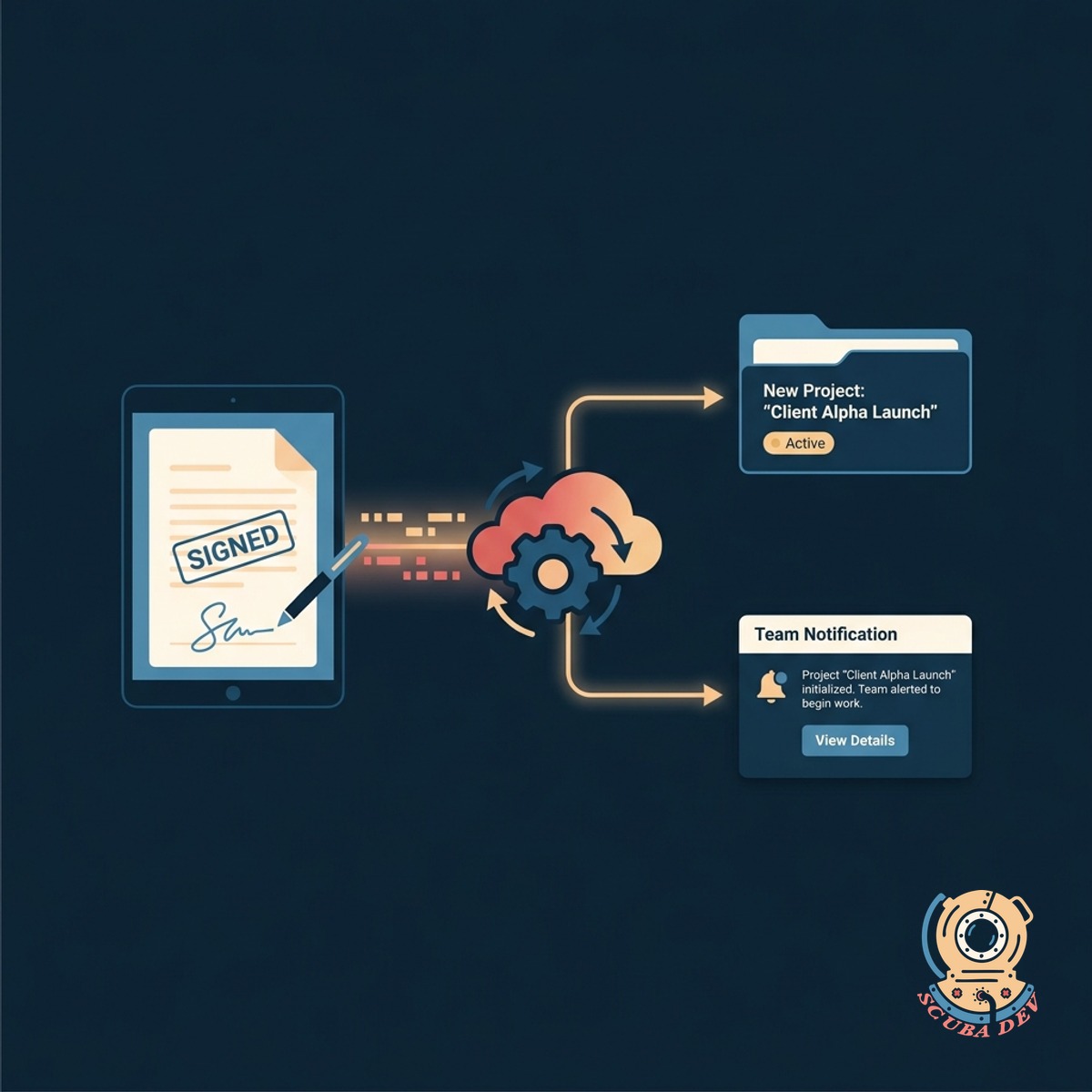
Automatic Project Initialization Upon Signature
When the signed contract is returned, the system automatically creates a new project file and notifies your team to begin work.
- Create folders in Google Drive
- Set up Asana or ClickUp projects
- Notify team members via Slack
- Store signed contracts securely
Questions
Things people ask
Which form builders work with this system?
We can integrate with almost any modern form tool including Typeform, Jotform, Gravity Forms, and Google Forms. The tool captures the submitted data to populate your templates.
What electronic signature platforms do you support?
The workflow connects reliably with major electronic signature platforms like DocuSign, PandaDoc, HelloSign, and Adobe Acrobat Sign using their native APIs.
Can the system handle conditional contract clauses?
Yes. We can configure the logic so that specific client answers trigger the inclusion or removal of certain clauses within the generated document.
How does the system know when a contract is signed?
The electronic signature platform sends a webhook back to our automation system the moment all parties have completed the document.
What happens to the final signed document?
The system retrieves the finalized PDF and automatically saves it to your preferred cloud storage provider like Google Drive, Dropbox, or SharePoint.
Can this workflow create tasks in our project management tool?
Absolutely. Upon receiving the signed contract, the system can automatically generate a new project, assign tasks, and set deadlines in tools like Asana, Monday, or ClickUp.
Is it possible to review the contract before it goes to the client?
We can add an approval step to the workflow. The system will draft the document and notify your team to review it before officially sending it out for signature.