Multi-step deal review
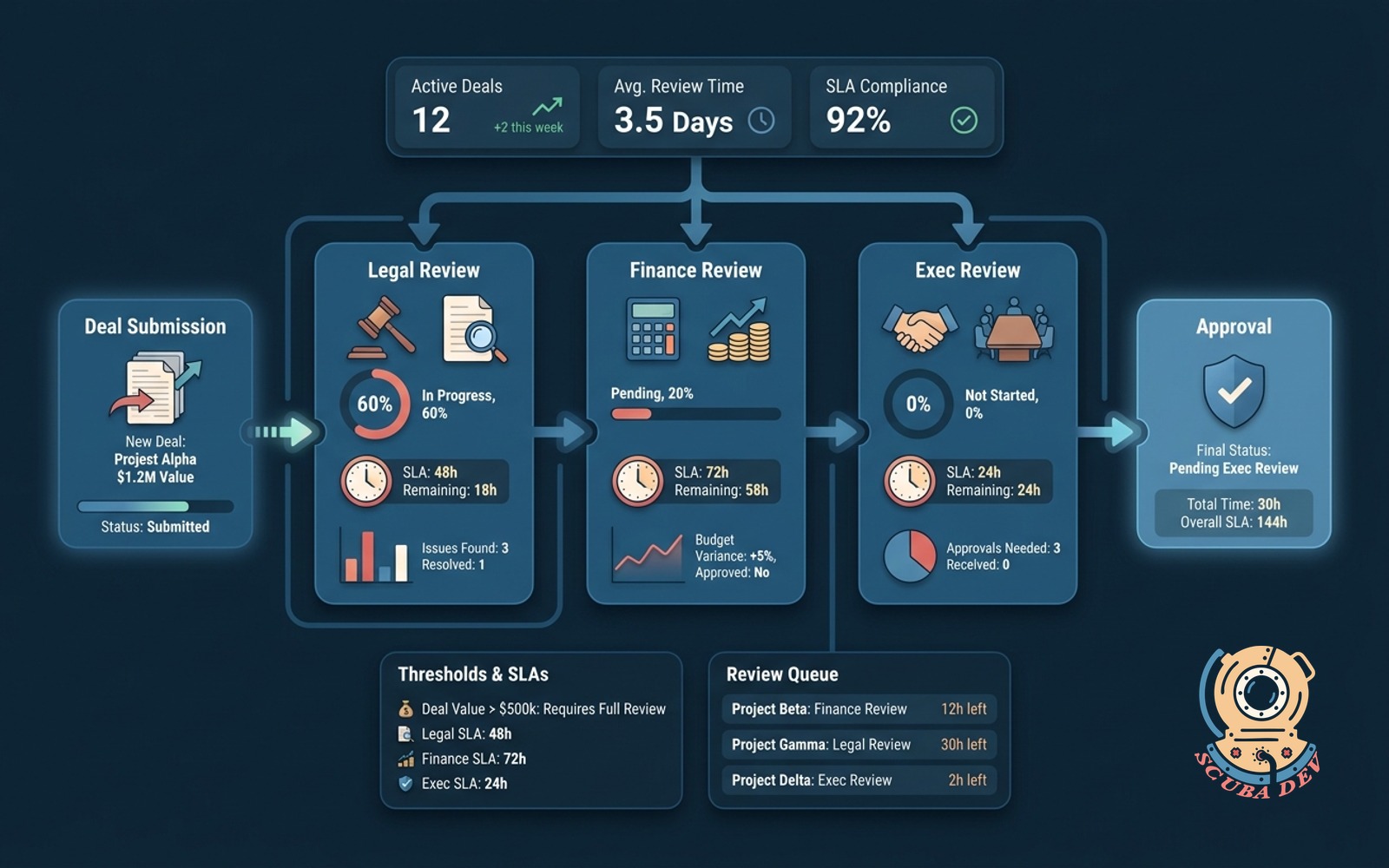
Every deal over threshold runs through legal, finance and exec review with timed SLAs on each step.
Possibilities
Where this could go

Automated Threshold Deal Routing
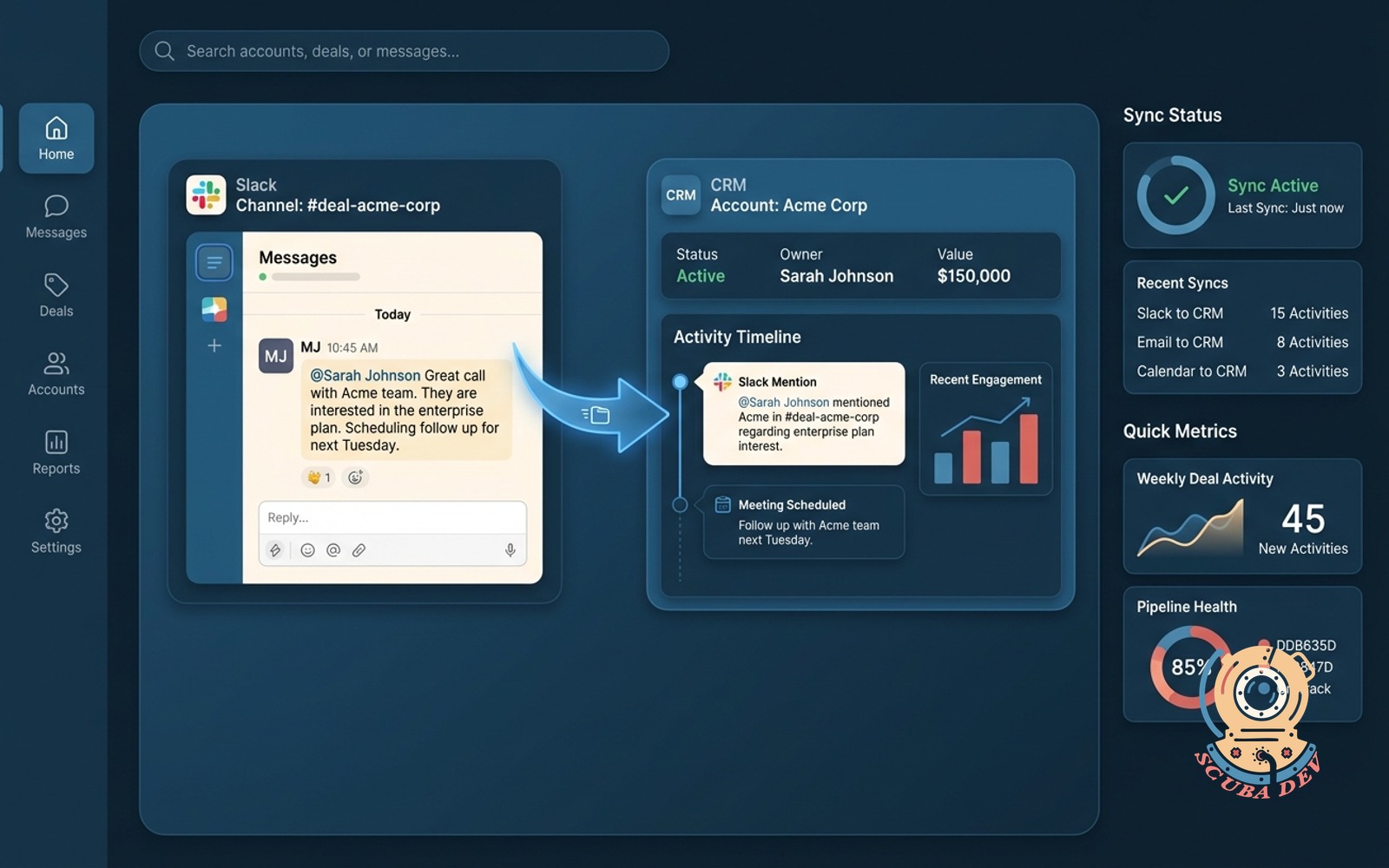
The system monitors your CRM and automatically routes deals above a specific monetary value into a structured approval queue.
- Monitors Salesforce or HubSpot opportunities
- Triggers on specific deal amount thresholds
- Locks deal stage during the review process
- Alerts the legal team to begin review
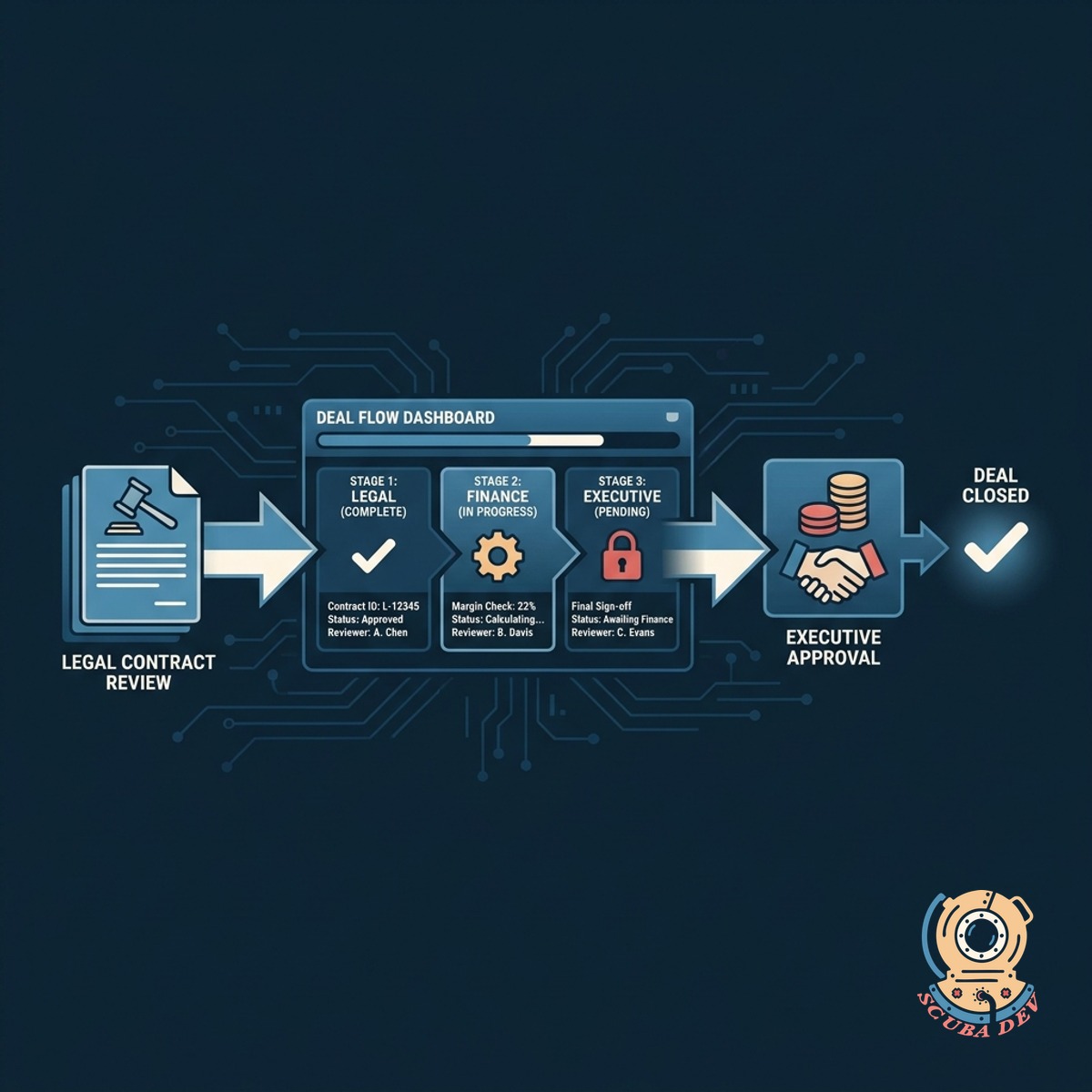
Sequential Legal And Finance Review
Deals move sequentially from legal contract review to finance margin checks and finally to executive approval without manual handoffs.
- Requires legal sign off via Ironclad
- Routes to finance for margin verification
- Escalates to executive leadership for final say
- Maintains a clear audit trail of all actions
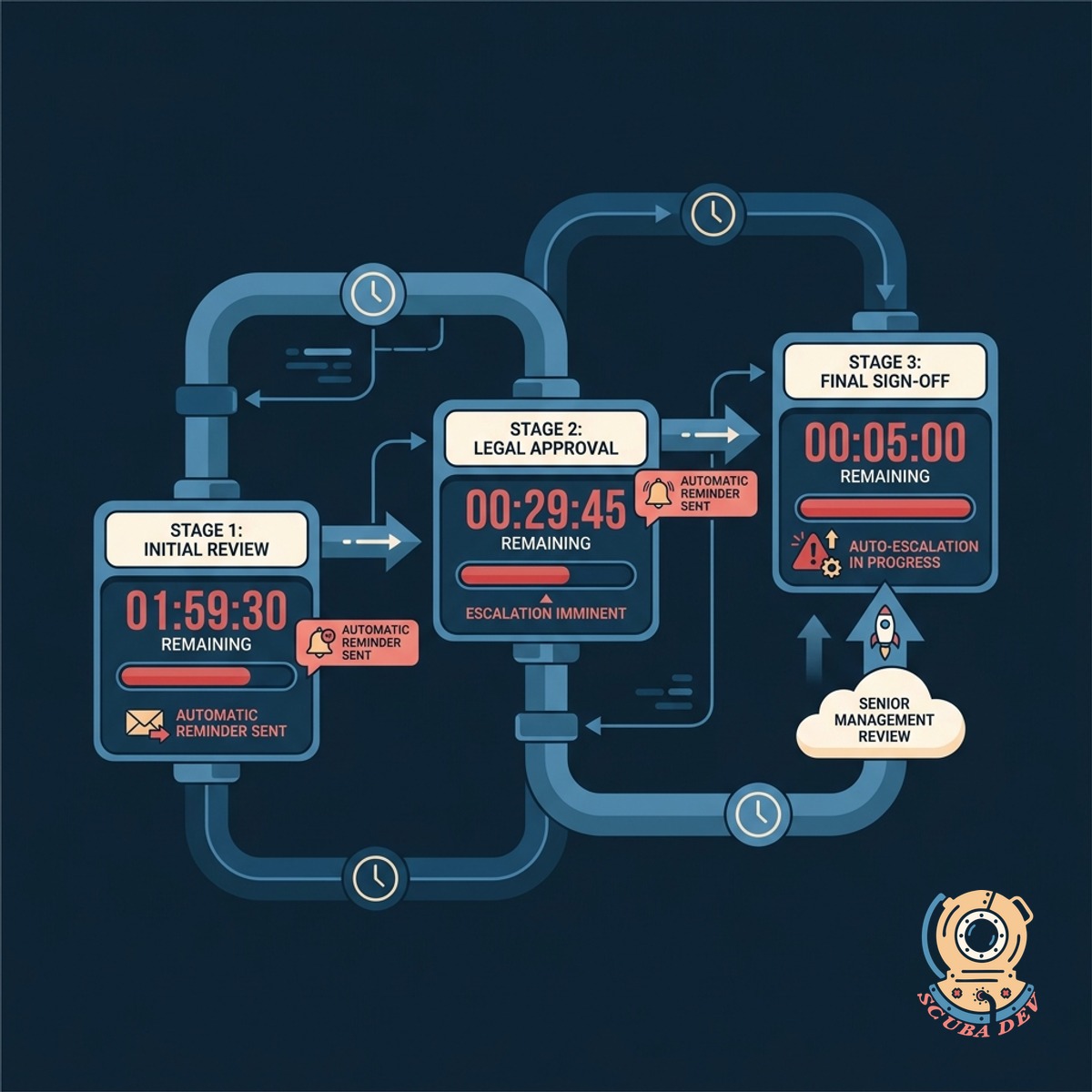
Enforced Service Level Agreement Timers
Each approval stage features a strict countdown timer that automatically sends reminders or escalates the deal if reviewers take too long.
- Sets specific time limits for each department
- Sends automated Slack or Teams reminders
- Escalates stalled deals to department heads
- Tracks average approval times per team
Questions
Things people ask
Which CRM platforms support this multi-step review process?
We integrate this workflow directly into major platforms like Salesforce and HubSpot. The approval routing happens seamlessly within your existing sales environment.
How do reviewers know when it is their turn?
The system sends automated notifications via Slack, Microsoft Teams, or email the moment the previous department completes their review.
Can we customize the deal amount threshold?
Yes. You define the exact deal value or criteria that triggers the multi-step review. Deals below this threshold bypass the complex approval process.
What happens if an approver misses their SLA deadline?
The workflow automatically sends a reminder to the assigned reviewer. If the delay continues, the system escalates the approval request to a designated manager.
Does the sales representative have visibility into the review status?
Sales reps can view the exact stage of the approval process directly on the CRM deal record. They see which department currently holds the deal and the remaining SLA time.
Can a deal be rejected during this process?
Reviewers can reject a deal or request modifications. The system kicks the deal back to the sales representative with specific notes on what needs to change.
How does this integrate with contract management tools?
The legal review step connects with tools like Ironclad or DocuSign CLM. The deal only advances to finance once the legal team approves the contract terms in their dedicated system.