Metric definition registry
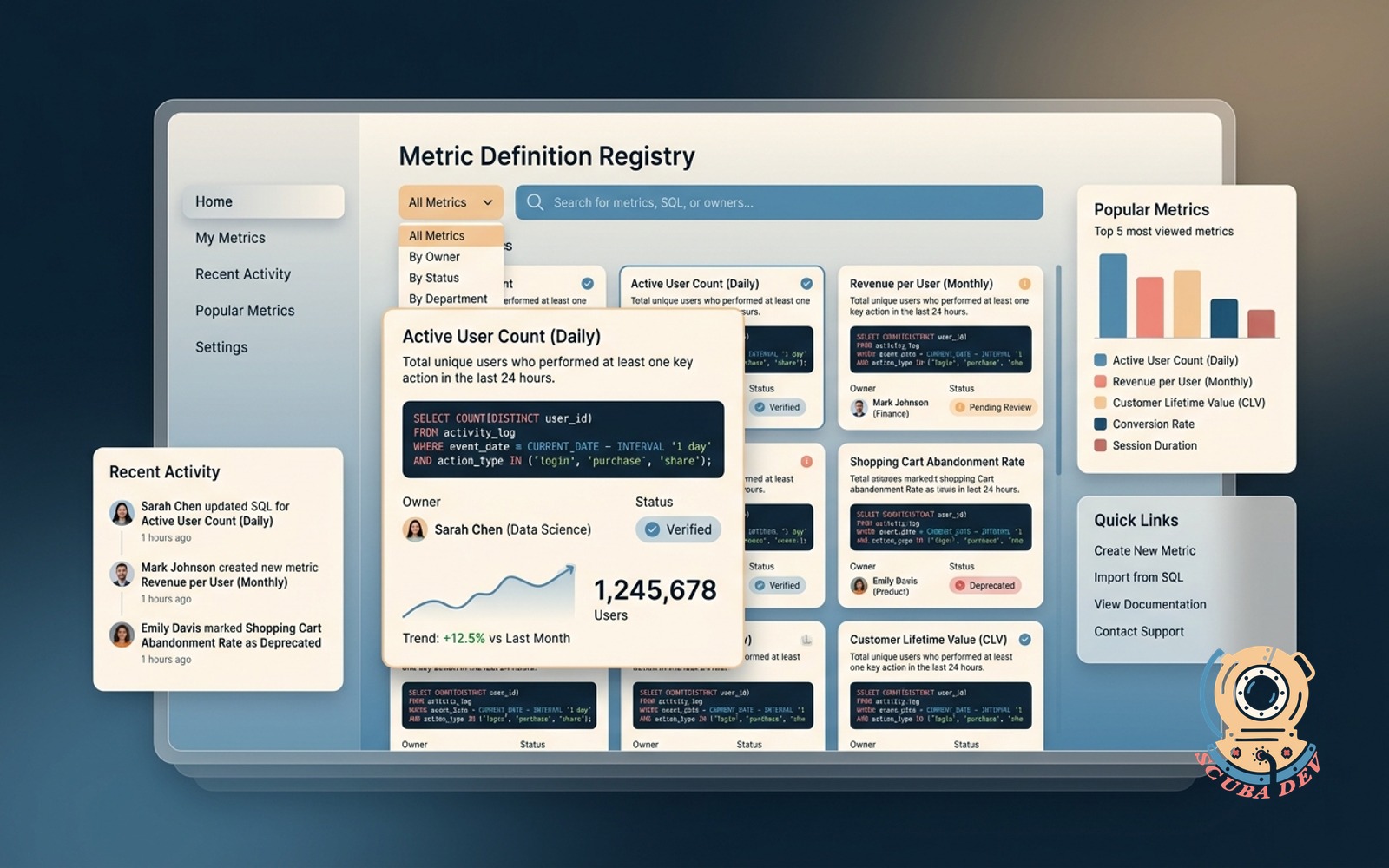
Shared home for every metric, the SQL behind it, and who owns it. Search before you rebuild.
Possibilities
Where this could go
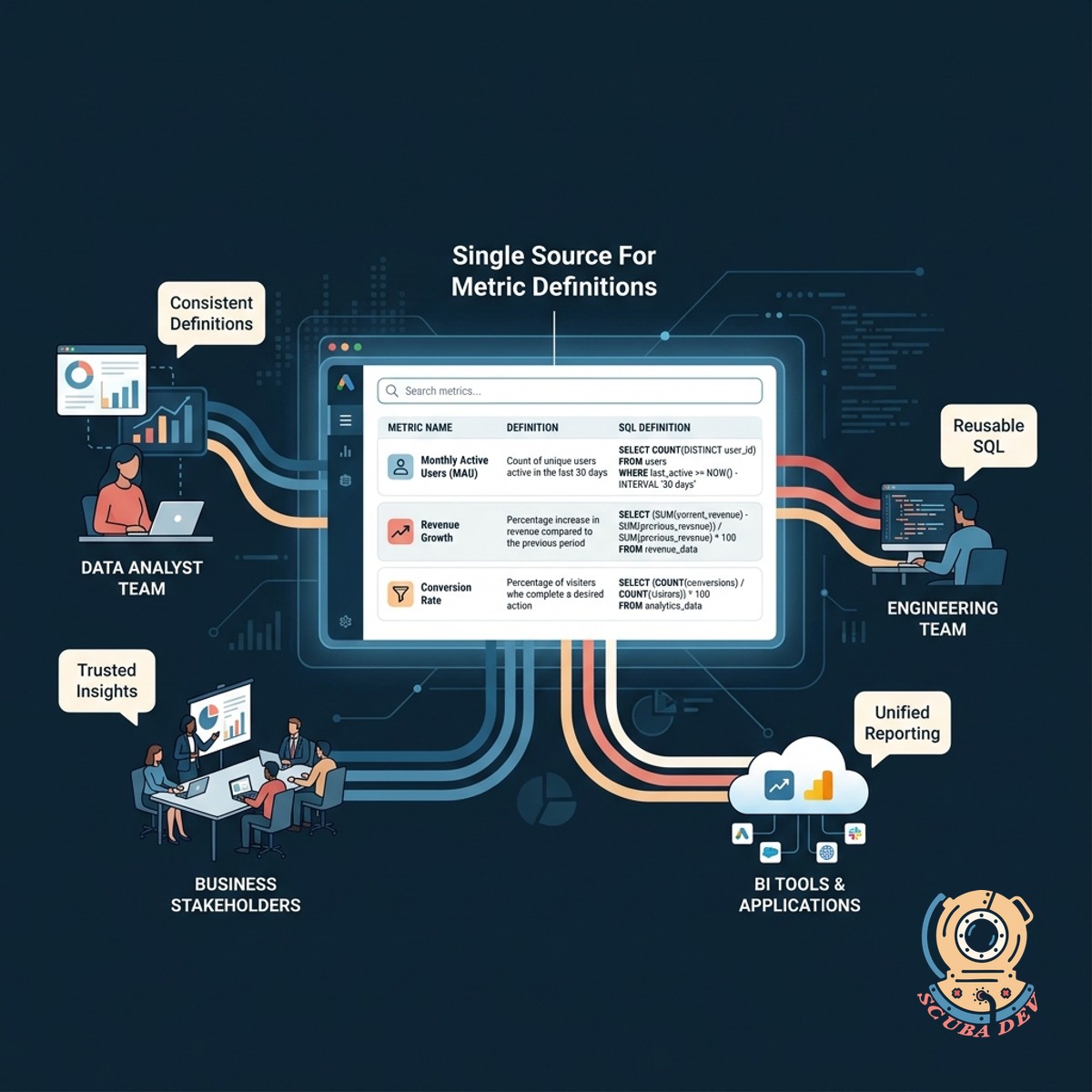
Single Source For Metric Definitions
Store every metric definition and its underlying SQL in one searchable location so your team stops duplicating work.
- Searchable metric catalog
- Version controlled SQL logic
- Clear ownership tags
- Integration with dbt and Looker
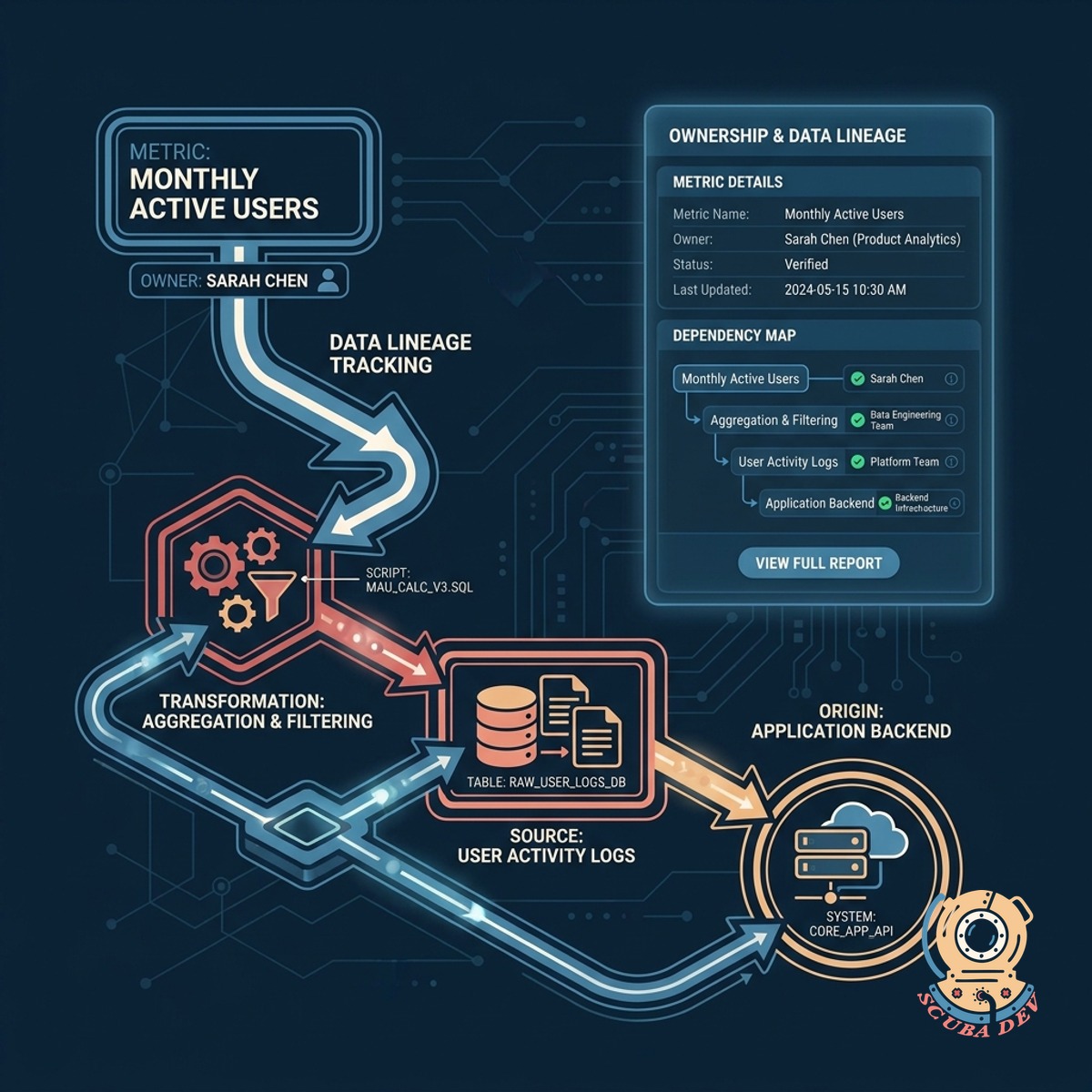
Clear Ownership And Data Lineage
Assign clear owners to every metric and track upstream dependencies to maintain trust in your reporting.
- Designated metric owners
- Upstream table lineage
- Automated stale metric alerts
- Verification badges for approved logic
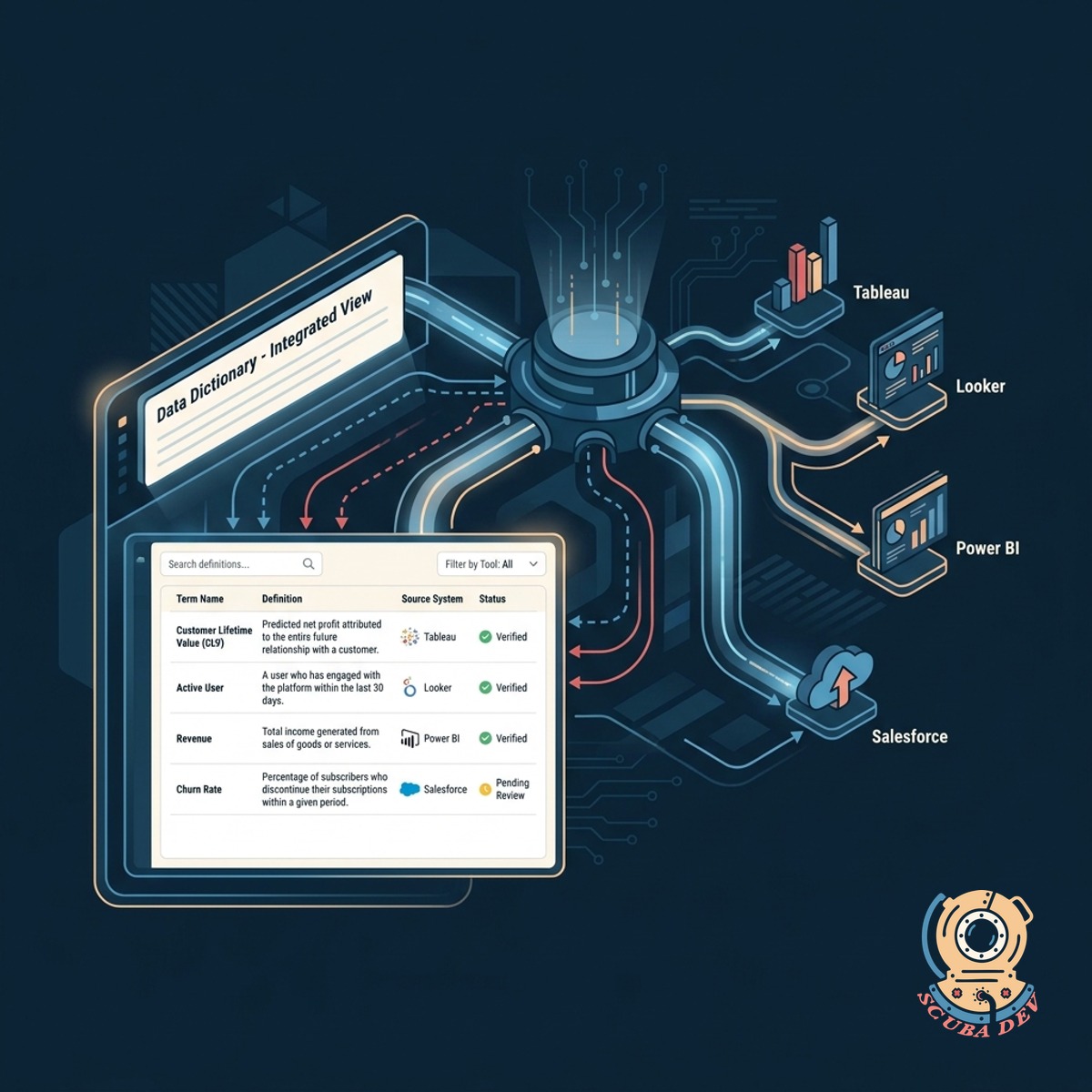
Built Into Your Existing Workflow
Connect your registry to your existing business intelligence tools so teams can find definitions where they already work.
- Syncs with Metabase and Tableau
- Slack integration for quick searches
- API access for custom internal tools
- Automated documentation updates
Questions
Things people ask
How does a metric registry differ from a data dictionary?
A data dictionary documents raw tables and columns. A metric registry documents the specific business logic and SQL used to calculate key performance indicators like revenue or churn.
What happens when a metric definition changes?
We track version history for every metric in the registry. When you update the underlying SQL, the system logs the change and notifies the assigned owner. This helps your team understand exactly how calculations evolve over time.
How do we handle different definitions for the same metric?
The registry forces teams to align on a single verified definition for core metrics. If a specific department needs a variation, it must be saved under a distinct name with its own documented logic.
Who is responsible for keeping the definitions updated?
Every metric requires an assigned owner. The system can send automated alerts to these owners when underlying tables change or when a metric has not been reviewed recently.
Will non-technical users be able to understand the registry?
The registry displays plain English descriptions alongside the technical SQL code. Business users can search for a concept and read the summary without needing to understand the underlying query.
Which business intelligence tools do you support?
We build integrations for popular tools like Looker, Tableau, and Metabase. The exact integration approach depends on whether your tool supports an API for external data dictionary syncing.
What happens if someone queries the database directly instead of using the registry?
The registry serves as the agreed upon reference point for the company. If a discrepancy arises in a report, teams default to the logic documented in the registry to resolve the conflict.