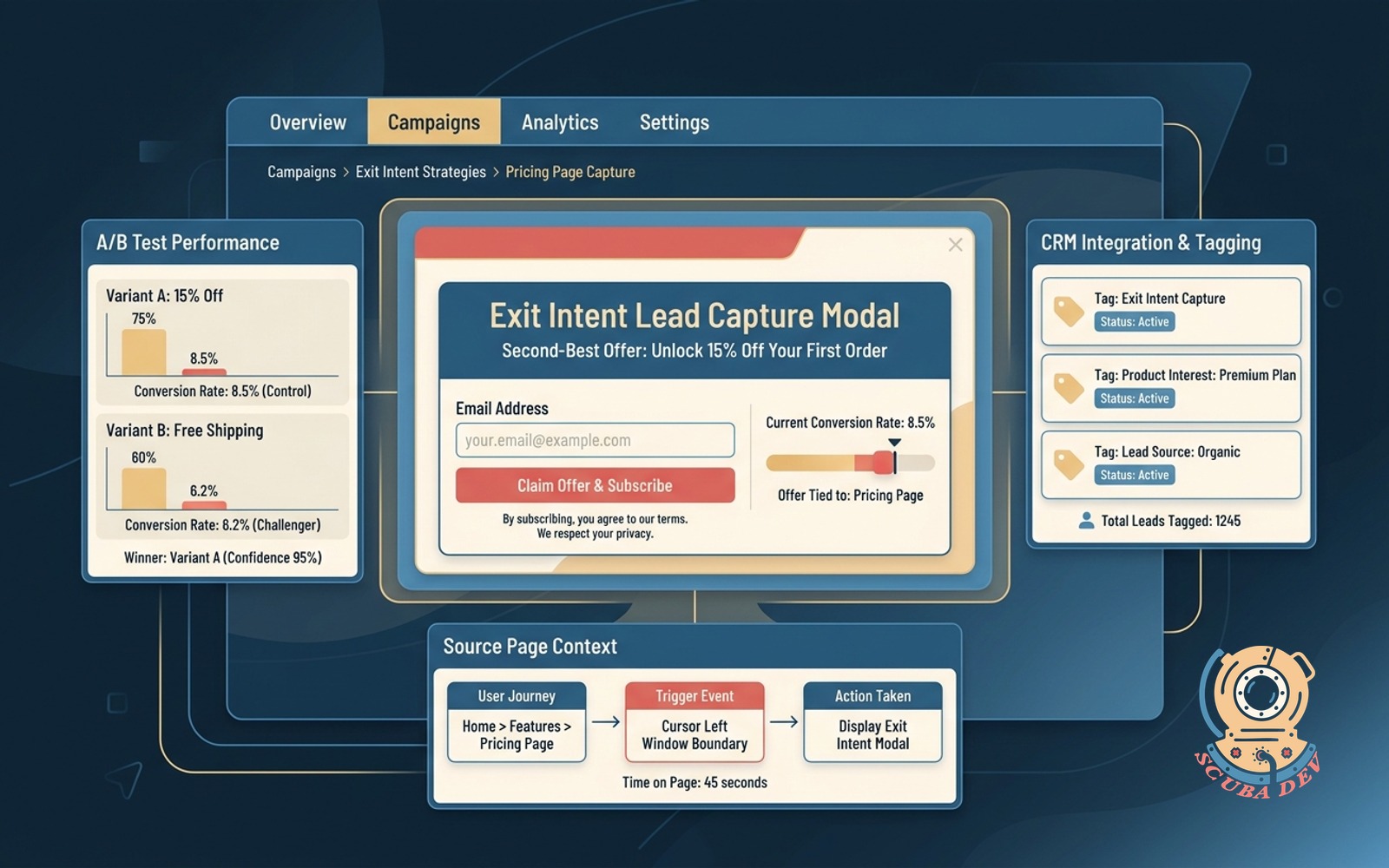
Exit Intent Lead Capture Modal
On-exit modal with a second-best offer tied to the page the user is leaving, with A/B tests and CRM tagging on capture.
Possibilities
Where this could go
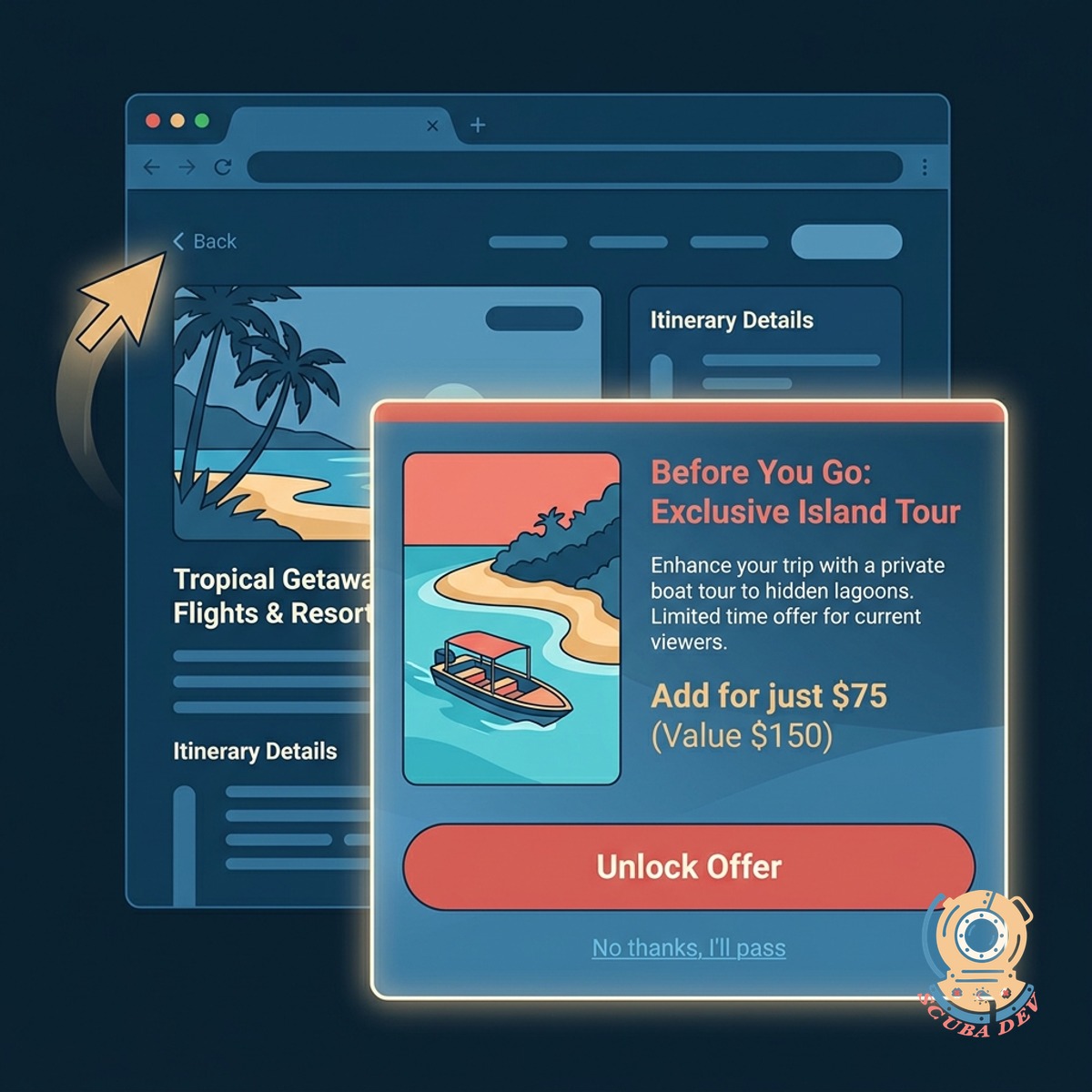
Contextual Page Specific Offers
Display a targeted secondary offer based on the exact page content the user is viewing before they navigate away.
- Match modal content to the current page
- Trigger on mouse movement outside the viewport
- Set custom delay rules for mobile browsers
- Prevent popup fatigue with session limits
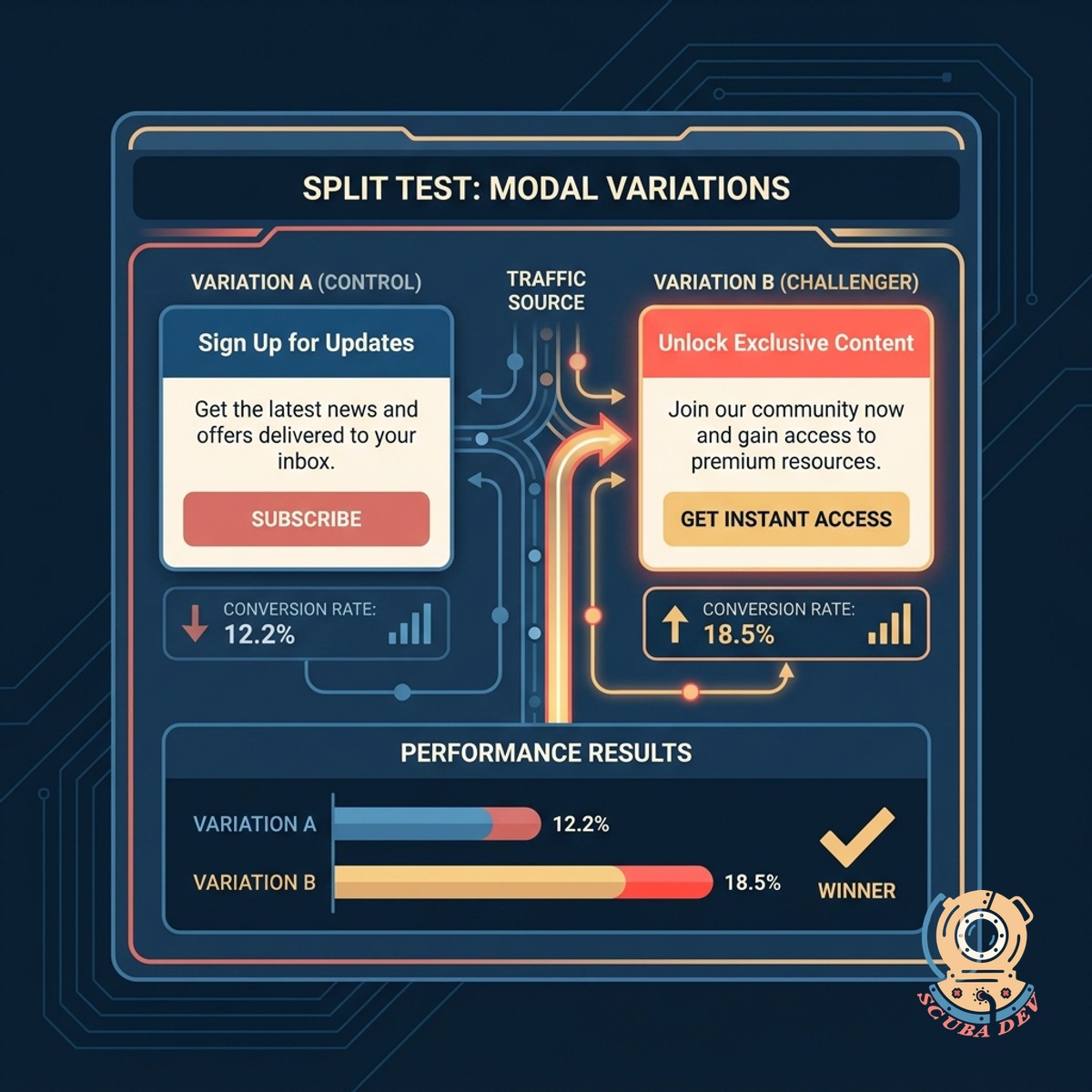
Built In Split Testing
Run multiple variations of your modal copy and design to see which version captures more contact information.
- Test different headline variations
- Compare image versus text only layouts
- Route traffic evenly between variations
- Track conversion rates per variant

Automated CRM Tagging And Routing
Send captured lead data directly to your CRM with specific tags indicating the exact offer and page they converted on.
- Connect directly to HubSpot or Salesforce
- Apply custom tags based on the converted offer
- Pass the referring page URL to the contact record
- Trigger automated follow up sequences
Questions
Things people ask
How does the system know when a user is leaving?
On desktop devices the script tracks mouse movement and triggers the modal when the cursor crosses the top edge of the browser viewport. On mobile devices it triggers when the user scrolls up quickly or presses the back button.
Can I show different offers on different pages?
Yes. You can configure specific modals to load based on the URL path or page category. This allows you to show a technical whitepaper on a product page and a newsletter signup on your blog.
Which CRM platforms do you integrate with?
We build direct integrations via API for major platforms like HubSpot, Salesforce, and ActiveCampaign. If you use a different system we can connect it using standard webhooks.
Will this annoy my website visitors?
We implement session cookies and local storage to control how often the modal appears. You can set rules to ensure a user only sees the modal once per day or once per week regardless of how many pages they visit.
How do I know which version of the modal works best?
The built in A/B testing tool splits your traffic between multiple modal designs. It tracks impressions and form submissions for each variant so you can identify the highest performing option.
Does this slow down the website load time?
The modal script is lightweight and loads asynchronously after the main page content has finished rendering. This ensures your core website performance metrics remain unaffected.
What data is passed to the CRM when someone submits the form?
The form captures standard fields like name and email address. In the background it also passes the page URL, the specific modal variant they saw, and custom tags related to the offer.