

Employee NPS pulse dashboard
Short monthly pulse with trend by team. Owner sees scores and the open-text themes that move them.
Possibilities
Where this could go
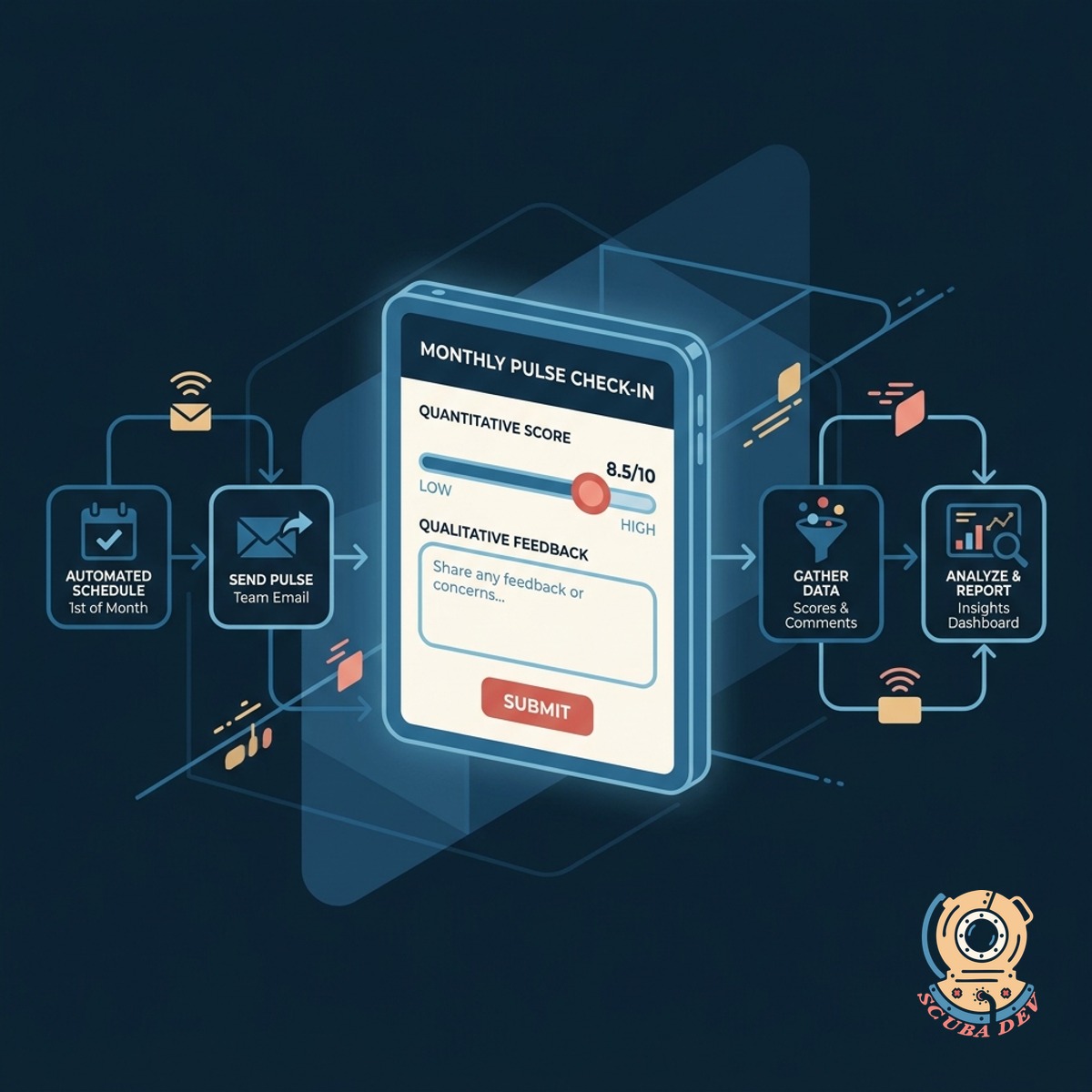
Automated Monthly Pulse Surveys
Set up recurring surveys that send automatically so you never miss a check-in with your team.
- Schedule recurring email or Slack notifications for survey delivery
- Customize the standard eNPS question and add up to three follow-up prompts
- Set delivery windows based on employee time zones
- Send automatic reminders to employees who have not yet responded
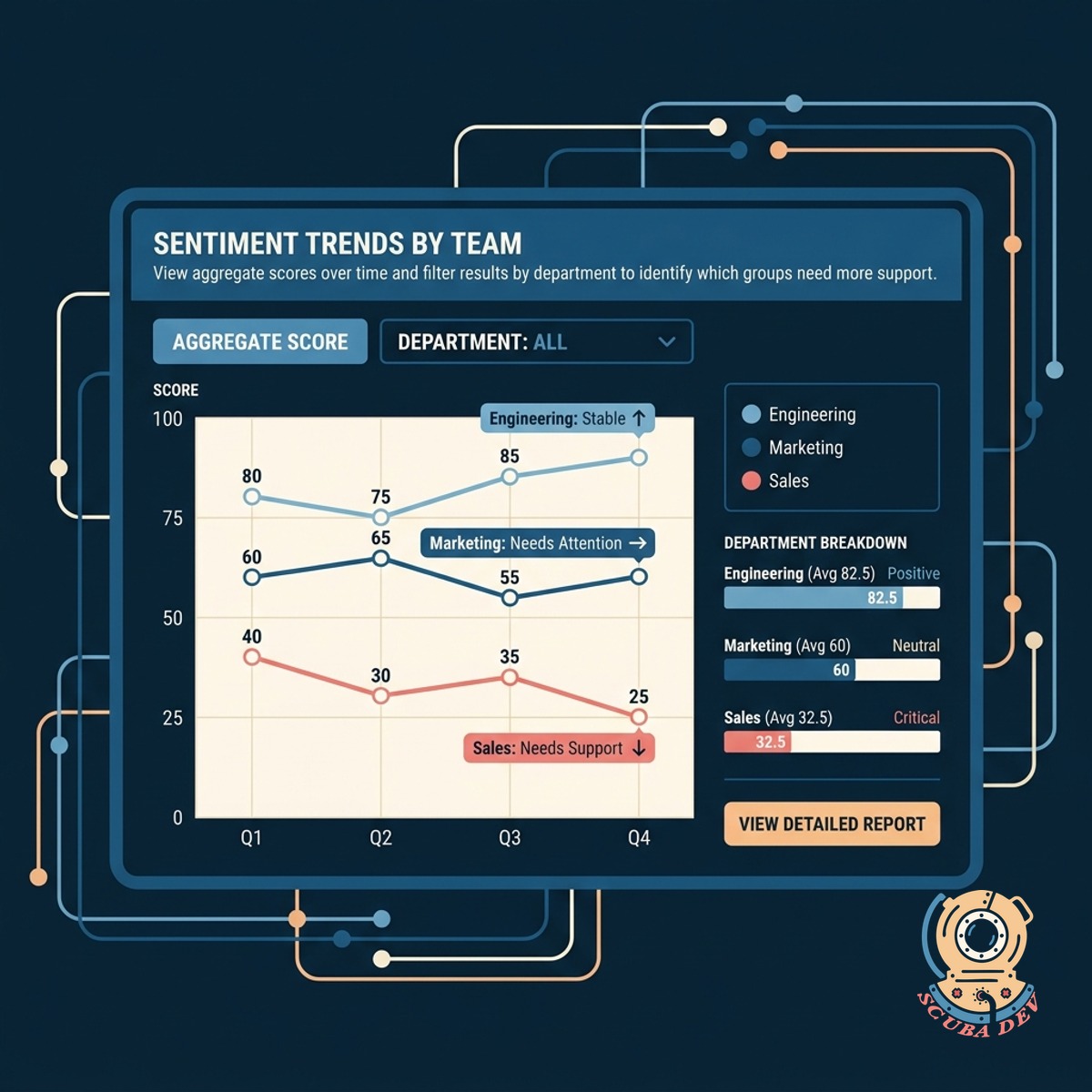
Track Sentiment Trends By Team
View aggregate scores over time and filter results by department to identify which groups need more support.
- Department level filtering
- Historical trend graphs
- Participation rate tracking
- Leadership summary views
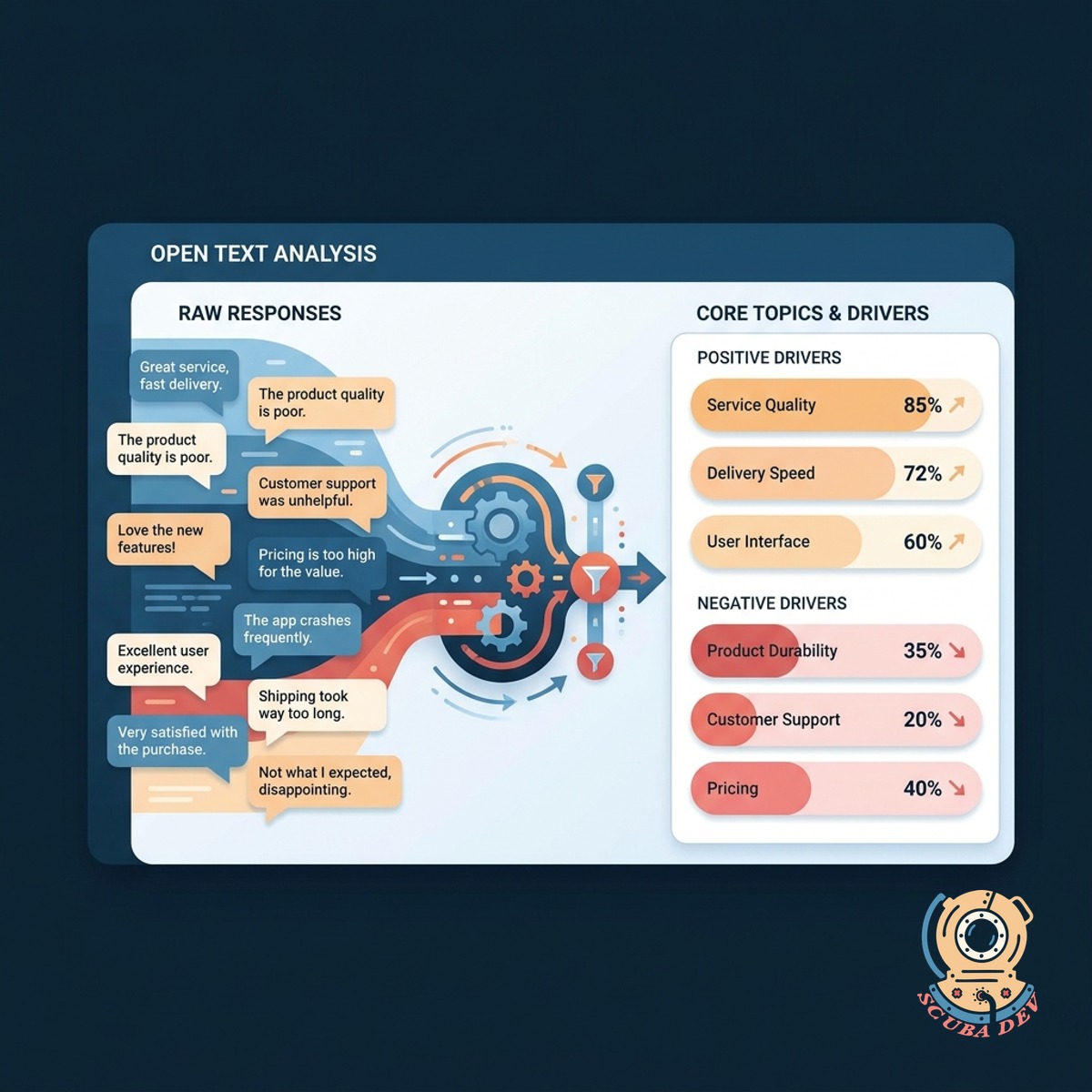
Extract Themes From Open Text
Group open ended responses into core topics automatically so you understand exactly what drives your scores.
- Automated theme grouping
- Sentiment analysis
- Keyword highlighting
- Direct quote extraction
Questions
Things people ask
How do employees receive the pulse survey?
We integrate the survey delivery with the tools your team already uses. Employees receive a direct link via Slack, Microsoft Teams, or standard email. The survey opens in a browser and takes less than a minute to complete.
Can we keep the survey responses anonymous?
Yes. The system can anonymize responses before they reach the dashboard. You see the team and the sentiment without tying specific comments to individual email addresses.
What questions are included in the monthly pulse?
The standard setup uses the classic Employee Net Promoter Score question alongside one open text field asking for the primary reason behind their score. You can customize the prompt to fit your company culture.
How does the system identify themes in the text?
We use natural language processing tools like OpenAI or Google Cloud Natural Language to read the open text responses. The system groups similar phrases into broad categories like workload, communication, or benefits.
Who has access to this dashboard?
You control the permissions. Typically, founders and HR leaders have full access to all company data. Department heads can be restricted to view only the aggregated scores and themes for their specific teams.
Can we change the frequency from monthly to quarterly?
The scheduling is entirely up to you. While monthly provides a tight feedback loop, you can adjust the automation to send surveys quarterly, biweekly, or on a custom schedule that fits your operational rhythm.
Where does the dashboard live?
We build the dashboard using tools like Retool, Metabase, or Looker Studio depending on your existing data stack. The survey responses are stored securely in your own database, such as PostgreSQL or BigQuery.