Document classifier with privilege flagging
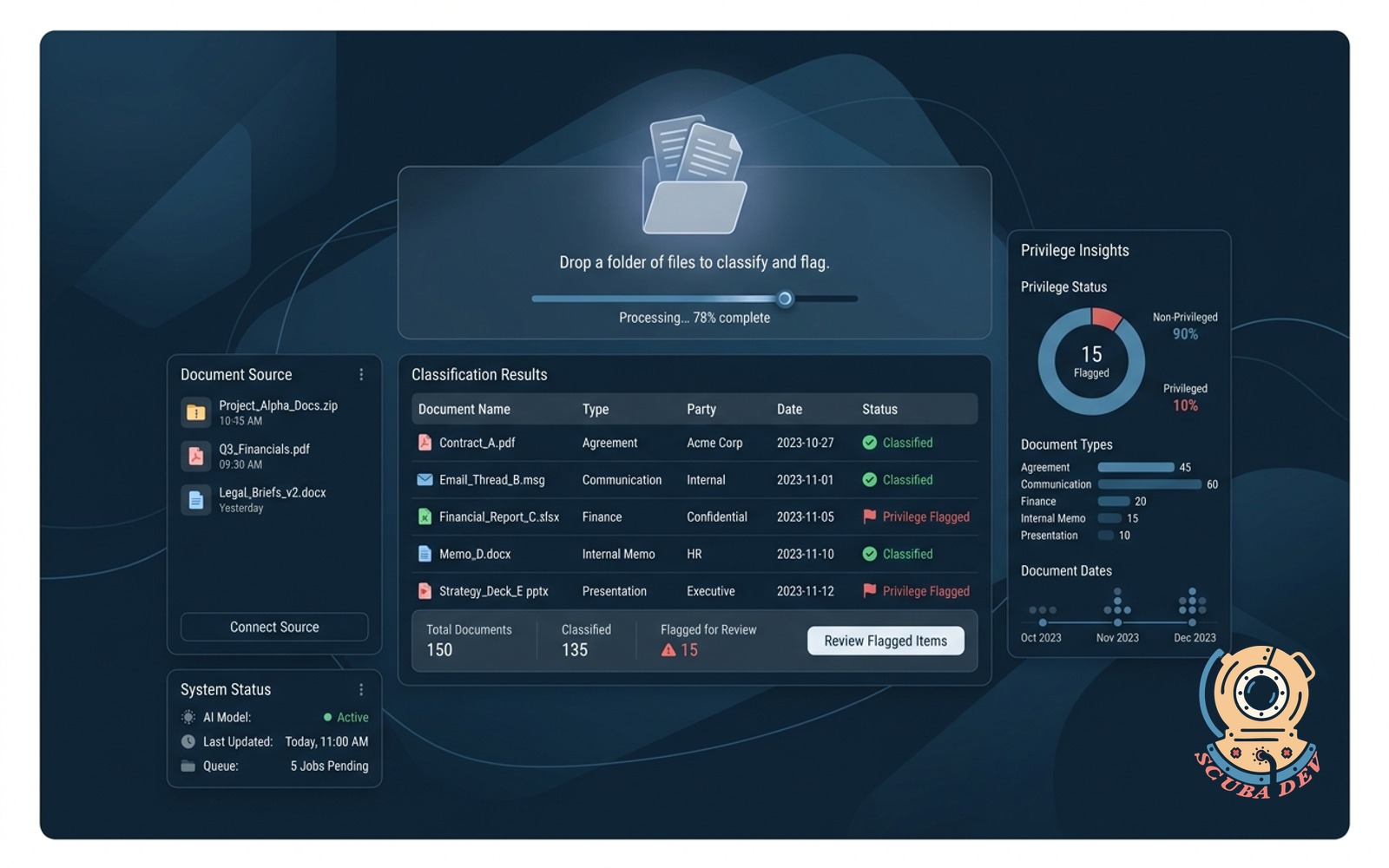
Drop a folder of files. The AI tags each by type, party, and date, and flags sensitive content for review before it moves.
Possibilities
Where this could go
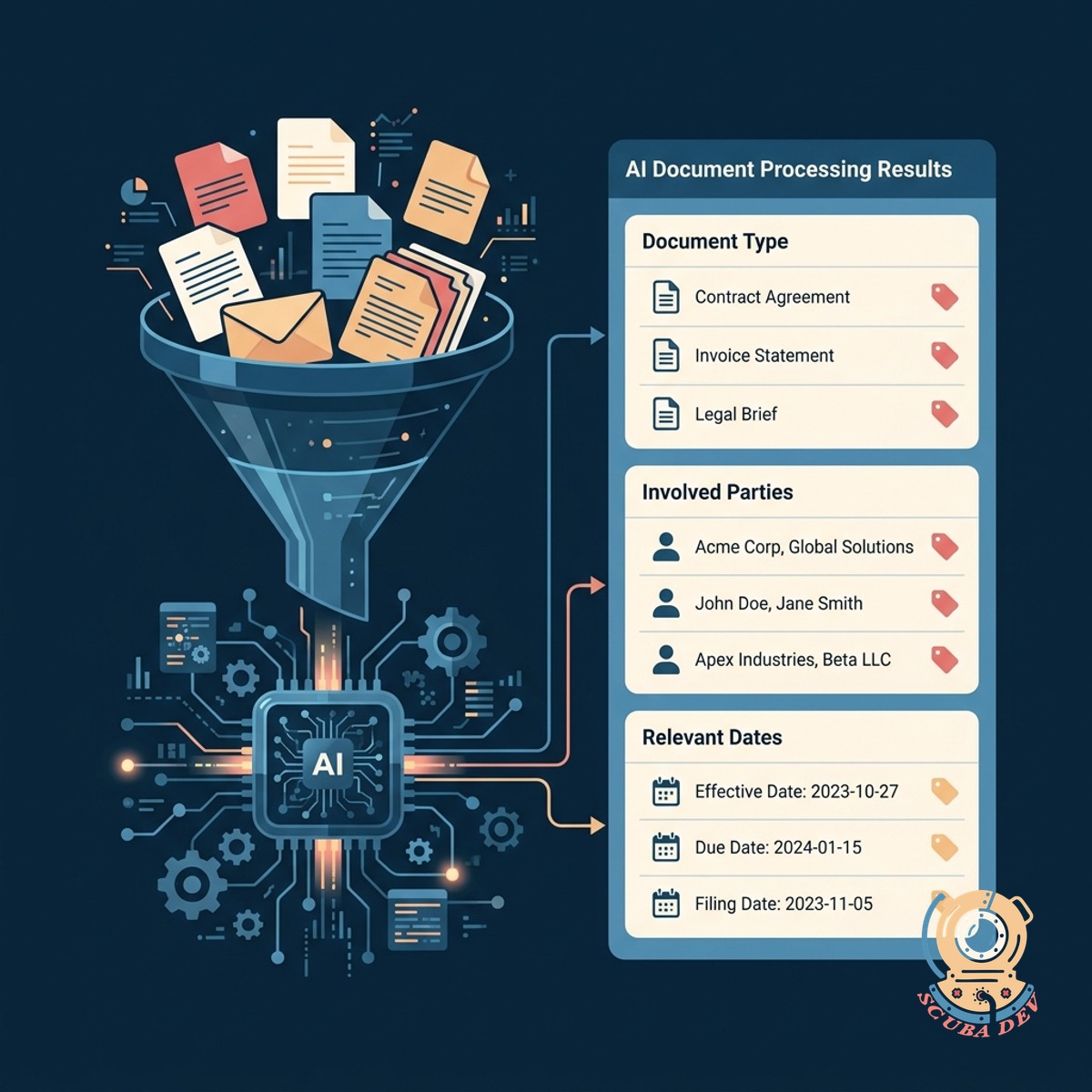
Automatic Document Sorting And Tagging
Drop a batch of files into the system and the AI instantly assigns metadata like document type, involved parties, and relevant dates.
- Extracts document types
- Identifies key parties
- Pulls relevant dates
- Attaches standard metadata
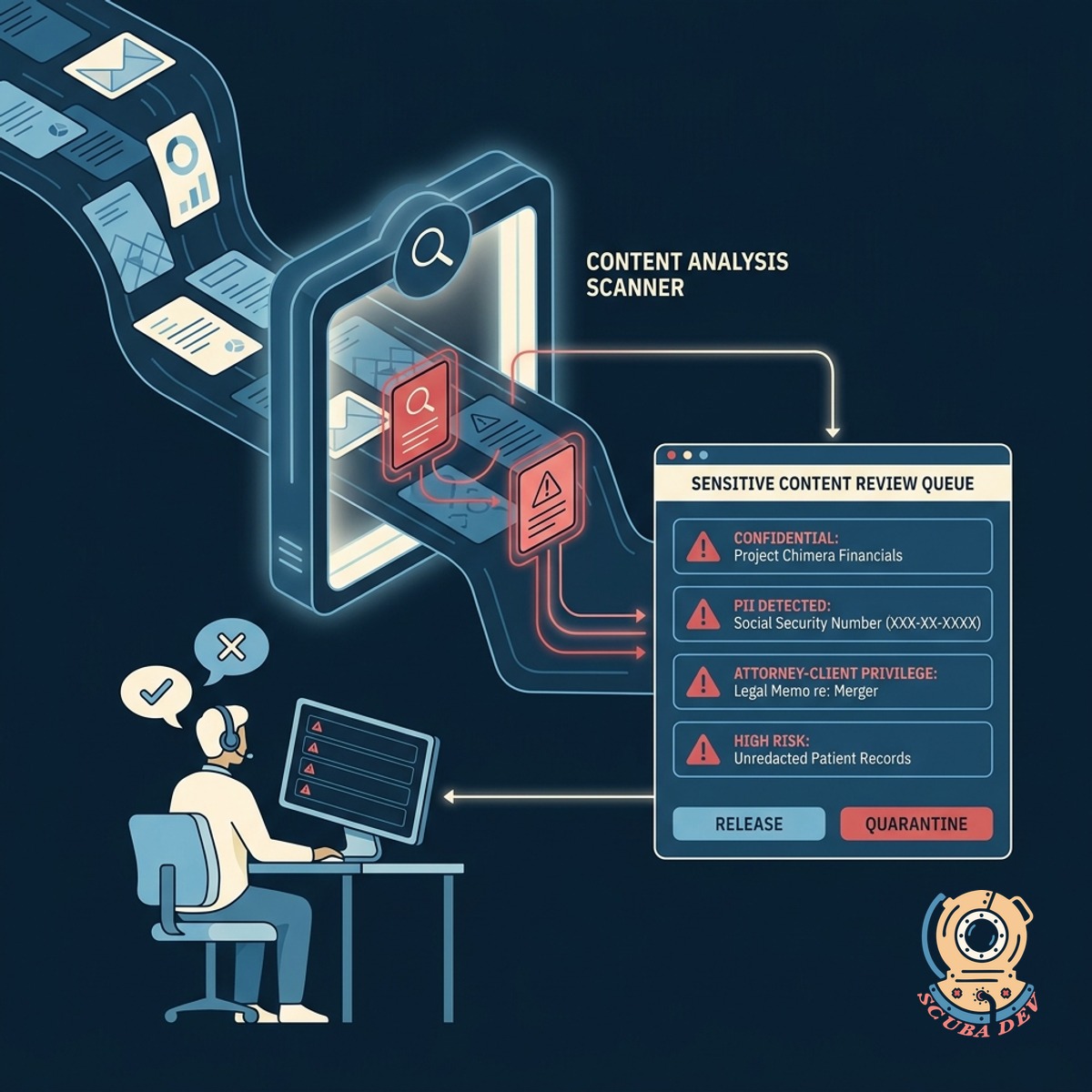
Privilege And Sensitive Content Flagging
The system scans text for confidential terms, personally identifiable information, or attorney-client markers and holds them for human review.
- Scans for sensitive data
- Flags potential privilege
- Isolates files for review
- Prevents accidental sharing
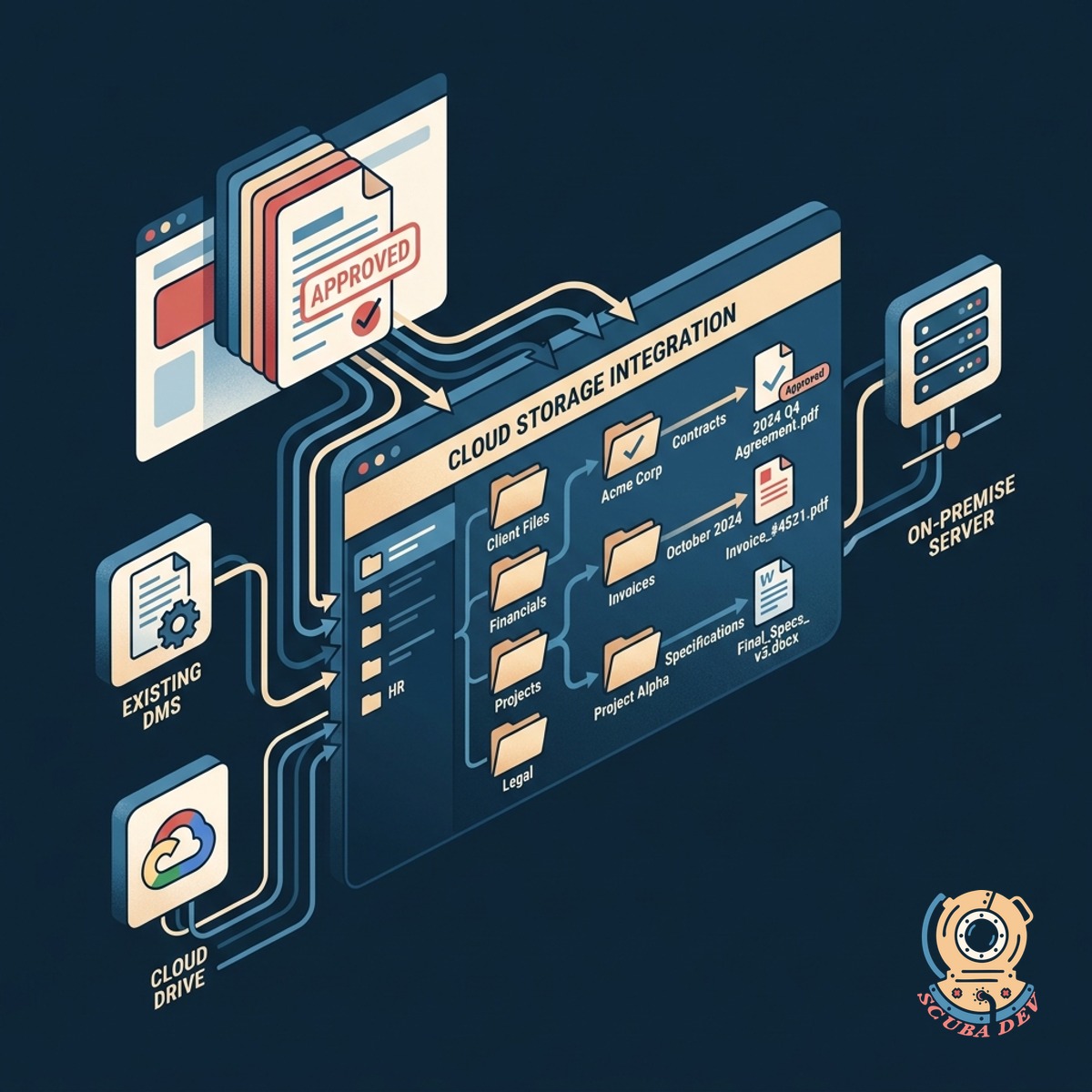
Integration With Existing Storage Platforms
Approved documents move automatically to their correct destination folders in your existing cloud storage or document management system.
- Connects to SharePoint
- Integrates with Google Drive
- Routes approved files
- Syncs with case management
Questions
Things people ask
What types of files can this system process?
The tool handles standard business and legal formats including PDFs, Word documents, text files, and scanned images using optical character recognition.
How does the system know what is privileged?
We configure the AI using large language models like GPT-4 or Claude to recognize specific legal language, confidential markers, and context that indicates attorney-client privilege.
Are the documents safe during the scanning process?
Yes. We build the system using secure cloud environments like AWS or Microsoft Azure, ensuring your files remain encrypted and are never used to train public AI models.
What happens to a file after it is flagged?
Flagged files are placed in a secure quarantine queue where an authorized user can review the content, confirm or remove the flag, and decide where the document should go next.
Can the tool extract specific names and dates?
The system uses named entity recognition to pull exact dates, company names, and individual people mentioned in the text to populate your metadata tags.
Does this replace our current document management system?
No. This tool acts as a secure gateway that sits in front of your existing systems like SharePoint, NetDocuments, or Google Workspace to organize files before they enter your main storage.
How accurate is the categorization process?
The AI provides highly accurate baseline sorting based on your custom rules, but the built-in human review step ensures you maintain complete control over sensitive materials.