
Conditional onboarding form
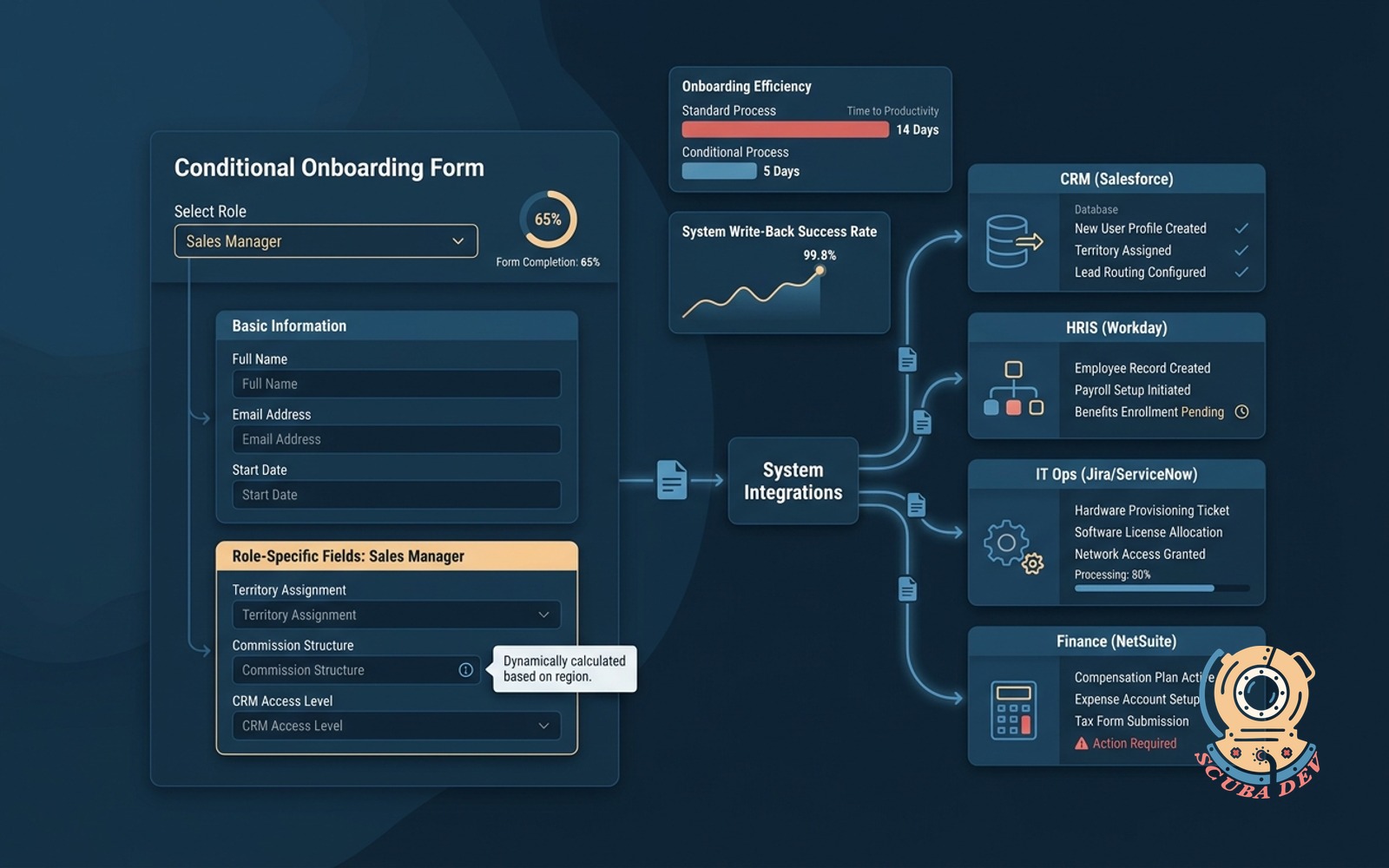
New hire or new client form that shows only the fields their role needs, writes to every downstream system.
Possibilities
Where this could go

Role Based Form Logic
The form adapts in real time to show only the specific fields required for the selected role or client type.
- Hide irrelevant questions
- Trigger custom field validation
- Support multiple client types
- Keep the interface clean

Direct Downstream System Routing
Submitted data maps automatically to your existing databases and communication tools to provision accounts.
- Create Salesforce contacts
- Provision Google Workspace accounts
- Add users to Slack channels
- Update HubSpot records

Centralized Submission Audit Log
Administrators can view exactly what data was submitted and track the status of downstream account creation.
- Track form completion timestamps
- Monitor API success rates
- Review submitted user data
- Resend failed webhook payloads
Questions
Things people ask
Can this form replace our current PDF onboarding packets?
Yes. We digitize your existing PDF fields into a web form. The logic ensures users only see the questions relevant to their specific department or service tier.
Which downstream systems can receive the form data?
The form connects to any platform with an open API. Common integrations include Salesforce, HubSpot, Slack, Google Workspace, and Active Directory.
What happens if an API connection fails during submission?
The system logs the form submission locally so no data is lost. Administrators can review the error in the dashboard and manually trigger the data transfer again.
Can clients upload documents like tax forms or contracts?
The form supports secure file uploads. These files can be routed to specific Google Drive folders, Dropbox, or attached directly to a Salesforce record.
How do we update the form fields if our requirements change?
We build the form using a headless CMS or a configurable database. Your team can add new fields or update dropdown options without needing a developer.
Is the form secure enough for sensitive employee data?
We use encrypted connections for all data transfers. The form itself does not store sensitive information permanently once it successfully writes to your secure downstream systems.
Can the form trigger different approval workflows?
Yes. You can configure the form to send a Slack message or an email to a manager for review. The downstream account creation pauses until the manager approves the request.