Collaborative Content Review Editor
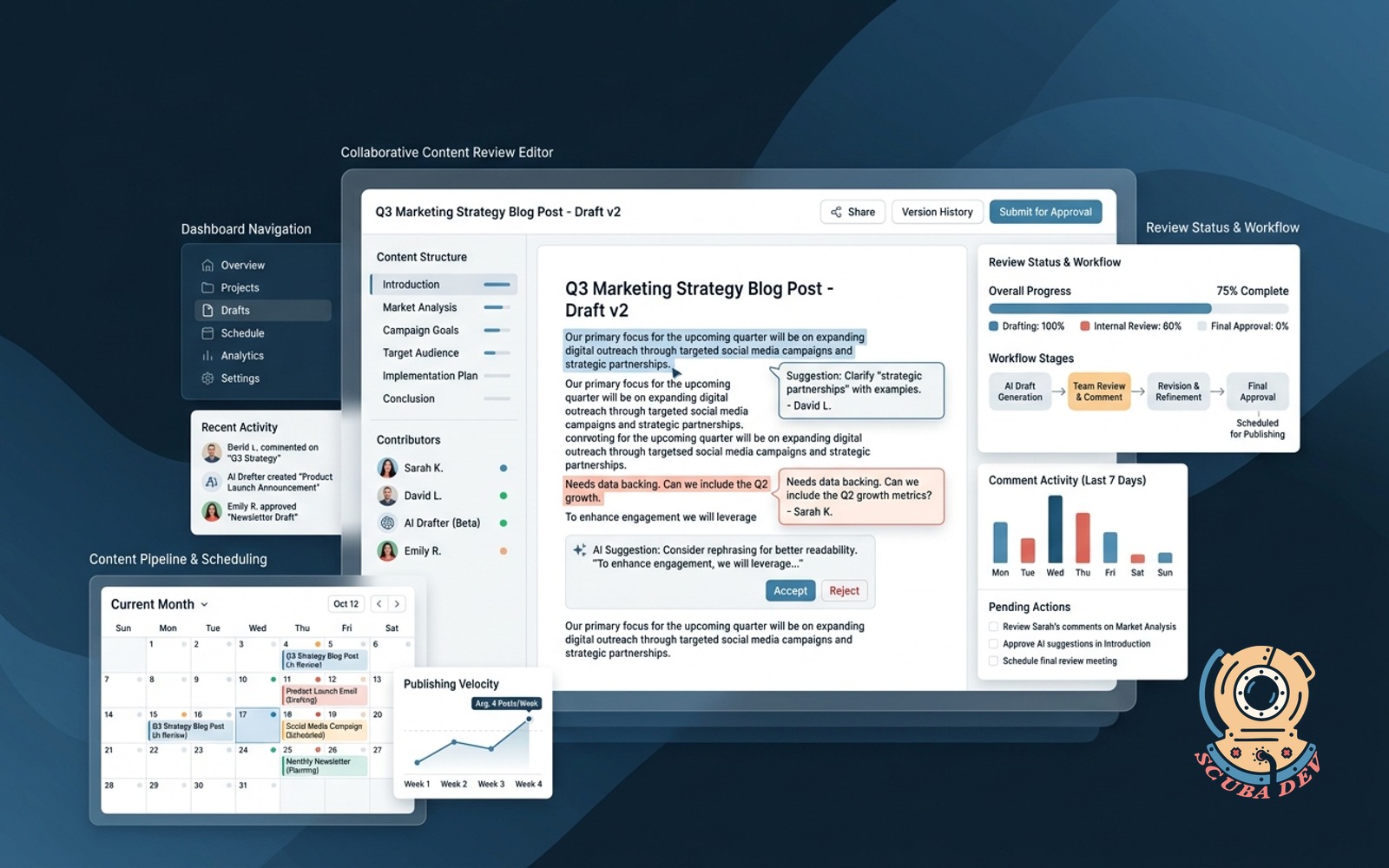
Custom editor where AI drafts land for comment, approval, and scheduling so the Google Doc dance stops breaking the pipeline.
Possibilities
Where this could go
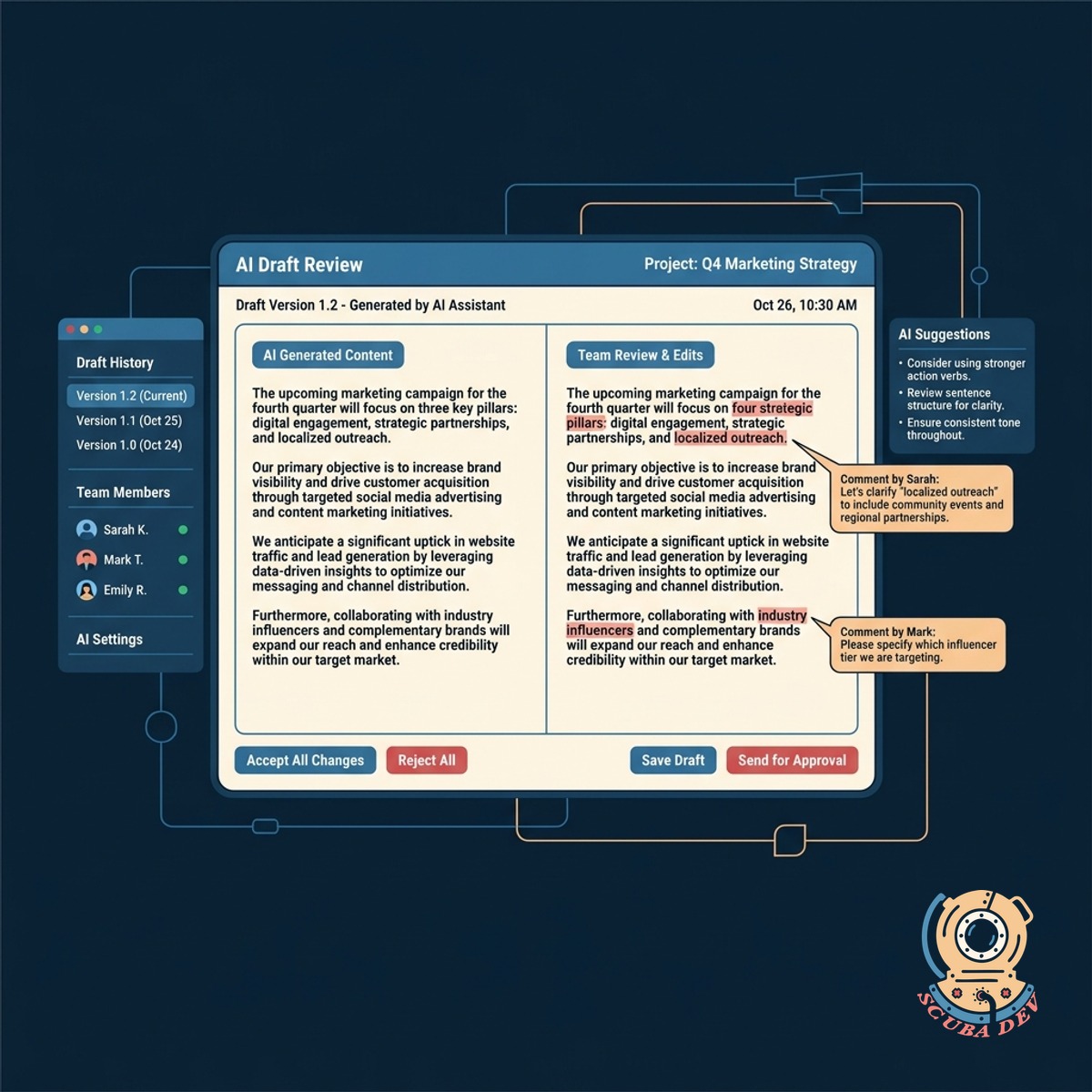
Centralized AI Draft Review Interface
AI generated drafts automatically populate a clean editor where your team can review and edit text without copying and pasting.
- Auto-syncs with AI generators
- Clean rich text editing
- Inline commenting system
- Version history tracking
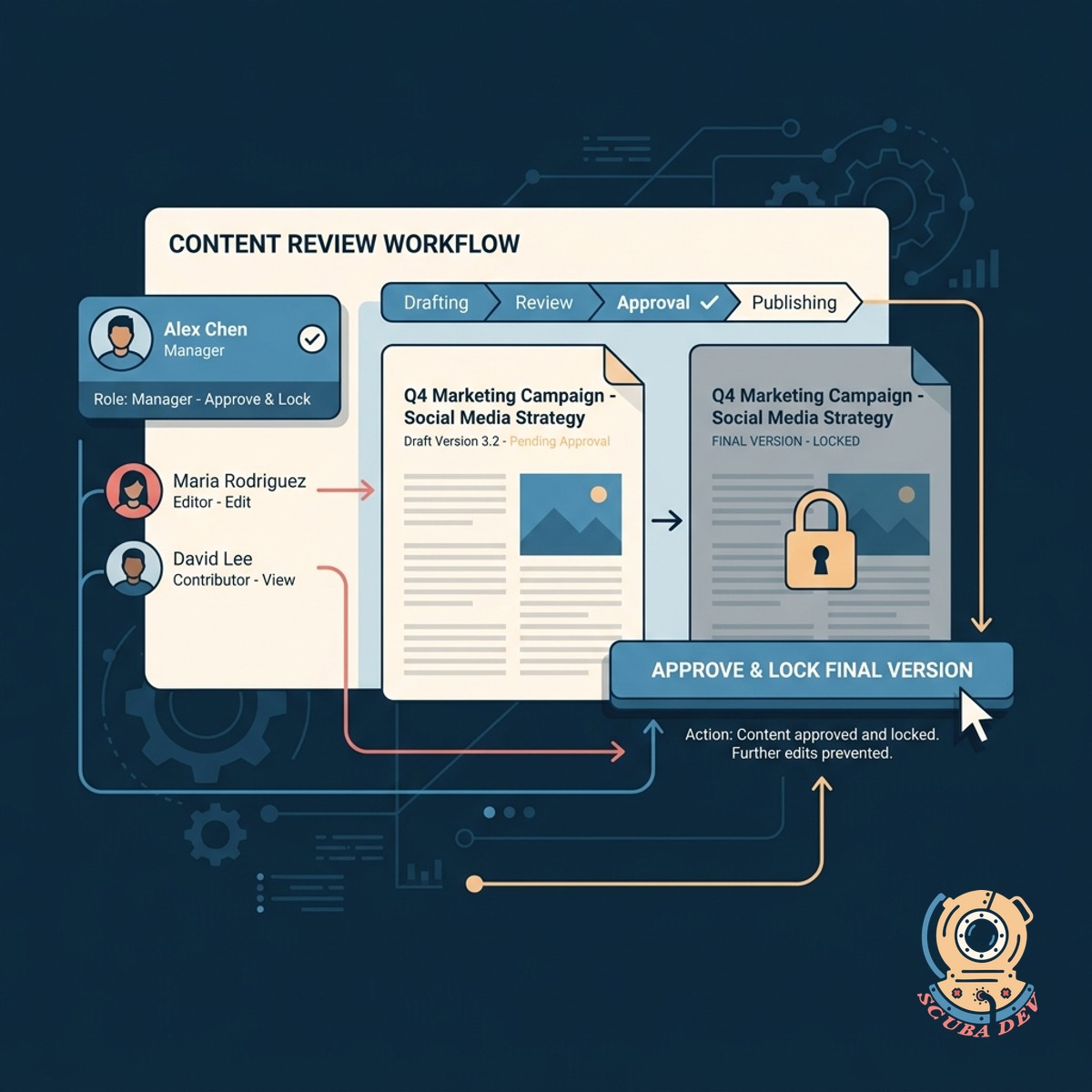
Streamlined Content Approval Workflows
Custom permission levels allow managers to approve content and lock final versions to prevent accidental changes before publishing.
- Custom user roles
- One-click approval buttons
- Locked final drafts
- Audit logs for changes
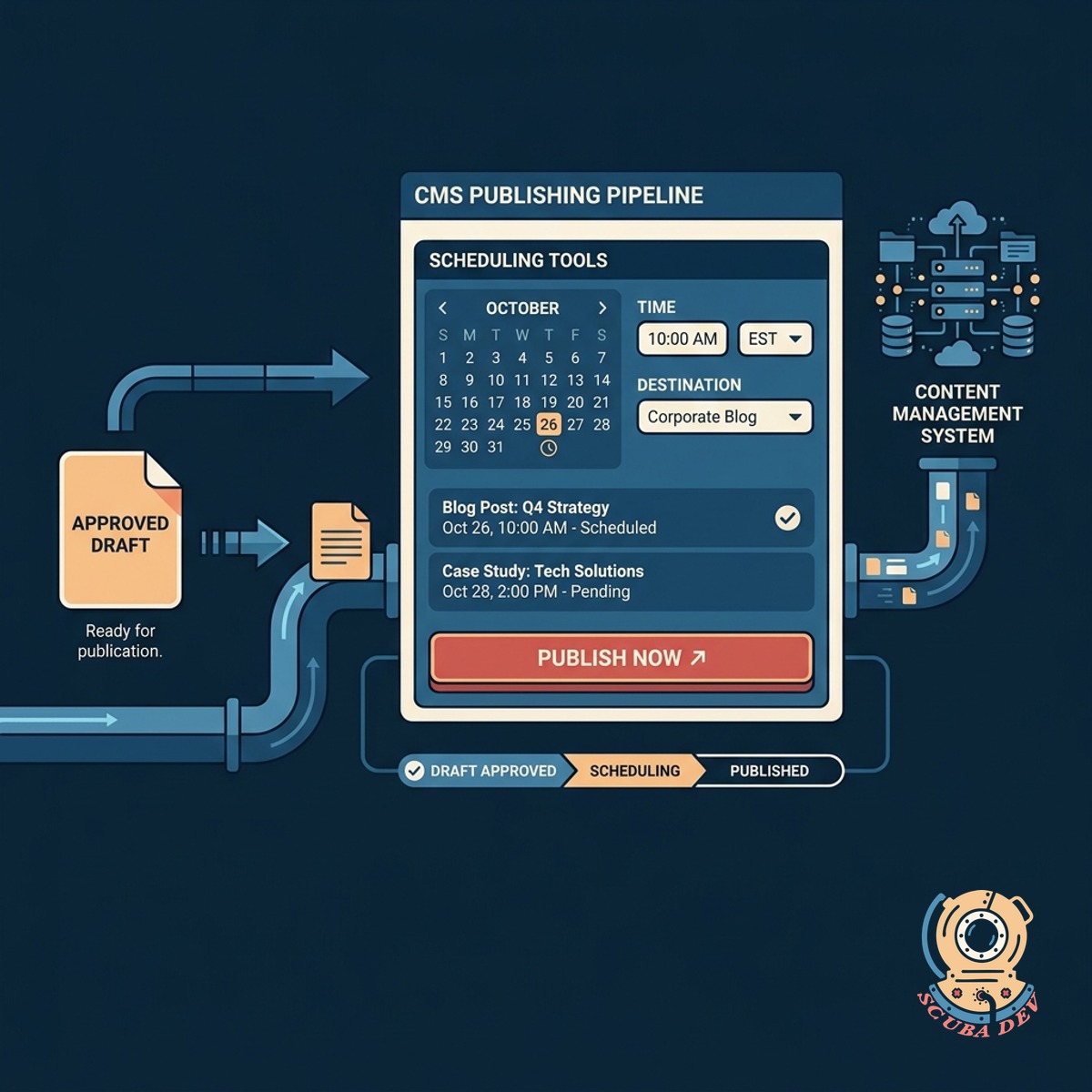
Direct CMS Publishing And Scheduling
Approved drafts move directly into your publishing pipeline with built in scheduling tools that connect to your content management system.
- Connects to WordPress and Webflow
- Built in content calendar
- Automated publishing triggers
- Metadata management
Questions
Things people ask
How does the AI draft get into the editor?
We connect your AI generation tools directly to the editor via API. When a draft is ready, it automatically creates a new document in the review queue.
Can multiple team members edit at the same time?
Yes. The editor supports real time collaboration similar to Google Docs. Team members can leave comments, suggest edits, and resolve feedback in one place.
Does this integrate with our existing CMS?
We build custom integrations for your specific platform. Approved content can be pushed directly to WordPress, Webflow, Contentful, or other headless CMS platforms.
How do we handle different approval stages?
The system uses custom statuses like Draft, In Review, and Approved. You can assign specific permission levels so only authorized users can move content to the final stage.
Can we schedule posts directly from this tool?
Absolutely. The editor includes a scheduling feature that lets you set publication dates and times. Once approved, the system holds the content and pushes it live at the scheduled moment.
What happens if someone makes a mistake during review?
The editor maintains a complete version history. You can view previous iterations of the draft and restore older versions if a mistake occurs.
Can we manage SEO metadata in this editor?
Yes. We include dedicated fields for meta titles, descriptions, and tags alongside the main content body. This ensures all necessary data is approved before the piece goes live.