Branching feedback form
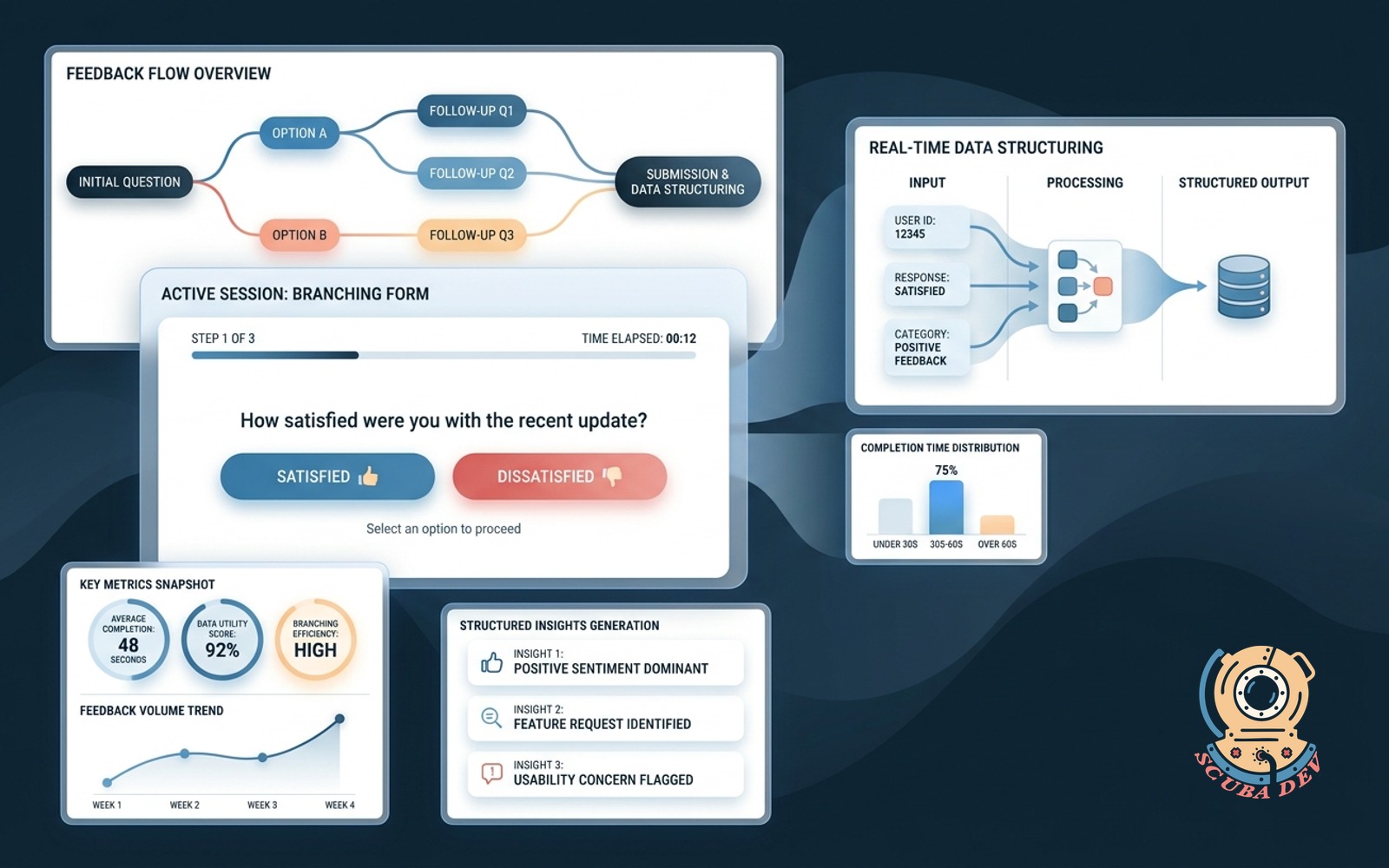
Asks one question, branches based on the answer, finishes in under sixty seconds with useful structured data.
Possibilities
Where this could go
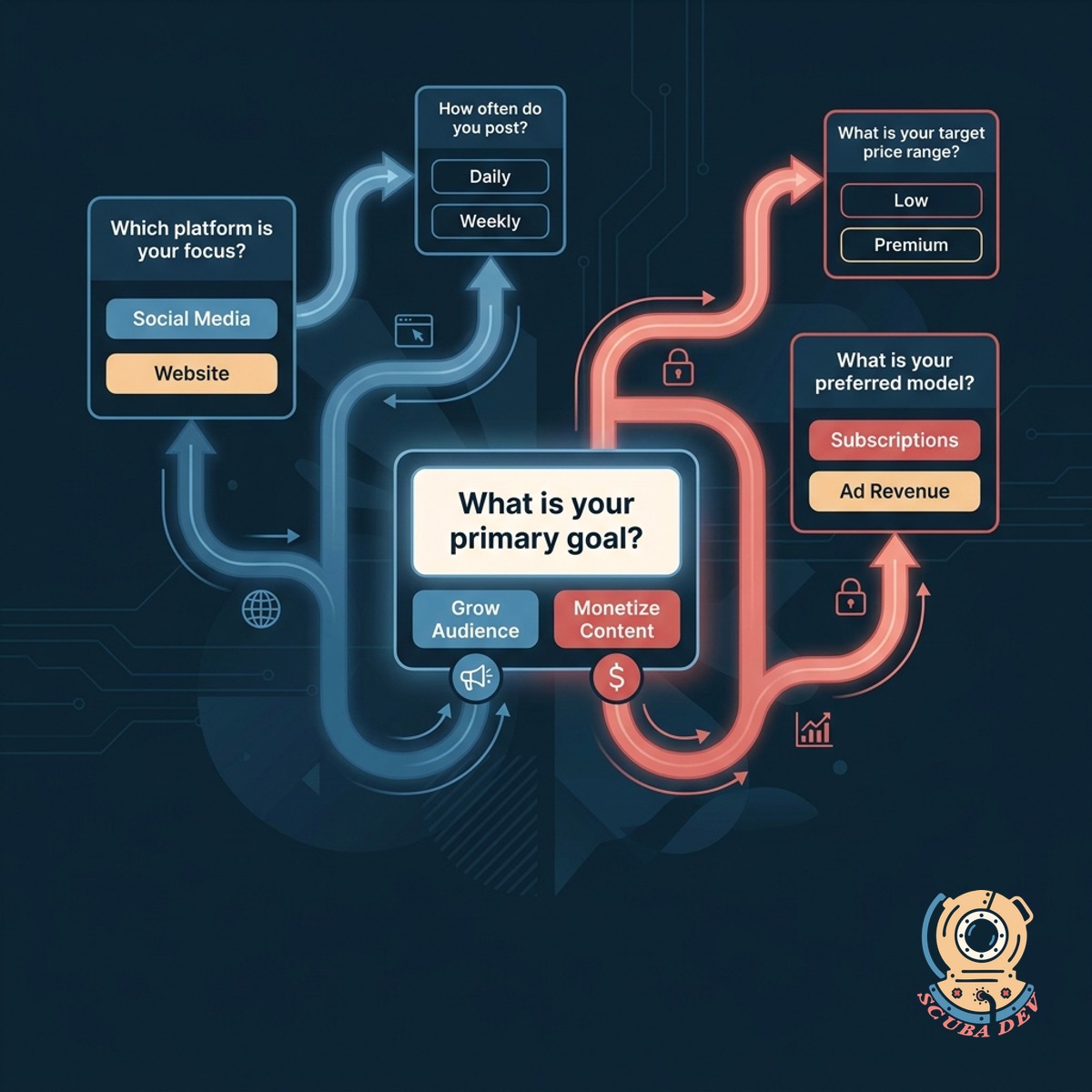
Dynamic Logic For Custom Paths
The form displays follow up questions based on the previous answer to keep the experience highly relevant.
- Shows one question at a time
- Hides irrelevant fields automatically
- Maps responses to specific user profiles
- Reduces form abandonment rates
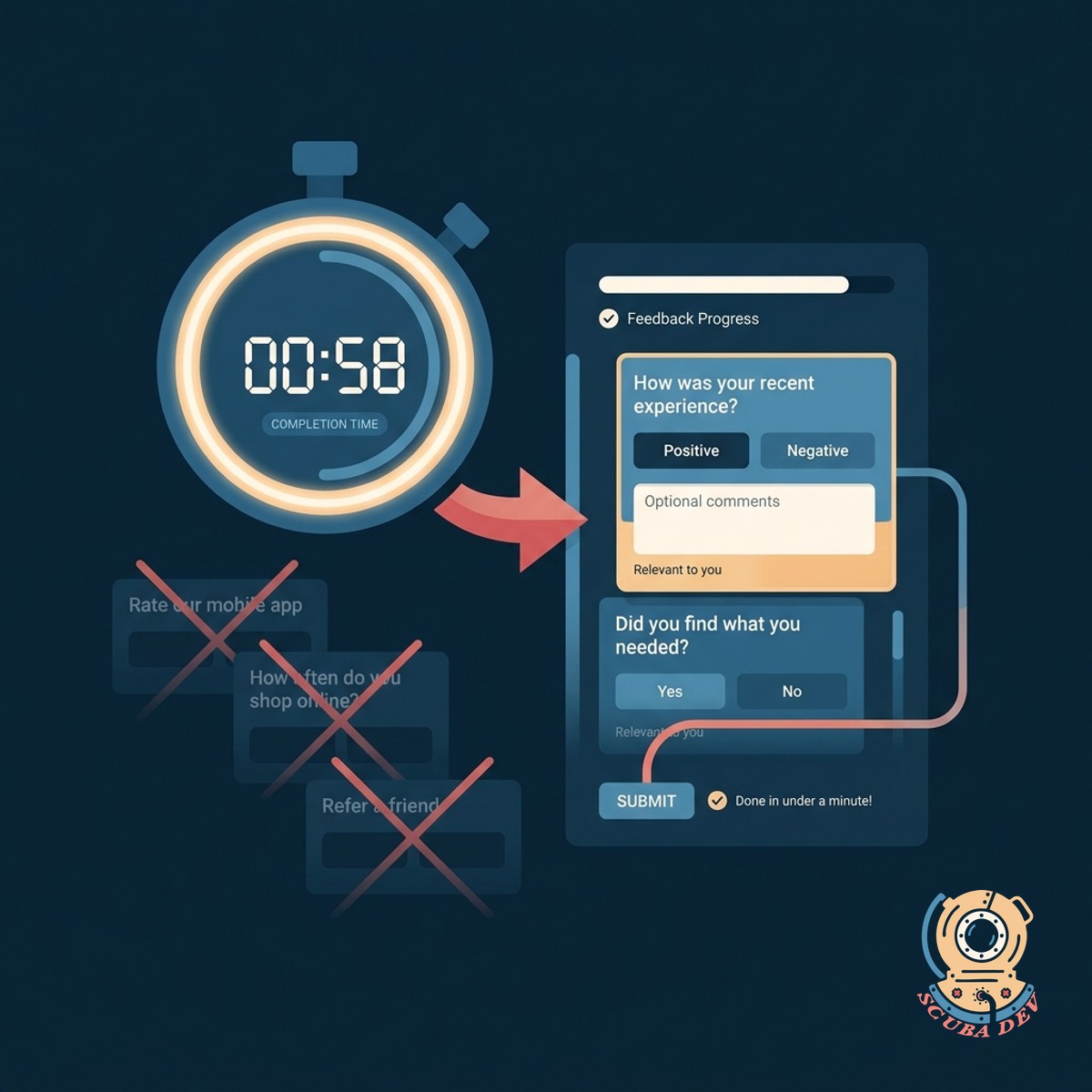
Sixty Second Completion Time Target
Users complete the entire feedback process in under a minute because they only see questions that apply to them.
- Progress indicators show remaining steps
- Optimized for mobile touch screens
- Supports keyboard shortcuts for desktop
- Auto advances on selection
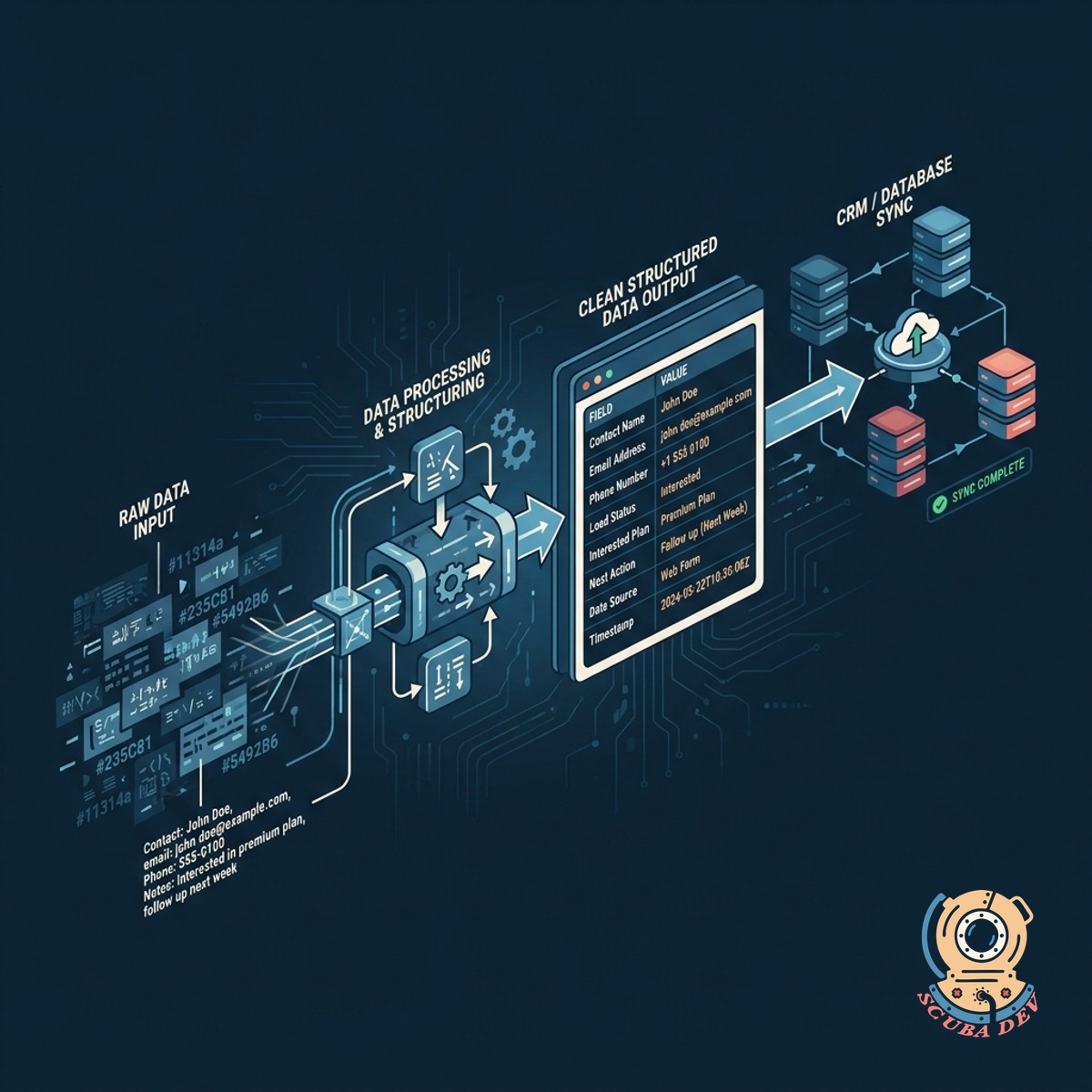
Clean Structured Data Output Formats
The system formats responses into clean data payloads and syncs them directly into your CRM or database.
- Syncs directly to HubSpot or Salesforce
- Triggers Slack alerts for specific answers
- Standardizes text input for reporting
- Attaches metadata to user profiles
Questions
Things people ask
How do we decide which questions to ask?
We start by identifying the core data you need from each user segment. From there, we build a logic tree that guides users to those specific data points using the fewest steps possible.
Can this integrate with our existing CRM?
Yes. We configure the form to map responses directly to custom properties in HubSpot, Salesforce, or your preferred CRM. This ensures your sales and support teams have immediate access to the structured data.
What happens if a user abandons the form halfway through?
The system can capture partial submissions if you choose to enable that feature. This allows you to retain the initial data points even if the user does not reach the final confirmation screen.
Does the form support different question types?
The form supports multiple choice, dropdowns, short text, and rating scales. We recommend relying heavily on multiple choice to keep the completion time under sixty seconds.
Can we trigger notifications based on specific answers?
Yes. We can set up webhooks to send alerts to specific Slack channels or email addresses when a user selects a particular response. This is useful for routing negative feedback directly to customer support.
Is the form mobile friendly?
The interface is built specifically for mobile devices first. It uses large touch targets and single screen questions to prevent scrolling and zooming on smaller screens.
How do we update the questions later?
We build the form using a headless CMS or a standard form builder backend depending on your technology stack. Your team can log in and adjust the copy or branching logic without writing new code.