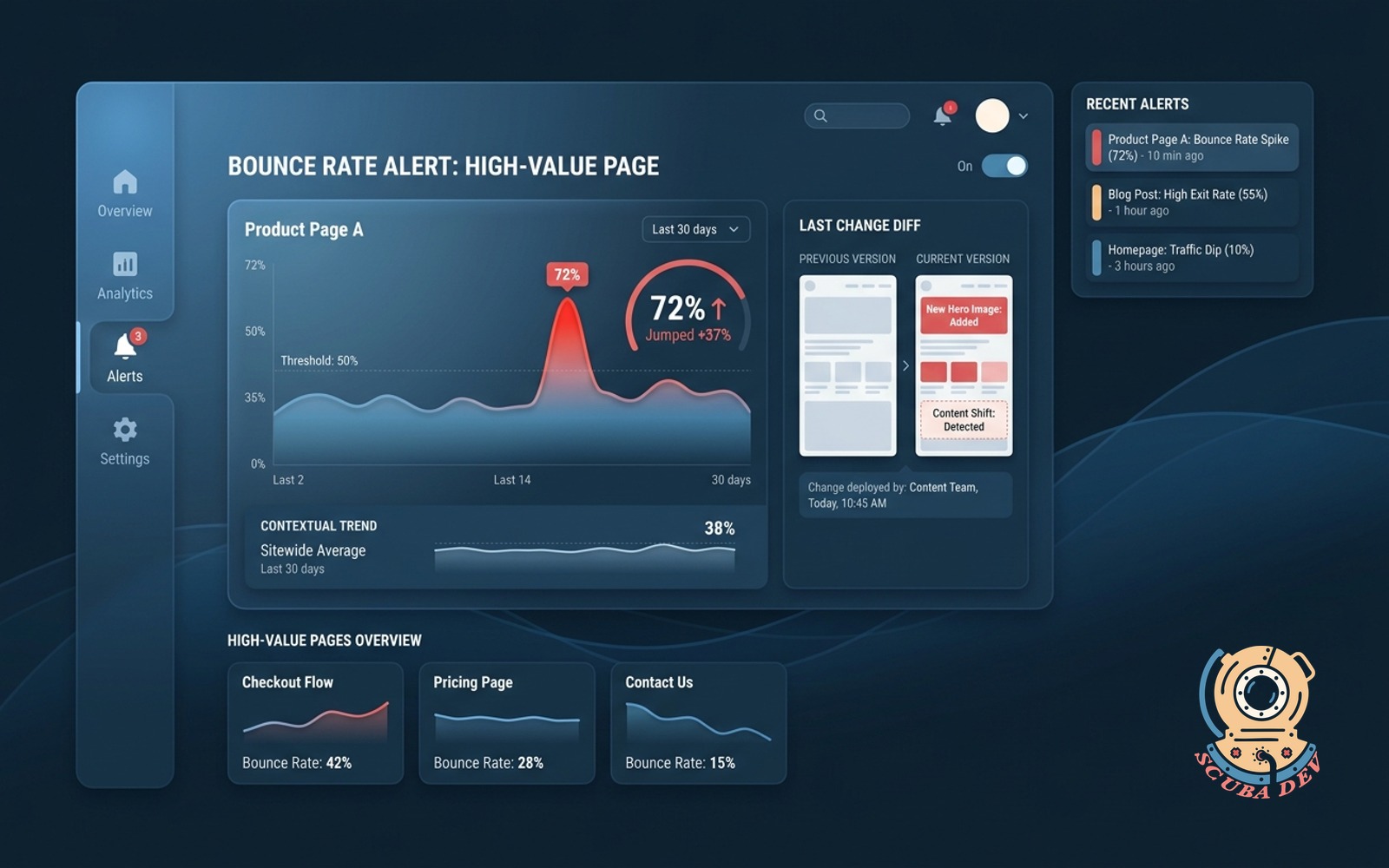
Bounce-rate alerting with trend context
Watches page-level bounce on high-value pages. Pings you when a page jumps, with a diff of what changed last.
Possibilities
Where this could go

Page Level Bounce Rate Alerts
The system tracks user behavior on your most important pages and sends an alert when bounce rates exceed normal thresholds.
- Set custom threshold limits
- Monitor high value landing pages
- Receive instant Slack notifications
- Avoid false positive alerts
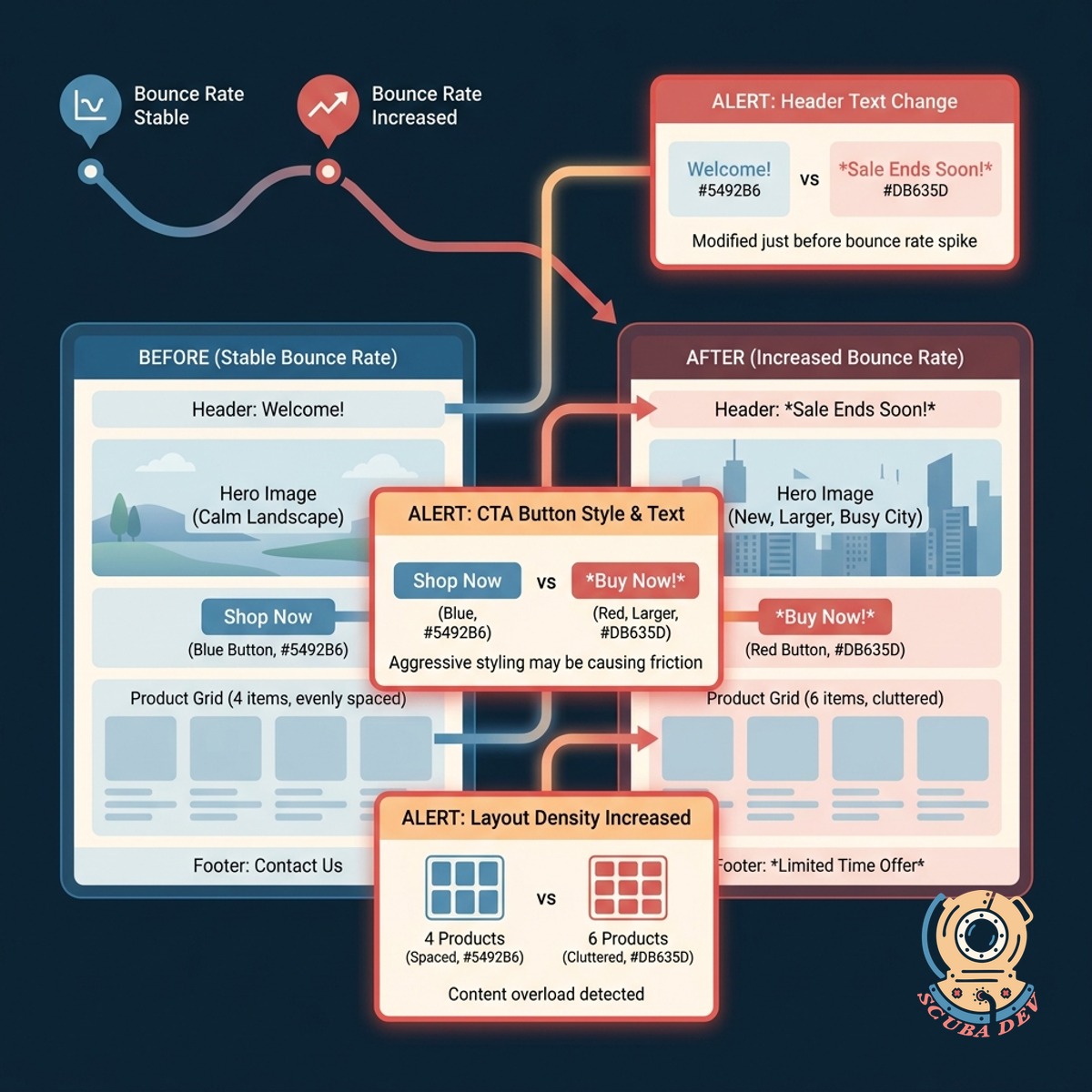
Visual Diff Of Recent Changes
Every alert includes a direct comparison of what was modified on the page just before the bounce rate increased.
- Track CMS content updates
- Highlight recent code deployments
- View side-by-side comparisons
- Pinpoint the exact breaking change
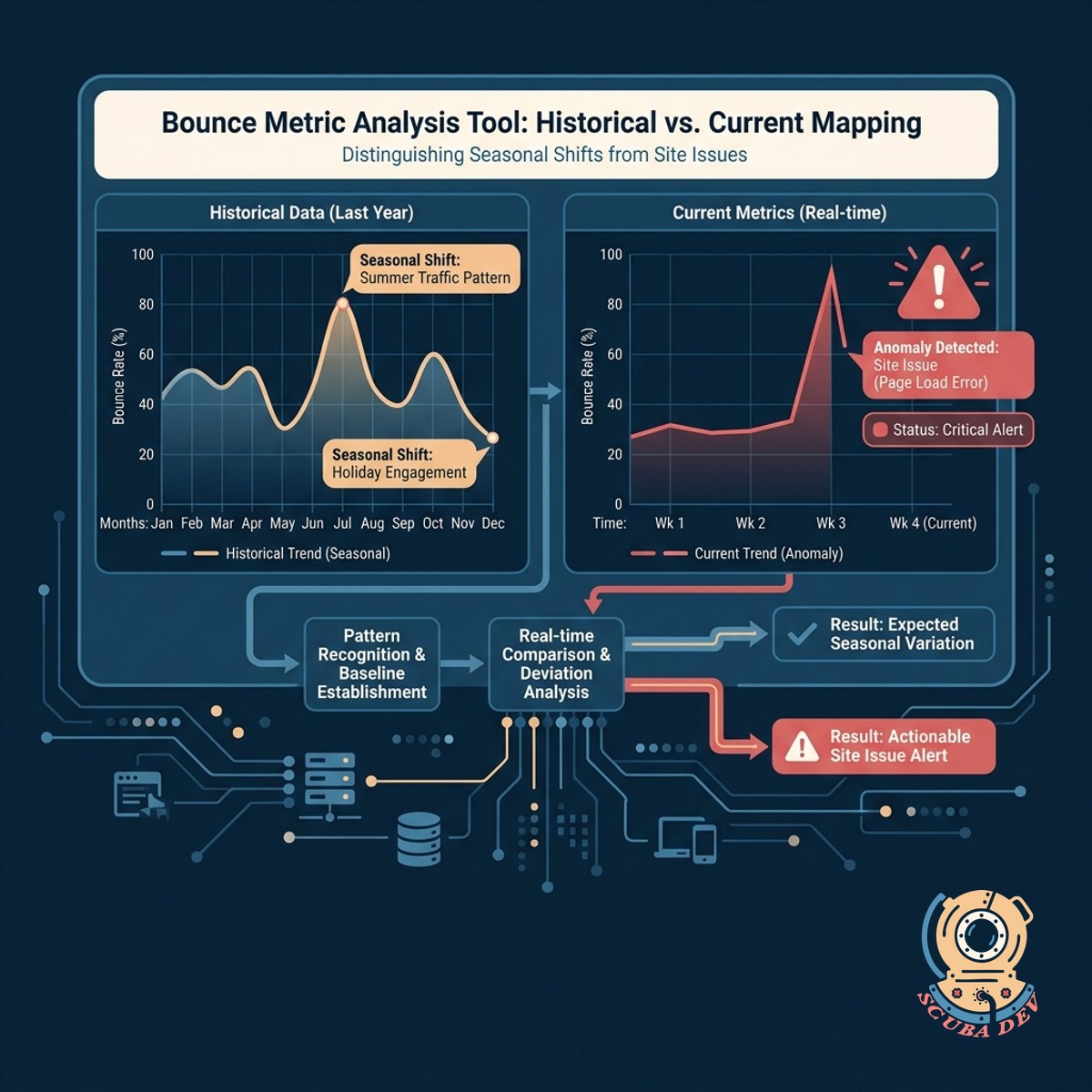
Historical Context And Trend Analysis
The tool maps current bounce metrics against historical data to distinguish between seasonal shifts and actual site issues.
- Review past performance charts
- Filter by traffic source
- Compare weekday versus weekend traffic
- Export data to Google Analytics
Questions
Things people ask
How does the tool know a page has changed?
We integrate with your version control system like GitHub and your CMS. When an alert triggers, the system pulls the most recent commits or publishes for that specific URL.
Can I choose which pages to monitor?
Yes. You can specify exact URLs or use wildcard rules to monitor specific sections of your site like your checkout flow or primary landing pages.
What analytics platforms does this work with?
The tool connects directly to Google Analytics 4, Plausible, or Mixpanel via API to read your real-time bounce and engagement rate data.
How do you prevent alerts for normal traffic fluctuations?
The system uses a rolling baseline of your historical traffic. It only triggers an alert when the bounce rate jumps outside of your standard deviation for that specific time of day.
Where do the alerts get sent?
You can route alerts to Slack channels, Microsoft Teams, or an email address. You can also send them to incident management tools like PagerDuty.
Does this track changes to third-party scripts?
The visual diff feature captures DOM changes, which means it will highlight if a third-party script altered the layout or caused a visible error on the page.
How quickly will I be notified of a bounce rate spike?
The polling frequency depends on your analytics provider. For most setups, the system evaluates traffic in fifteen minute intervals to balance speed with statistical significance.