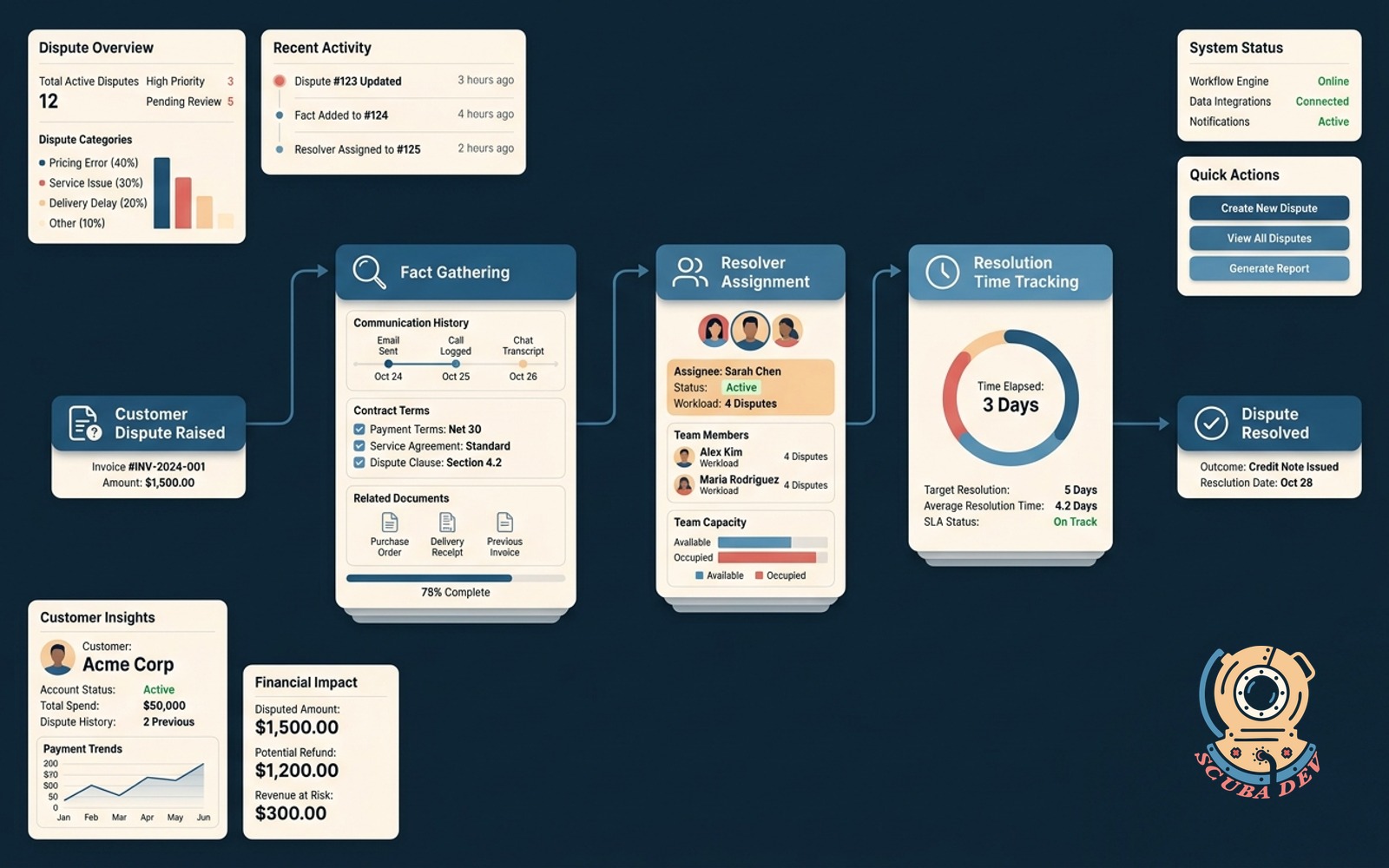
Invoice dispute workflow
Customer raises a dispute, the flow gathers facts, assigns the resolver and tracks time to resolution.
Possibilities
Where this could go
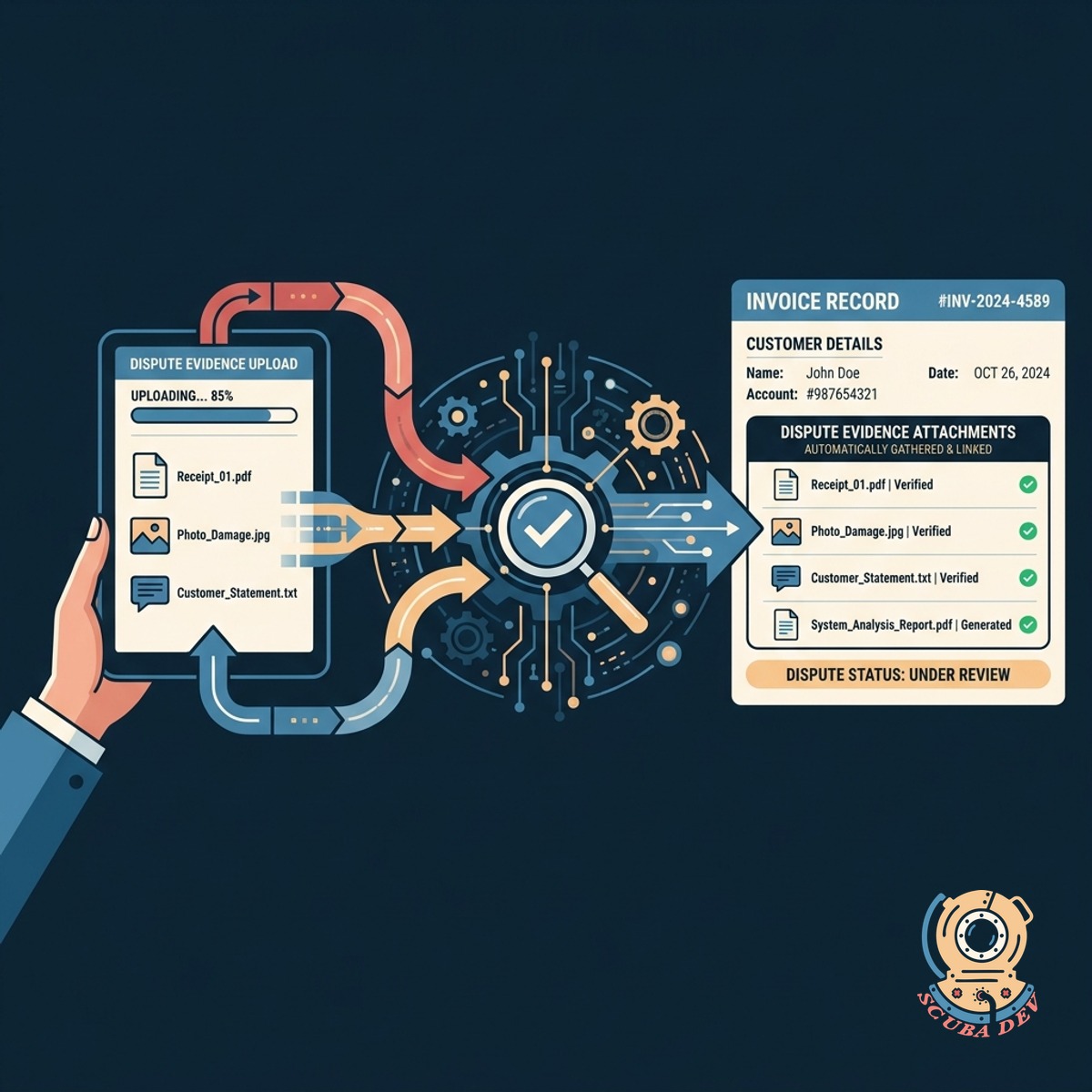
Automated Dispute Fact Gathering
The system collects evidence from the customer and attaches it directly to the invoice record.
- Customers upload photos or documents through a secure portal link.
- The system prompts users to select a specific dispute reason from a predefined list.
- All submitted files and notes are pinned to the original invoice for easy review.
- We automatically notify your billing team when a new dispute file is complete.
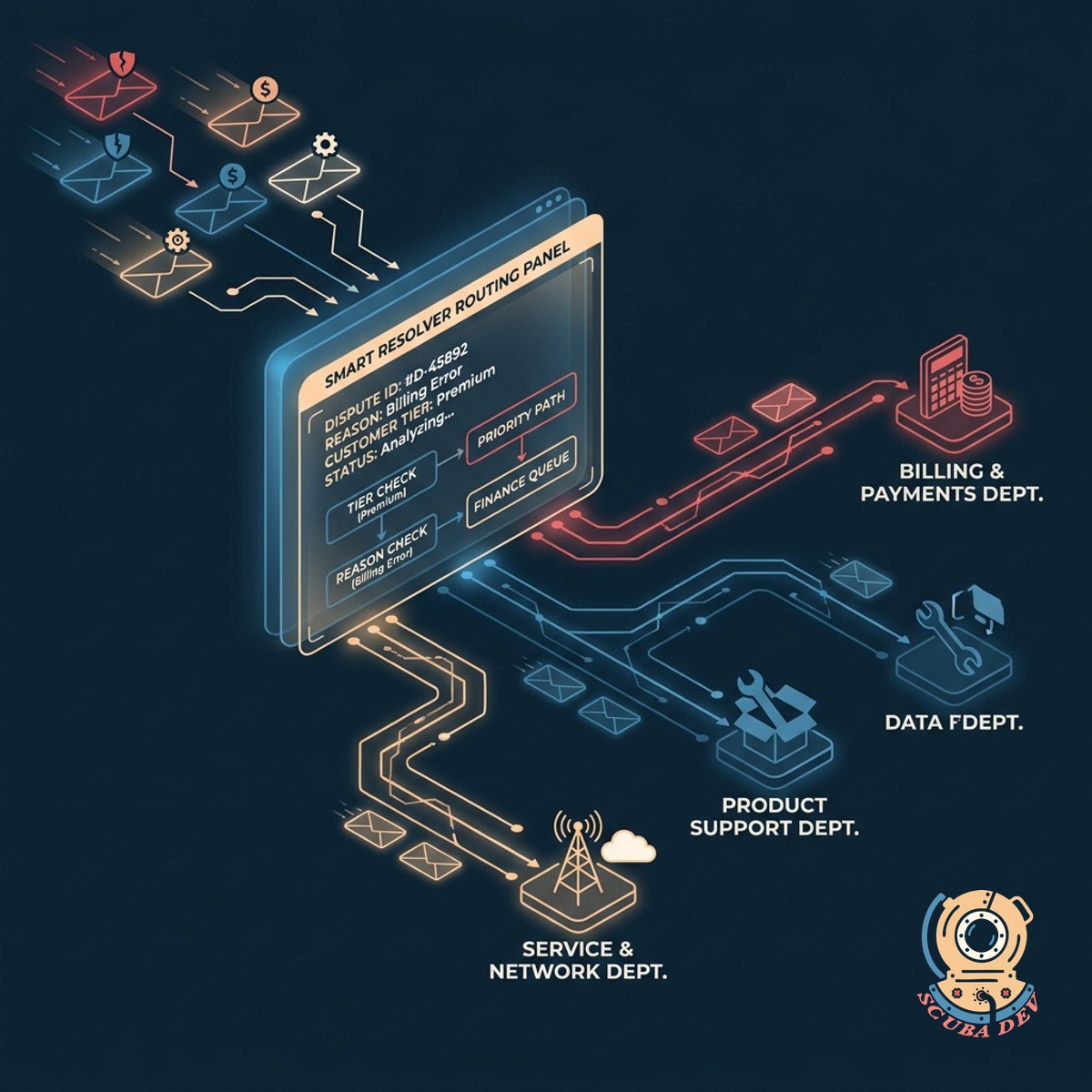
Smart Resolver Routing And Assignment
Incoming disputes are routed to the correct department based on the dispute reason and customer tier.
- The workflow reads the dispute category and assigns the ticket to the relevant department.
- You can set priority rules based on customer account tiers.
- Unassigned disputes escalate to a manager queue after a set number of hours.
- Resolvers receive an alert with the invoice details and customer history.
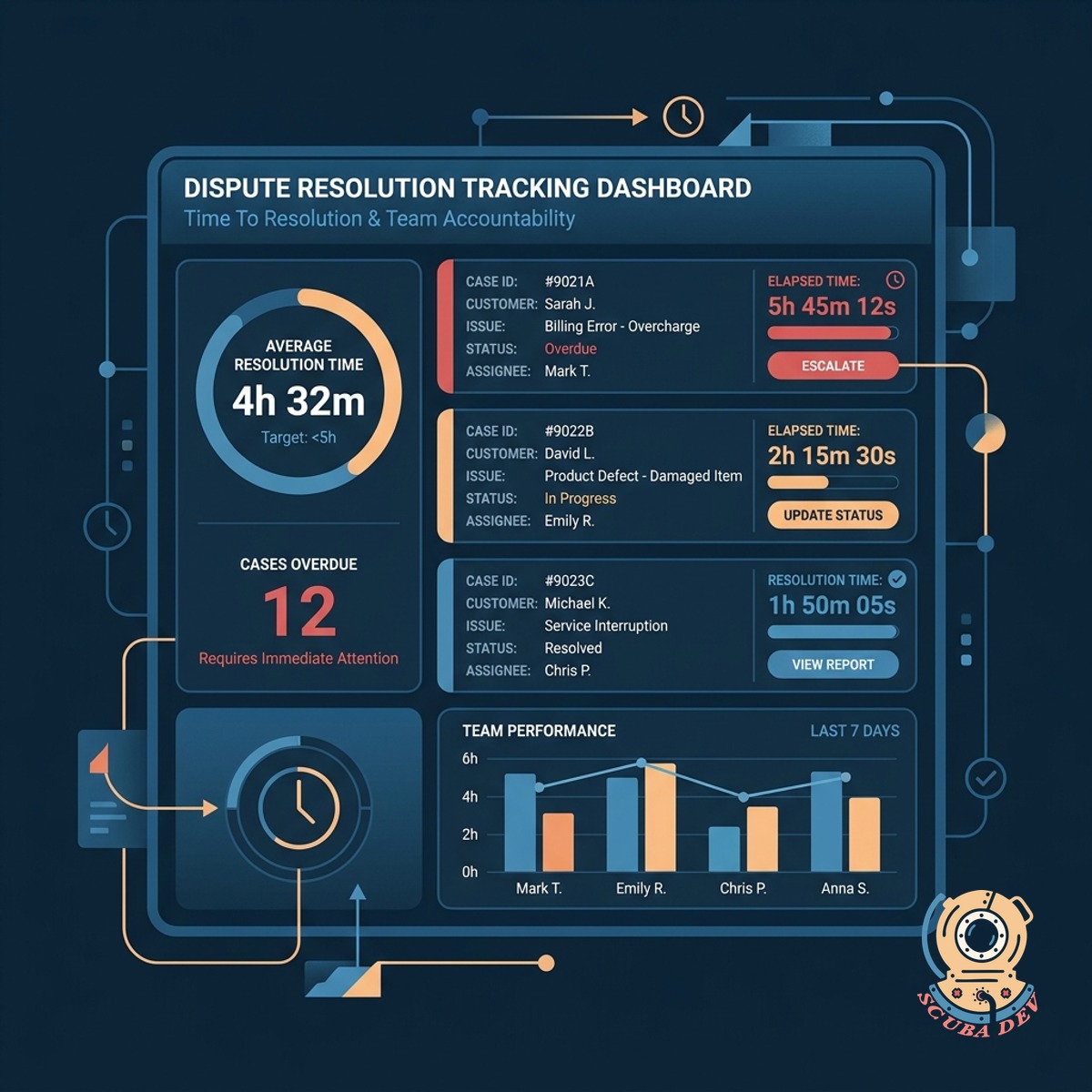
Time To Resolution Tracking
Built in timers track how long each dispute takes to resolve to keep your team accountable.
- SLA countdown timers
- Resolution time reporting
- Overdue escalation alerts
- Status tracking dashboards
Questions
Things people ask
How does the customer initiate a dispute?
Customers click a secure link directly on their digital invoice to open a dispute form. This form prompts them to select a reason and upload any supporting documents. The system then logs this data into your billing platform.
Which billing platforms do you integrate with?
We connect the workflow directly to major billing tools like Stripe, Chargebee, and QuickBooks. This ensures the dispute status is reflected accurately on the original invoice record.
How do team members know a dispute is assigned to them?
The workflow sends an automated alert through Slack or Microsoft Teams when a new dispute is assigned. It also creates a prioritized ticket in your helpdesk software like Zendesk or Jira Service Management.
Can we set different resolution timelines for different customers?
Yes. The system allows you to configure custom service level agreements based on customer tiers. High priority accounts can trigger shorter countdown timers and faster escalation paths.
What happens if a dispute takes too long to resolve?
The workflow monitors the time to resolution for every active case. If a dispute approaches its deadline, the system automatically escalates the ticket to a manager and sends a reminder notification.
Does the customer get updates during the process?
The system sends automated email updates when the dispute is received, when it is under review, and when a final decision is made. This keeps the customer informed without requiring manual outreach from your team.
How do we review the gathered facts?
The assigned resolver accesses a single dashboard view containing the original invoice, the customer statement, and all uploaded evidence. This centralized view prevents team members from hunting through email threads for context.