Expense auto-categorizer with rule builder
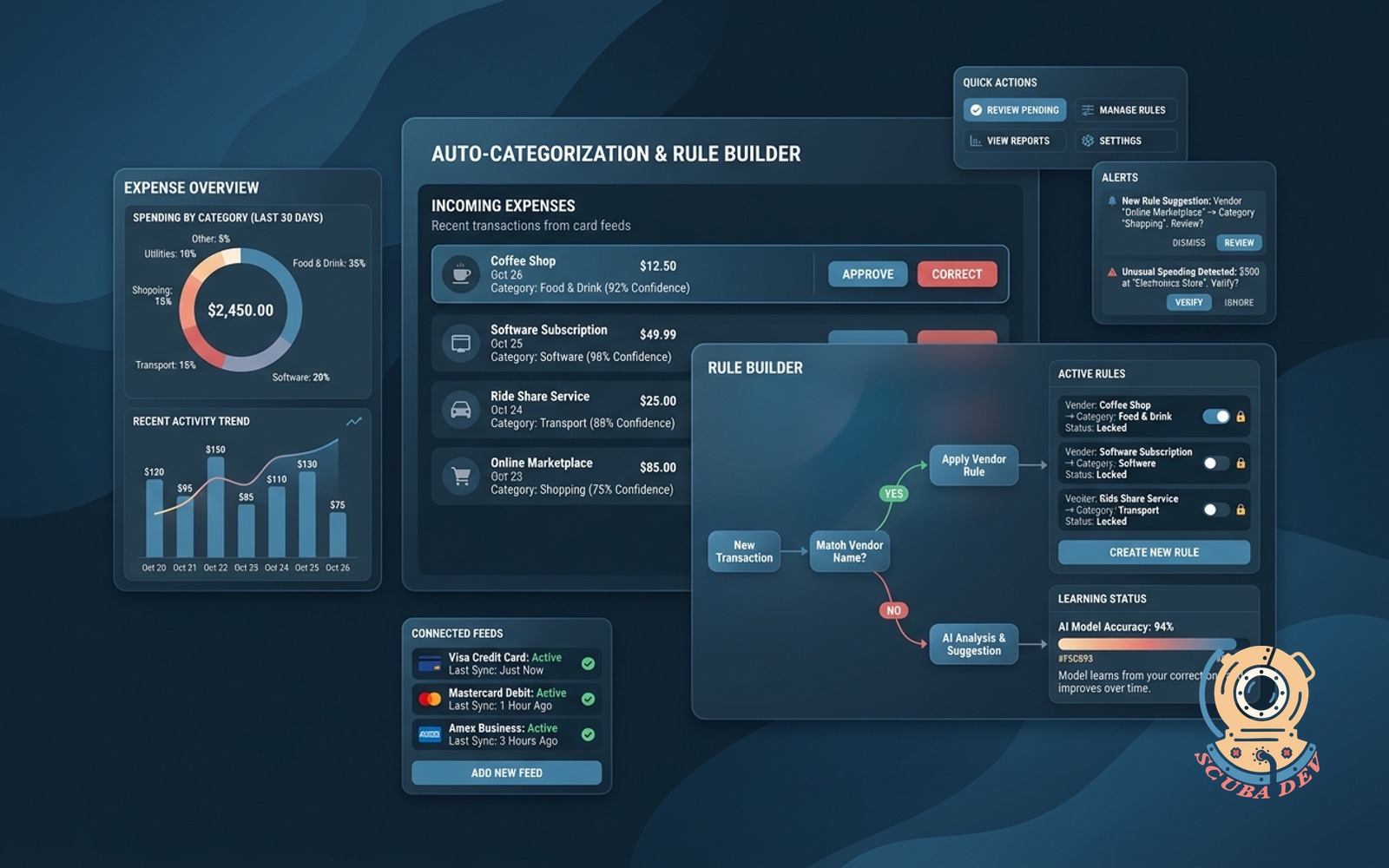
Auto-categorizes incoming expenses from your card feeds. Learns from corrections and lets you lock rules per vendor.
Possibilities
Where this could go
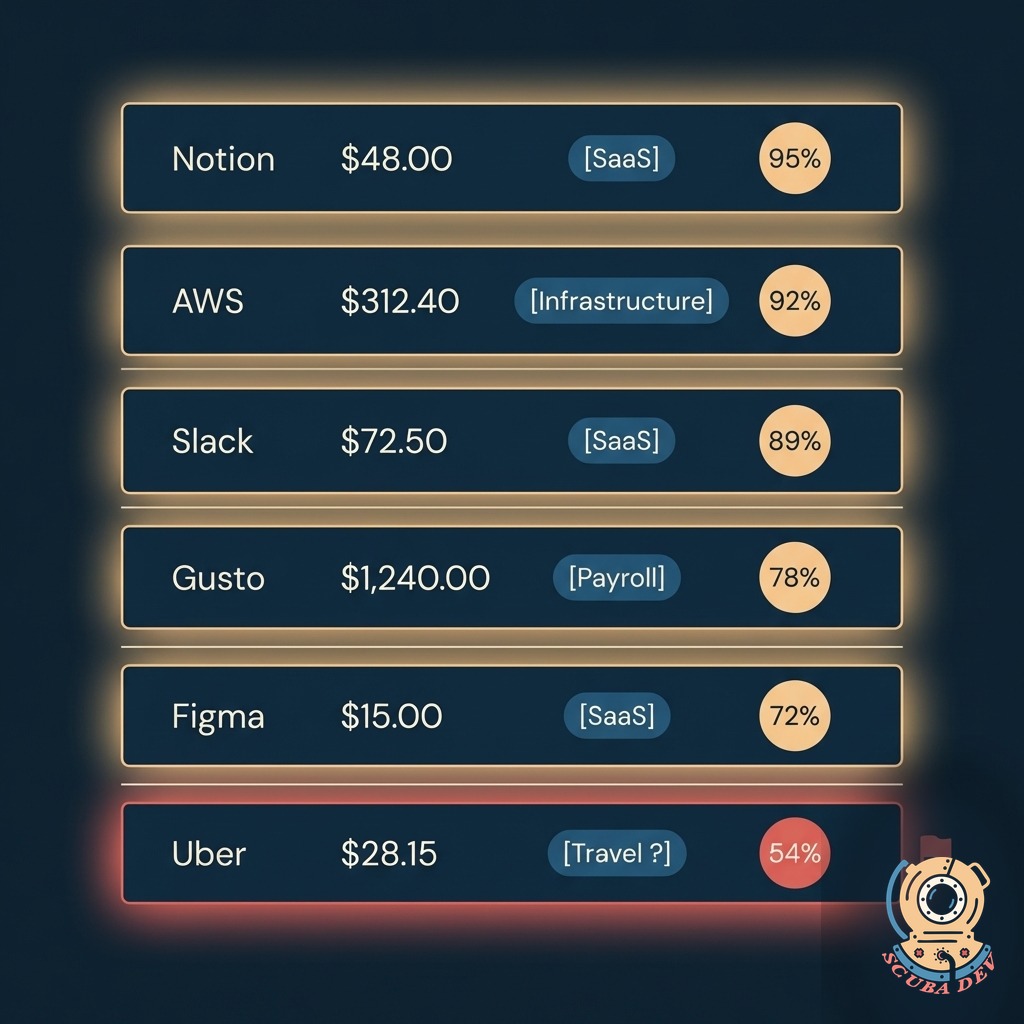
Categorizes Every Transaction
Reads incoming card feeds and assigns a category on arrival. Learns from your corrections. Nothing sits uncategorized for weeks.
- Reads directly from Stripe, Brex, Ramp, Mercury, or any card issuer API
- Assigns a category within minutes of the transaction posting
- Shows confidence score per transaction so you know what to double-check
- Low-confidence items land in a review queue, not the ledger
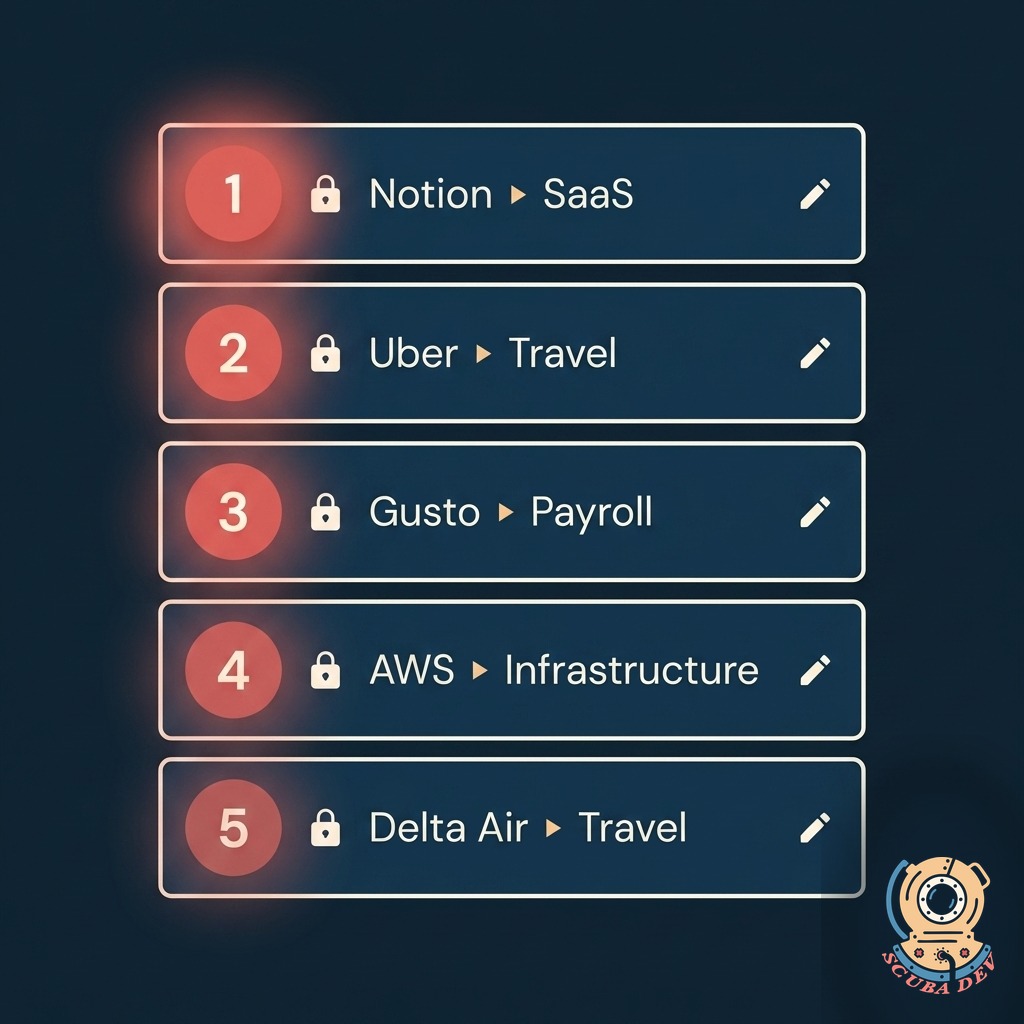
Rule Builder You Actually Use
Lock a vendor to a category forever. Write rules by keyword, amount range, or card. The AI respects your rules first, then its own judgment.
- Create exact match rules for specific vendor names
- Route transactions to categories based on the issuing card
- Set amount thresholds to separate small purchases from capital expenses
- Apply keyword filters to catch specific items in the transaction memo
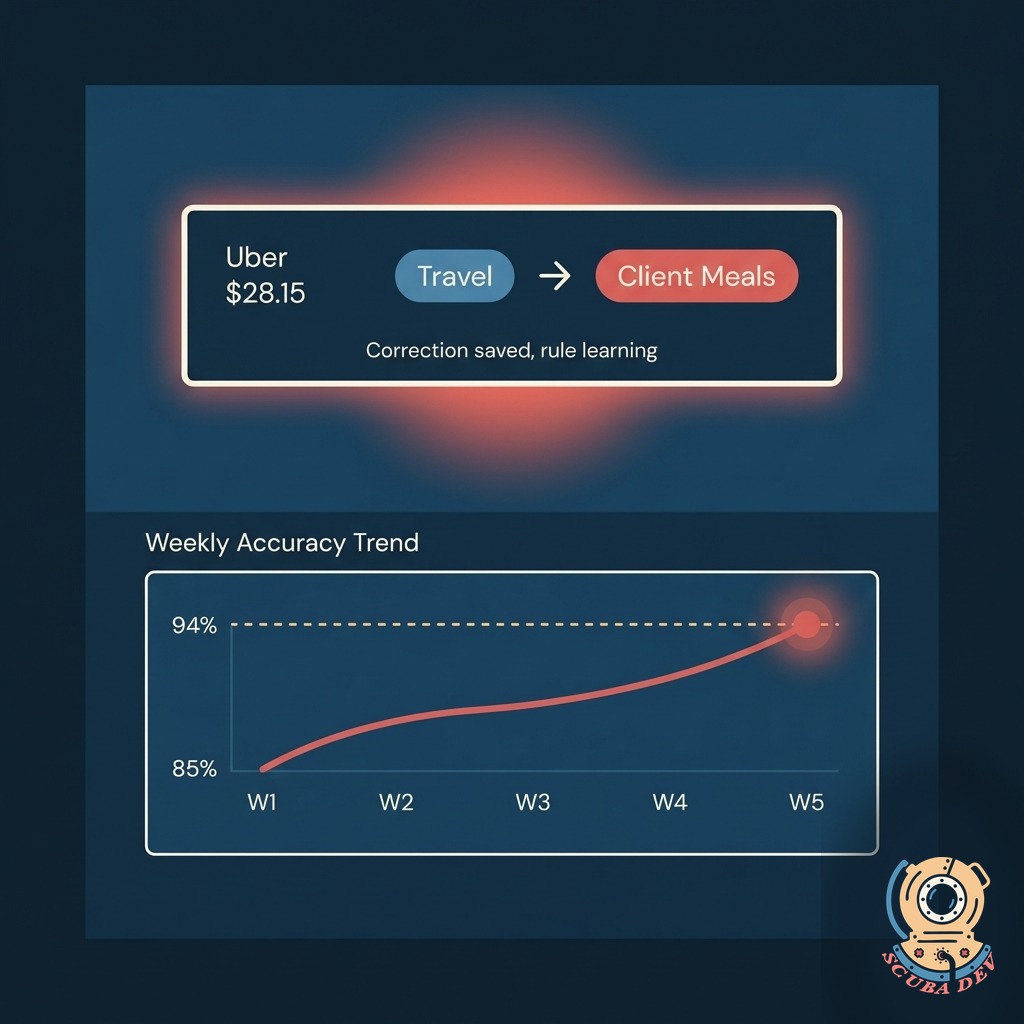
Learns From Corrections
Every time you recategorize a transaction, the AI updates its model for that vendor. Corrections compound, so the ratio of reviews drops week over week.
- Correction is a one-click action in the review queue
- AI updates its model overnight based on all corrections
- Accuracy score tracked weekly so you see the improvement
- Export all corrections for auditor review anytime
Questions
Things people ask
Which card platforms connect?
Stripe, Brex, Ramp, Mercury, American Express, Chase, Capital One, and any card issuer that exposes transactions via API or Plaid. Custom CSV uploads work for smaller banks without open APIs.
What chart of accounts does it support?
Any. We import your chart from QuickBooks, Xero, NetSuite, Sage Intacct, or a CSV. The categorizer maps to your exact account structure, not a generic list. You can add new accounts anytime.
How accurate is it out of the gate?
You can build rules that look at the transaction amount or the specific card used to determine the correct category. If a purchase does not match your custom rules, the system flags it for a quick manual review. Once you categorize it, we update the logic for future transactions from that vendor.
What happens to low-confidence transactions?
They go to a review queue instead of the ledger. Nothing auto-posts if the AI is unsure. You see a one-line explanation of why the AI flagged it, then you either confirm, recategorize, or write a rule.
Can our bookkeeper or CFO audit the rules?
Yes. Every rule has a timestamp, the author, and the reason it was created. There is a full change log for compliance review, and you can export rule sets and correction history for your auditor on demand.
Does this replace our accounting software?
No. It sits in front of it. Transactions get categorized, then pushed to your accounting system with the right account and memo. QuickBooks, Xero, and NetSuite are the main targets. Everything stays in your books.
What about personal charges on a card?
We route those to a personal-charges queue instead of the ledger. The card holder gets a reminder to reimburse. You can also set auto-deductions from payroll for recurring personal use.