Two-way Sheets bridge
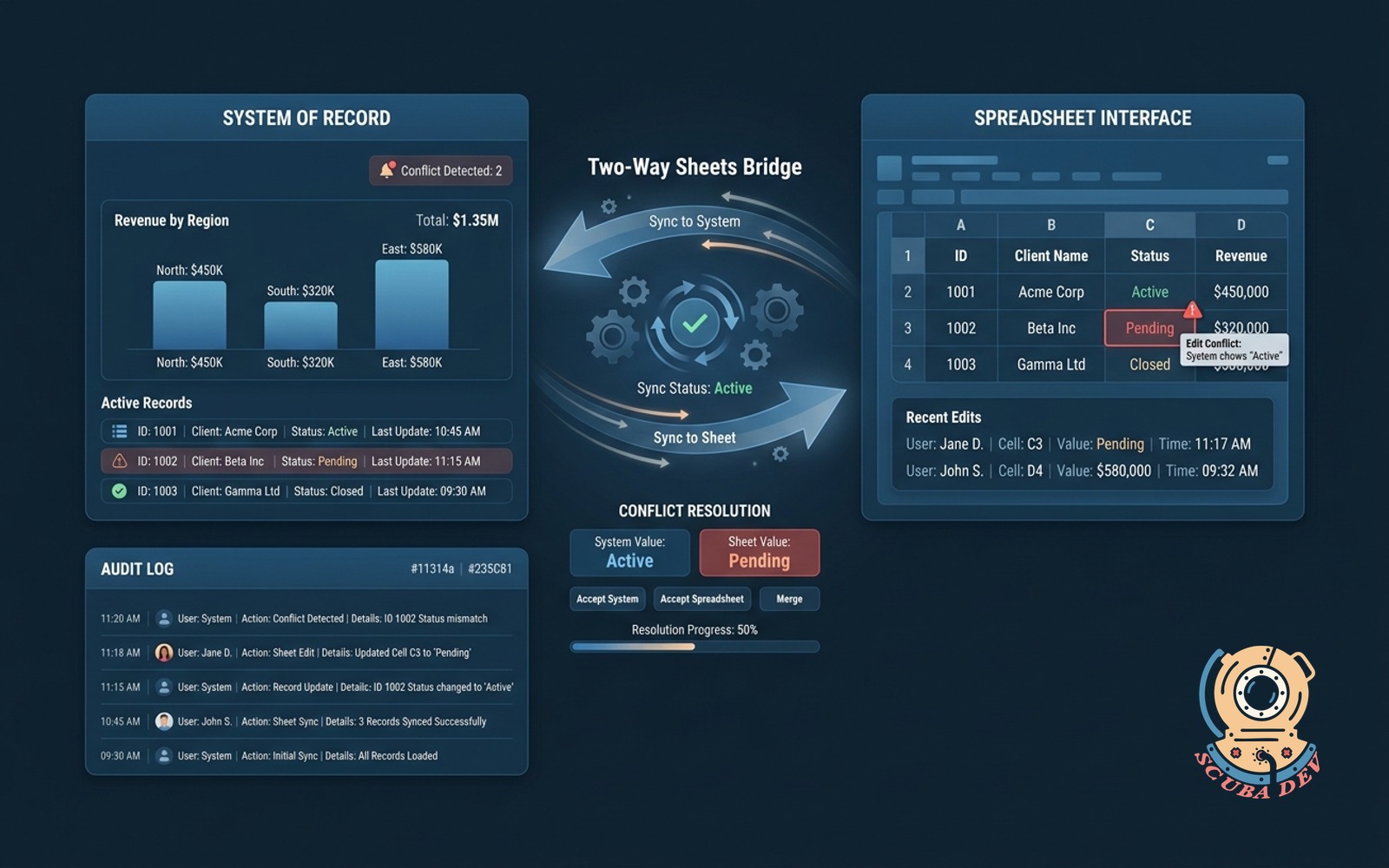
Edits in the spreadsheet update the system of record and back, with conflict detection and audit log.
Possibilities
Where this could go
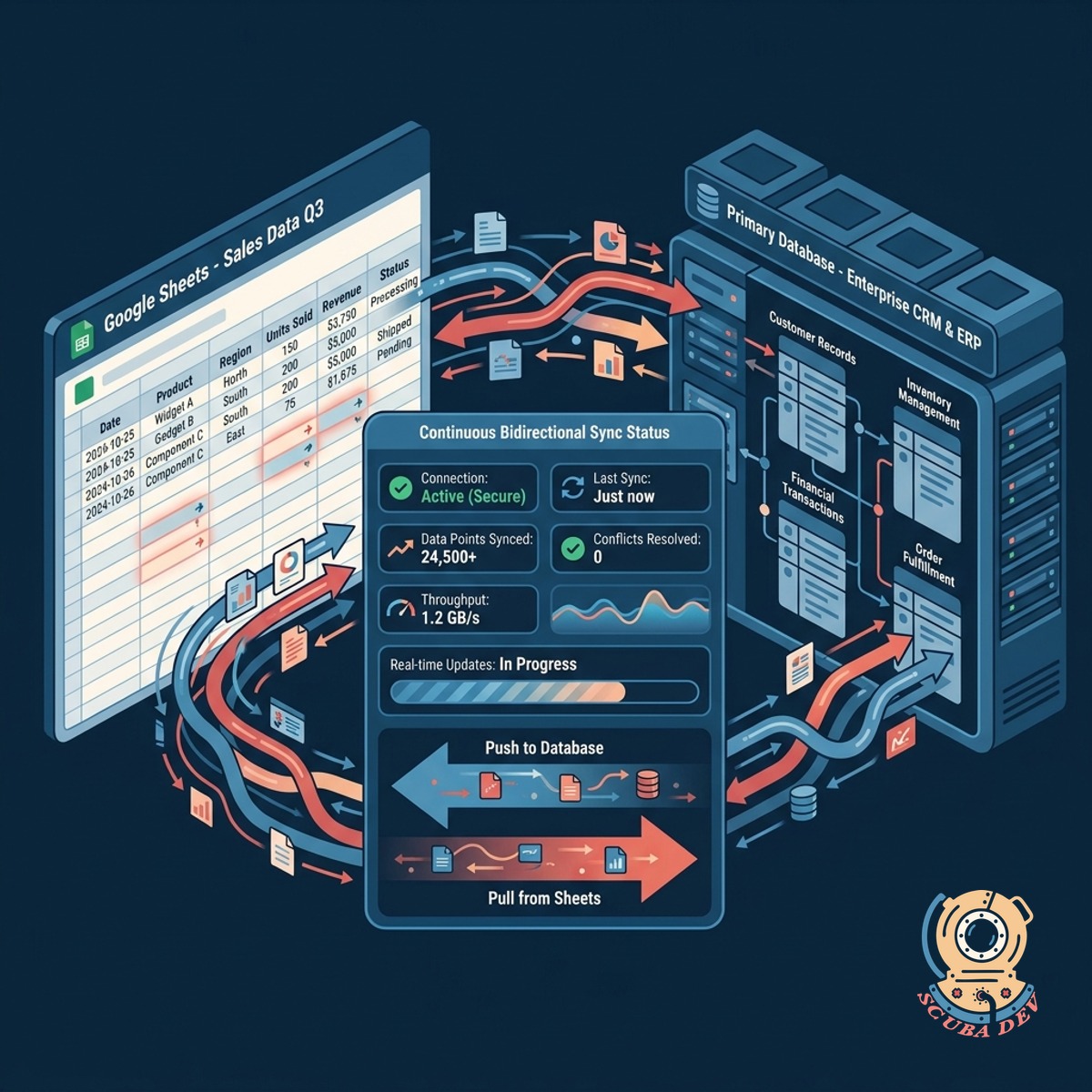
Continuous Bidirectional Data Synchronization
Connect Google Sheets to your primary database to automatically push and pull updates as they happen.
- Update cells directly
- Sync with Postgres or MySQL
- Maintain data integrity
- Eliminate manual exports
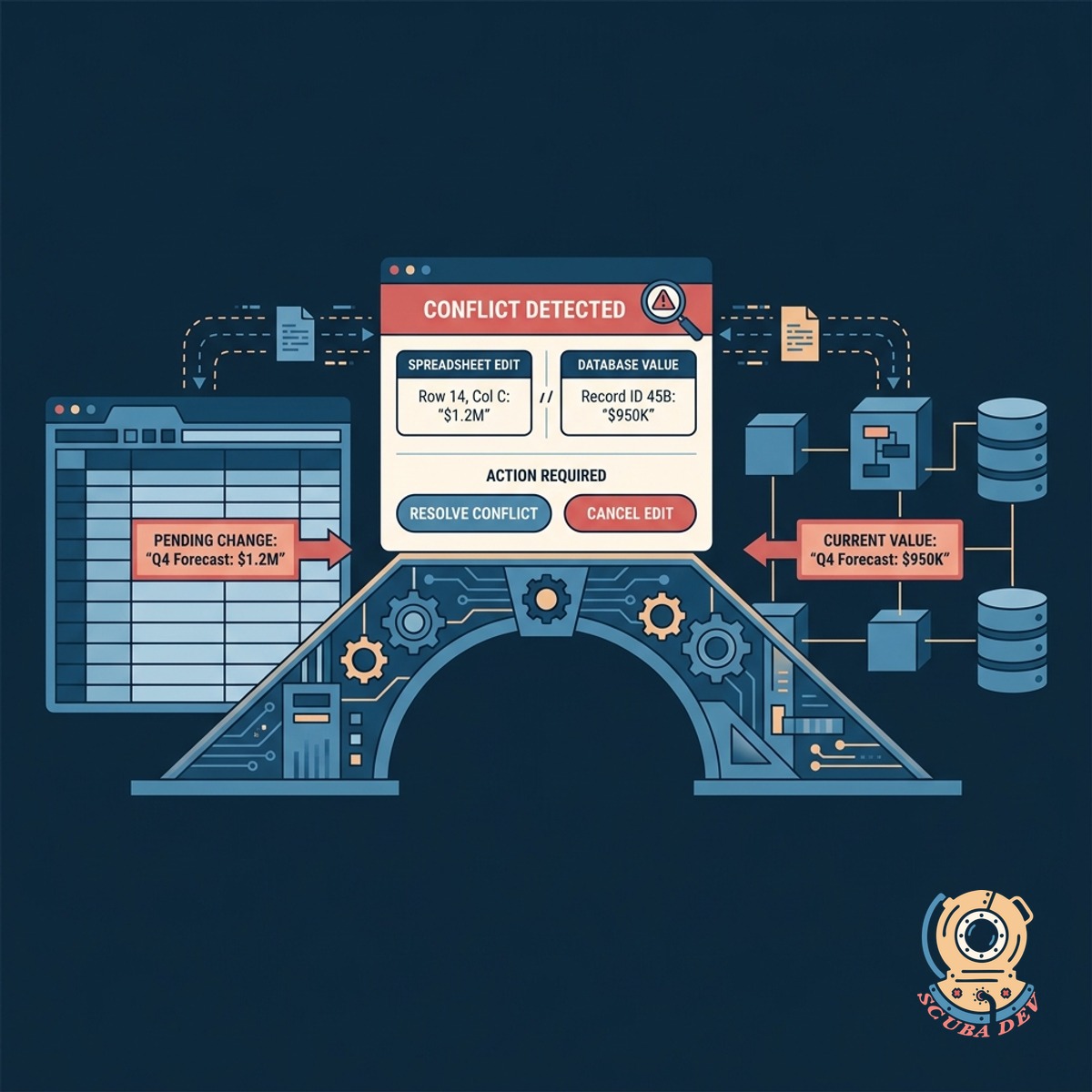
Intelligent Edit Conflict Detection System
The bridge identifies conflicting edits between the spreadsheet and the database before applying changes.
- Flag simultaneous edits
- Review pending changes
- Prevent accidental overwrites
- Enforce version control
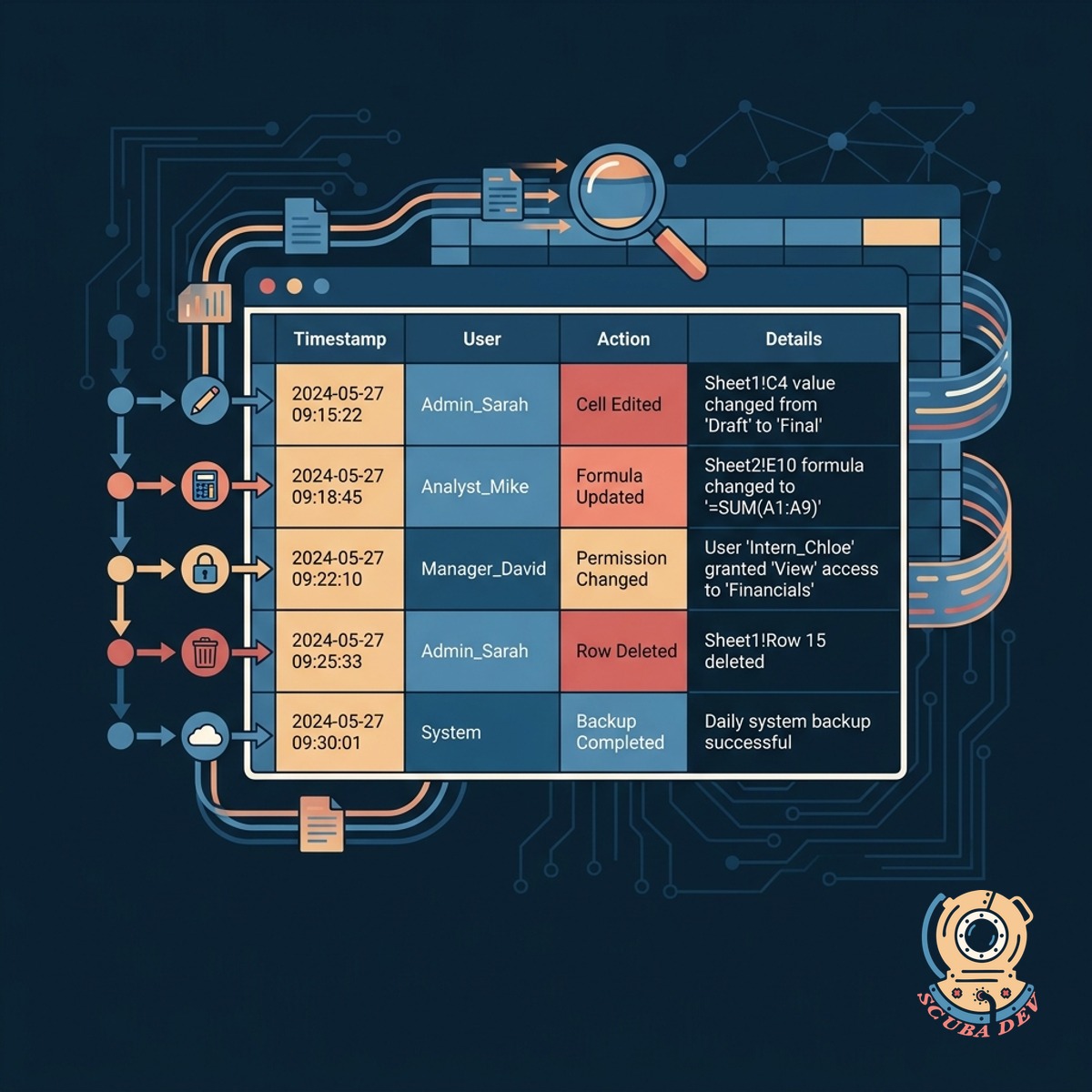
Comprehensive System Audit Logging Capabilities
Track every modification made through the spreadsheet with a detailed history of user actions and timestamps.
- Record user identities
- Track exact timestamps
- View previous cell values
- Export compliance reports
Questions
Things people ask
Which systems of record can this bridge connect to?
We can connect Google Sheets to SQL databases like Postgres and MySQL, or CRM platforms like Salesforce and HubSpot using their native APIs.
How does the system handle simultaneous edits?
The bridge uses a timestamp and versioning system to detect conflicts. If a record changes in the database while a user is editing it in Sheets, the system flags the conflict for manual review.
Can we restrict which users can edit specific columns?
Yes. We configure the bridge to respect your existing database permissions, locking specific columns in Google Sheets or rejecting unauthorized write attempts at the API level.
Does the audit log track changes made directly in Google Sheets?
The system records every change that passes through the bridge. It logs the Google Workspace user email, the exact time of the sync, and the before and after values of the modified data.
How frequently does the data synchronize?
Synchronization can be configured to run in near real-time using webhooks, or on a scheduled batch interval depending on your API rate limits and database constraints.
What happens if someone adds a new row to the spreadsheet?
The bridge detects the new row and creates a corresponding new record in your database. It then pulls the newly generated database ID back into the spreadsheet to maintain the link.
Can we roll back changes if a user makes a mistake?
Because every change is recorded in the audit log, administrators can identify incorrect updates and restore the previous values directly to the database.