Slack to CRM activity sync
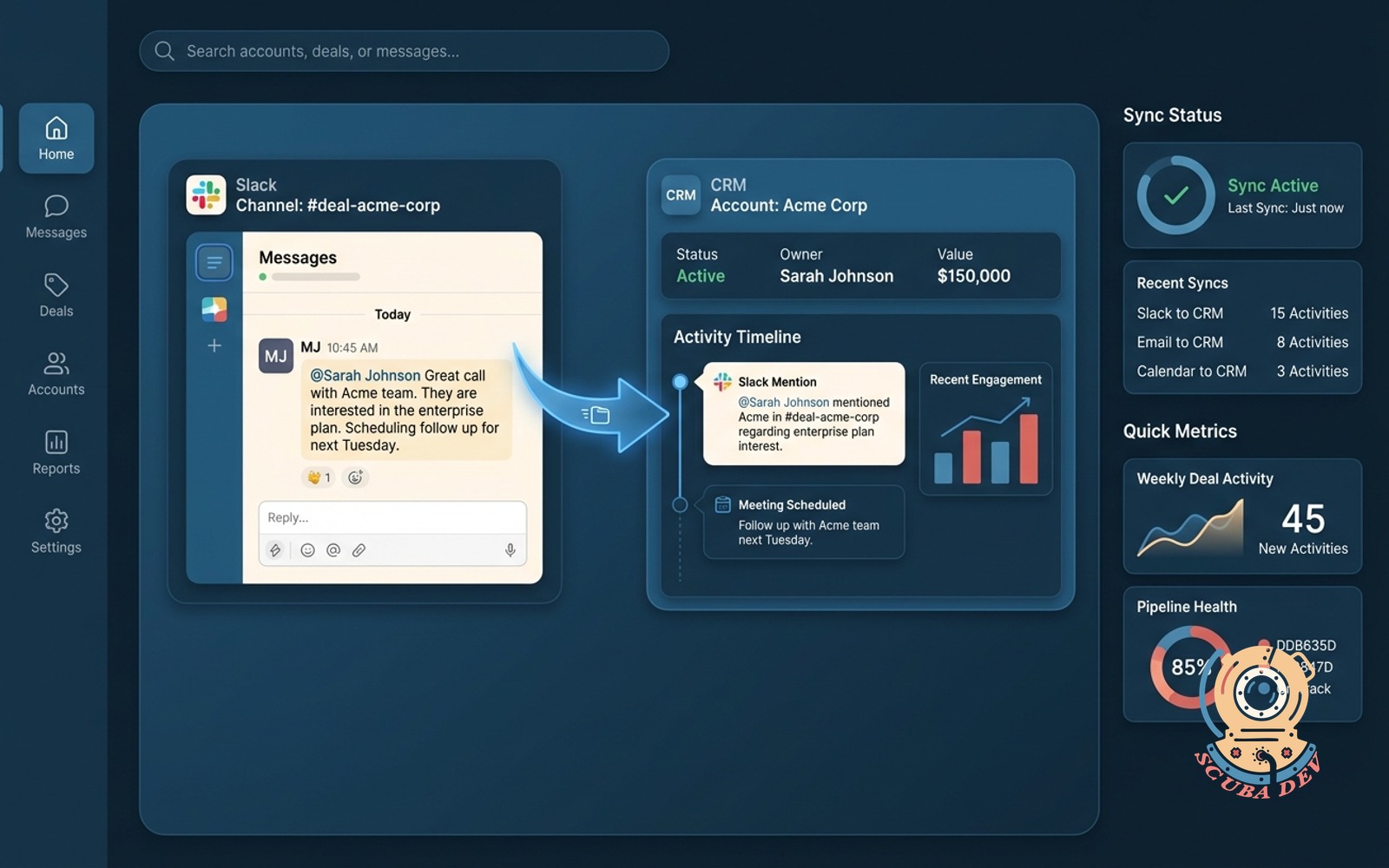
Customer mentions in a deal channel post as CRM activity against the right account automatically.
Possibilities
Where this could go
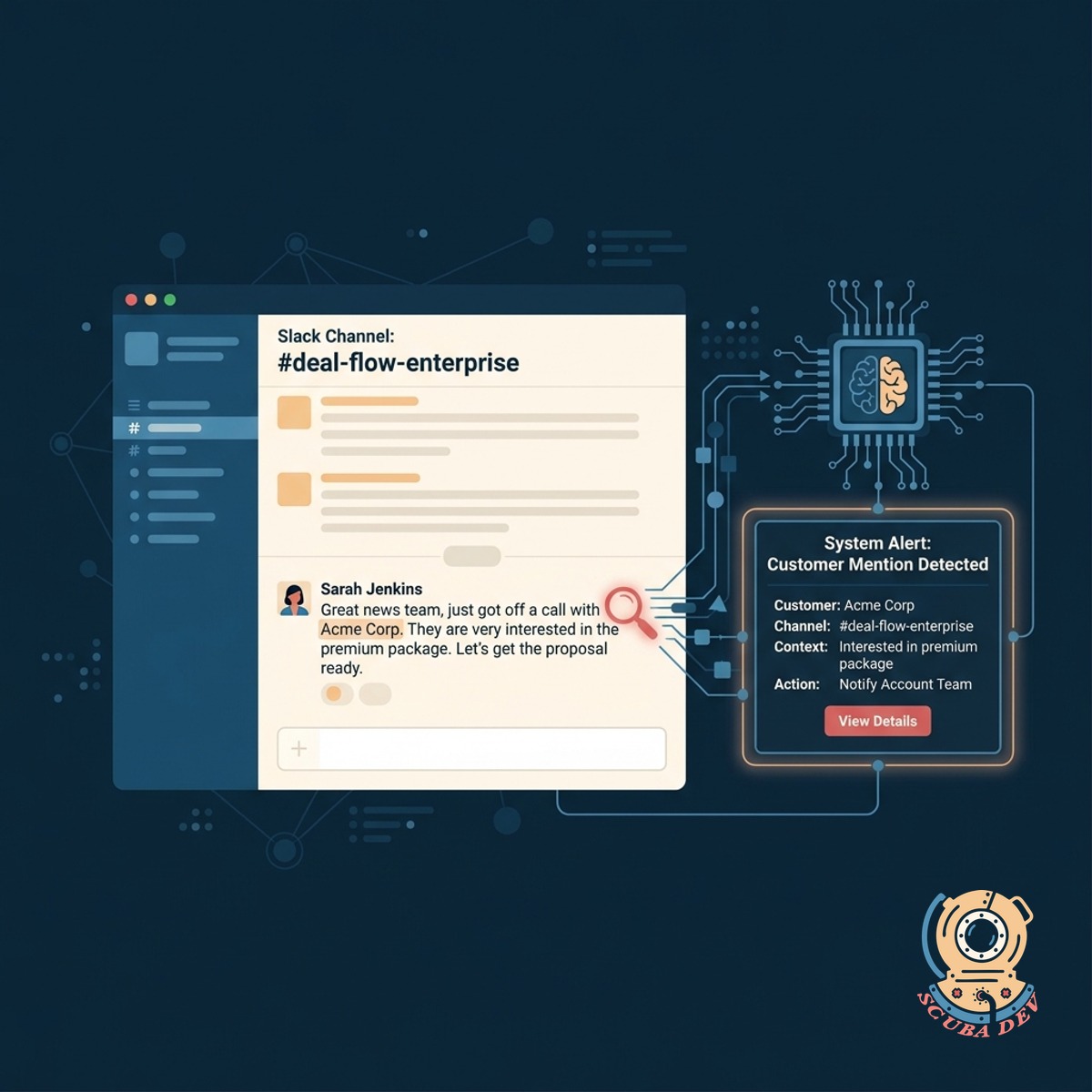
Automatic Slack Mention Detection
The system monitors specific Slack deal channels and identifies when a customer name is mentioned in a message.
- Scans designated Slack channels
- Identifies customer names in text
- Ignores casual internal chatter
- Triggers the sync process instantly
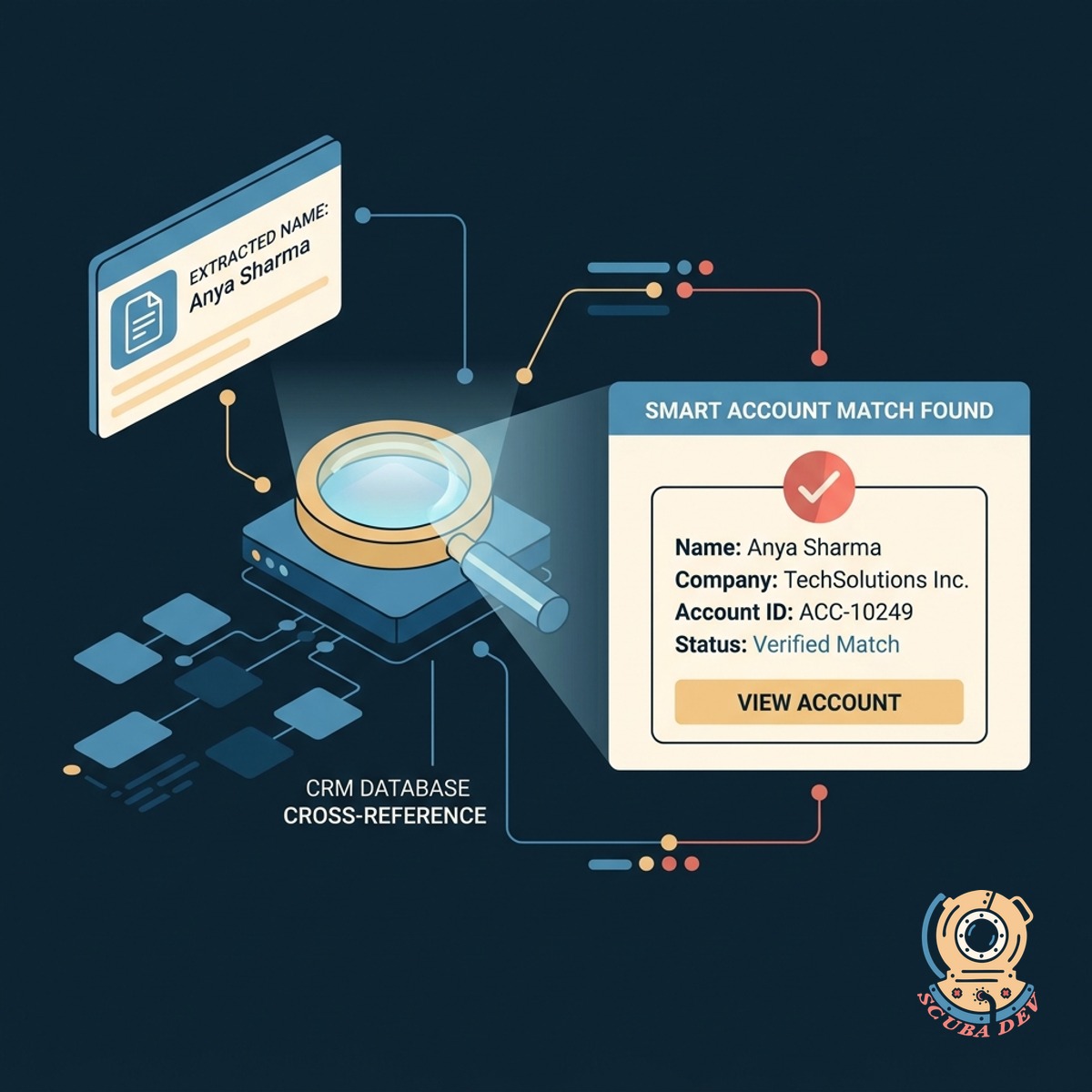
Smart CRM Account Matching
The integration cross references the extracted customer name with your CRM database to find the exact account match.
- Queries Salesforce or HubSpot
- Matches names to existing accounts
- Handles slight name variations
- Prevents duplicate record creation
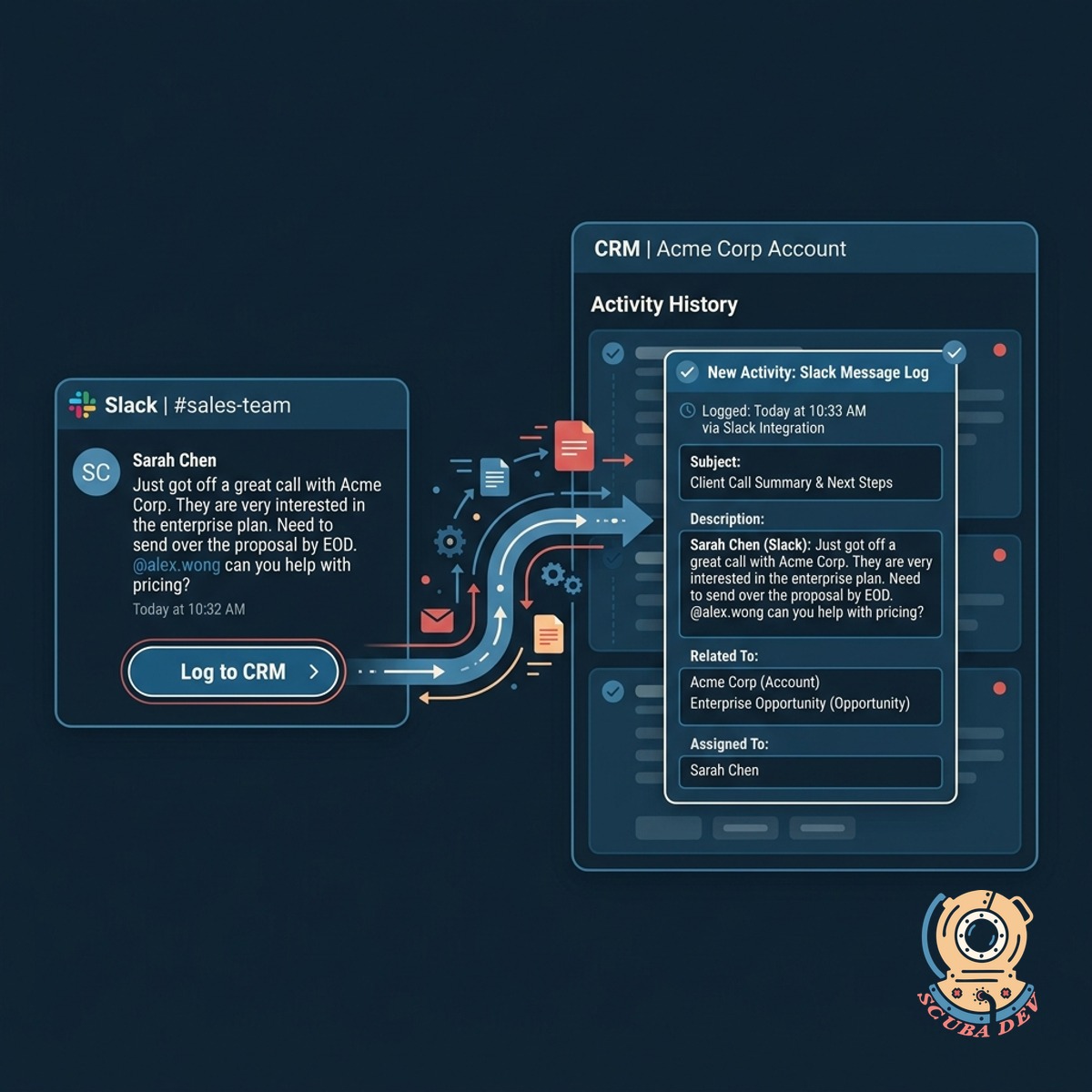
Direct CRM Activity Logging
The original Slack message is posted directly to the matched CRM account as a new activity record with full context.
- Creates a new activity note
- Includes the original message text
- Tags the Slack user who posted
- Adds timestamps for accurate tracking
Questions
Things people ask
Which CRM platforms does this integration support?
We can build this integration for major platforms like Salesforce and HubSpot. The system uses standard API connections to ensure reliable data transfer to whichever CRM your team relies on.
Does it read every single Slack channel?
No. The integration only monitors the specific channels you authorize. You can restrict it to dedicated sales or deal channels to maintain privacy across the rest of your workspace.
How does the system know which account to update?
The tool extracts the company name mentioned in the Slack message and searches your CRM database for a match. If it finds a matching account record, it logs the activity there.
What happens if multiple accounts have similar names?
We can configure the matching logic to require exact matches or use secondary identifiers. If the system cannot determine a unique match, it can alert an administrator to resolve the ambiguity manually.
Are the Slack users mapped to CRM users?
Yes. The integration matches the email address of the Slack user who posted the message to the corresponding user profile in your CRM. This ensures the activity is attributed to the correct team member.
Can we filter out certain types of messages?
We can set up specific trigger conditions. For example, the system can be configured to only sync messages that contain specific keywords or messages where a specific bot is tagged.
Is the synced activity editable in the CRM?
Once the message is logged as an activity or note in your CRM, it behaves like any other standard record. Your team members can edit or append information to it directly within the CRM interface.