Vendor intake with risk check
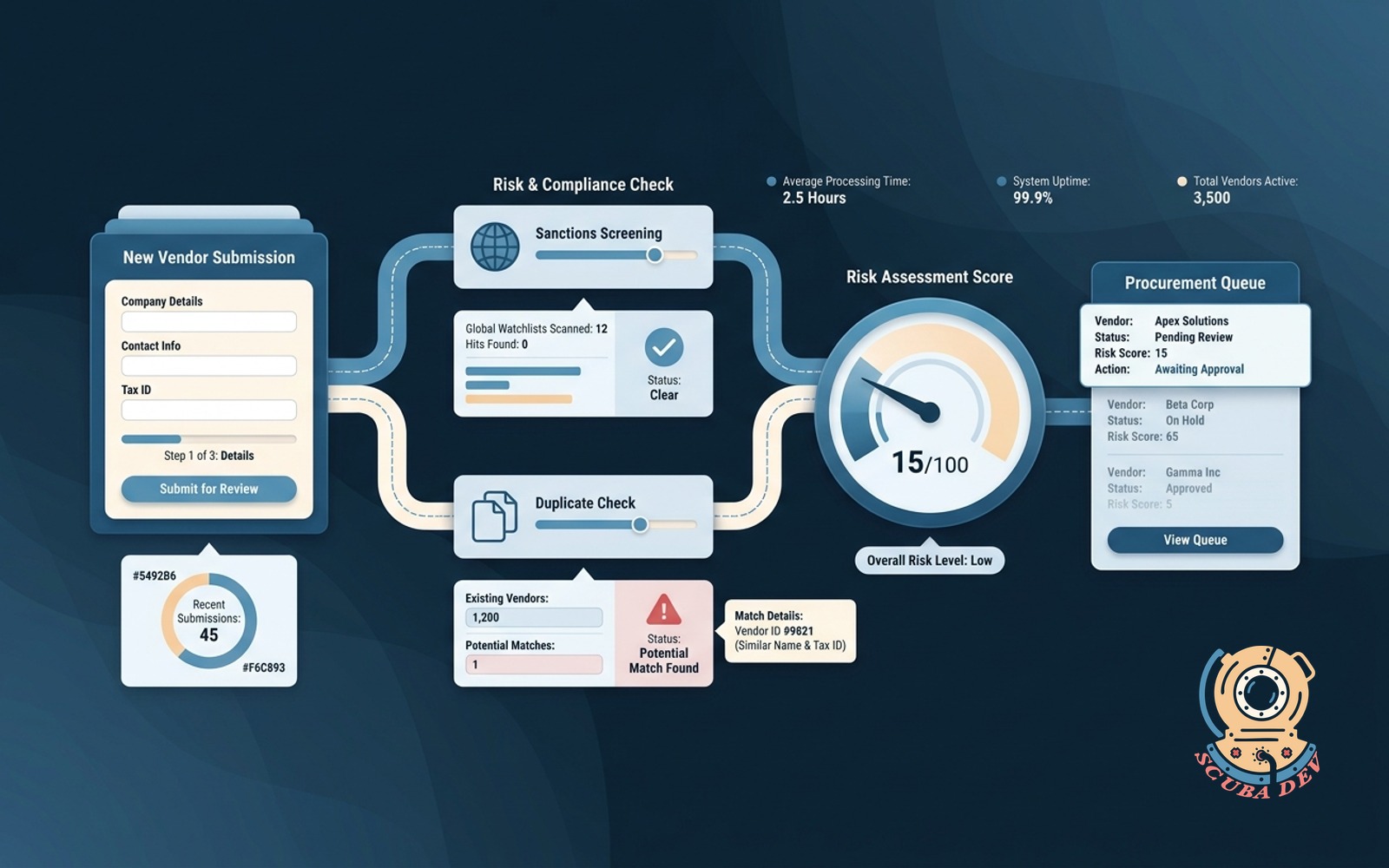
New vendor submits details, the form runs a sanctions and duplicate check before it reaches procurement.
Possibilities
Where this could go
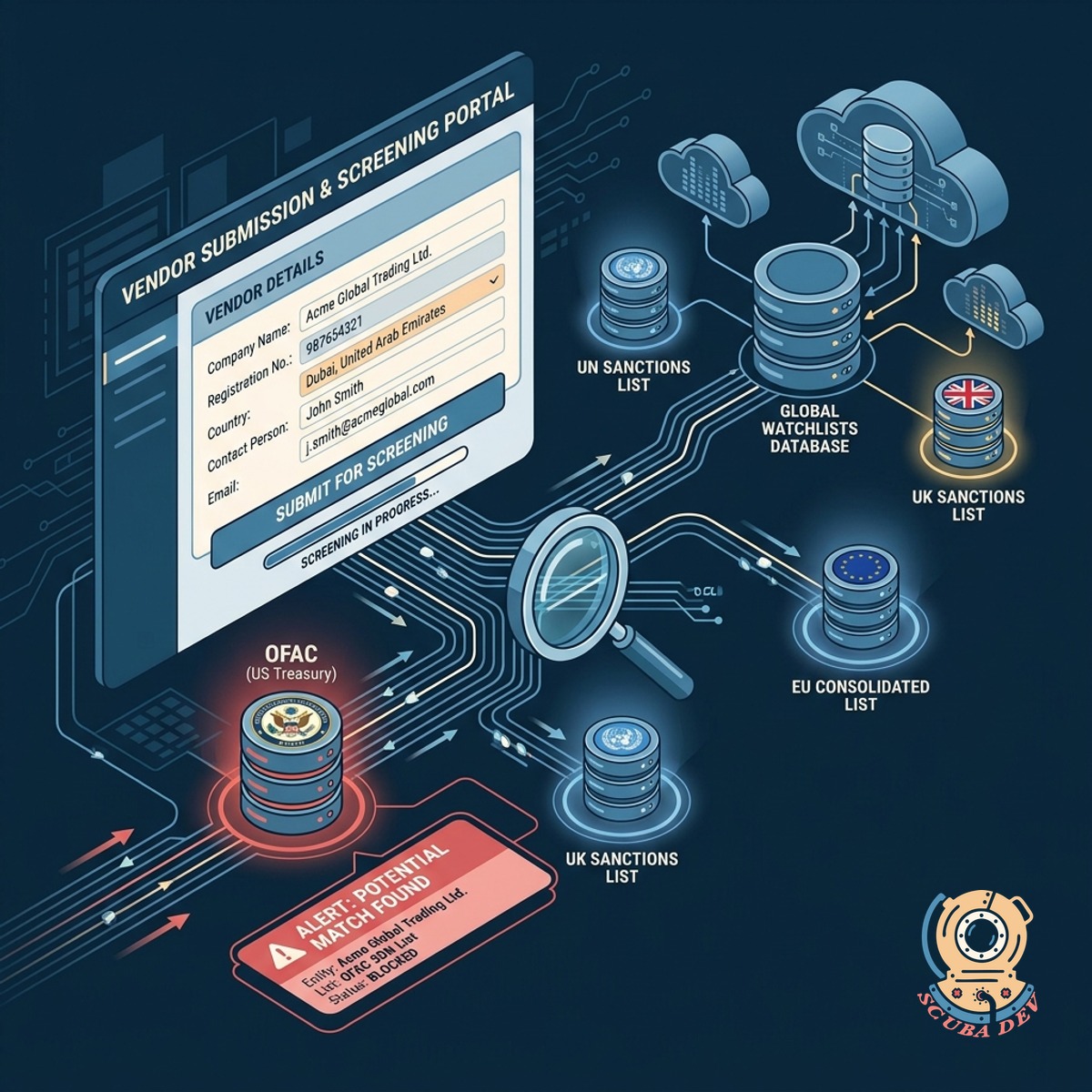
Automated Global Sanctions Screening
We check every new vendor against international watchlists so you remain compliant before any contract is signed.
- Connects to global watchlist databases via API.
- Flags matched entities and halts the intake process immediately.
- Logs the screening result with a timestamp for audit trails.
- Requires compliance team review for any partial name matches.
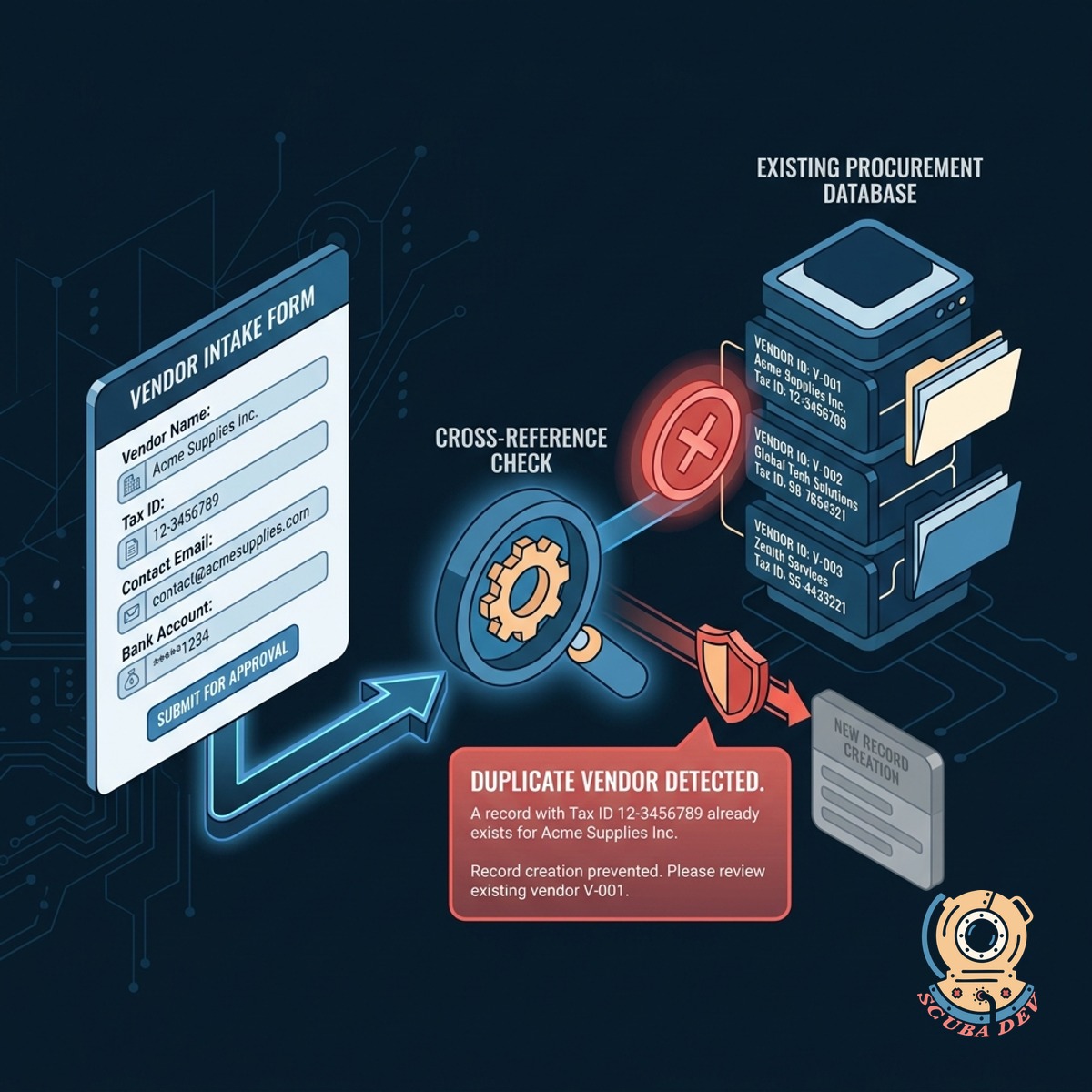
Duplicate Vendor Record Prevention
The intake form cross-references your existing procurement database to stop redundant entries before they are created.
- Scans ERPs like NetSuite and SAP
- Matches on tax ID and company name
- Alerts procurement to existing records
- Maintains clean vendor master data
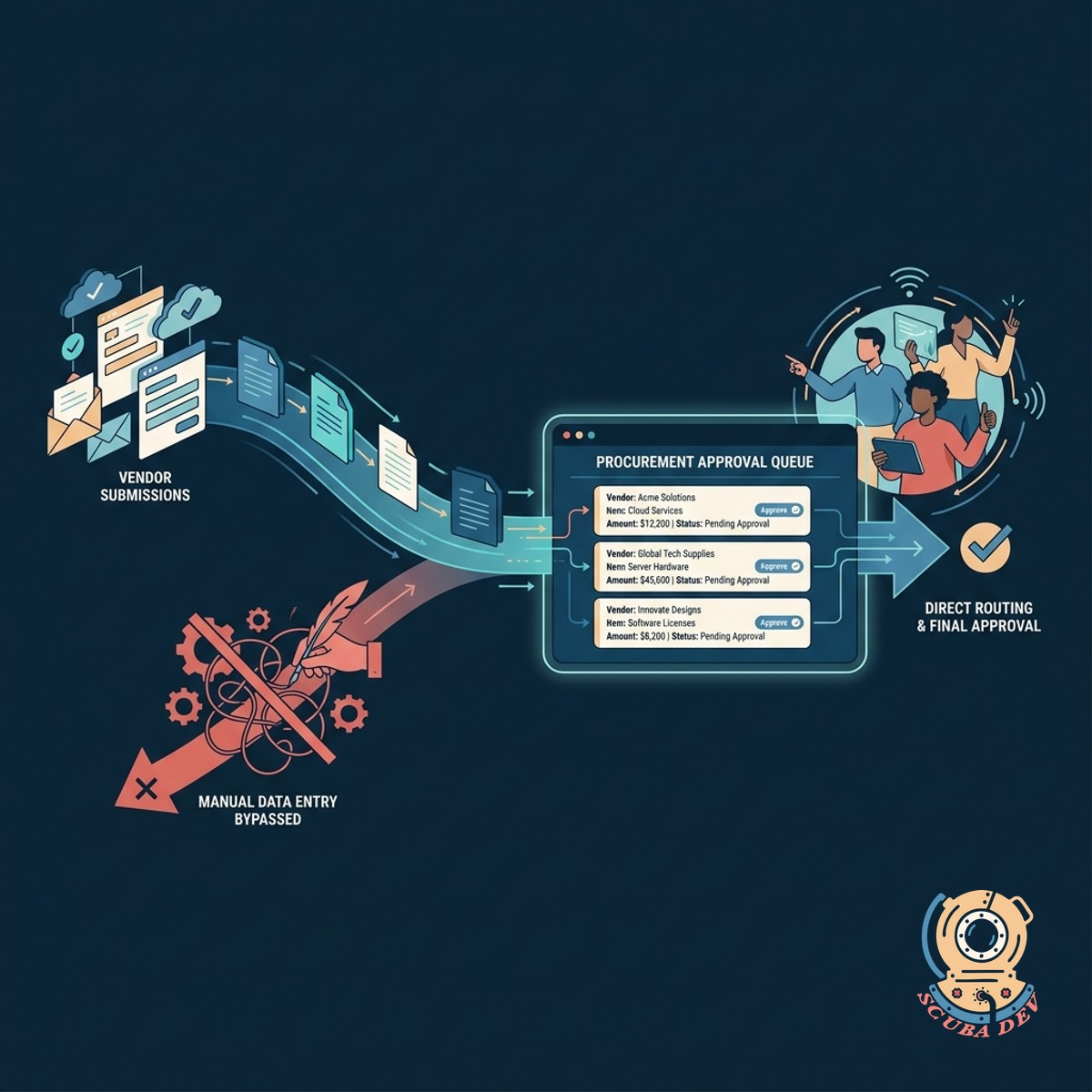
Streamlined Procurement Team Routing
Clean vendor submissions bypass manual data entry and route directly to your procurement team for final approval.
- Sends approved intake forms directly to your procurement software.
- Notifies the assigned procurement officer when a clean record is ready for review.
- Attaches submitted tax documents and banking details to the vendor profile.
- Generates a summary report of the risk check for the final approver.
Questions
Things people ask
How Does The Sanctions Check Work?
The intake form connects to compliance APIs to verify the vendor against global watchlists like OFAC. If a match is found, the system flags the application for review.
Which Procurement Systems Can This Connect To?
We can integrate the intake workflow with most major platforms including Coupa, NetSuite, SAP, and Jira Service Management.
How Does The System Identify Duplicate Vendors?
The tool compares the submitted tax identification number, company name, and email domain against your existing vendor master data to find exact or close matches.
What Happens If A Vendor Fails The Risk Check?
The system halts the automated onboarding process and sends a notification to your compliance or legal team with the flagged details for a manual review.
Can Vendors Upload Tax Documents Securely?
Yes. The intake form includes secure file upload fields for tax documents, banking details, and insurance certificates, which are encrypted and attached to the vendor record.
Does This Replace Our Procurement Platform?
No. This acts as a secure front door for your existing procurement platform. It handles the initial data collection and validation before creating the record in your system.
Can We Customize The Intake Form Questions?
If the system flags a potential match, it pauses the intake process and alerts your compliance team. You can review the details and manually approve the vendor if it is a false positive. We keep a secure log of this decision for your records.