Customer feedback clustering tool
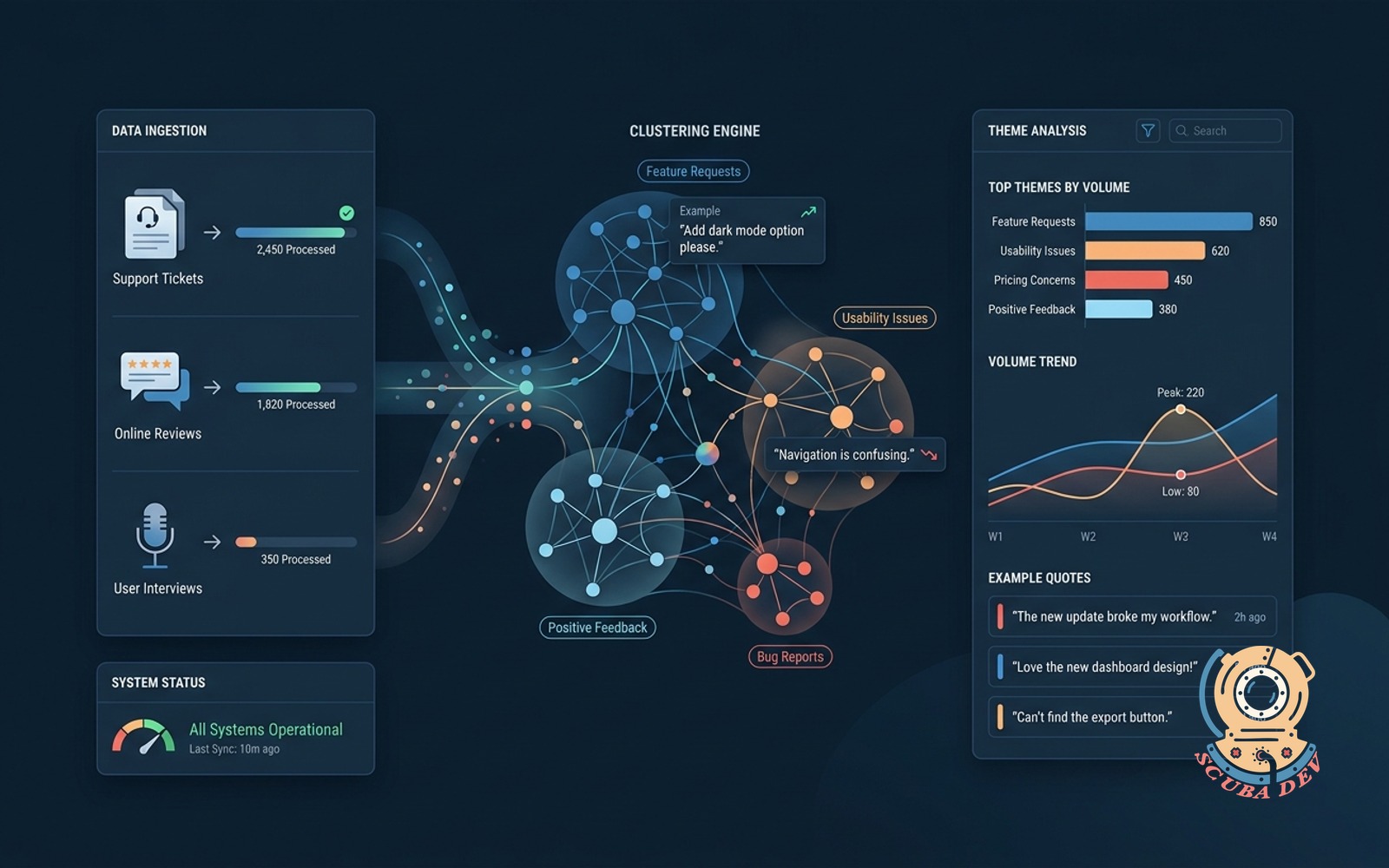
Ingests tickets, reviews, and interviews. Clusters into themes with example quotes and volume trend.
Possibilities
Where this could go
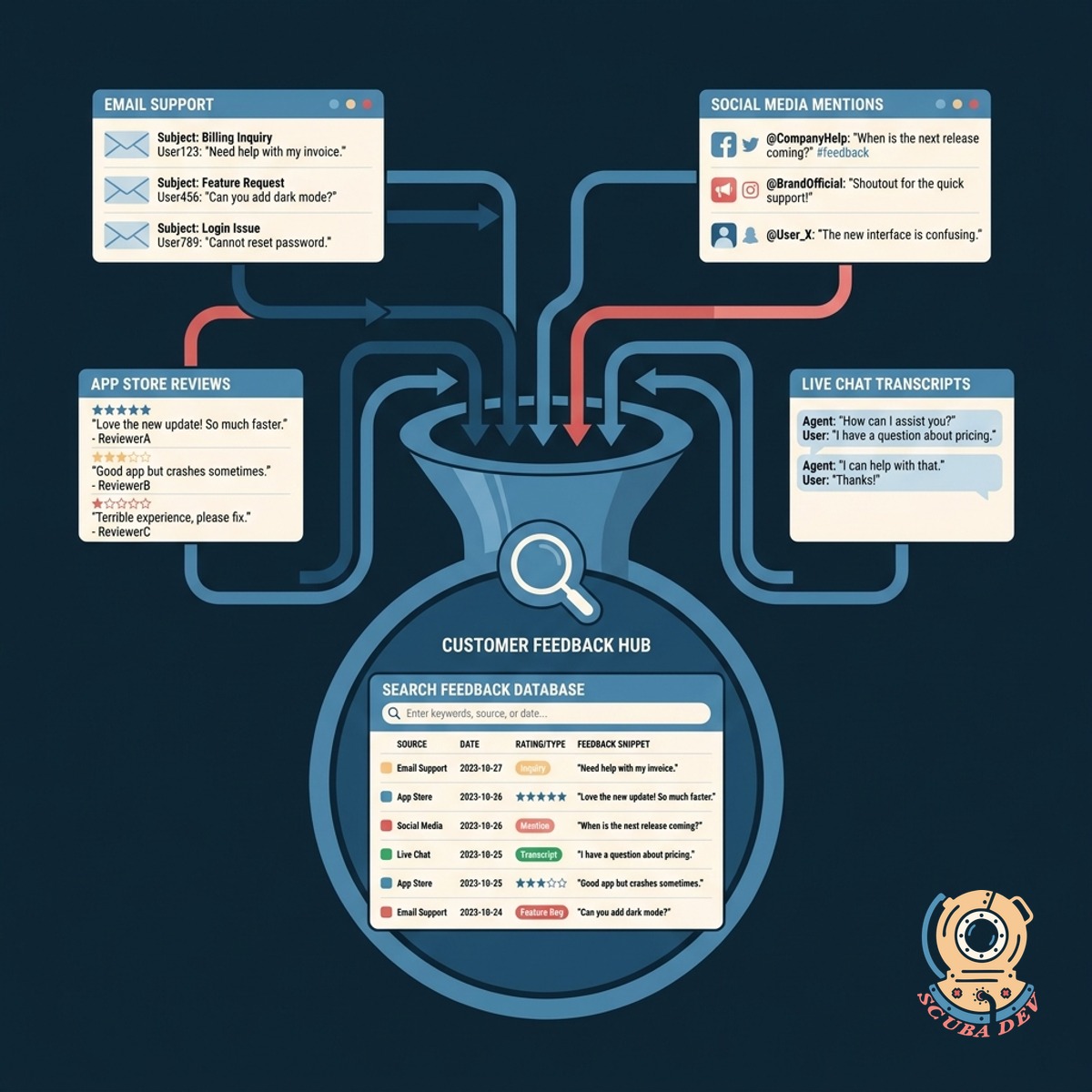
Centralized Customer Feedback Ingestion
Connect your existing support and review platforms to pool all customer commentary into a single searchable database.
- Connect Zendesk and Intercom
- Import App Store reviews
- Upload user interview transcripts
- Sync survey tool responses
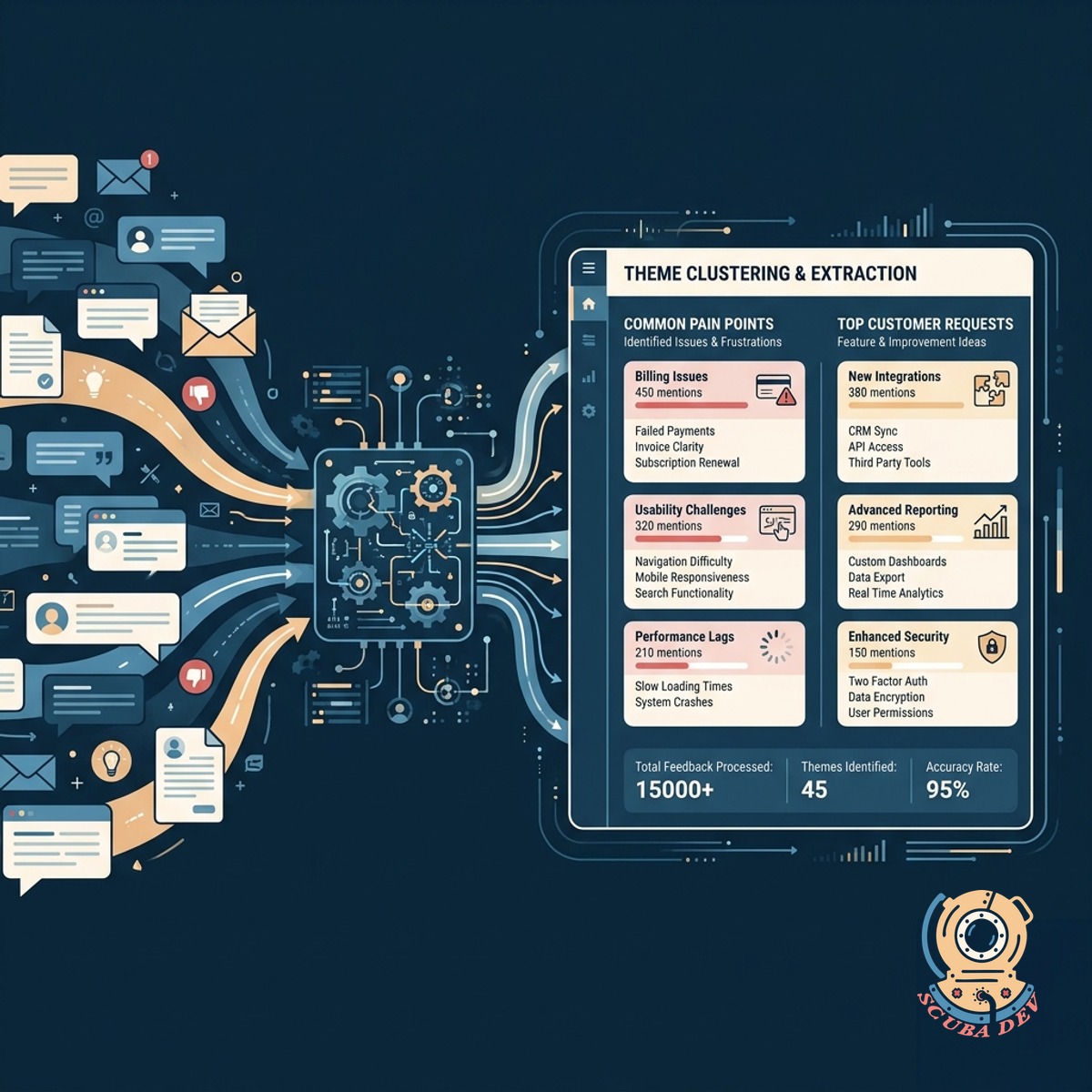
Automated Theme Clustering And Extraction
Group related feedback automatically to identify the most common customer requests and pain points.
- Group similar support tickets
- Extract representative quotes
- Label categories automatically
- Filter by product area
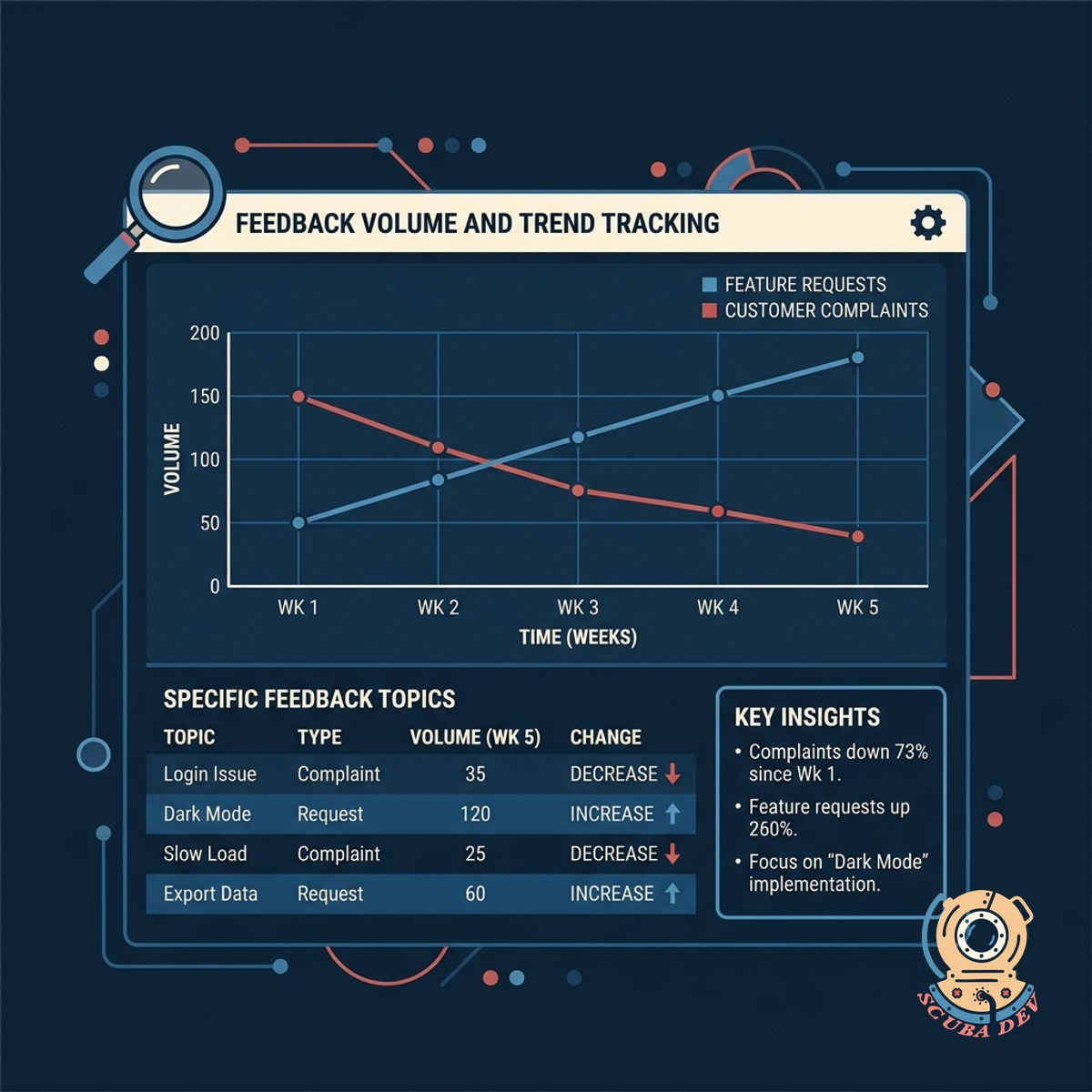
Feedback Volume And Trend Tracking
Monitor how specific customer complaints or feature requests change in frequency over time.
- View historical volume charts
- Track weekly category changes
- Export reports for product teams
- Monitor post launch feedback
Questions
Things people ask
Which platforms can this tool pull data from?
We can build integrations for any platform with an open API. Common sources include Zendesk, Intercom, App Store Connect, Google Play, and SurveyMonkey. We also support manual CSV uploads for interview transcripts.
How does the clustering model work?
The system uses natural language processing to analyze the semantic meaning of each piece of feedback. It groups items that discuss the same underlying issue or request, even if the customers use different phrasing.
Can I manually adjust the clustered themes?
Yes. While the tool generates automatic clusters, you have full control to merge categories, split them apart, or rename them. The system learns from your adjustments to improve future categorizations.
Does it work with multiple languages?
The underlying language models can translate and process feedback from dozens of languages. This allows you to view global customer sentiment clustered together in English or your preferred primary language.
How are the representative quotes selected?
The tool identifies quotes that are closest to the mathematical center of a cluster. This ensures the highlighted text accurately reflects the core sentiment of the entire group rather than an outlier opinion.
Can we filter the trend data by customer segment?
If your source data includes customer metadata, we can pass that through to the clustering tool. You can then filter themes and volume trends by user tier, account size, or geographic region.
How frequently does the system update the clusters?
The ingestion engine can be configured to run on a schedule that fits your needs. Most teams prefer a daily sync to capture the previous day's tickets and reviews, but near real time processing is also possible.