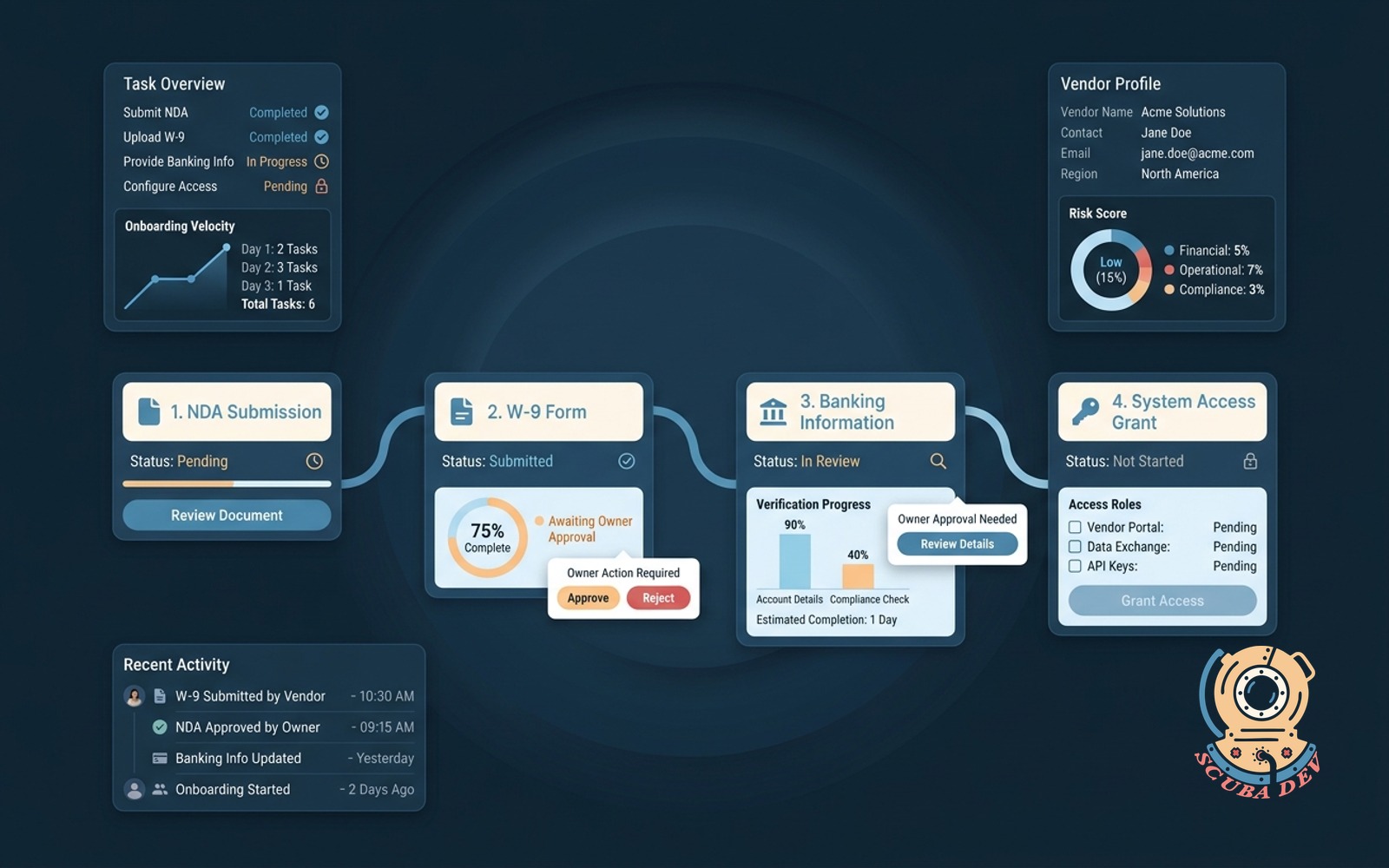
Vendor onboarding workflow
Guides a new vendor through NDA, W-9, banking, and access with owner approvals at each step.
Possibilities
Where this could go
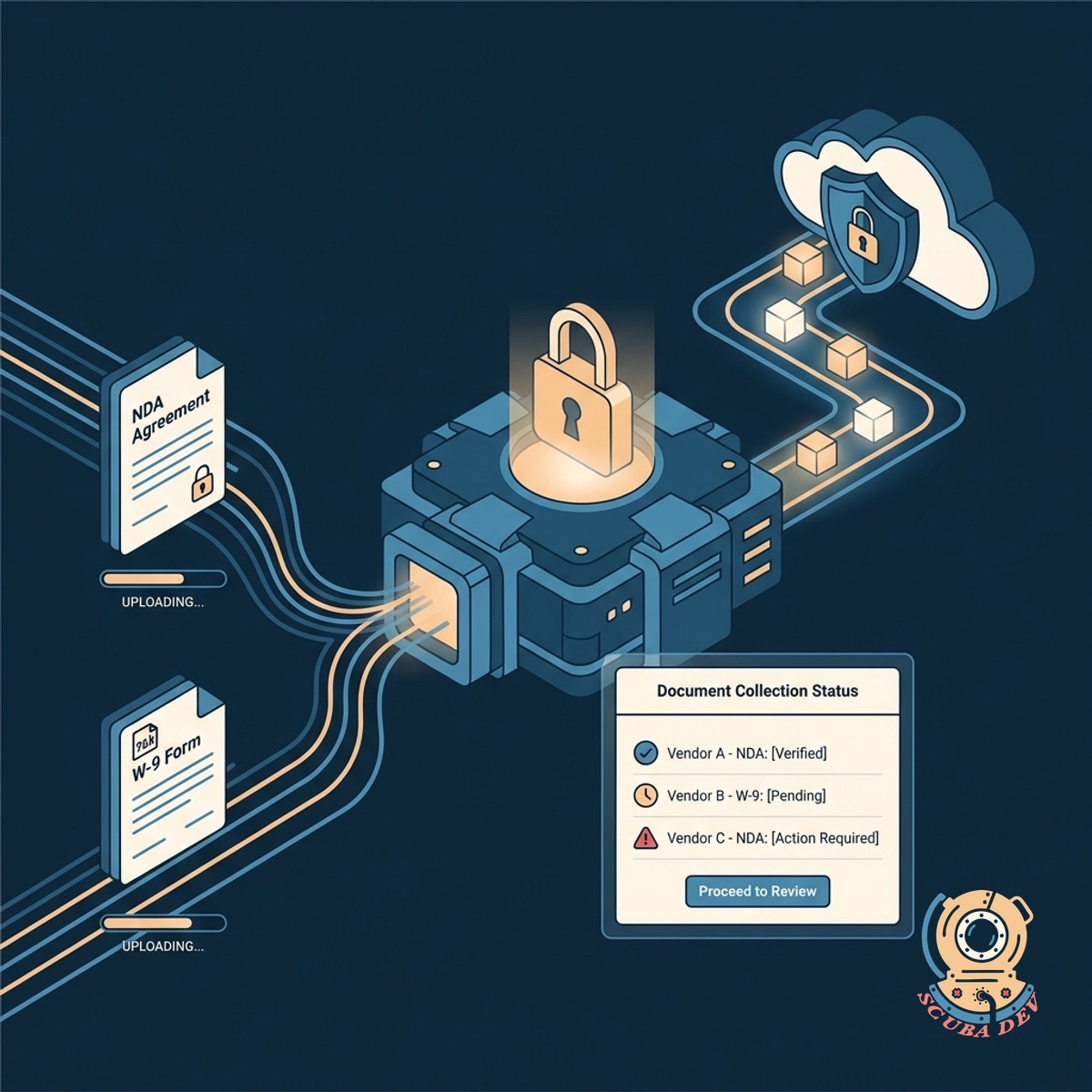
Automated Document And Form Collection
The system securely collects and stores essential vendor documents like NDAs and W-9s before proceeding.
- Sends automated email links for vendors to upload their W-9s and sign NDAs.
- Validates uploaded files to ensure required fields are complete before submission.
- Stores all vendor documents in a centralized, searchable repository.
- Triggers an alert to your internal team as soon as the document package is ready for review.
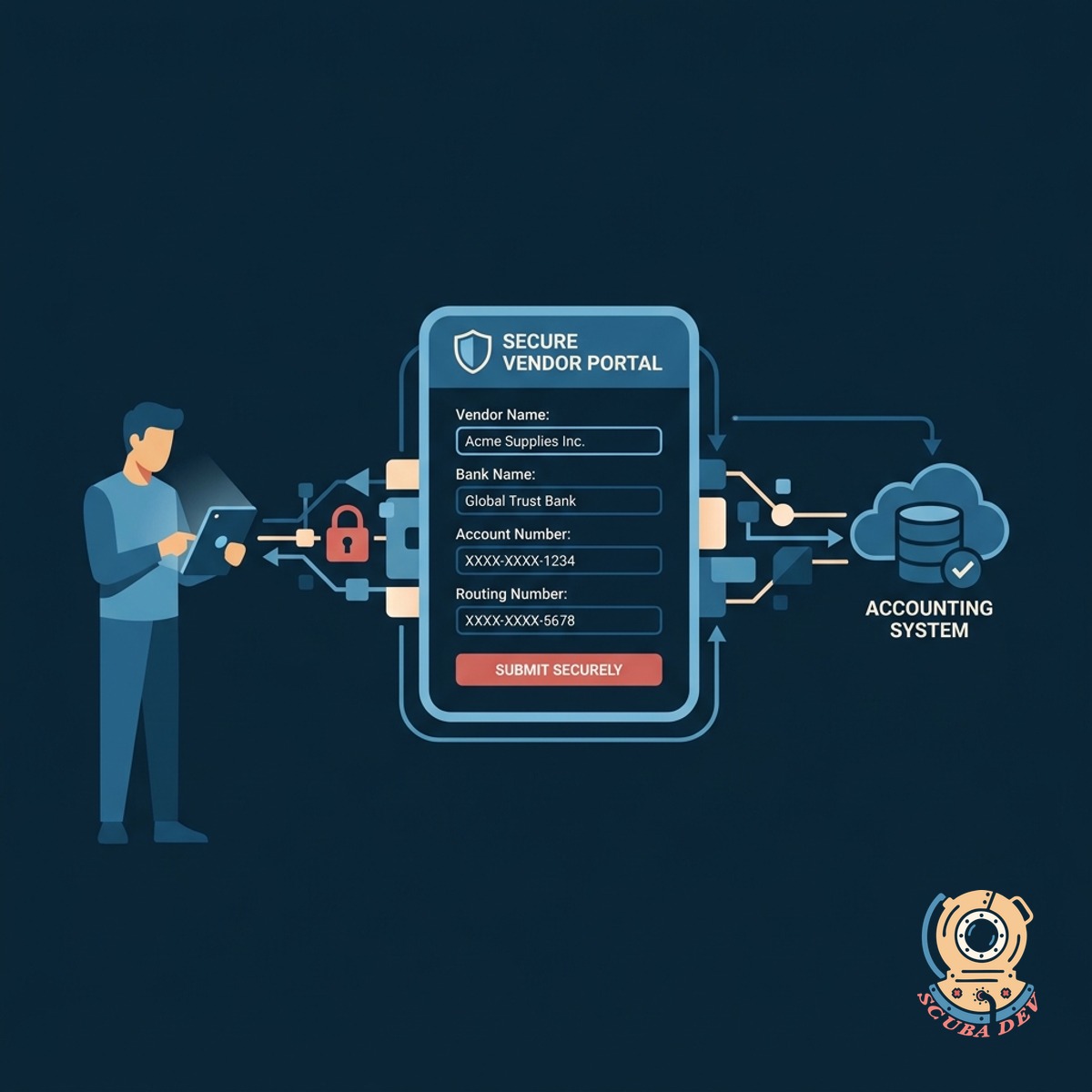
Secure Banking Information Capture
Vendors submit their payment details through an encrypted portal directly into your accounting system.
- Provides a secure portal for routing numbers
- Integrates directly with QuickBooks or NetSuite
- Triggers alerts for mismatched payment details
- Locks banking data after initial submission
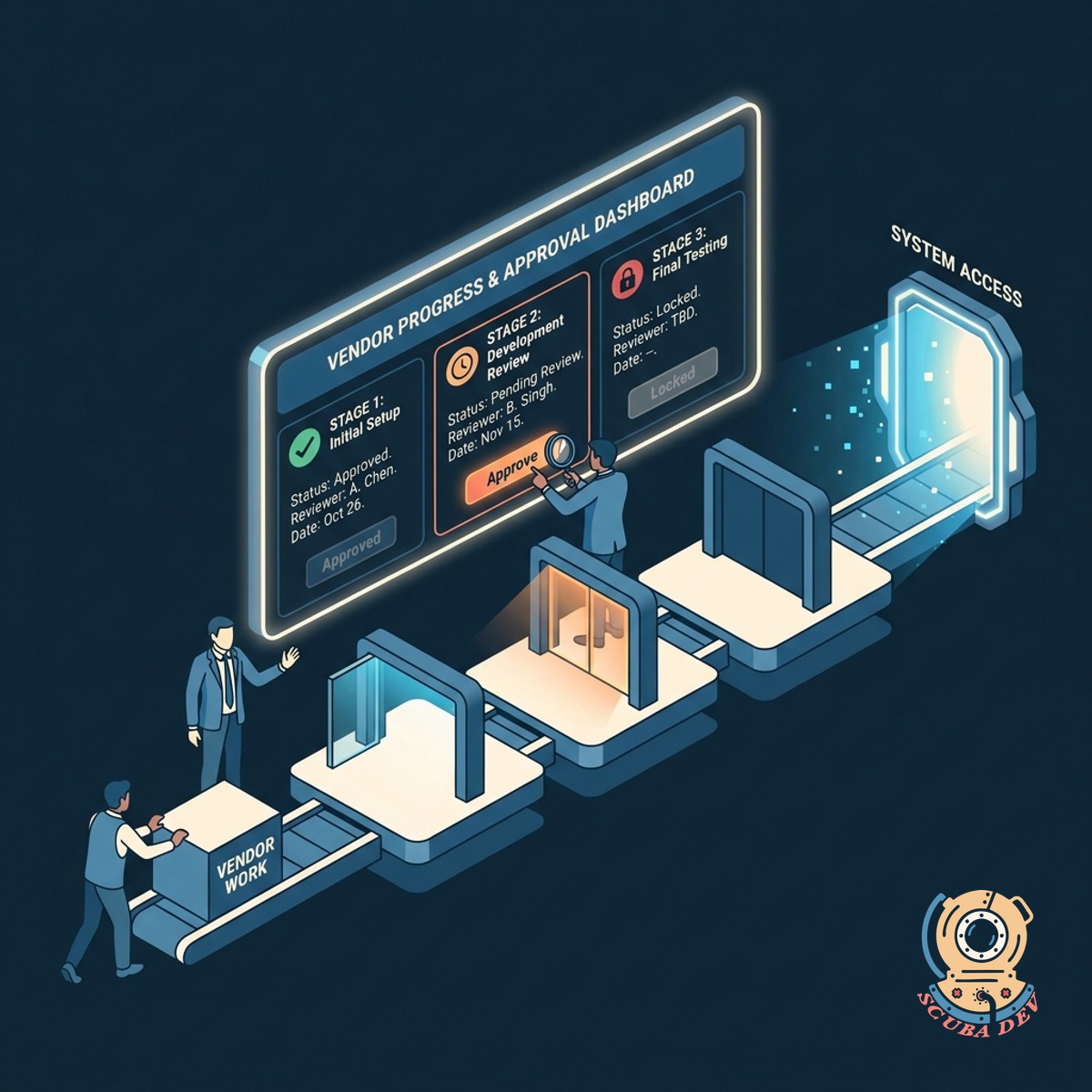
Step By Step Owner Approvals
Internal stakeholders review and approve vendor progress at each stage before granting system access.
- Routes approvals to designated department heads
- Blocks next steps until current stage is approved
- Provisions software access automatically upon completion
- Tracks the entire onboarding timeline
Questions
Things people ask
How does the workflow handle electronic signatures?
The workflow integrates with tools like DocuSign or HelloSign to send NDAs and contracts automatically. Once the vendor signs the document, the system updates their status and moves them to the next onboarding stage.
Can we customize the approval routing based on the vendor type?
Yes. You can set rules to route approvals to specific managers depending on the vendor category or contract value. This ensures the right stakeholders review the details before granting access.
Where is the vendor banking information stored?
If a vendor uploads an incorrect document or misses a signature, your team can flag it within the dashboard. The system automatically emails the vendor with specific instructions on what needs to be fixed. This prevents incomplete profiles from moving forward in the approval process.
What happens if a vendor uploads an incomplete W-9?
The system can use optical character recognition to verify that required fields are filled out. If information is missing, the workflow automatically emails the vendor to request a corrected document.
How do internal owners know it is their turn to approve?
The system sends an automated notification via email or Slack when a vendor reaches a new approval stage. The notification includes a direct link to review the submitted documents and approve the step.
Does this workflow grant software access automatically?
We build the workflow to connect directly with your existing accounting software or ERP. When a vendor is fully approved, their profile and payment details sync automatically. This eliminates manual data entry and ensures your records are accurate from day one.
Can we track where a vendor is stuck in the process?
The dashboard provides a clear view of all vendors currently in the onboarding pipeline. You can see exactly which step is pending and whether the delay is with the vendor or an internal approver.