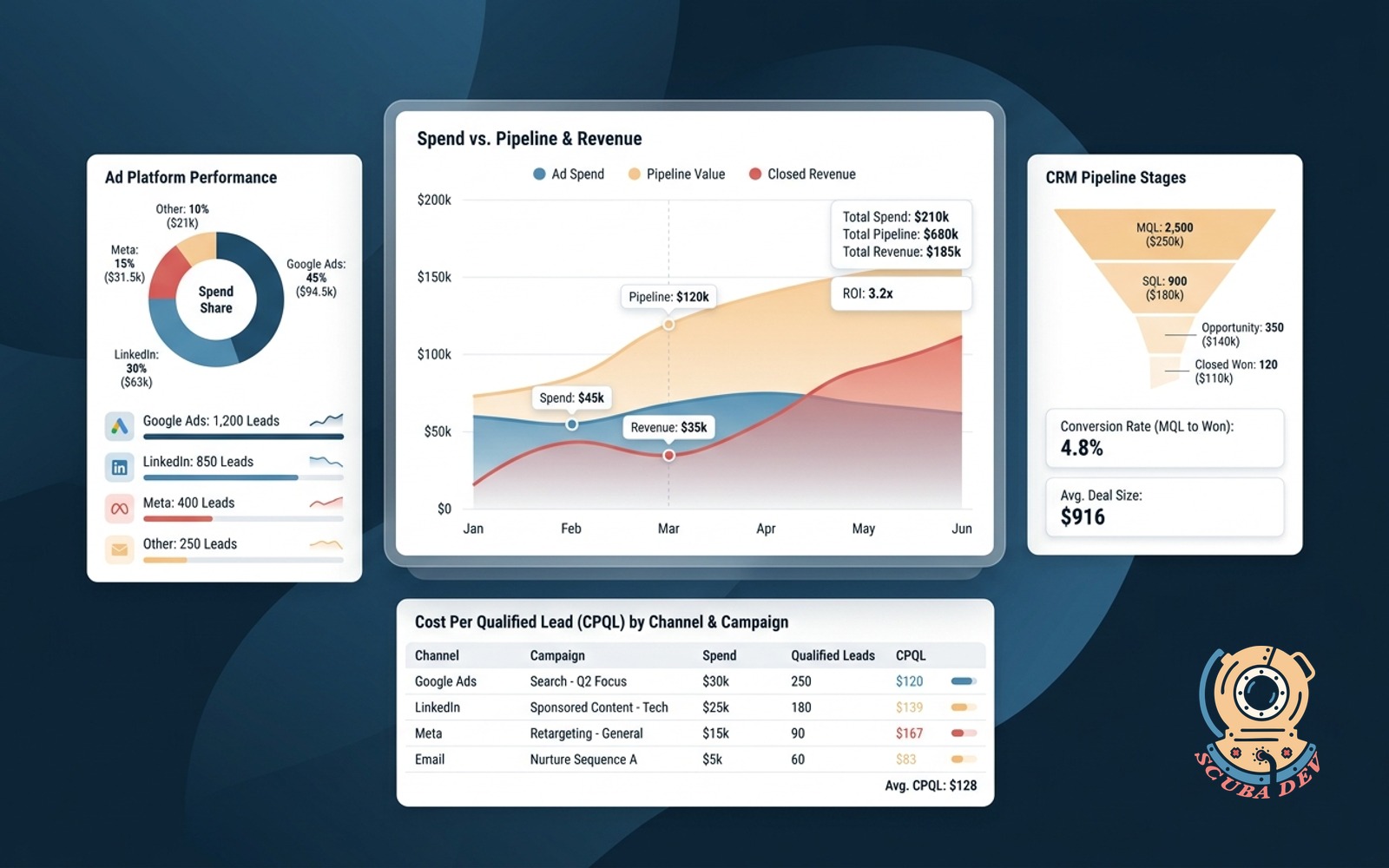
Ad spend versus pipeline dashboard
Pulls every ad platform alongside CRM pipeline and closed revenue. Shows cost per qualified lead by channel and campaign.
Possibilities
Where this could go
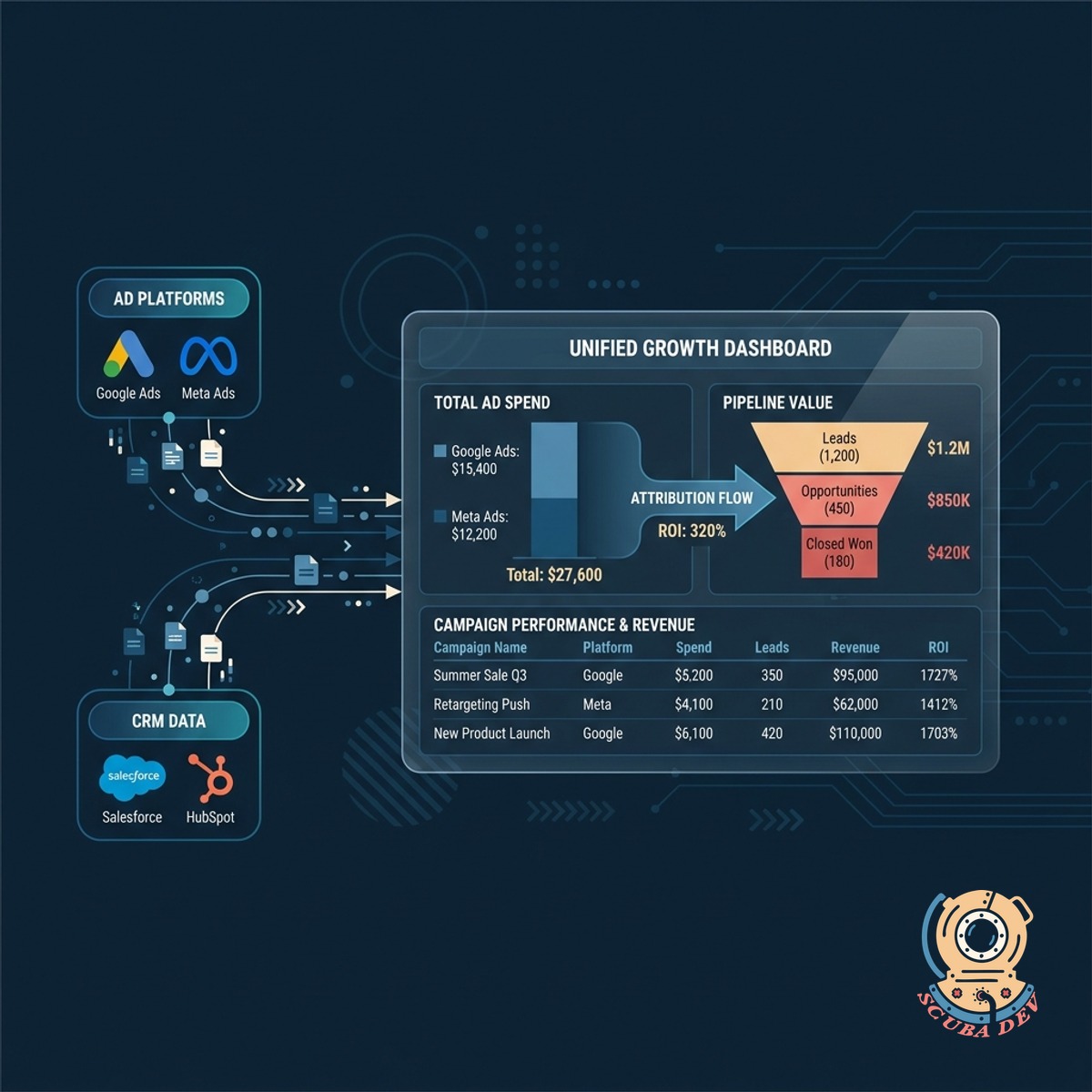
Connect Ad Platforms And CRM Data
This dashboard merges your ad spend from platforms like Google and Meta with your pipeline data from Salesforce or HubSpot.
- Sync Google Ads and Meta Ads
- Connect HubSpot or Salesforce
- Match spend to pipeline stages
- View all data in one place
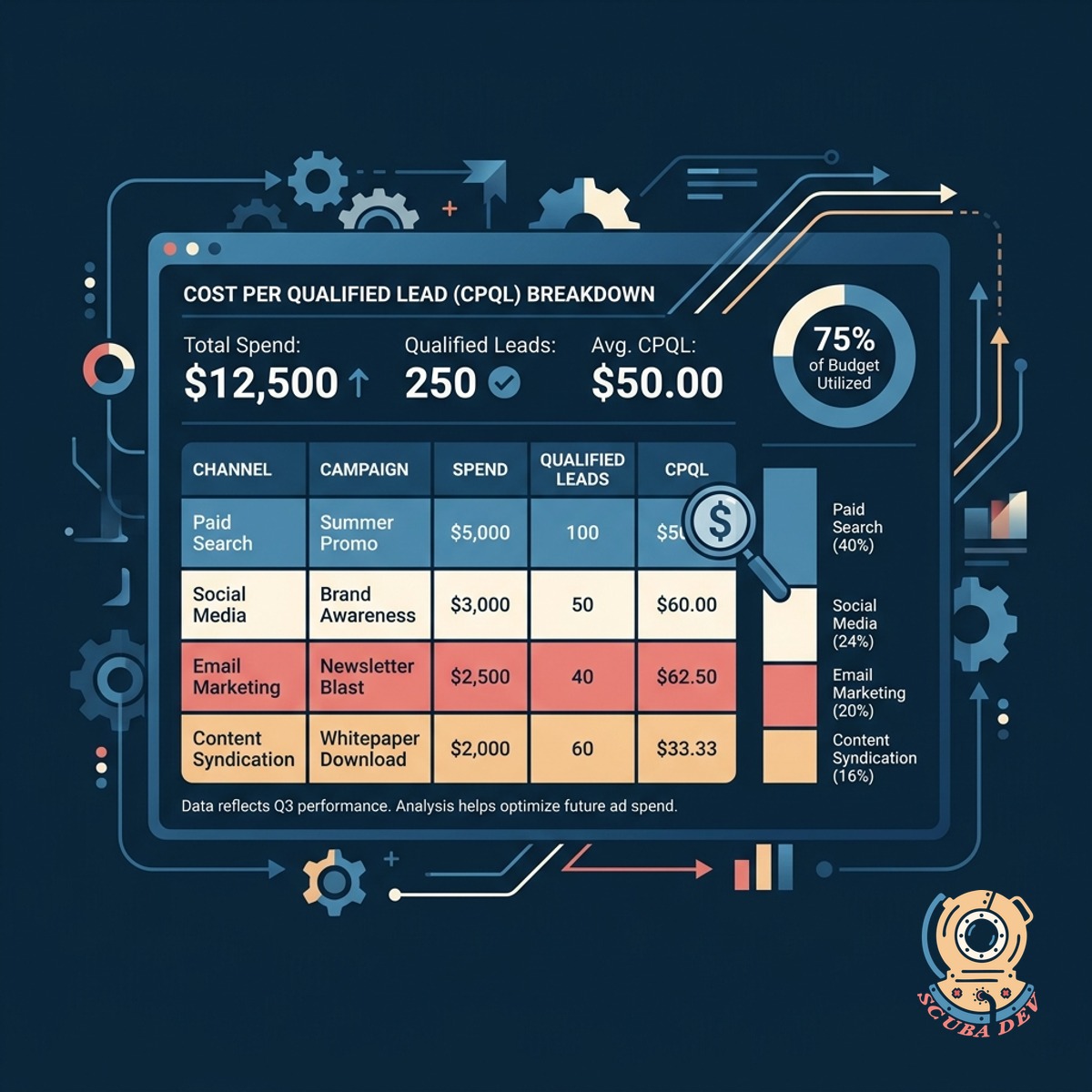
Track Cost Per Qualified Lead
See exactly how much you spend to acquire a qualified lead by breaking down costs by specific channel and campaign.
- Calculate qualified lead costs
- Filter by ad channel
- Drill down into campaign data
- Compare platform efficiency
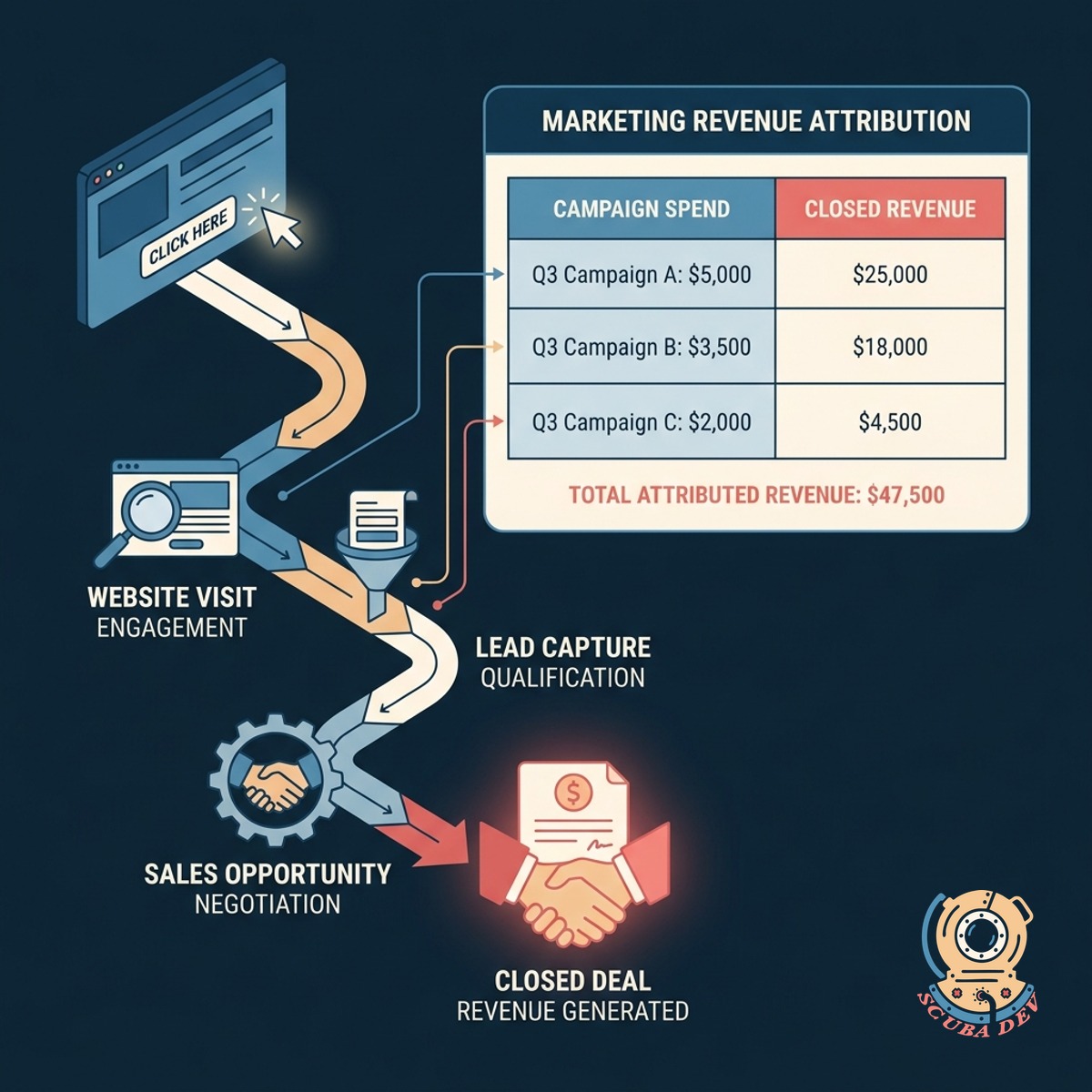
Align Marketing Spend With Closed Revenue
Follow the entire customer journey from the initial ad click to the final closed deal to understand which campaigns generate revenue.
- Track deals to closed won
- Attribute revenue to ad clicks
- Identify top performing campaigns
- Monitor full funnel metrics
Questions
Things people ask
Which ad platforms does this dashboard support?
The dashboard connects with major advertising platforms including Google Ads, Meta Ads, LinkedIn Ads, and TikTok Ads. We can also build custom integrations for niche ad networks if they have an accessible API.
Which CRMs can be integrated with this tool?
We typically connect this dashboard to industry standard CRMs like Salesforce, HubSpot, and Pipedrive. If you use a custom or less common CRM, we can integrate it as long as it supports webhooks or REST APIs.
How does the system match an ad click to a closed deal?
The system uses tracking parameters like UTM tags and click IDs appended to your ad URLs. When a lead fills out a form, these hidden fields are captured in your CRM and follow the contact through to the closed deal stage.
Can I see data at the individual campaign level?
Yes. The dashboard allows you to drill down from the channel level into specific campaigns, ad sets, and even individual ads to see exactly where your qualified leads originate.
How often does the dashboard data refresh?
The data refresh rate depends on the specific APIs of your ad platforms and CRM. Most standard setups sync data every few hours, but we can configure near real time updates if your infrastructure supports it.
Does this replace my current CRM reporting tools?
No. This dashboard works alongside your existing CRM reports. It specifically solves the problem of merging disconnected ad spend data with your internal sales pipeline stages in a single unified view.
How do you define a qualified lead in this dashboard?
The definition of a qualified lead is pulled directly from your CRM lifecycle stages. You decide which pipeline stage represents a qualified lead, and the dashboard calculates the cost based on that specific milestone.