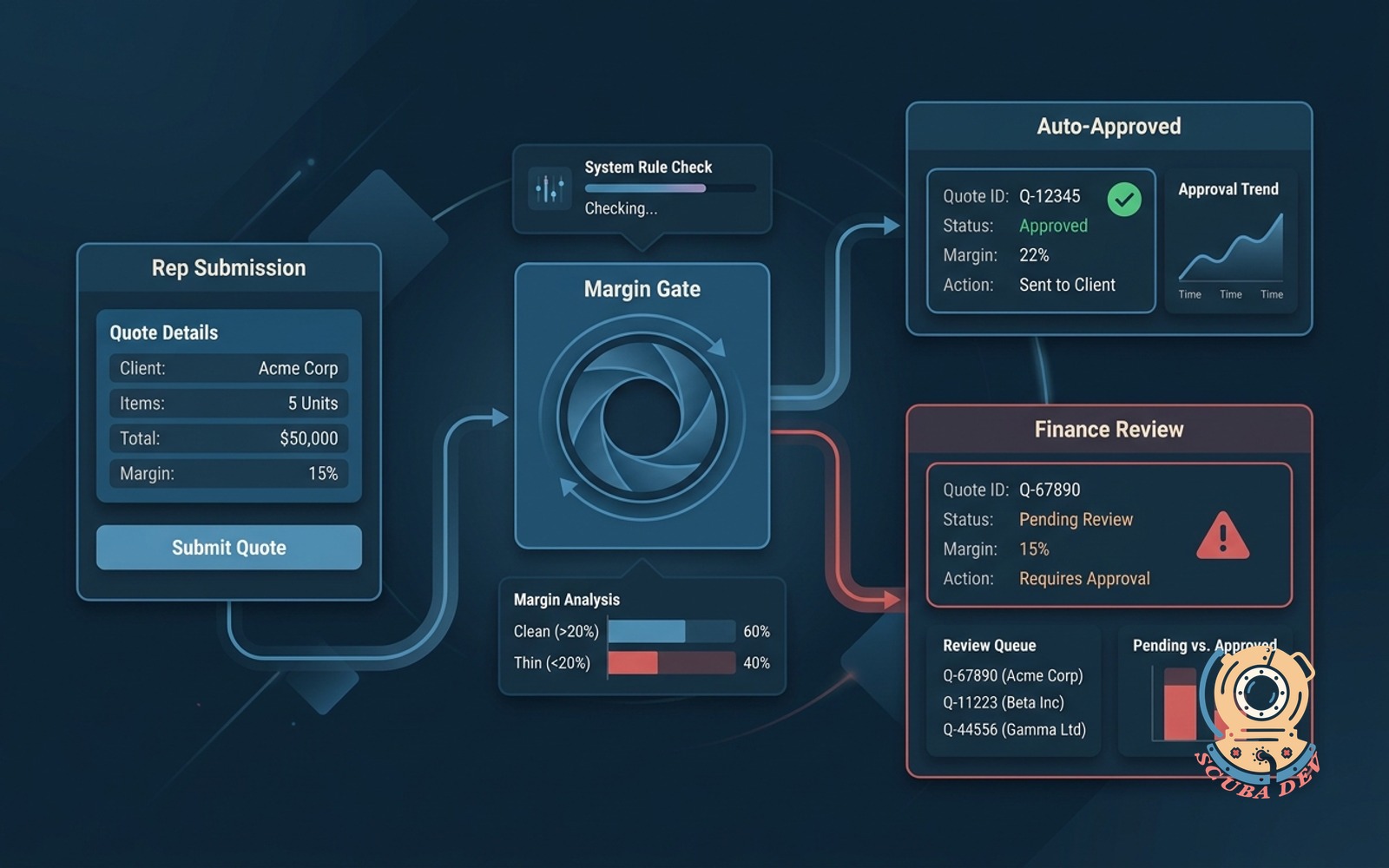
Quote approval workflow with margin gate
Reps submit quotes, the system checks margin against rules, auto-approves clean ones, routes thin margin to finance.
Possibilities
Where this could go
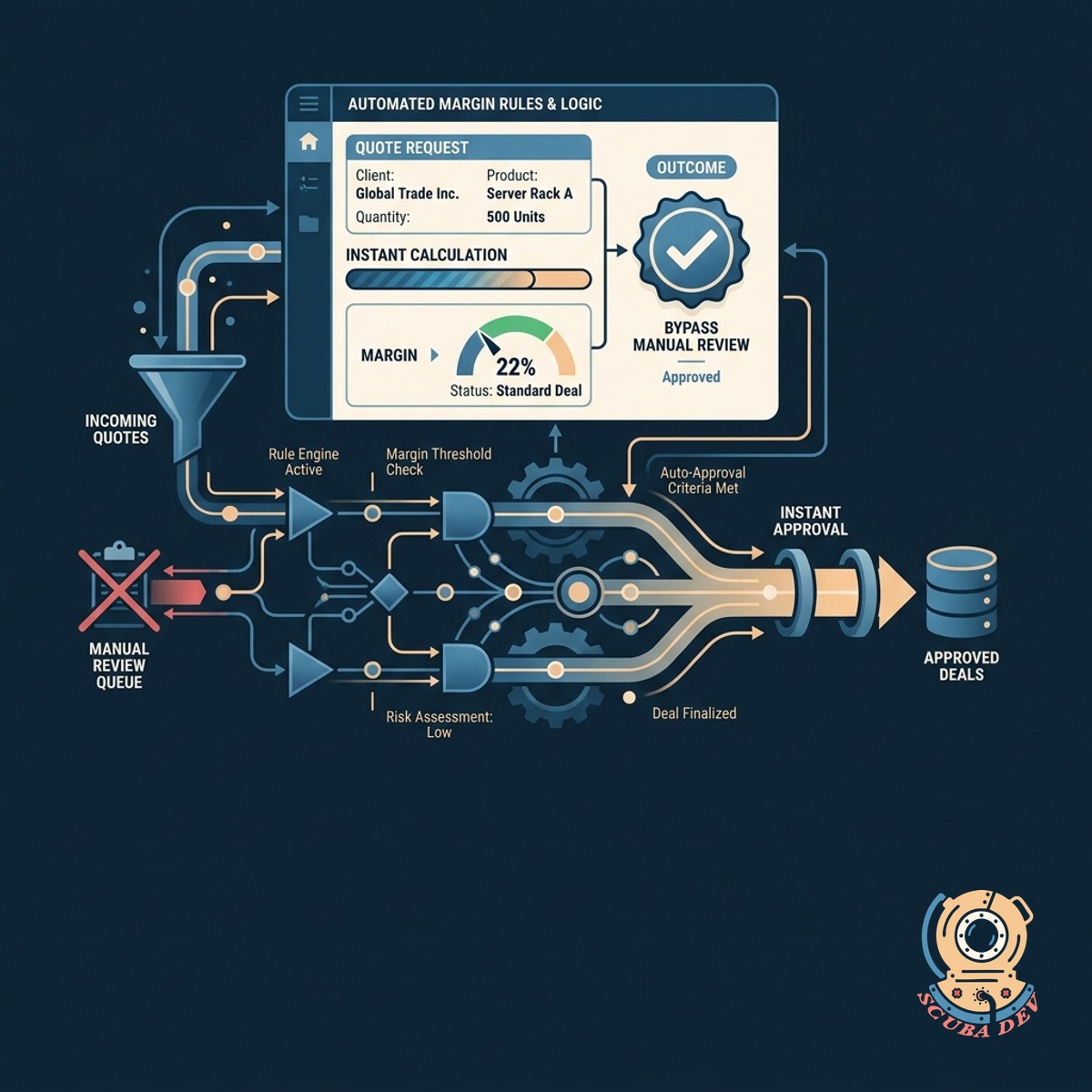
Automated Margin Rules And Logic
The system calculates quote margins instantly so standard deals bypass manual review.
- Connects to HubSpot or Salesforce
- Reads line item costs and discounts
- Calculates total deal margin instantly
- Flags quotes below your set threshold
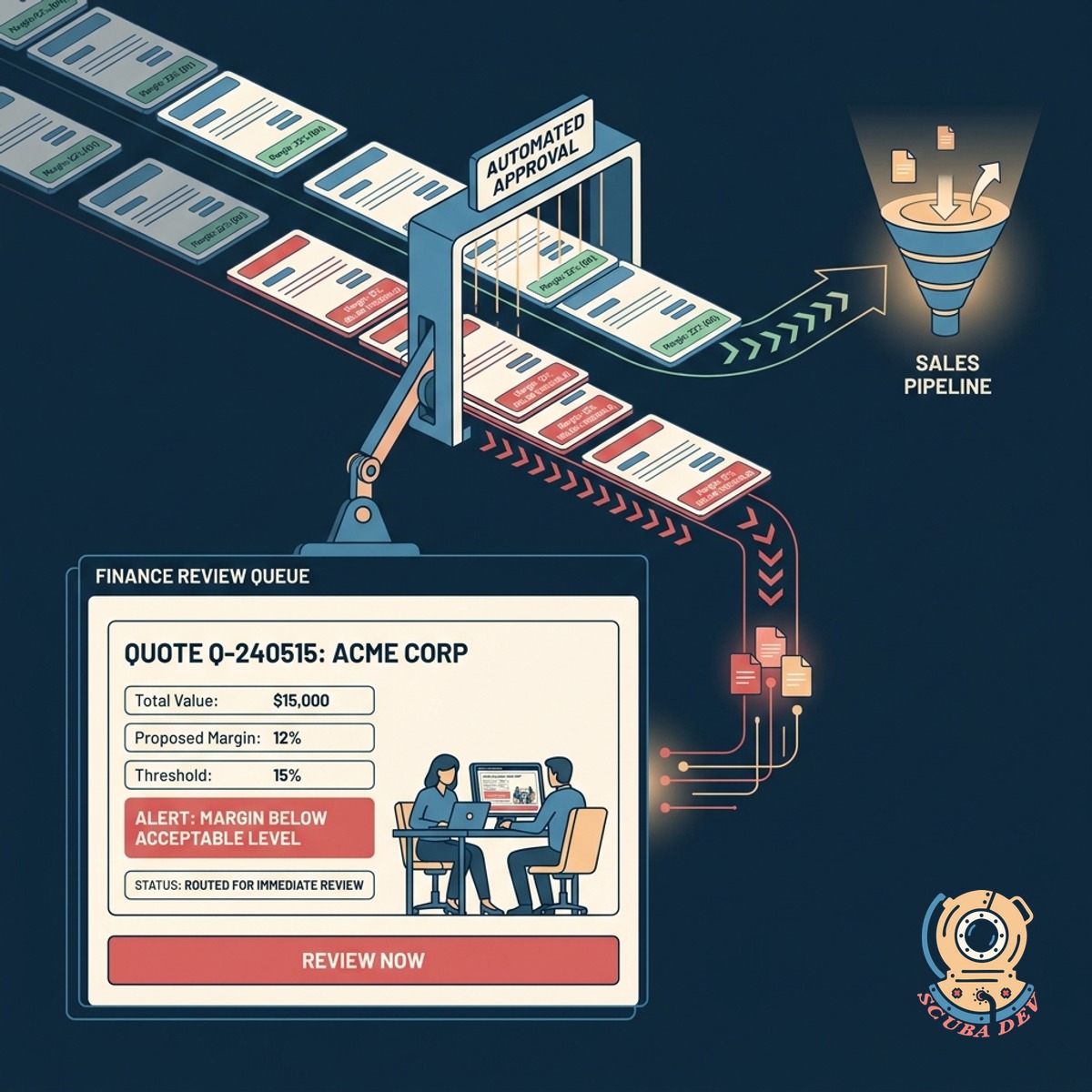
Conditional Routing For Finance Teams
Quotes that fall below acceptable margins are routed to finance for immediate review.
- You can set custom margin thresholds based on product categories or customer tiers.
- The system flags quotes that dip below your required margin and locks the send button.
- Finance managers receive an alert with a breakdown of the discounted line items.
- Reviewers can leave internal comments for the sales rep directly on the quote draft.
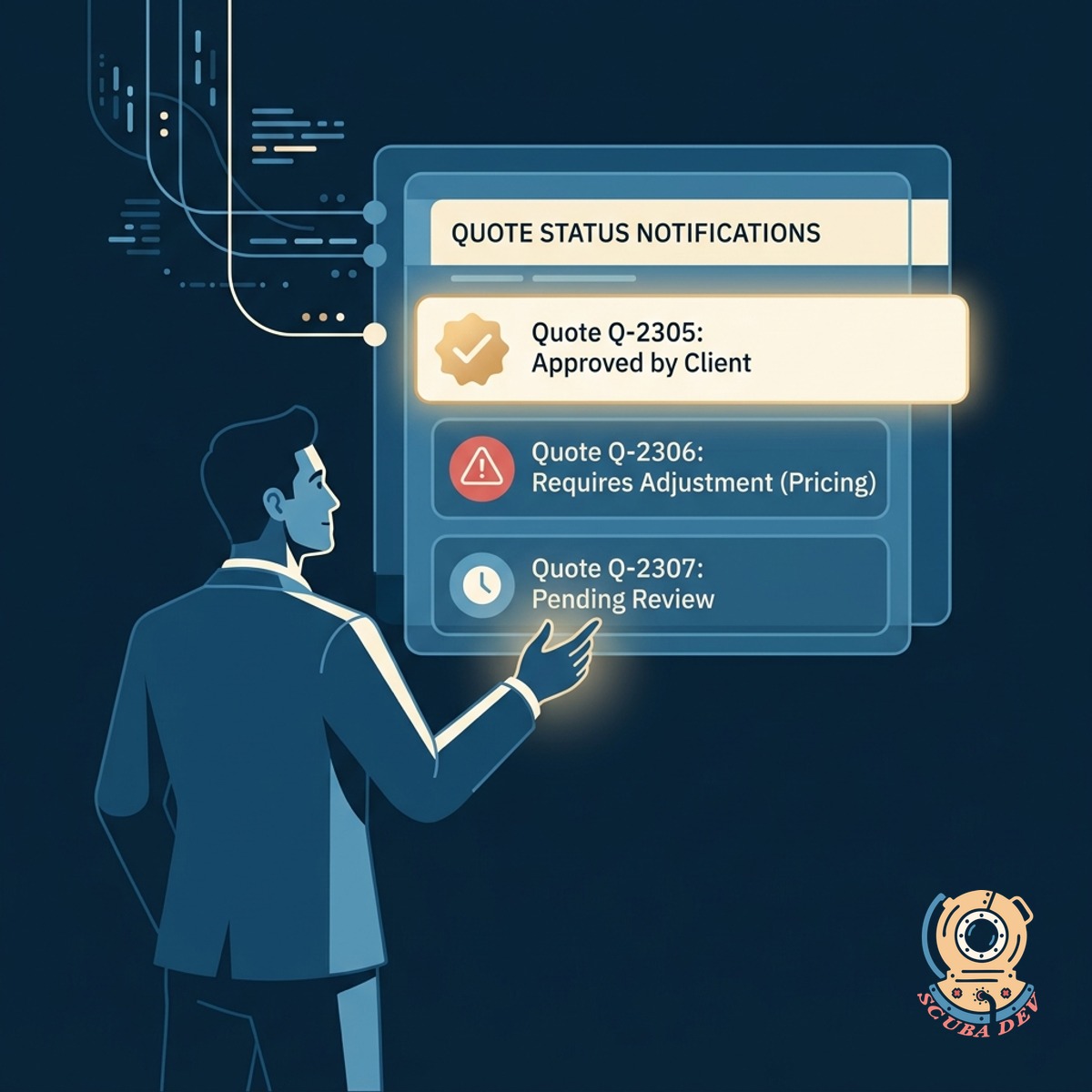
Instant Status Updates For Sales
Sales reps receive automated notifications when quotes are approved or need adjustments.
- Sends instant Slack or email updates
- Provides specific feedback from finance
- Unlocks the quote PDF for sending
- Keeps the deal moving without manual check-ins
Questions
Things people ask
Which CRM platforms do you support?
We build integrations primarily for HubSpot and Salesforce. The workflow reads line items directly from your deal records to calculate margins before generating the quote.
How does the system know our product costs?
The workflow pulls cost data directly from your CRM product library or an external ERP system. We map these costs against the quoted sales price to determine the exact margin.
Can we set different margin rules for different product lines?
Yes. The logic can evaluate margins at the line item level or the total deal level. You define the specific thresholds for each category during the setup process.
How does the finance team receive review requests?
We typically route requests through Slack, Microsoft Teams, or a dedicated email inbox. The notification includes a direct link to the quote and highlights the specific margin issue.
What happens if a quote is rejected?
The finance reviewer can add notes explaining the rejection. The system then alerts the sales rep via Slack or email with those notes so they can adjust the pricing and resubmit.
Can sales reps send the quote while it is under review?
No. The system locks the quote document generation until the approval criteria are met. Once approved, the final PDF is generated and attached to the deal record.
Do you store our pricing data?
We do not store your pricing or cost data. The integration acts as a routing layer that processes the information in transit between your CRM and communication tools.