Cash flow forecast dashboard
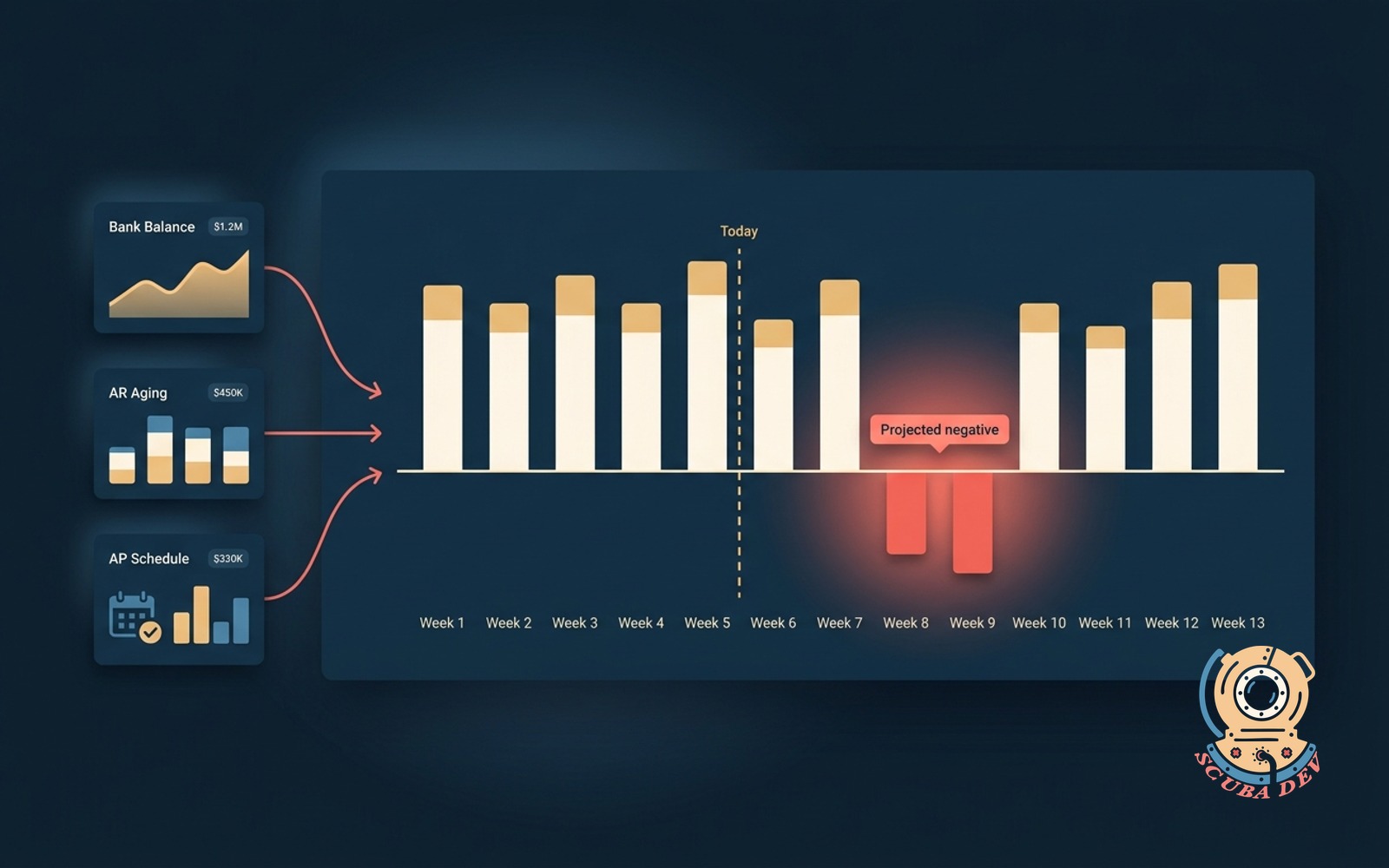
Rolling 13-week cash forecast from bank, AR, and AP feeds. Flags the weeks that go negative before they arrive.
Possibilities
Where this could go
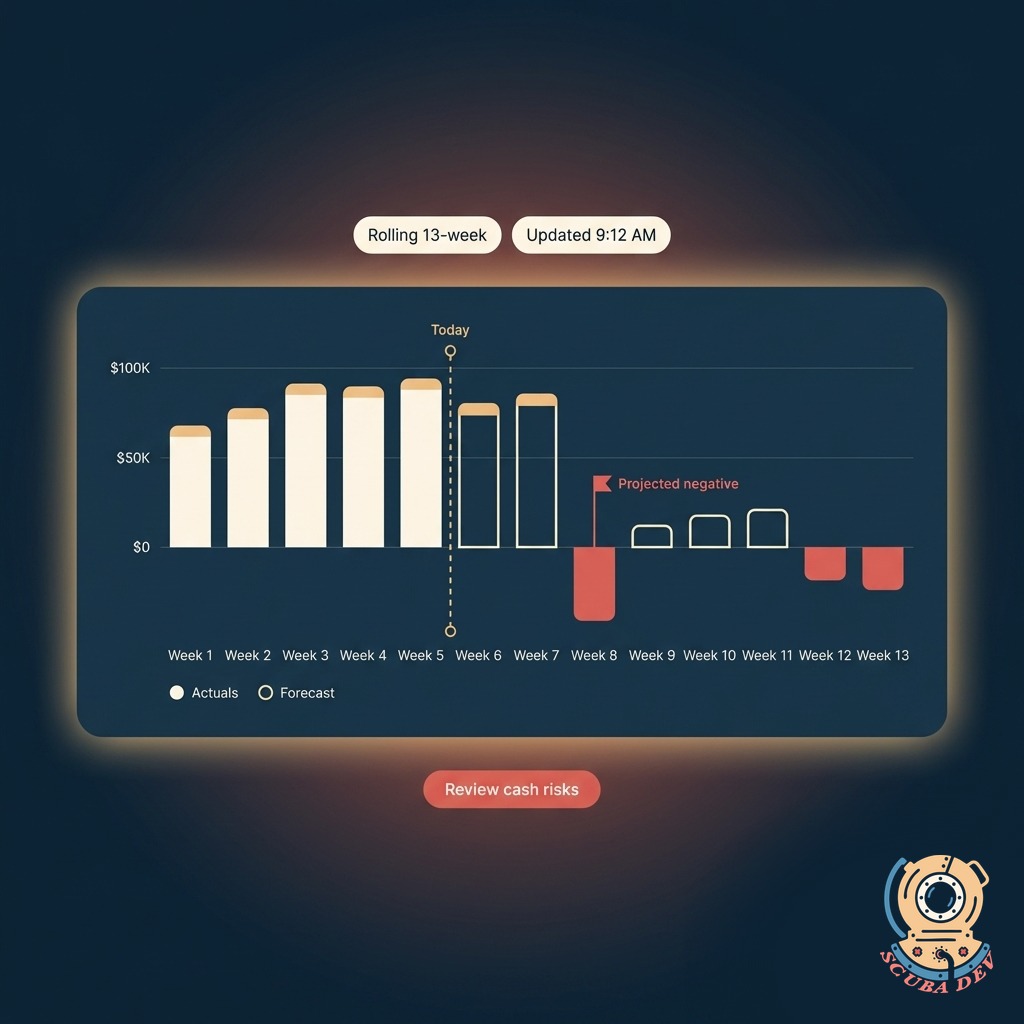
Rolling 13-Week View
Always looking one quarter ahead. Every week rolls forward automatically, so the picture stays current without manual updates.
- Each week shows projected inflows, outflows, and net balance
- Today marker separates actuals from forecast at a glance
- Scenario toggle lets you compare optimistic, expected, and conservative
- Export the full forecast to CSV or a board deck with one click
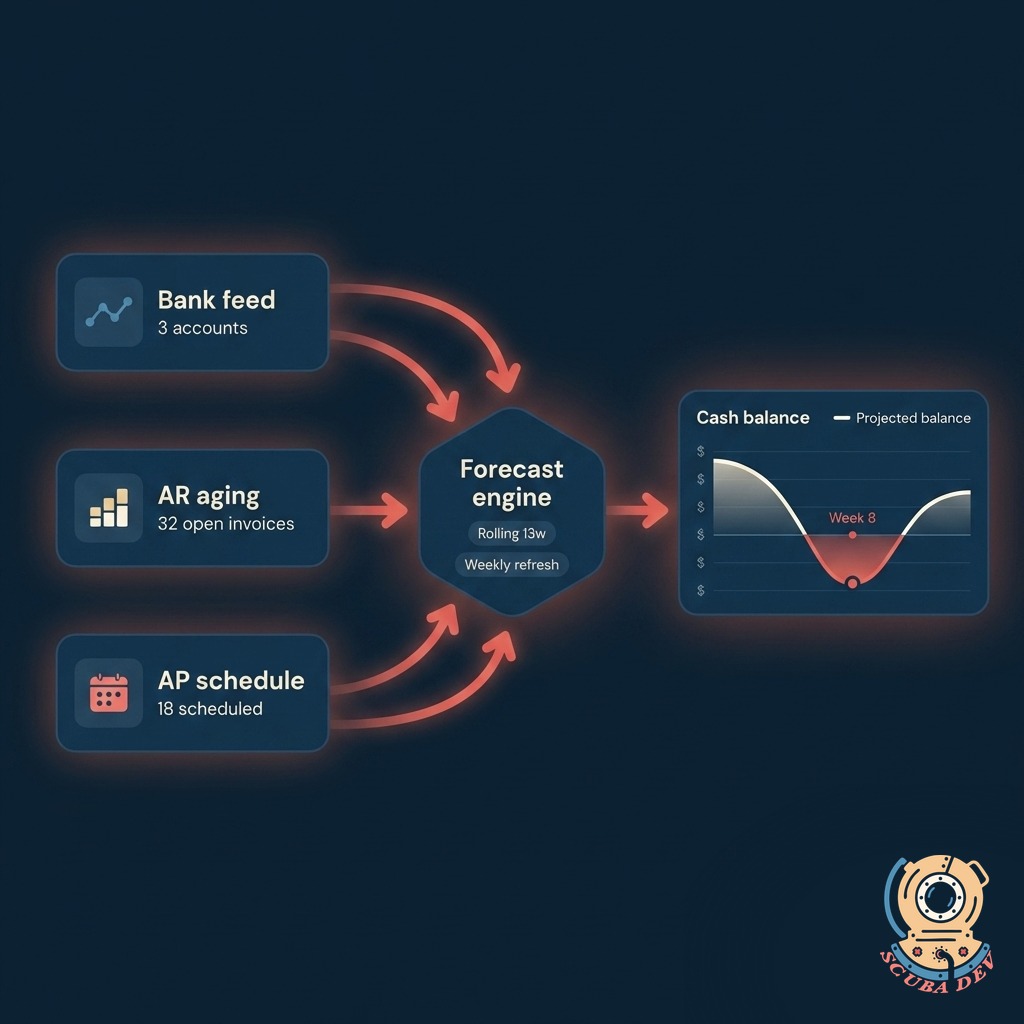
Auto-Synced From Your Banks and Books
Pulls live balances, AR aging, and AP schedules from the systems you already use. No manual spreadsheet updates.
- Bank feeds via Plaid or direct bank API
- AR and AP from QuickBooks, Xero, NetSuite, Sage Intacct, or custom ledgers
- Refreshes overnight and on-demand
- Every source clearly labeled in the forecast so you can trace any number to its origin
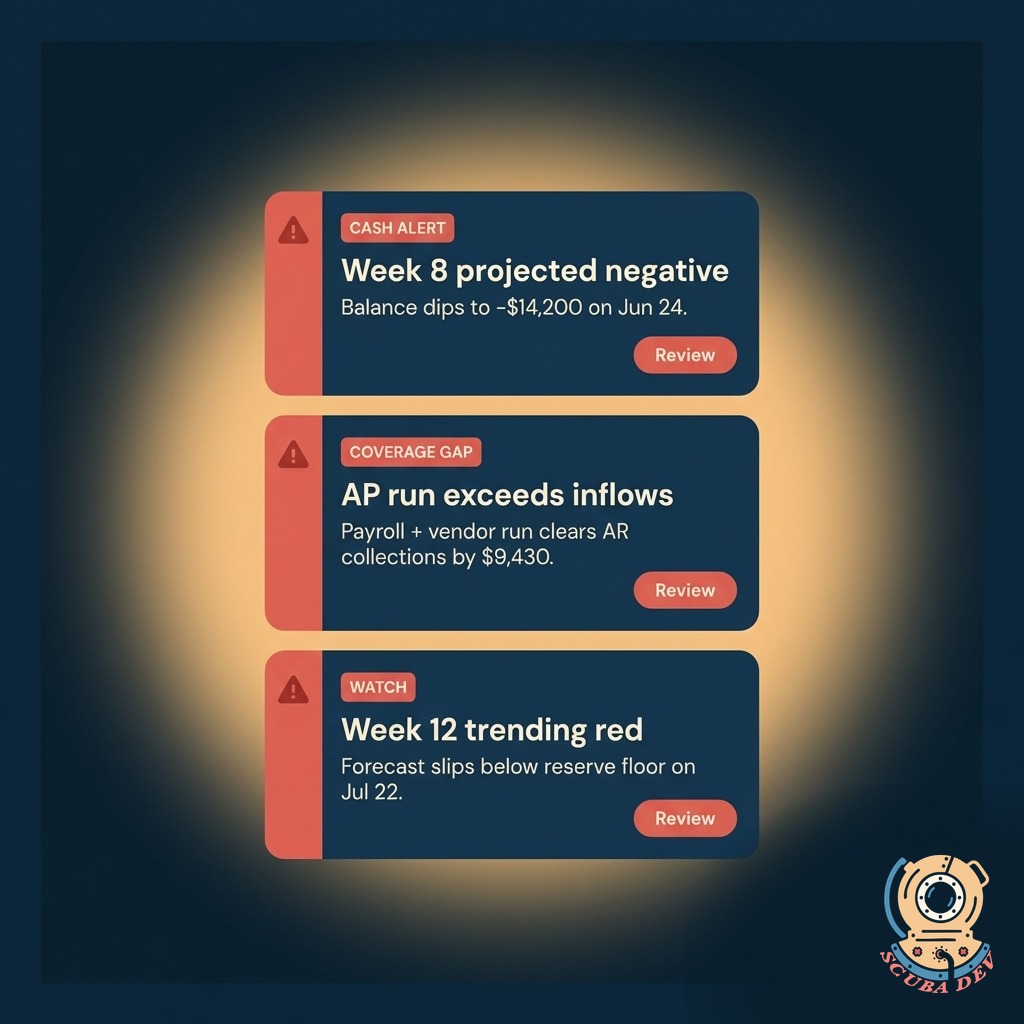
Negative-Week Alerts
Flags the weeks that go negative before they arrive. Gives you time to act instead of reacting to an overdraft.
- Alert fires the moment a projected week drops below your threshold
- Suggests which AR invoices to chase or AP payments to defer
- Routes to email, Slack, or a CRM task per your preference
- Historical log keeps every alert and how it was resolved
Questions
Things people ask
What systems does this connect to?
Banks via Plaid or direct APIs. AR and AP from QuickBooks, Xero, NetSuite, Sage Intacct, Zoho Books, or custom ledgers. Payroll from Gusto, Rippling, ADP, or Paychex when you want that included.
How often does the forecast refresh?
Overnight automatically. You can also trigger a manual refresh from the dashboard at any time. Bank balances pull live, AR and AP pull the latest snapshot from your accounting system.
Can we model what-if scenarios?
Yes. Toggle between optimistic, expected, and conservative side by side. You can also simulate a delayed receivable, a deferred payable, a line-of-credit draw, or a new hire and see the effect across the 13 weeks.
Who in my team can access it?
You decide. Full access for finance leads, read-only for execs, scenario-only for department heads. Permissions are set per user and logged so you always know who made what change.
How are the alerts delivered?
Email by default. We can also push to Slack, Teams, or create a task in HubSpot, Salesforce, Asana, or Monday. You pick the channel and the quiet hours, and the dashboard respects them.
What if my AR or AP data is messy?
We clean it on setup and flag the entries that need your review. The dashboard will not guess. If a record is ambiguous, it shows up in a review queue so you can decide how to treat it before it affects the forecast.
Can this replace our spreadsheet model?
For most teams, yes. If you have a custom model with unique logic, we fold that logic into the dashboard so nothing is lost. You keep the spreadsheet as a reference and the dashboard becomes the source of truth.