No-show prediction and overbook assistant
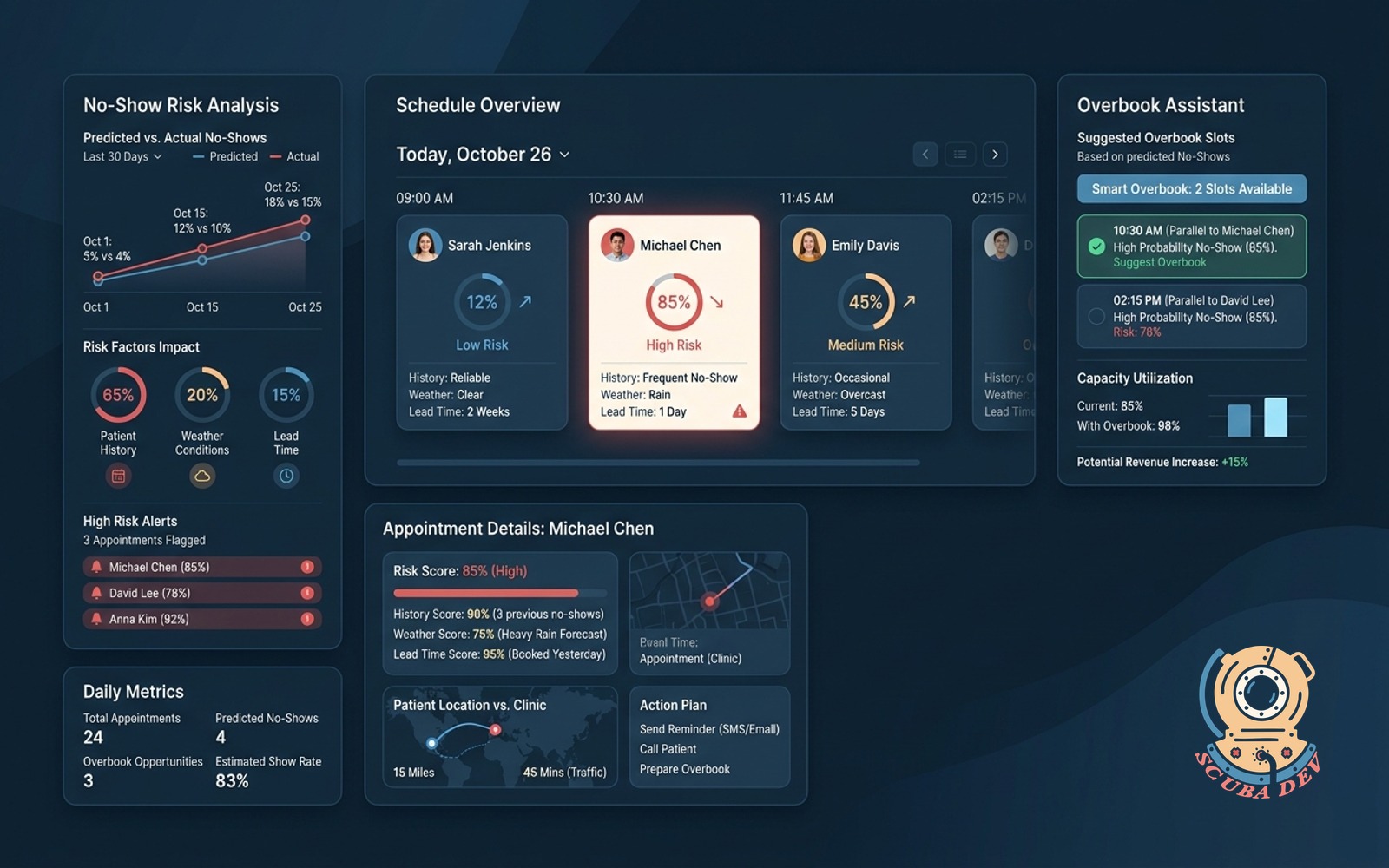
Scores each appointment by no-show risk based on history, weather, and lead time. Suggests smart overbook slots to keep the schedule full.
Possibilities
Where this could go
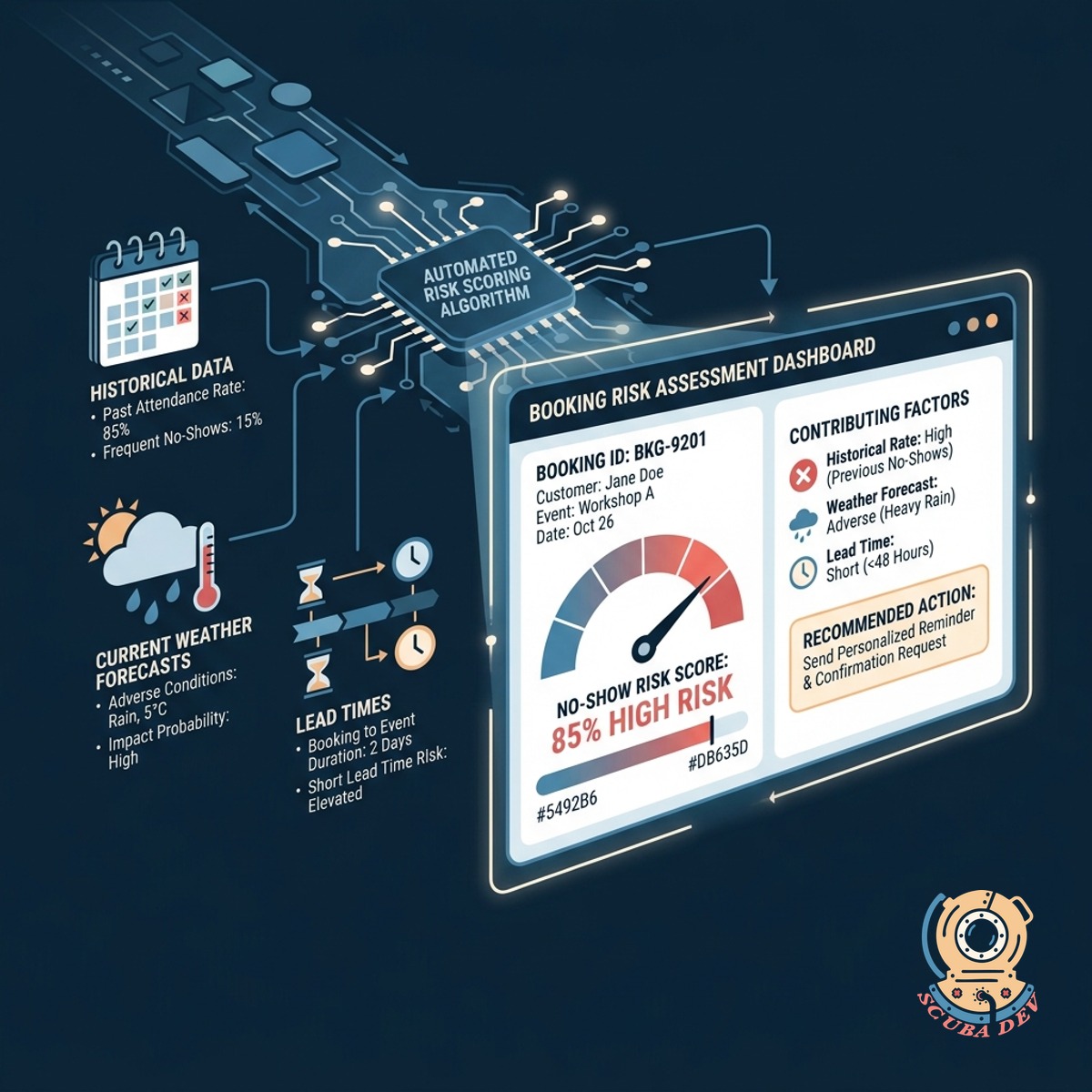
Automated No-Show Risk Scoring
The system evaluates every booking against historical data, current weather forecasts, and lead times to assign a probability score for attendance.
- Analyzes past customer attendance records
- Factors in local weather conditions
- Evaluates booking lead time
- Assigns a risk percentage to every slot
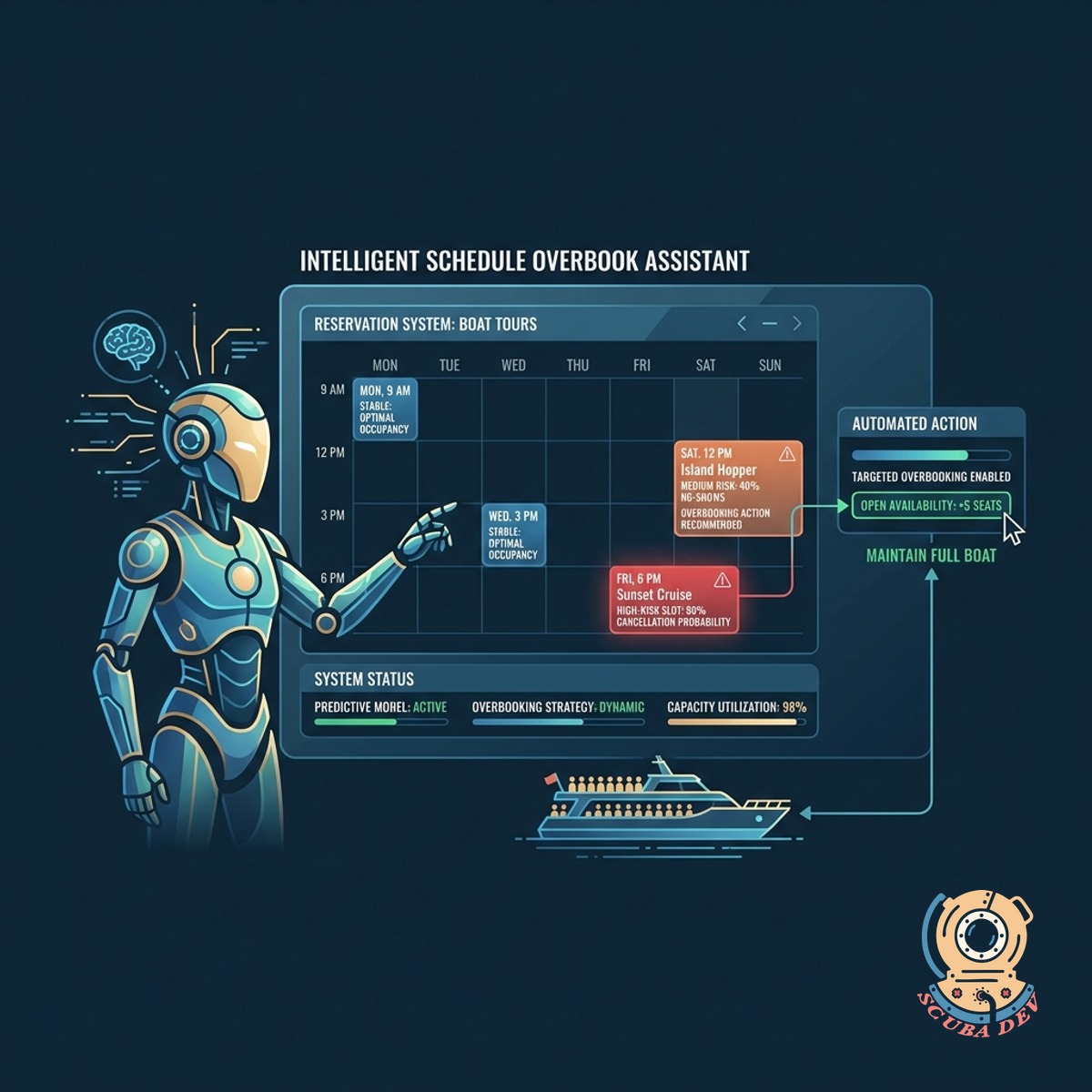
Intelligent Schedule Overbook Assistant
The tool identifies safe opportunities to double-book time slots based on the calculated risk of cancellations.
- Reviews daily capacity and highlights low-risk times to accept extra reservations
- Sets automatic limits on how many extra bookings you can accept per time slot
- Blocks overbooking entirely when weather or staff shortages increase risk
- Prompts staff with a confirmation screen before finalizing an overbooked slot
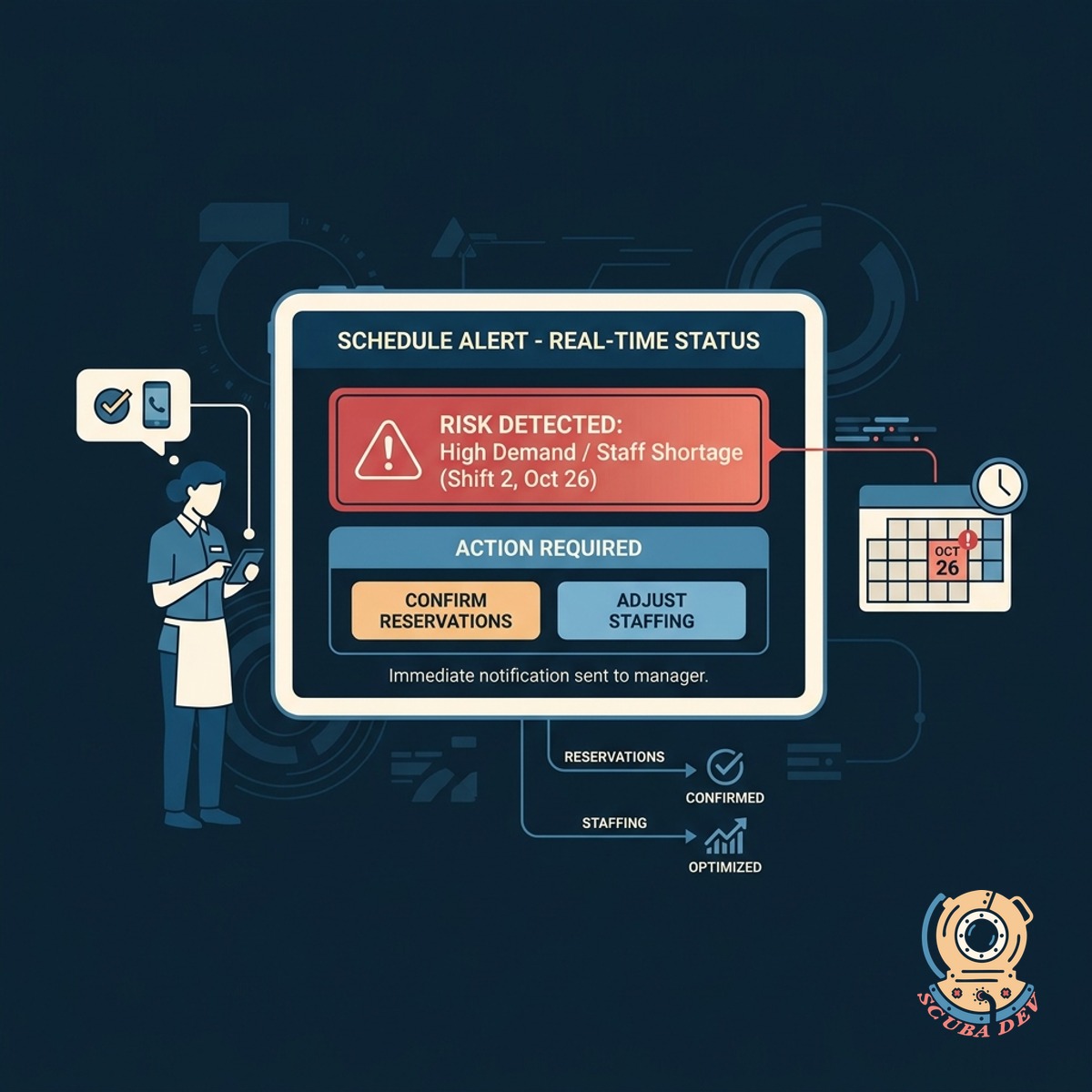
Real-Time Schedule Status Alerts
Your staff receives immediate notifications when schedule risks change so they can proactively confirm reservations or adjust staffing levels.
- Sends automated staff notifications
- Triggers customer confirmation requests
- Updates daily manifest views
- Connects with Twilio for SMS alerts
Questions
Things people ask
How does the system calculate the no-show risk score?
The tool uses a machine learning model that looks at past customer behavior, the time between booking and the activity, and external factors like weather forecasts to generate a probability score.
Will this integrate with my current reservation software?
Yes. The assistant connects directly to booking platforms like FareHarbor, Xola, and Peek Pro via their APIs to read your schedule and adjust availability.
How does the smart overbooking feature work?
We use your historical attendance data alongside current weather forecasts and booking lead times to evaluate each appointment. The system then assigns a simple risk score to help you understand the likelihood of a cancellation.
What happens if everyone actually shows up?
The overbook assistant uses conservative limits to prevent overcrowding. If all scheduled guests arrive, your staff will need to manage the extra volume using your standard standby procedures. We provide the data so you can make the final call on how many extra bookings to accept.
Can I manually override the risk scores?
You have full control over the overbooking parameters. You can disable the assistant entirely for specific days, limit the maximum number of extra slots, or require manager approval before an overbooked slot is confirmed.
Does the tool notify customers who are flagged as high risk?
You can configure the system to trigger automated SMS or email confirmation requests through Twilio or SendGrid specifically for bookings that exceed your risk threshold.
How accurate are the weather-based predictions?
The tool connects directly to your existing booking system to pull schedule data in real time. We process this information in the background and display the risk scores and overbook suggestions directly on your main calendar view.