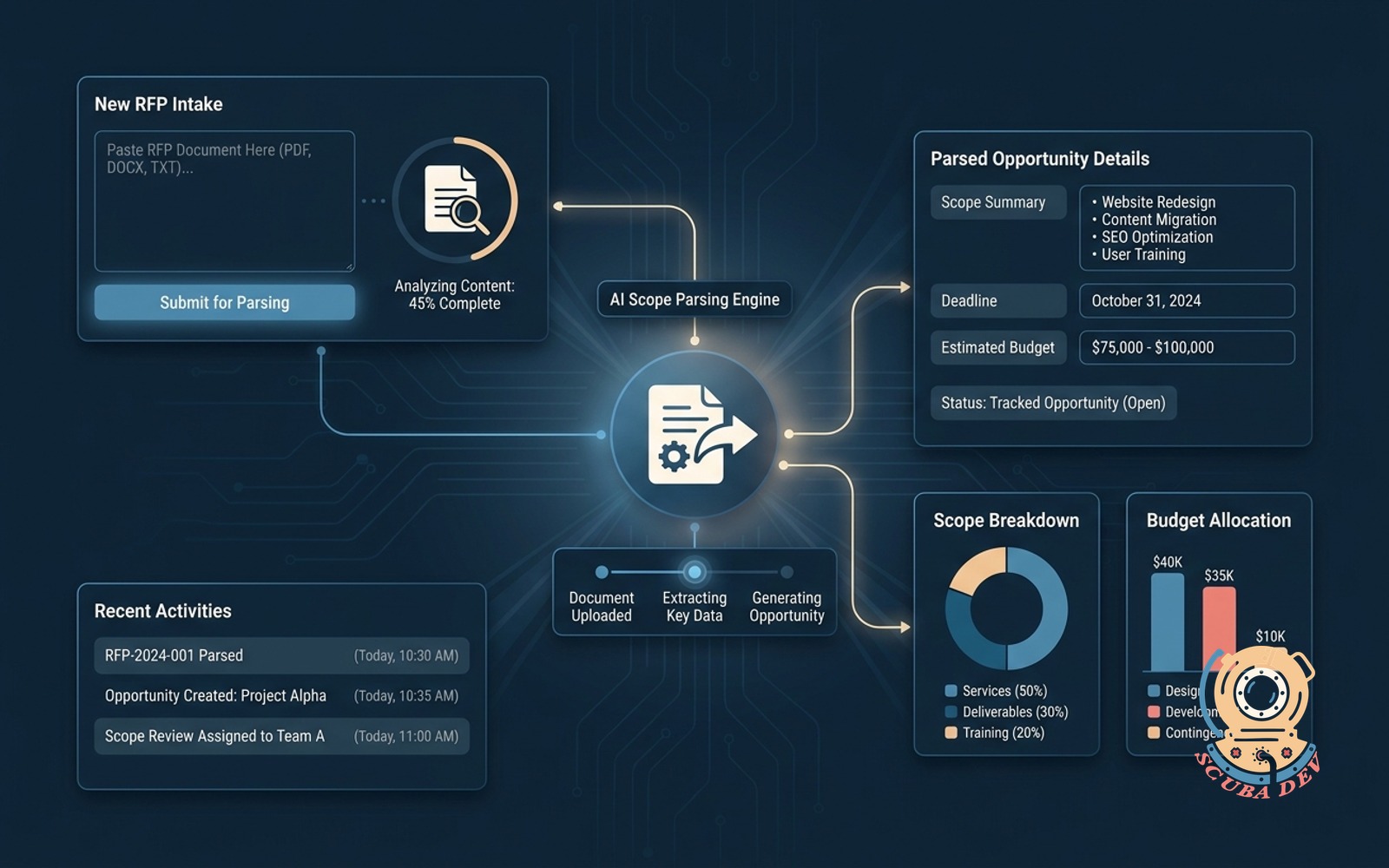
RFP intake with scope parsing
Buyer pastes the RFP, the form extracts scope, deadline and budget, opens a tracked opportunity.
Possibilities
Where this could go

Automated RFP Document Parsing
The system scans uploaded RFP documents to instantly extract core requirements and timelines.
- Parses PDF and Word documents
- Identifies project scope details
- Extracts submission deadlines
- Flags specified budget constraints
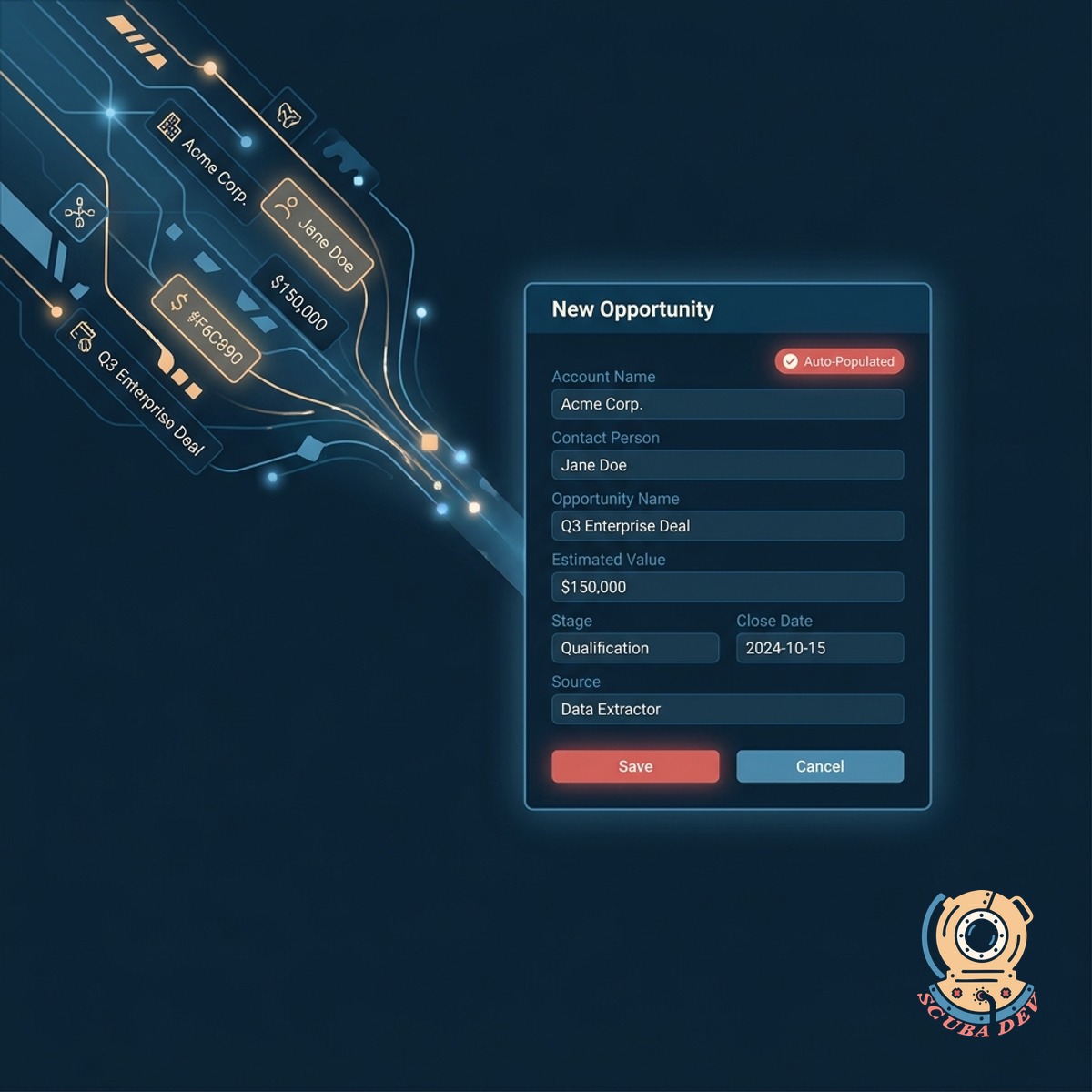
Direct CRM Opportunity Creation
Extracted data automatically populates a new tracked opportunity in your CRM platform.
- Integrates with HubSpot and Salesforce
- Creates new deal records automatically
- Assigns owners based on territory
- Attaches original files to the record

Instant Team Alert Routing
Your sales team receives immediate notifications in Slack with a summary of the new request.
- Sends automated Slack channel alerts
- Includes budget and deadline summaries
- Provides direct links to the CRM deal
- Mentions specific account executives
Questions
Things people ask
What file formats can the parser read?
The tool processes standard text-based formats like PDF, DOCX, and TXT. Scanned images or locked PDFs require an additional OCR step to extract the text.
Which CRM platforms do you support?
We build direct integrations for major platforms like Salesforce, HubSpot, and Pipedrive. If you use a custom CRM, we can connect to it via standard API endpoints.
How accurate is the budget and deadline extraction?
The system uses natural language processing to identify standard date and currency formats with high reliability. Complex or vaguely worded timelines may require manual review by your team.
Can we customize the fields that get extracted?
Yes. We configure the parsing logic to target the specific data points your sales process requires. This includes custom industry terms, compliance requirements, or specific technical scopes.
Where are the original RFP documents stored?
The original files are uploaded to your preferred cloud storage provider like Google Drive or AWS S3. A secure link to the file is then attached to the CRM opportunity record.
Does this tool draft the RFP response?
No. This specific tool handles the intake, data extraction, and CRM entry process. We can build separate generative tools to assist with drafting the actual proposal if needed.
How are notifications routed to the right salesperson?
The tool checks the extracted data against your routing rules, such as company size or region. It then tags the correct account executive in Slack or sends them an automated email.