Podcast And Webinar Clip Pipeline
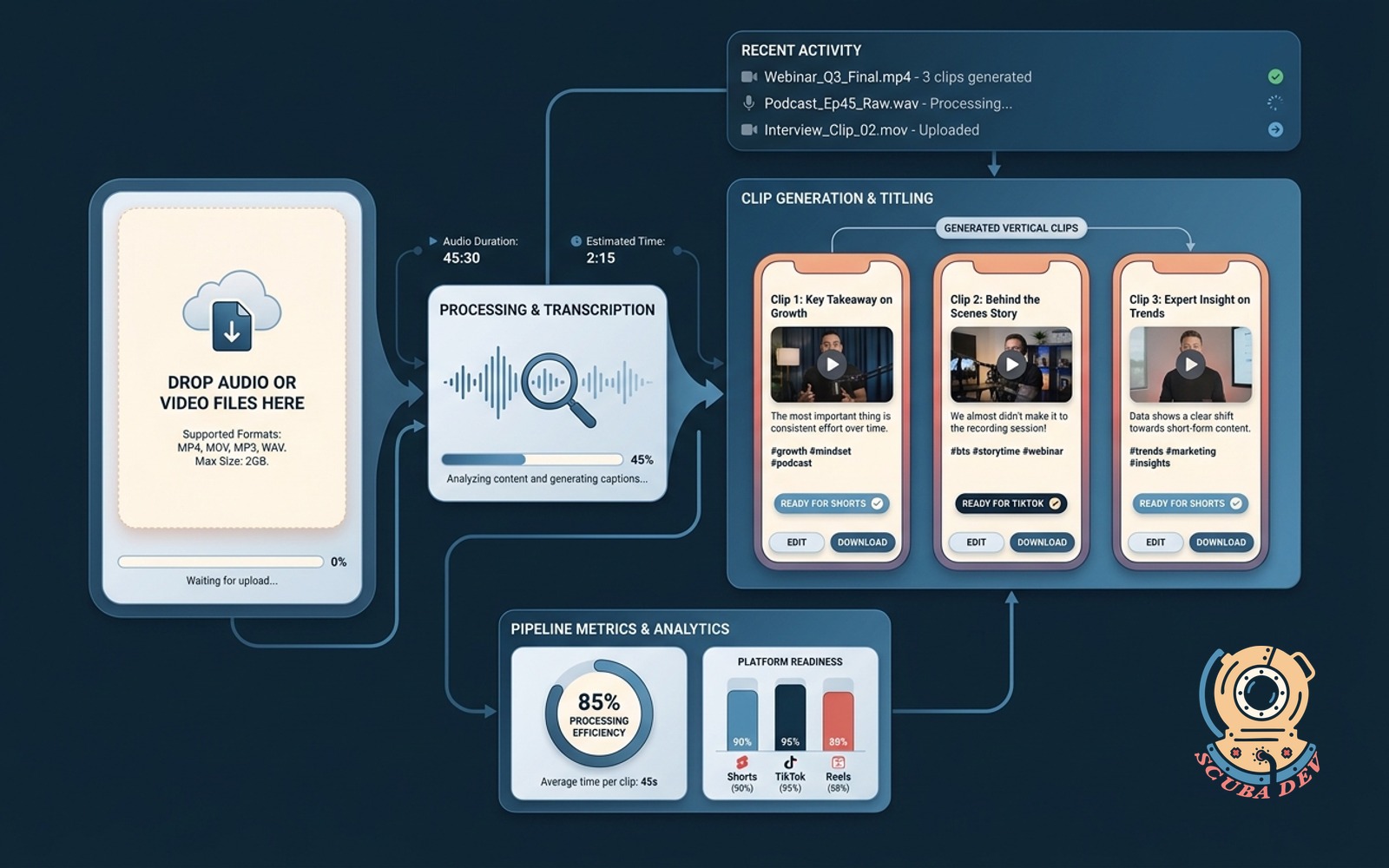
Drop audio or video. The tool returns titled vertical clips with captions ready for Shorts and TikTok.
Possibilities
Where this could go
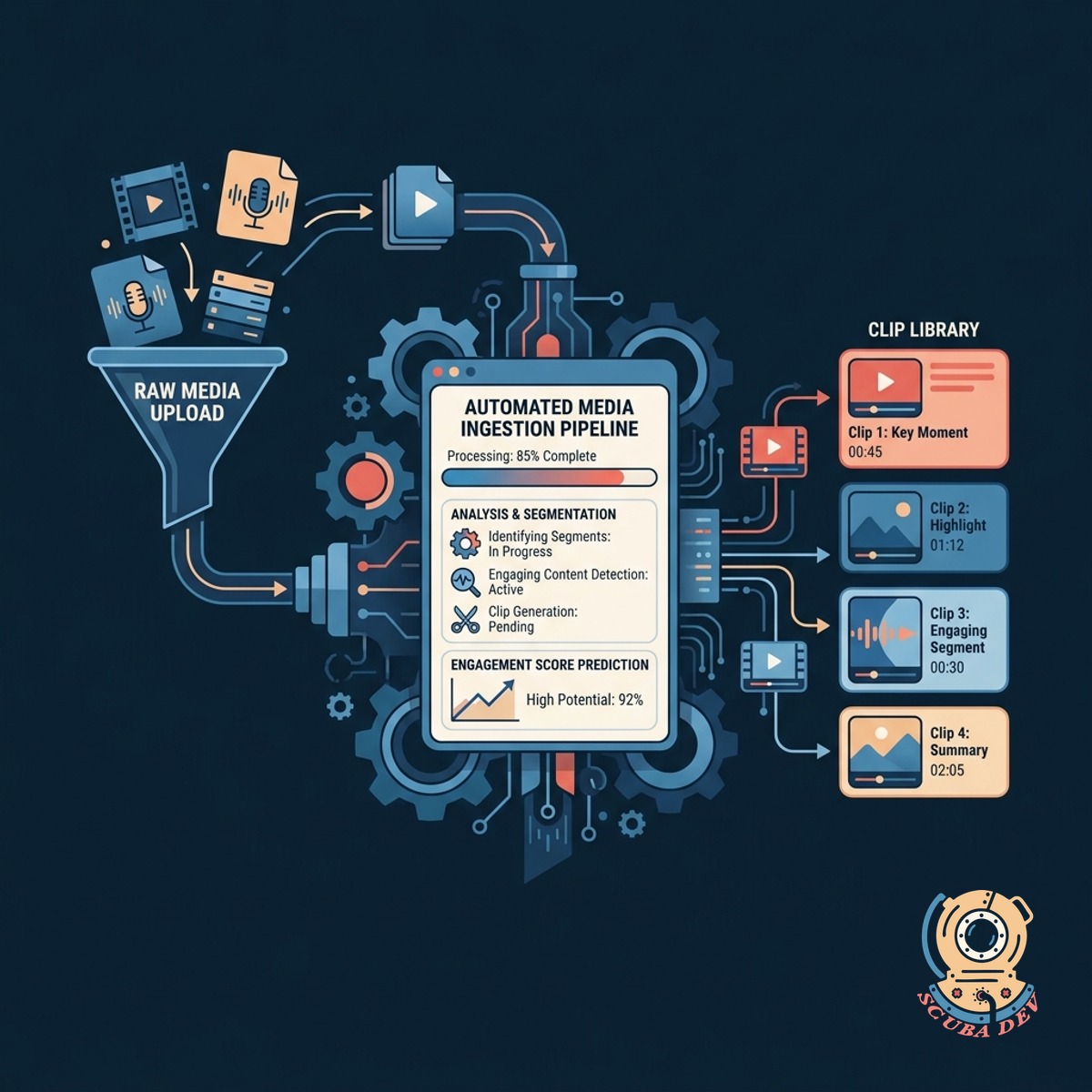
Automated Media Ingestion Pipeline
Upload your raw media files and the system automatically identifies the most engaging segments for clipping.
- Supports MP4 and MP3 files
- Connects directly to Zoom or Google Drive
- Scans for high engagement moments
- Extracts standalone topics
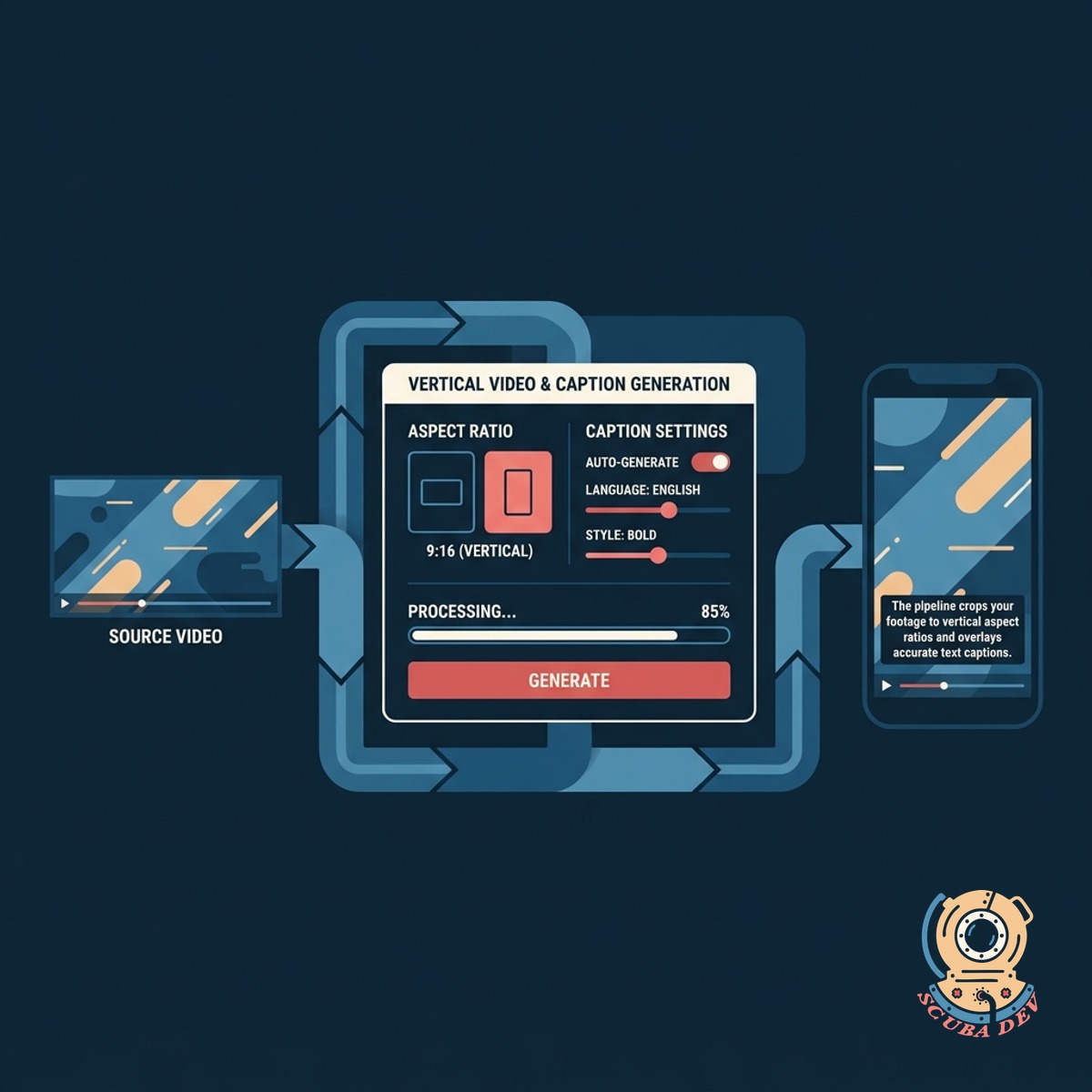
Vertical Video And Caption Generation
The pipeline crops your footage to vertical aspect ratios and overlays accurate text captions.
- Crops landscape to vertical formats
- Uses Whisper for accurate transcription
- Applies custom brand fonts and colors
- Highlights active speakers automatically
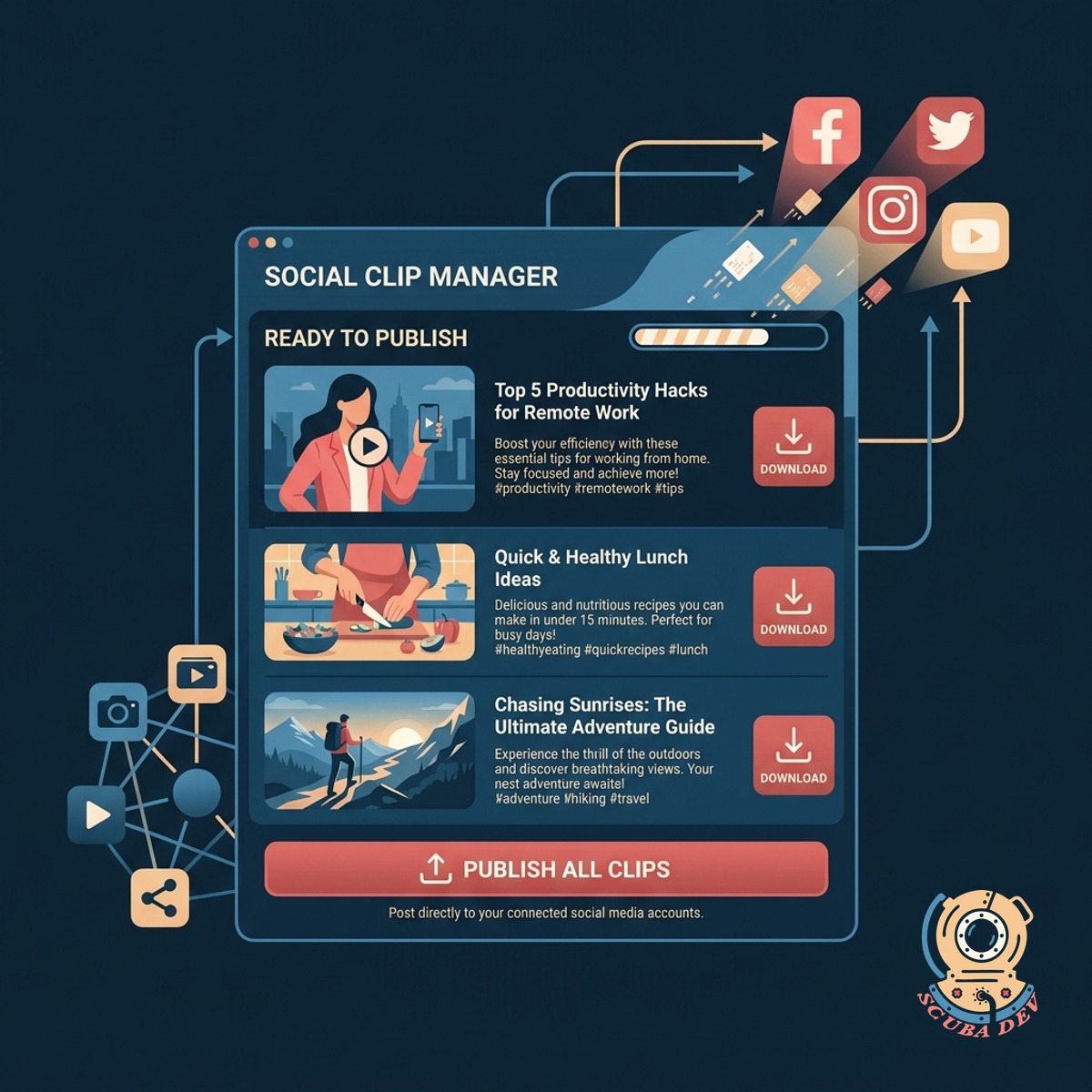
Ready To Publish Social Clips
Download your finished clips with generated titles and descriptions for immediate posting.
- Generates YouTube Shorts titles
- Writes TikTok descriptions and tags
- Exports in high resolution
- Organizes files by episode or topic
Questions
Things people ask
What types of files can I upload to the pipeline?
You can upload standard video formats like MP4 and MOV or audio formats like MP3 and WAV. The system handles both video podcasts and audio only webinars. It processes the raw files directly from your browser or cloud storage.
How does the tool decide which parts of the video to clip?
The pipeline uses natural language processing to analyze the transcript of your media. It looks for complete thoughts, strong statements, and topic changes to identify standalone segments. You can also manually adjust the start and end times of any generated clip.
Does this work for audio only podcasts?
Yes. If you upload an audio file, the tool generates a waveform or uses a static background image for the visual component. It then overlays the animated text captions just like it does for video files.
Can I customize the look of the captions?
The pipeline allows you to set specific fonts, colors, and text positions to match your brand. You can choose how many words appear on screen at once and highlight specific keywords. These templates are saved for future uploads.
How accurate is the transcription for the captions?
The system uses advanced speech to text models like OpenAI Whisper to generate highly accurate transcripts. It handles multiple speakers and complex terminology well. You also have access to a text editor to fix any spelling errors before rendering the final video.
Will the pipeline crop my video automatically?
The tool uses facial recognition and subject tracking to keep the active speaker centered in the frame. It converts standard landscape video into the vertical format required by TikTok and YouTube Shorts. You can override the tracking if you need to focus on a different part of the screen.
How long does it take to process a full webinar?
Processing time depends on the length of the source file. A standard one hour webinar typically takes about ten to fifteen minutes to analyze, transcribe, and cut into clips. The final rendering of the vertical videos happens in the background.