Content approval pipeline
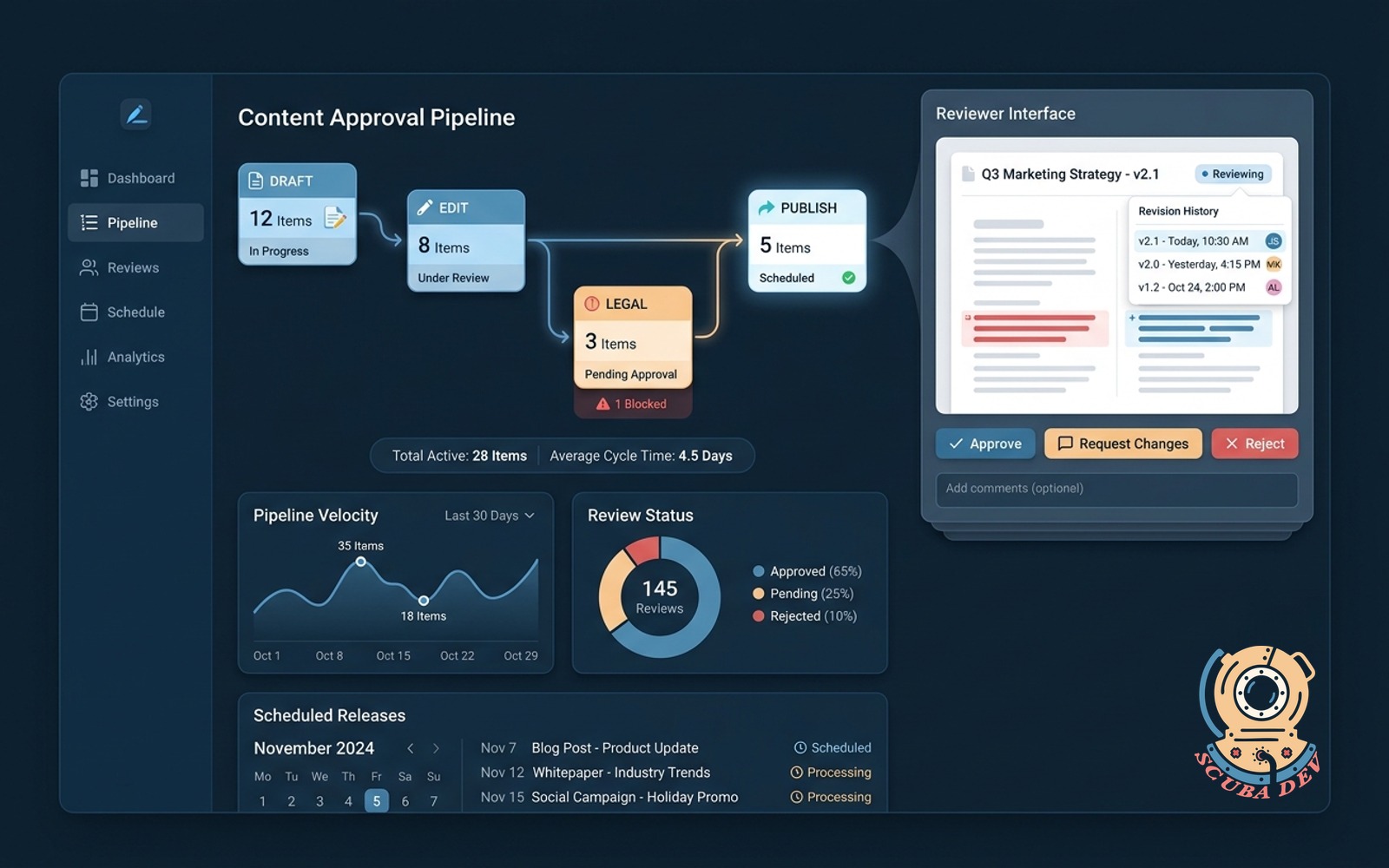
Draft, edit, legal, publish with one queue, one reviewer UI, revision history and scheduled release.
Possibilities
Where this could go
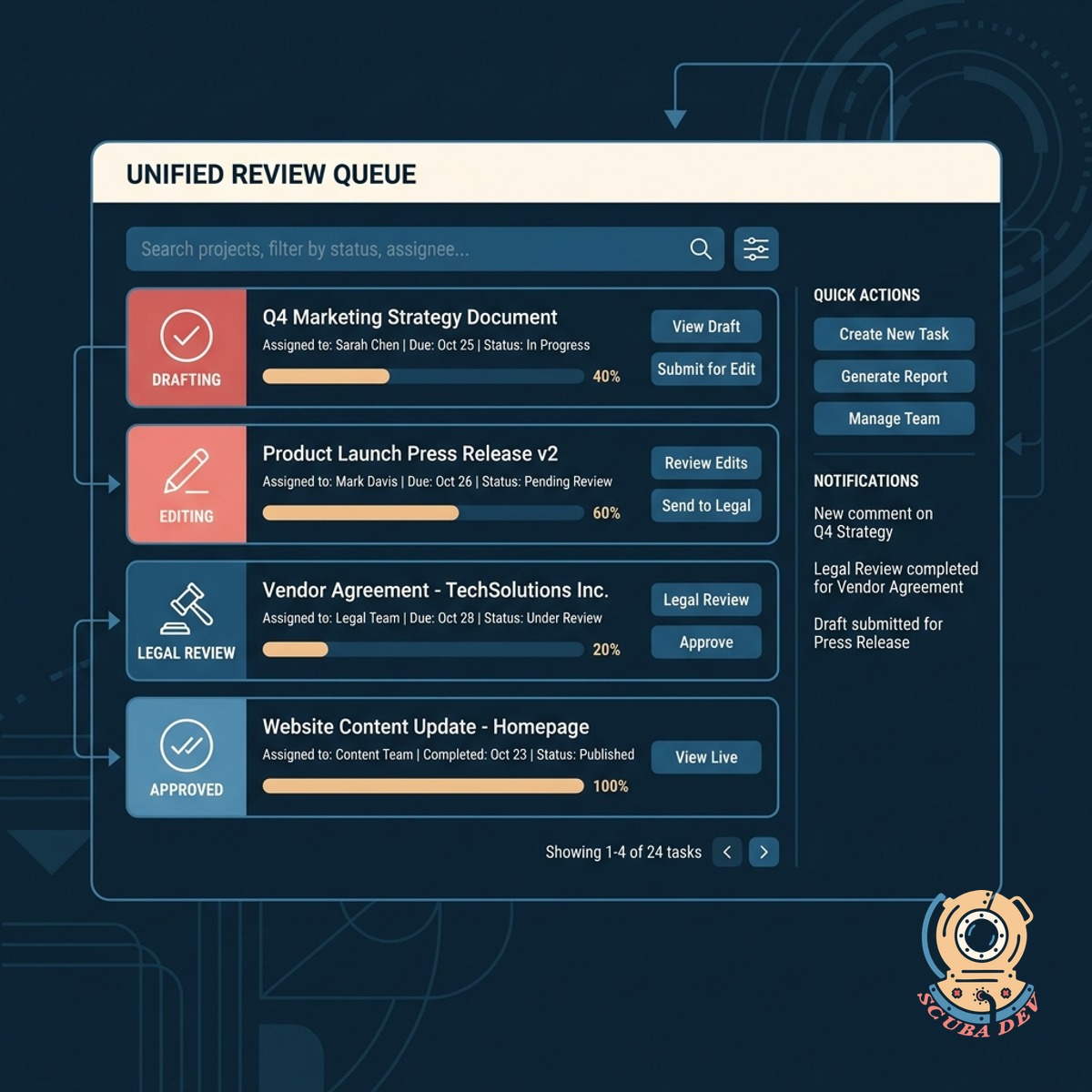
Unified Reviewer Interface And Queue
Consolidate all drafting, editing, and legal reviews into a single queue so your team never misses a step.
- Centralized task queue
- Side-by-side document comparison
- Role-based access controls
- Automated status updates
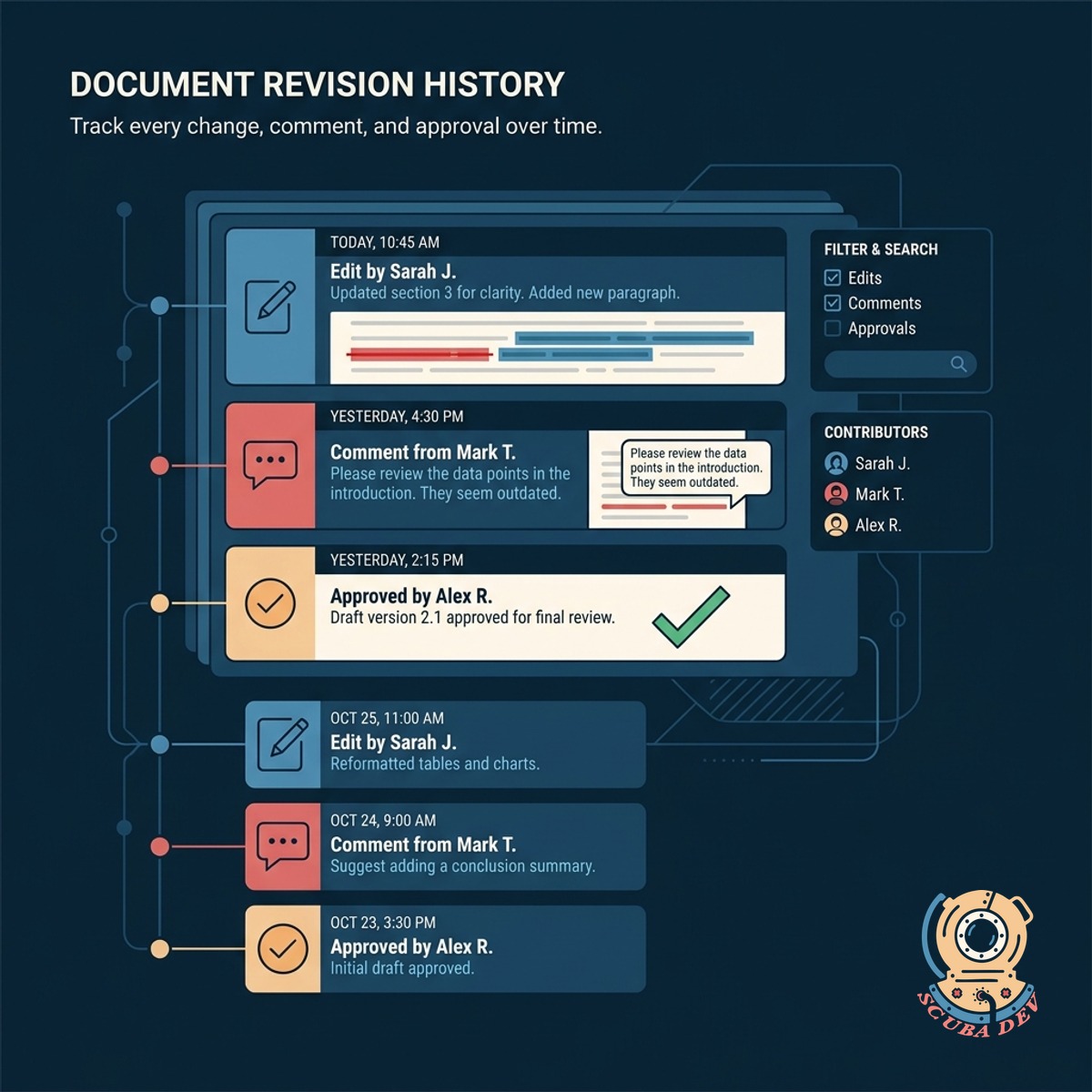
Comprehensive Document Revision History
Track every change made to your content with a detailed log of edits, comments, and approvals over time.
- Line-by-line change tracking
- Comment threads for feedback
- Version restoration capabilities
- Audit trails for compliance
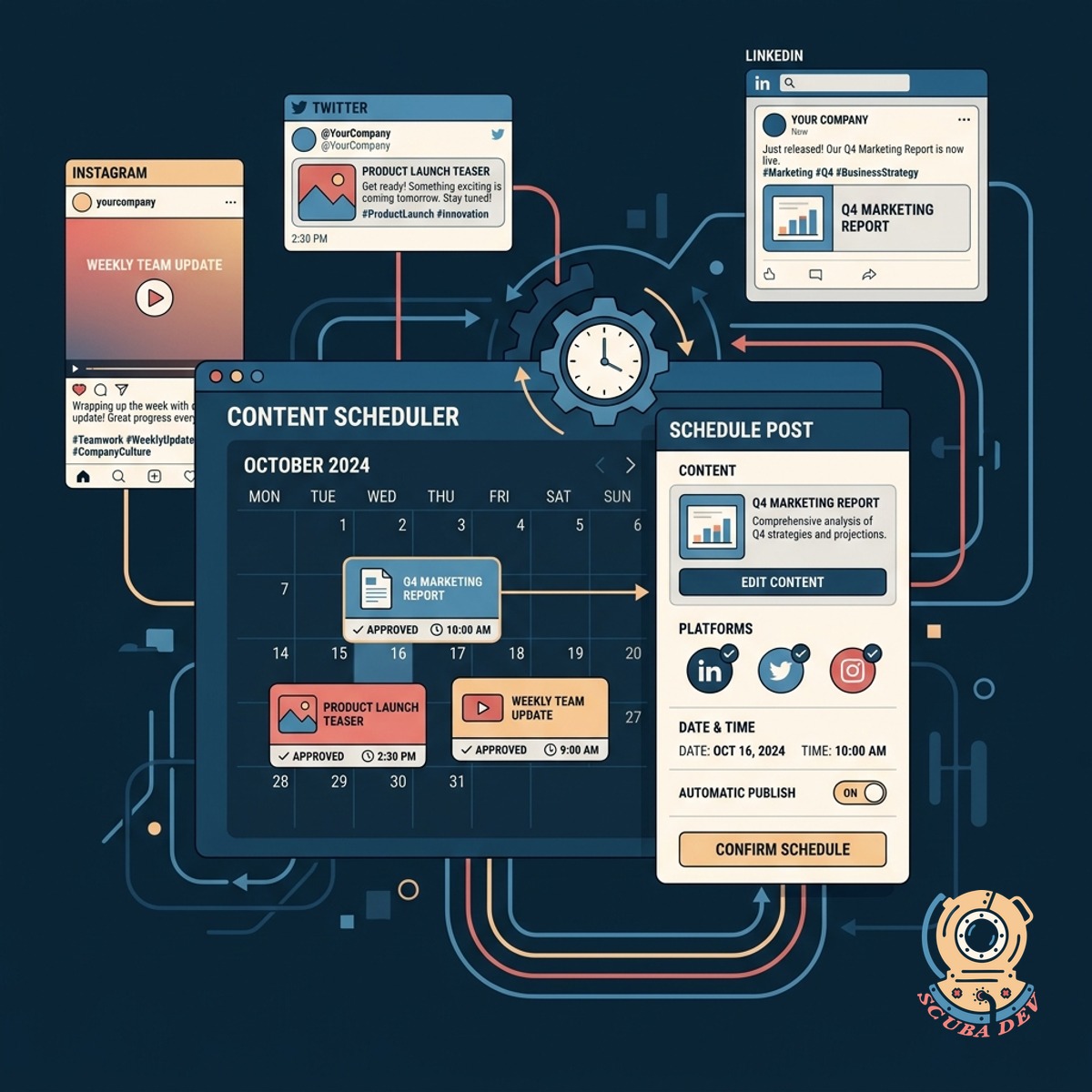
Automated Scheduled Content Publishing
Set approved content to go live automatically at a specific date and time across your chosen platforms.
- Timezone-aware scheduling
- Multi-platform distribution
- Pre-publish validation checks
- Calendar view of upcoming releases
Questions
Things people ask
How does the single queue system work?
The system routes content through predefined stages like drafting, editing, and legal review. Each user only sees the tasks assigned to their specific role. Once a stage is approved, the content automatically moves to the next person in line.
Can we customize the approval stages?
Yes, the pipeline is adaptable to your specific organizational structure. You can add or remove steps, such as mandatory compliance checks or technical reviews, to fit your exact workflow.
How does the revision history handle multiple editors?
The tool logs every keystroke and associates it with the specific user who made the change. You can view side-by-side comparisons of different versions to see exactly what was altered and when.
Does this integrate with our existing content management system?
We build the pipeline to connect directly with platforms like WordPress, Contentful, or your custom CMS via API. This ensures approved content flows seamlessly from the review queue to your live site.
What happens if legal rejects a piece of content?
The reviewer can flag the document with specific comments and send it back to the drafting or editing stage. The original author receives a notification detailing the required changes before they can resubmit.
How does the scheduled release feature handle different time zones?
You can select the precise time zone for publication when scheduling a post. The system stores this data and triggers the release at the correct global time, regardless of where your team is located.
Is there a way to see all upcoming scheduled content?
The pipeline includes a calendar view that displays all approved and scheduled posts. This allows your team to visualize the content strategy and identify any gaps in your publishing schedule.