Process SOP library with embed search
Every SOP indexed with AI search. Employees ask in natural language, get the right step and the owner to ping.
Possibilities
Where this could go
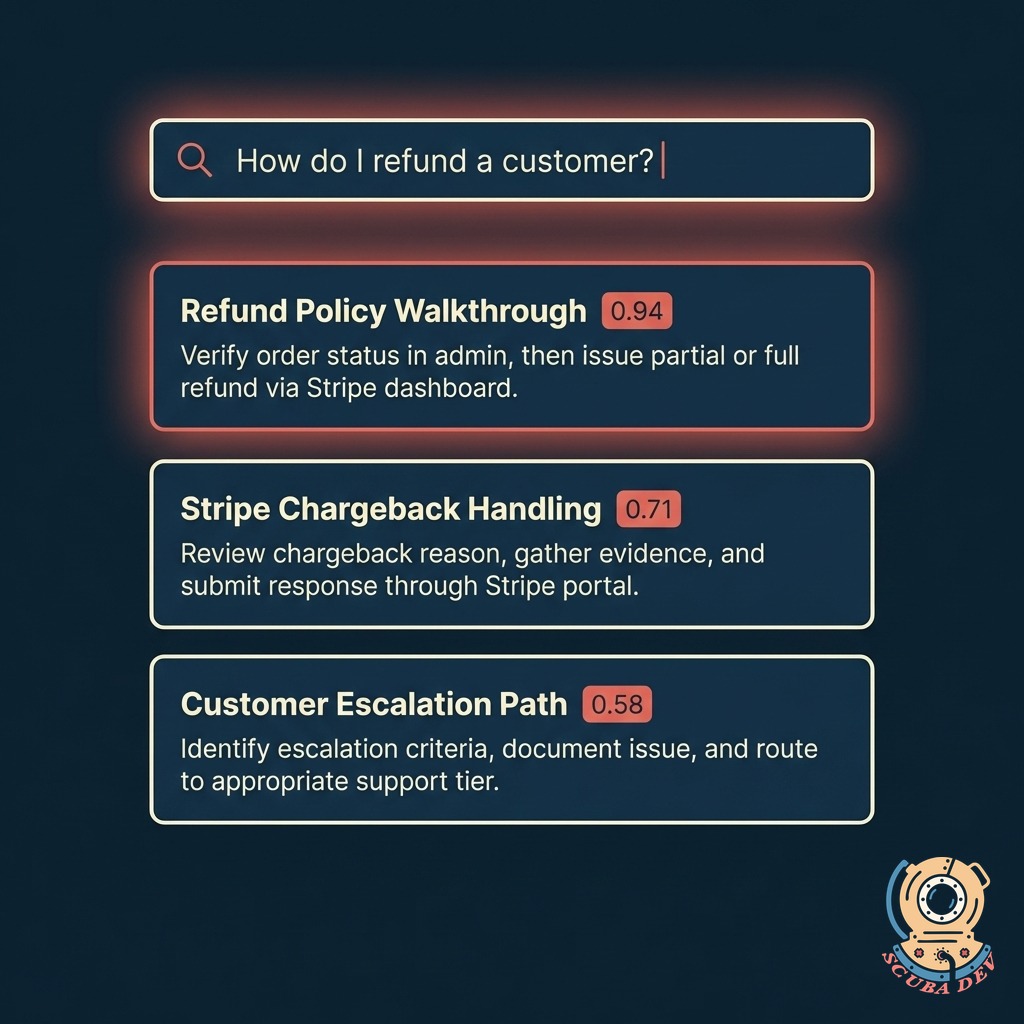
Natural-Language Search
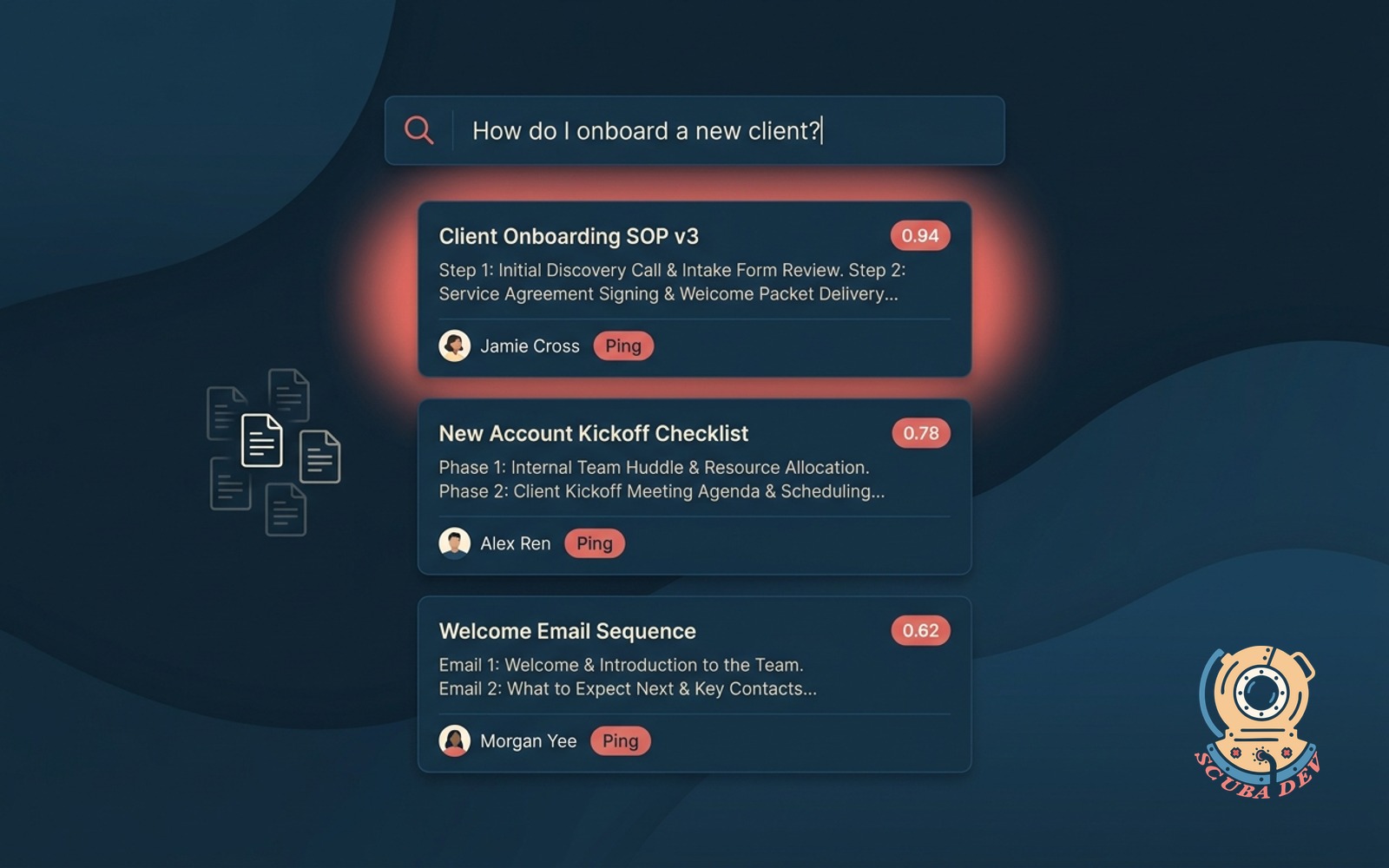
Ask a real question, get the right SOP step. No keyword guessing, no scrolling through a wiki.
- Vector search across every SOP, policy, and playbook
- Understands phrasing, synonyms, and context
- Returns the exact step, not a whole document
- Similarity score shown so you know how strong the match is
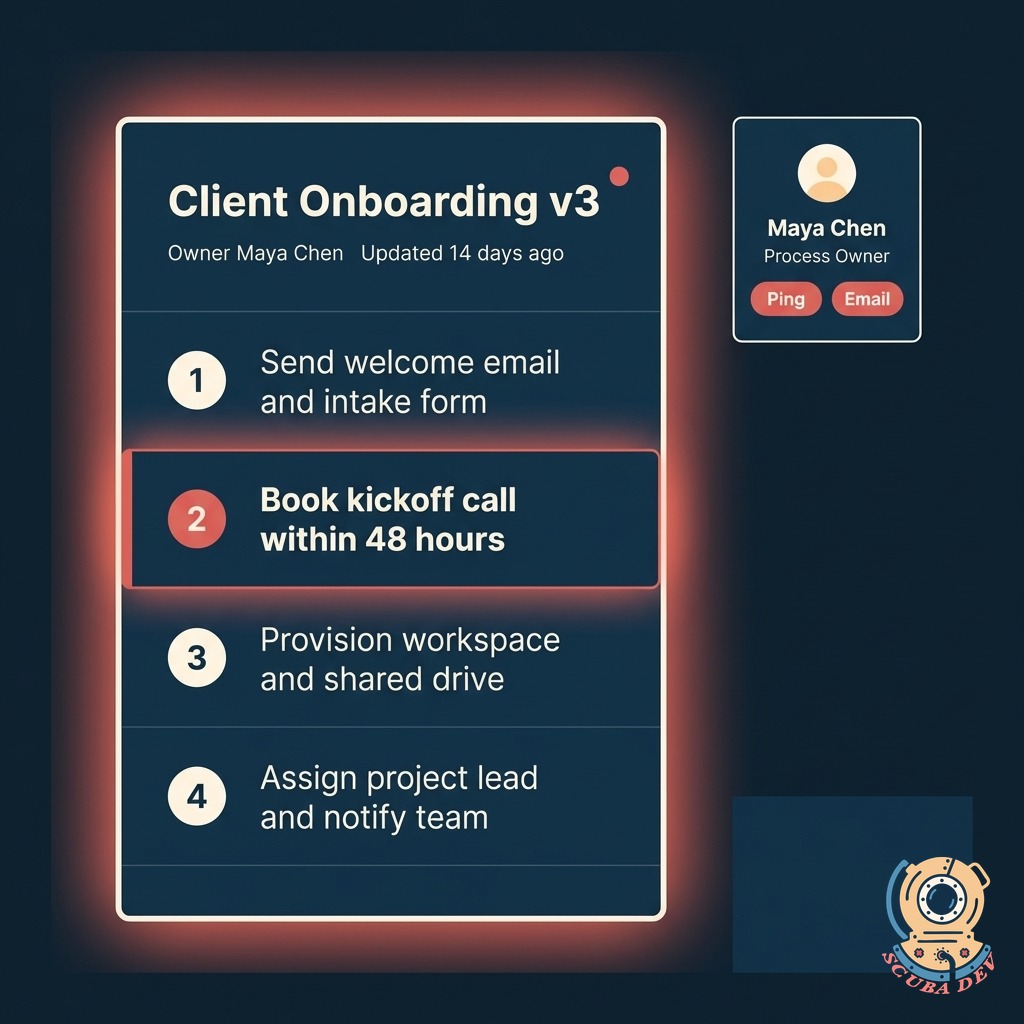
Ping The Owner In One Click
Every SOP has an owner. If the answer is not enough, the tool surfaces who to ask and drops a message to them directly.
- Owner photo and role shown alongside every result
- Slack, Teams, or email ping from inside the interface
- Auto-attaches the SOP and the user's question
- Owner can reply inline and update the SOP if needed
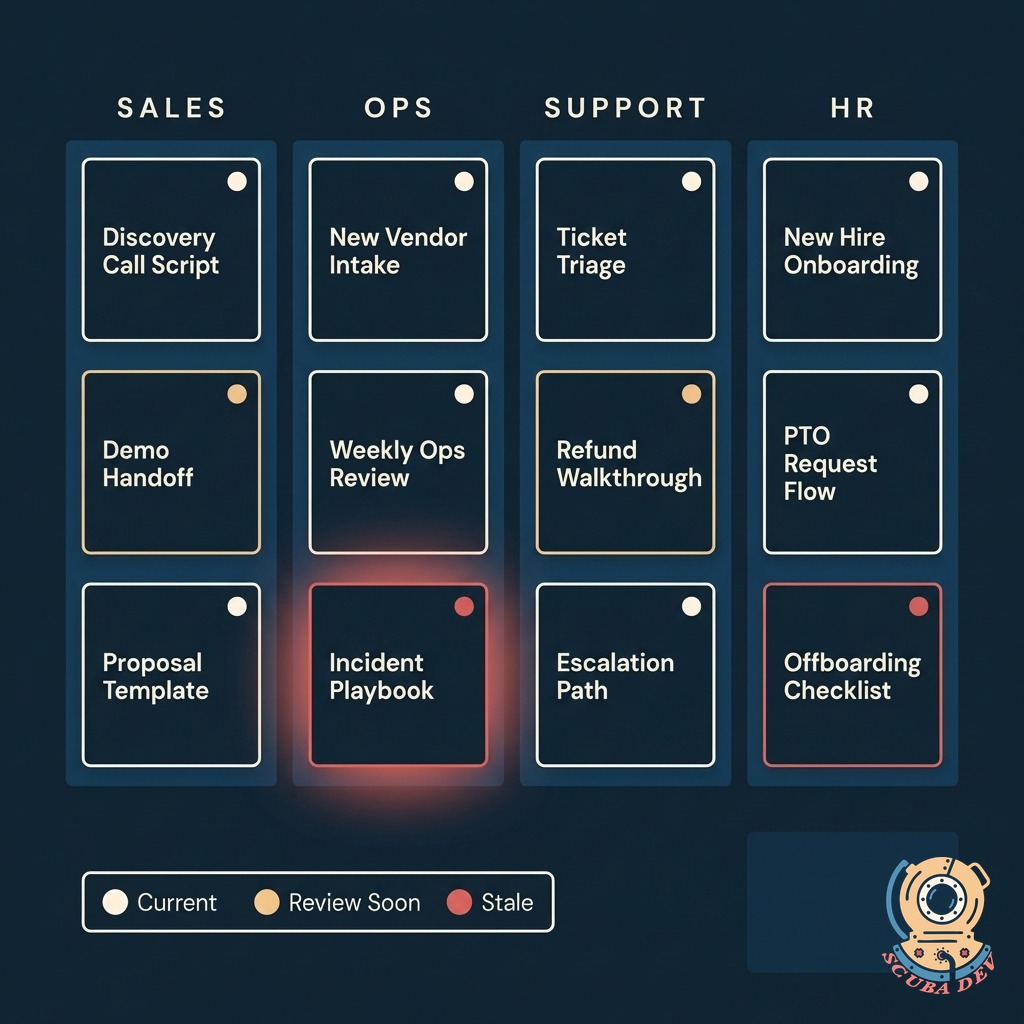
Every SOP Stays Fresh
The library tracks when each SOP was last reviewed, flags stale ones, and routes them to the owner for a refresh.
- Freshness indicators on every SOP (Current, Review Soon, Stale)
- Automatic review reminders sent to the owner on a schedule you set
- Version history preserved so you can always see what changed
- Audit log of who accessed which SOP and when
Questions
Things people ask
Where do the SOPs live?
You keep them where they are. We index Notion, Confluence, Google Docs, SharePoint, Dropbox Paper, Coda, GitBook, and plain markdown files in Git. Changes in the source propagate to the index overnight.
How accurate is the search?
We connect directly to your existing tools like Notion, Google Drive, or Confluence. The system automatically syncs your documents and updates the search index whenever you make a change. You do not have to migrate your files to a new platform.
Can employees access this from Slack or Teams?
Yes. There is a Slack bot and a Teams bot that accept the same natural-language questions. Results return inline so the employee never leaves their conversation.
What if the SOP does not cover the question?
The tool flags unanswered questions and routes them to the owner of the closest match. The owner can answer directly or use the answer to update the SOP. Over time the index captures the tribal knowledge.
Is the data private?
Your SOPs stay in your tools. We only index and retrieve, we never train foundation models on your content. You can also run the search layer entirely on your own infrastructure if security needs require it.
Can we control who sees what?
Yes. Permissions respect the source system. If a user cannot see a doc in Notion, they will not see it in the search results. You can also add search-specific rules on top for finer control.
How does the freshness check work?
You set a review cadence per category, like ninety days for Sales, one hundred eighty days for HR. When an SOP hits its window, the owner gets a review task with the option to approve as-is, update inline, or archive it.